
Simple File Manager Pro
Handy file explorer for easily searching or organizing your files and folders
- Installs
- 275K
- Measured
- Rating
- 4.43
- Ratings
- 6.9K
- 344 reviews
- Version
- 6.16.1
- Updated 19 Sep 2023
- Released
- 4 Nov 2018
- Tracked since 13 May 2026
- Size
- 6 MB
- Needs 5.0
Screenshots



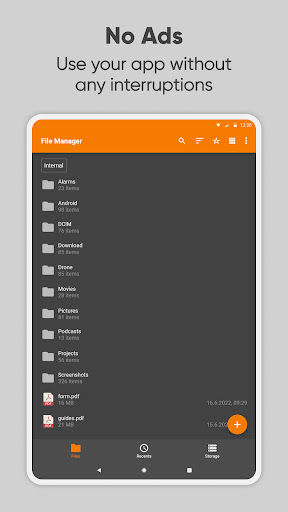
About Simple File Manager Pro
The description on the store listing
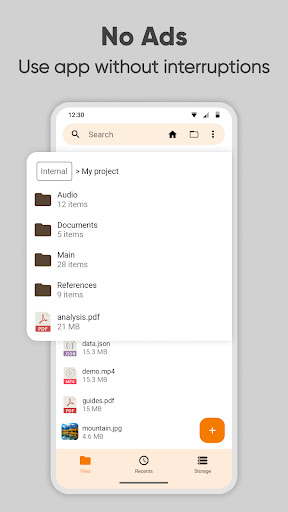
Simple File Manager is a super quick & professional file and folder manager for Android devices. Use Simple File Manager to easily compress, transfer & convert media files with a few clicks. It has all of the major file manager & folder management features, including customizing the home folder and selecting favorite folders for quick access.
The file manager provides the whole pack of file manager features, including search, navigation, copy & paste, cut, delete, rename, decompress, transfer, download, organize & so on. Add, remove, or edit files, folders & apps according to your personal preferences.
With this easy data organizer, you can organize and sort your mobile by various …
Read the full description
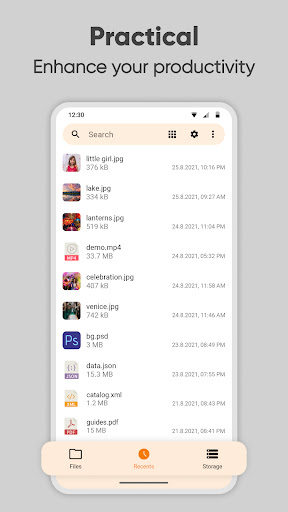
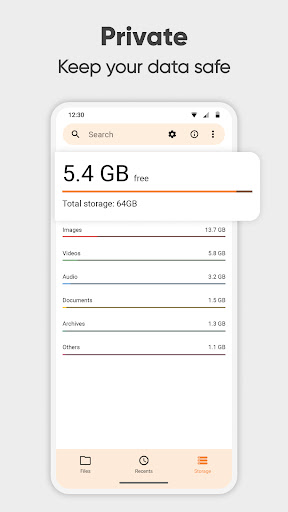
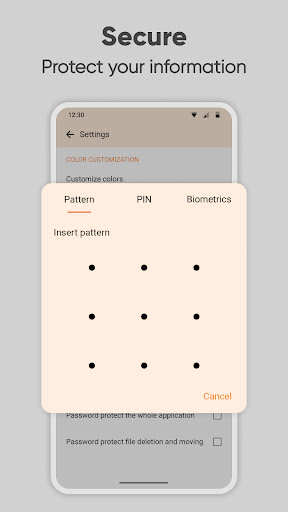
Simple File Manager is a super quick & professional file and folder manager for Android devices. Use Simple File Manager to easily compress, transfer & convert media files with a few clicks. It has all of the major file manager & folder management features, including customizing the home folder and selecting favorite folders for quick access. The file manager provides the whole pack of file manager features, including search, navigation, copy & paste, cut, delete, rename, decompress, transfer, download, organize & so on. Add, remove, or edit files, folders & apps according to your personal preferences. With this easy data organizer, you can organize and sort your mobile by various metrics and toggle between ascending and descending or using a folder specific sorting. To get a file or folder path quickly, you can easily select it by long-pressing and copying it in the clipboard. Simple File Manager makes organizing your mobile files, folders, and apps easy to save you both time & energy. With just a few clicks, you can also check file or folder properties, which shows various fields like the size, date of the last modification, or EXIF values like the creation date, camera model at photos, etc. This file organizer is absolutely secure, containing multiple powerful security-related functions, like password protecting hidden items, deleting or opening the whole app. You can choose between using a pattern, pin, or a biometric lock to keep your data private. The fingerprint permission is needed for locking either hidden item visibility, deleting files, or the whole app. Simple File Manager works without internet access, further guaranteeing your ultimate privacy. The File Manager can also clean up space and save your internal storage by compressing files & folders. This modern media file organizer supports fast browsing of root files, SD cards, and USB devices. File Manager also recognizes multiple file formats, including music, videos, images & documents. Use Simple File Manager to create handy desktop shortcuts for accessing your favorite items quickly. It contains a light file editor that you can use to print documents, edit them, or read easily using zoom gestures, whenever needed. Despite called Simple File Manager, it will help you manage & customize your files, folders & apps with just a few clicks. You can easily see your recent files and do a storage analysis too. You can use the built in Storage Analysis to have a quick overview about what files are taking up the most space and clean it up. It can function as a storage cleaner that will help empty some space on your device. It comes with material design and dark theme by default, provides great user experience for easy usage. The lack of internet access gives you more privacy, security and stability than other apps. Contains no ads or unnecessary permissions. It is fully opensource, provides customizable colors. Check out the full suite of Simple Tools here: https://www.simplemobiletools.com Facebook: https://www.facebook.com/simplemobiletools Reddit: https://www.reddit.com/r/SimpleMobileTools Telegram: https://t.me/SimpleMobileTools
Installs, last 30 days Measured
Exact Google Play install counts, collected daily
Ratings
6,929 ratings, 344 reviews
- 5 ★80%
- 4 ★2.9%
- 3 ★2.9%
- 2 ★3.9%
- 1 ★10.0%
Recent reviews
Latest public reviews from the store
- 7 May 2026
it's cool
- 9 Apr 2026
More art to my mobile
- 19 Mar 2026
muy práctico. me gusta mucho
- 18 Feb 2026
Ok
What reviewers bring up
Topics mentioned in the latest 50 reviews, by how many reviews mention them
Liked in good reviews (22 reviews)
- drawing 3
- useful 2
Raised in bad reviews (26 reviews)
- ads 5
- another 3
- money 3
- pay 3
- interface 2
- features 2
- per week 2
- welcome 2
Top chart positions
Latest Google Play chart ranks by country, last 10 days
Not in any tracked top chart in the last 10 days.
Simple File Manager Pro history
Release, install milestones, listing and store changes
- First released on the store 4 Nov 2018
Recent versions
Current version 6.16.1
- Version 6.16.119 Sep 2023
Added SD card to storage analysis Added some UI, translation and stability improvements
- Version 6.16.017 Jul 2023
- Version 6.15.420 Jun 2023
- Version 6.15.39 Apr 2023
Listing keywords
Words and phrases Simple File Manager Pro repeats most in its store listing
Top phrases: file manager (12), files folders (4), file or folder (2), features including (2), file organizer (2).
Highlighted words also appear in the title. Counts cover the title, short description and description.
Business model and tech
From the store listing, the SDKs in the app package and its declared permissions
- Business model
- Paid, $1.19
- Built with
- No cross-platform framework or game engine detected
- Ad networks (0)
- None detected
- Sensitive access
- Photos, videos and files
0 ad, attribution and analytics SDKs detected. SDKs are read from the app package and permissions from the store listing, so code that loads later is not seen.
Technology
16 SDKs found in the app package
6 permissions
2 special access, 3 sensitive, 1 standard
- Install other appsREQUEST_INSTALL_PACKAGESSpecial access
- Manage all filesMANAGE_EXTERNAL_STORAGESpecial access
- Change or delete shared storageSensitive
- Read shared storageSensitive
- Show notificationsPOST_NOTIFICATIONSSensitive
- Use the fingerprint readerUSE_FINGERPRINTStandard
Compliance
What the listing and the app package show
- Store status
- Live
- Upkeep
- No update since 19 Sep 2023
- Registered in
- Israel
- Privacy policy
- Linked on the listing
- Advertising
- No ads declared
- In-app purchases
- None declared
- Age rating
- Everyone
- Sensitive permissions
- 3 sensitive, 2 special access of 6
- Location access
- No
- Camera and microphone
- Neither
Apps like Simple File Manager Pro
InConnectQuantumTech Limited516K installs★ 4.1
Afghan Flag Pashto KeyboardNenoSoft Technologies245K installs★ 4.24
List, Copy And InviteManuelitaGG145K installs★ 4.4
Digital Dashboard GPSluozirui628K installs★ 3.44
Recover Deleted Messages AppAllied Clicks126K installs★ 4.3
Battery Health TemperatureSimpleEvo Apps1.1M installs★ 4.09
MyScript Calculator 2MyScript301K installs★ 4.61
StaytrackBossjob13.4K installs★ 4.96
WiFi Extract كشف الواى فاىKharphonk1.9M installs★ 3.79
Simple File Manager Pro: questions and answers
How many downloads does Simple File Manager Pro have?
Simple File Manager Pro has 274,682 installs on Google Play, measured from the store's own count on 20 Nov 2026.
Who makes Simple File Manager Pro?
Simple File Manager Pro is published by Simple Mobile Tool, a developer based in IL.
When was Simple File Manager Pro last updated?
The latest version (6.16.1) was released on 19 Sep 2023.
Is Simple File Manager Pro free?
No. Simple File Manager Pro is a paid app priced at $1.19.
Is Simple File Manager Pro still available?
Yes. Simple File Manager Pro is live on Google Play as of 20 Nov 2026.
Track Simple File Manager Pro and its competitors
Watch any app for new versions, rating drops, chart moves and removals. Free plan, no card.