Smart Switch: Data Transfer
Easy Data transfer from one phone to another with the help of smart switch app.
- Installs
- 15.83K
- Measured
- Rating
- —
- Ratings
- —
- Version
- Varies with device
- Updated 26 Feb 2024
- Released
- 28 Oct 2023
- Tracked since 13 May 2026
- Size
- —
Screenshots



About Smart Switch: Data Transfer
The description on the store listing
Smart Transfer: File Sharing Copy My Data 📱 application that helps you conveniently content transfer 📱 like your pictures, videos 🎥, and contacts from the phone-to-phone file transfer
The Smart Switch: Data Transfer app simplifies the process of sharing files and transferring various types of content to create clones of all your data on other devices. Whether you want to create a Smart Switch Eze Share or transfer data such as images, contacts, and social media content, it's a hassle-free experience. The Copy My Data Transfer Content is the gap between your devices while facilitating file sharing and data transfer. With this smart transfer cloning app, you can effortlessly share …
Read the full description
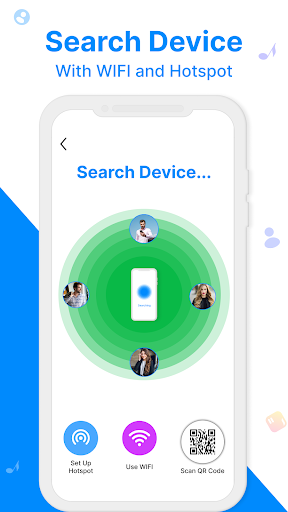
Smart Transfer: File Sharing Copy My Data 📱 application that helps you conveniently content transfer 📱 like your pictures, videos 🎥, and contacts from the phone-to-phone file transfer The Smart Switch: Data Transfer app simplifies the process of sharing files and transferring various types of content to create clones of all your data on other devices. Whether you want to create a Smart Switch Eze Share or transfer data such as images, contacts, and social media content, it's a hassle-free experience. The Copy My Data Transfer Content is the gap between your devices while facilitating file sharing and data transfer. With this smart transfer cloning app, you can effortlessly share files or transfer data to another device using a hotspot, web share, or Wi-Fi connection. Smart Switch – Share Data Phone cloning becomes a breeze with the Smart Switch My Phone app, which allows you to share files even without an internet connection. You can seamlessly transfer files and share data to create clones using the Smart Transfer: File Sharing app. The quick file-sharing feature of this phone clone app enables you to effortlessly copy and smartly transfer your phone's content. It's as straightforward as it sounds - simply use this simple clone app to transfer all your data from one phone to another. Phone Clone App to Smart Transfer Files Smart Switch: Data Transfer app is designed to seamlessly transfer data to other devices, facilitating the creation of clone phones. This Phone Clone App empowers smart switch data transfers, whether you're connected to the internet or not. You can move data and share it anywhere, enabling phone-to-phone transfers effortlessly through this Smart Transfer app. Smart Switch ensures that data transfer is smart and efficient from any device. With the Smart Switch cloning app, you can easily share files and copy content like photos to the Clone Phone, making the process efficient and hassle-free. Smart Switch Clone App The Smart Switch Copy My Data app offers a comprehensive solution, allowing you to transfer photos, files, videos, contacts, and documents all in one place. The Content Transfer app simplifies and expedites data migration between Android phones. You can easily copy data of any size, including photos and contacts, with Copy My Data & Transfer Photos. You can swiftly transfer your data and share files with a single tap, making Smart Switch, Data Sharing & Clone App your go-to solution. The standout feature of this Smart Switch or phone clone app is its ability to share data of any size at impressive transfer speeds, ensuring an efficient data-sharing experience. What does this Phone Clone app offer? <b>▣ Phone transfer without Internet connectivity</b> Smart Switch: The data Transfer app is an amazing data transfer tool that doesn’t need any kind of Internet connection to transfer files & copy data. <b>▣Data security</b> No need to worry about data loss with this File sharing app on a new device. Transfer files with complete safety of your content and files. <b>▣Compatibility with all Devices</b> Smart File Share app is a proficient cloning app to is compatible with all kinds of smartphones. <b>▣No size limitations</b> There is no limit to the size of data in the transfer app to the clone phone, a smart switch enables users to send huge files at an appreciable speed. Transferring data to a new Android phone is very simple now with this Smart Switch: Data Transfer app, it works on Wi-Fi and mobile cellular data so that you can switch data from one to another very easily. Attractive User Interface & colorful graphics are the main features of this clone phone data transfer app.
Installs since 26 Aug 2026 Measured
Exact Google Play install counts, collected daily
Ratings
- 5 ★0.0%
- 4 ★0.0%
- 3 ★0.0%
- 2 ★0.0%
- 1 ★0.0%
Recent reviews
Latest public reviews from the store
- 9 Mar 2024
Is good
Top chart positions
Latest Google Play chart ranks by country, last 10 days
Not in any tracked top chart in the last 10 days.
Smart Switch: Data Transfer history
Release, install milestones, listing and store changes
- Reached 10,000+ installs 26 Feb 2024
- Reached 5,000+ installs 18 Dec 2023
- Reached 1,000+ installs 4 Dec 2023
- Reached 100+ installs 5 Nov 2023
- First released on the store 28 Oct 2023
Recent versions
Current version Varies with device
- Version 1.1.313 Feb 2024
- Version 1.0.924 Jan 2024
- Version 1.0.828 Dec 2023
- Version 1.0.716 Dec 2023
Listing keywords
Words and phrases Smart Switch: Data Transfer repeats most in its store listing
Top phrases: smart switch (17), data transfer (12), switch data (7), smart switch data (6), file sharing (5).
Highlighted words also appear in the title. Counts cover the title, short description and description.
Business model and tech
From the store listing and declared permissions
- Business model
- Free to downloadIn-app purchasesShows ads
- Subscriptions and payments
- Google Play billing
- Sensitive access
- LocationCameraPhotos, videos and filesNearby devicesAdvertising ID
25 permissions
2 special access, 7 sensitive, 16 standard
- Manage all filesMANAGE_EXTERNAL_STORAGESpecial access
- See every installed appQUERY_ALL_PACKAGESSpecial access
- Take photos and videosSensitive
- Change or delete shared storageSensitive
- Read shared storageSensitive
- Approximate locationSensitive
- Precise locationSensitive
- Find nearby Wi-Fi devicesNEARBY_WIFI_DEVICESSensitive
- Show notificationsPOST_NOTIFICATIONSSensitive
- Ad attribution (Privacy Sandbox)ACCESS_ADSERVICES_ATTRIBUTIONStandard
- Ad topics (Privacy Sandbox)ACCESS_ADSERVICES_TOPICSStandard
- Read how it was installed (install referrer)BIND_GET_INSTALL_REFERRER_SERVICEStandard
Compliance
What the listing and the app package show
- Store status
- Live
- Upkeep
- No update since 26 Feb 2024
- Registered in
- Pakistan
- Privacy policy
- Linked on the listing
- Advertising
- Shows ads
- In-app purchases
- Offered
- Age rating
- Everyone
- Sensitive permissions
- 7 sensitive, 2 special access of 25
- Location access
- Yes, while in use
- Camera and microphone
- Camera
Apps like Smart Switch: Data Transfer
들어서 화면켜기Won3.5K installs★ 4.0
Height PredictionEcliptic App Ventures45.9K installs★ 2.4
Speicers`Pro VPNEldiablolucifer202021.2K installs★ 4.14
Lightning Tracker with AlertsYaksh Software4.3K installs★ 3.0
Mana Pathi (Unit Converter)Shirish Koirala2.2K installs★ 4.6
Multi-tab Calc - A simple app.Naoyuki Rikiji1.3K installs★ 5.0
Photo Recovery PlusBillApps7.1K installs★ 4.53
Just Silence. Scheduled.Akid Soft1.6K installs★ 5.0
- WoWp AssistantВиталий Робиновский2K installs★ 4.2
Smart Switch: Data Transfer: questions and answers
How many downloads does Smart Switch: Data Transfer have?
Smart Switch: Data Transfer has 15,832 installs on Google Play, measured from the store's own count on 18 Nov 2026.
Who makes Smart Switch: Data Transfer?
Smart Switch: Data Transfer is published by Key Stone, a developer based in PK.
When was Smart Switch: Data Transfer last updated?
The latest version (Varies with device) was released on 26 Feb 2024.
Is Smart Switch: Data Transfer free?
Yes. Smart Switch: Data Transfer is free to download and offers in-app purchases, and it shows ads.
Is Smart Switch: Data Transfer still available?
Yes. Smart Switch: Data Transfer is live on Google Play as of 18 Nov 2026.
Track Smart Switch: Data Transfer and its competitors
Watch any app for new versions, rating drops, chart moves and removals. Free plan, no card.