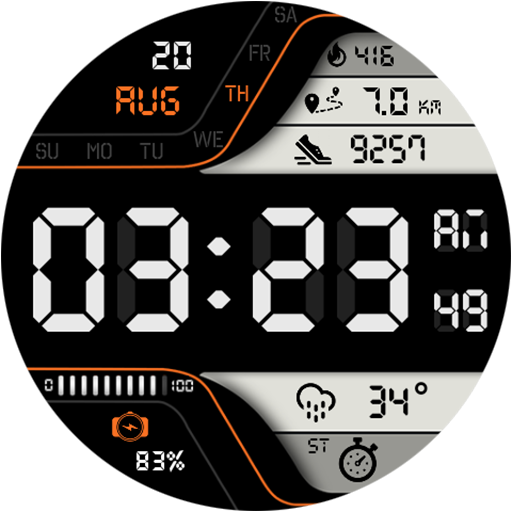
Splinter Watch Face
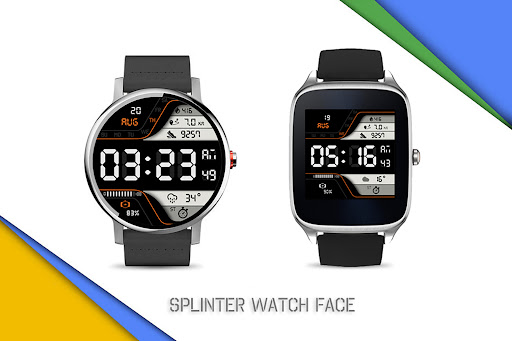
Futuristic Digital watch face and clock live wallpaper for phones & Watches.
- Installs
- 132K
- Measured
- Rating
- 2.9
- Ratings
- 489
- 27 reviews
- Version
- 1.21
- Updated 6 Nov 2023
- Released
- 25 Aug 2020
- Tracked since 13 May 2026
- Size
- —
Screenshots




About Splinter Watch Face
The description on the store listing
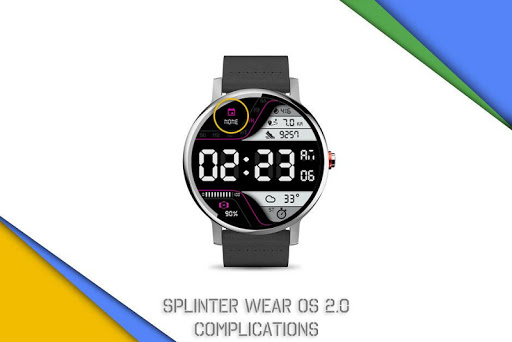
<b>Splinter watch face is a New Futuristic Digital Watch face for Wear OS Smart Watches and Clock Live Wallpaper Phones. </b>
<b>💡IMPORTANT - Not compatible with Samsung Smart Watches that use Tizen OS.
</b>
★<b>Tap Features</b> (*Available Only in Premium Version)
❖ Tap on <b>"CENTER"</b> of Watch face to change colors of watch face with Touch.
❖ Tap on <b>"STOPWATCH ICON"</b> on Watch face for Interactive Stop watch.
❖ Tap on <b>"DATE"</b> on Watch face for Agenda App.
❖ Tap on <b>"WEATHER"</b> on main Watch Face to get 4 days Weather Forecast and Other Weather Info.
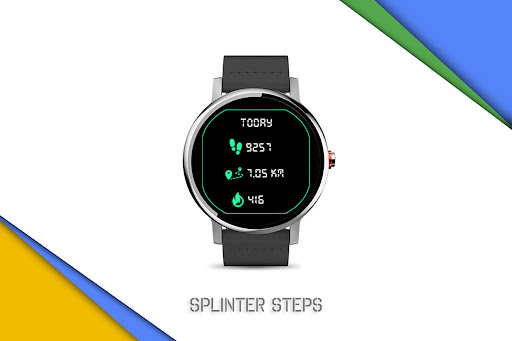
❖ Tap on <b>"STEPS"</b> to Get Google Fit Data
❖ Tap on <b>"BATTERY"</b> to switch between watch and …
Read the full description
<b>Splinter watch face is a New Futuristic Digital Watch face for Wear OS Smart Watches and Clock Live Wallpaper Phones. </b> <b>💡IMPORTANT - Not compatible with Samsung Smart Watches that use Tizen OS. </b> ★<b>Tap Features</b> (*Available Only in Premium Version) ❖ Tap on <b>"CENTER"</b> of Watch face to change colors of watch face with Touch. ❖ Tap on <b>"STOPWATCH ICON"</b> on Watch face for Interactive Stop watch. ❖ Tap on <b>"DATE"</b> on Watch face for Agenda App. ❖ Tap on <b>"WEATHER"</b> on main Watch Face to get 4 days Weather Forecast and Other Weather Info. ❖ Tap on <b>"STEPS"</b> to Get Google Fit Data ❖ Tap on <b>"BATTERY"</b> to switch between watch and Phone Battery. ❖ Double Tap on <b>"LIVE WALLPAPER"</b> on Phone to Speak the Time and Change the colors <b> ❖ Splinter Watch Face is fully compatible with Wear OS 4.0 ❖ Wear OS 4.0 integrated Features: • Fully standalone • iPhone and Android compatible ❖ Chrono Dual is fully Compatible with all Wear OS watches resolutions. </b> <b>❖ Free Version</b> ❖ Unique Style Futuristic Watch Face. ❖ Wear OS 3.0 Fully supported. ❖ Standalone watch face for iPhone and Android users. ❖ Current Weather info ❖ Clock Live Wallpaper with Limited Settings ❖ Watch Battery Info ❖ Date, Day, Month ❖ 12/24 Hour Digital Clock ❖ Custom colors through settings. <b>❖ Premium Version Features</b> ❖ All features from FREE version. ❖ Wear OS 2.0 Third Party Complications Support. ❖ Hourly Chime Sound effect and Vibration on every hour ❖ Touch Sound Effect and Touch Vibration. ❖ 10 Predefined watch face Colors Combinations, Changes on tap ❖ Unique Style Dual Watch Face and Clock Live Wallpaper. ❖ 11 Live Wallpaper Backgrounds. ❖ Interactive Stop Watch For Sports Activity ❖ Weather Forecast for Next 4 Days, High/Low Temp, Wind Speed, Sunset/Sunrise info ❖ GPS or Manually Select Weather Location Option for Correct Weather ❖ Fully Accurate Pedometer with Google Fit ❖ Screen Bright Time Option ❖ 12/24 Hour Digital Clock ❖ 2 in 1 Ambient Modes <b>★How To Use</b> 1. You Can Enable or Disable Sound effects and Vibration from Companion app. 2. Please Enable <b>"Location" or "GPS"</b> in Phone To get Weather Info, with Active Internet Connection, 3. Select <b>Manual Weather Location</b> in Companion App Settings To Set Your Manual Weather Location. 4. Click on <b>SET WALLPAPER</b> Button to Apply Live Wallpaper. ❖<b>How do I install the watch face on Wear OS 1.0?</b> 1. After install run 'Re-sync app' from the Wear OS app 2. Long press your watch and choose <b>"Splinter Watch Face"</b> as your watch face, or select the watch face using the Wear OS app ❖<b>How do I install the watch face on Wear OS 3.0 ?</b> 1. Install it from <b>Google Play Wear Store</b> on your watch 2. Install the companion app for fully customization (Android phone devices) <b>❖Useful Tip</b> ✔ Sometimes you need to wait longer for transfer to watch ✔I recommend a bit of patience . ✔This is not caused by the watch face, but rather Wear OS app. ✔ If the watch face is not shown on your watch after few minutes, to try re-sync or follow these steps: 1. Disconnect devices (watch and phone) 2. Uninstall the watch face 3. Restart watch and connect device again 4. Then finally install the watch face <b>❖Our Wear face collection https://goo.gl/RxW9Cs</b> <b>IMPORTANT NOTE:</b>Your watch Must have speaker to get Sound Effects <b>NOTE:</b>if any problem first email us before leaving a 1 star rating on Play Store
Installs since 29 Aug 2026 Measured
Exact Google Play install counts, collected daily
Ratings
489 ratings, 27 reviews
- 5 ★41%
- 4 ★4.7%
- 3 ★4.7%
- 2 ★4.7%
- 1 ★45%
Recent reviews
Latest public reviews from the store
- 14 May 2025
Love this
- 24 Nov 2023
I love it watch faces
- 19 Jul 2022
Good
- 23 Jan 2022
Good
What reviewers bring up
Topics mentioned in the latest 14 reviews, by how many reviews mention them
Liked in good reviews (6 reviews)
- watch face 2
Raised in bad reviews (8 reviews)
- watch 5
- won't 4
- paid 3
- install 2
- premium 2
- galaxy 2
- stay 2
Top chart positions
Latest Google Play chart ranks by country, last 10 days
Not in any tracked top chart in the last 10 days.
Splinter Watch Face history
Release, install milestones, listing and store changes
- Reached 100,000+ installs 29 Jul 2023
- Reached 50,000+ installs 29 Dec 2021
- Reached 10,000+ installs 24 Jan 2021
- Reached 5,000+ installs 26 Oct 2020
- Reached 1,000+ installs 7 Sep 2020
- First released on the store 25 Aug 2020
Recent versions
Current version 1.21
- Version 1.216 Nov 2023
V1.21: 1. Added New Eco Ambient mode. 2. Fix some minor weather and other bugs. V1.20: 1. Optimizes for Wear OS 4 Watches. Wear 4 OS ready. 2. Fix Google Fit Steps not shown to some users, without phone. 3. Fix hourly chime offset some times. 4. New method to get weather location on watch face. TAP on Weather 5. Fix Automatic Weather update. More accurate weather update Now. 6. Tap on weather to Refresh weather. 7. More accurate battery saver mode. 8. Fix remote install.
- Version 1.2031 Oct 2023
- Version 1.198 Feb 2022
- Version 1.1524 Jan 2022
Listing keywords
Words and phrases Splinter Watch Face repeats most in its store listing
Top phrases: watch face (23), wear os (11), live wallpaper (7), clock live wallpaper (4), splinter watch face (4).
Highlighted words also appear in the title. Counts cover the title, short description and description.
Business model and tech
From the store listing, the SDKs in the app package and its declared permissions
- Business model
- Free to downloadIn-app purchasesShows ads
- Built with
- No cross-platform framework or game engine detected
- Ad networks (1)
- AdMob
- Subscriptions and payments
- Google Play billing
- Analytics and crash reports
- Firebase
- Sensitive access
- LocationBody sensors and activity
2 ad, attribution and analytics SDKs detected. SDKs are read from the app package and permissions from the store listing, so code that loads later is not seen.
Technology
42 SDKs found in the app package
Ad networks
Advertising and install-attribution SDKs found in the app package
- AdMob
17 permissions
1 special access, 3 sensitive, 13 standard
- Change system settingsWRITE_SETTINGSSpecial access
- Recognise physical activityACTIVITY_RECOGNITIONSensitive
- Approximate locationSensitive
- Precise locationSensitive
- App icon badge countsBADGE_COUNT_READStandard
- Control vibrationStandard
- Keep the phone awakeStandard
- Run a foreground serviceFOREGROUND_SERVICEStandard
- Start when the phone turns onStandard
- Full internet accessStandard
- See network connectionsStandard
- Receive push messagesStandard
Compliance
What the listing and the app package show
- Store status
- Live
- Upkeep
- No update since 6 Nov 2023
- Registered in
- India
- Privacy policy
- Linked on the listing
- Advertising
- Shows ads
- In-app purchases
- Offered
- Age rating
- Everyone
- Sensitive permissions
- 3 sensitive, 1 special access of 17
- Location access
- Yes, while in use
- Camera and microphone
- Neither
Apps like Splinter Watch Face
Christmas Wallpaper 2025 XmasDarkCraft: Scary & Horror Skins, Maps, Mods, Addon92K installs★ 4.6
Zipper Lock Screen & ThemesHit Studio233K installs★ 3.67
Keep Screen Always ON while chragimov.software77.5K installs★ 3.85
Cool Unicorn Monster KeyboardFancy Keyboard for Android Apps46.5K installs★ 4.74
Theme EMO Pink GO SMS ProWorkshop Theme103K installs★ 4.67
HMKWatch Digital 204HMKWatch16.3K installs★ 4.53
Wallpaper Super Cute BearBPC Studio91.1K installs★ 3.89
Pastel Love Keyboard ThemeStylish Emoji Keyboard Style95.8K installs★ 4.93
Kawaii Duck Wallpaper 4KBekenyem55.3K installs★ 4.25
Splinter Watch Face: questions and answers
How many downloads does Splinter Watch Face have?
Splinter Watch Face has 132,325 installs on Google Play, measured from the store's own count on 21 Nov 2026.
Who makes Splinter Watch Face?
Splinter Watch Face is published by Smart Art Studios, a developer based in IN.
When was Splinter Watch Face last updated?
The latest version (1.21) was released on 6 Nov 2023.
Is Splinter Watch Face free?
Yes. Splinter Watch Face is free to download and offers in-app purchases, and it shows ads.
Is Splinter Watch Face still available?
Yes. Splinter Watch Face is live on Google Play as of 21 Nov 2026.
Track Splinter Watch Face and its competitors
Watch any app for new versions, rating drops, chart moves and removals. Free plan, no card.