
Split Screen - Dual Window
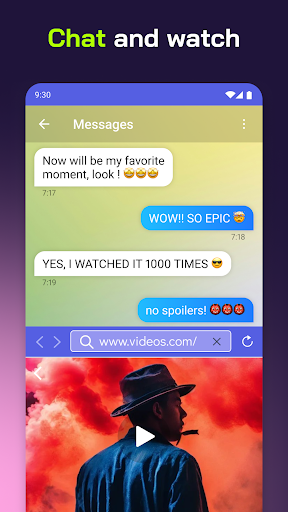
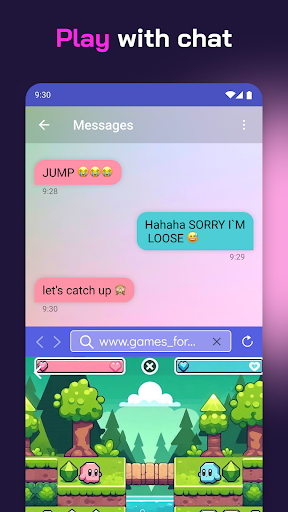
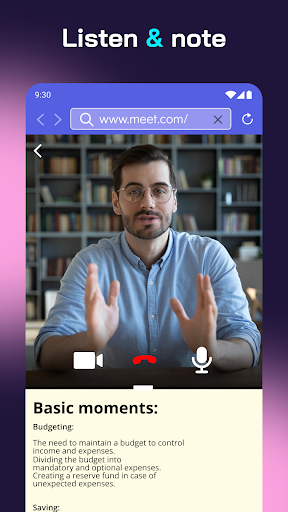
Do multitasking work, split the screen in dual-screen or two screens.
- Installs
- 6.93M
- Measured
- Rating
- 4.22
- Ratings
- 19.7K
- 208 reviews
- Version
- 5.0.2
- Updated 22 Oct 2026
- Released
- 25 Jan 2020
- Tracked since 13 May 2026
- Size
- 15 MB
- Needs 7.0
Screenshots


About Split Screen - Dual Window
The description on the store listing
<h1>Split Screen Shortcut: Revolutionize Your Device!</h1>Have trouble using two apps at once? Say hello to the all-new Split Screen Shortcut – your ultimate mobile multitasking hack. Now, with our revolutionary mobile app, you can easily access and use many apps.
Welcome to the future of device interaction with the Split Screen Dual Window! Here's why it's a game-changer!
📄 <b>Key Features of Split Screen Dual Window:</b> 📄
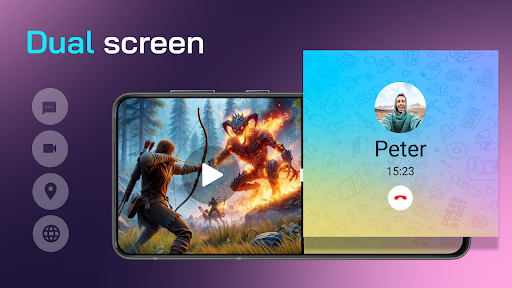
📊Dual Mode: A single Android screen runs and manages multiple tasks simultaneously;
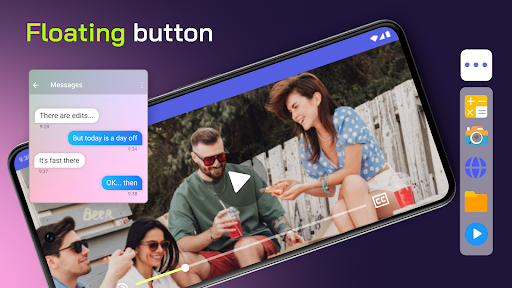
🔘Floating Button: Access the Multitasking Screen with a need and requirement-powered option at a quick;
🌈Customizable Button: One can change the button's color to get it …
Read the full description
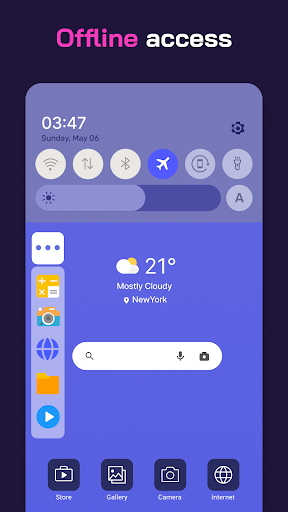
<h1>Split Screen Shortcut: Revolutionize Your Device!</h1>Have trouble using two apps at once? Say hello to the all-new Split Screen Shortcut – your ultimate mobile multitasking hack. Now, with our revolutionary mobile app, you can easily access and use many apps. Welcome to the future of device interaction with the Split Screen Dual Window! Here's why it's a game-changer! 📄 <b>Key Features of Split Screen Dual Window:</b> 📄 📊Dual Mode: A single Android screen runs and manages multiple tasks simultaneously; 🔘Floating Button: Access the Multitasking Screen with a need and requirement-powered option at a quick; 🌈Customizable Button: One can change the button's color to get it synchronized with the device's theme; 📳Vibration Alert: A vibration alert for every transition; 🌐User-Friendly Interface: The user interface is easy to operate and reach for every user; 🌐Offline Accessibility: It can work on Multitasking Screen features without an internet connection; <h2>Multi Screen Splitter - Unleash the Power!</h2>The Multitasking app will let you easily manage and run multiple apps simultaneously. Designed for those who need dual display that keeps up with their fast-paced life, the multiscreen splitter feature divides your display for effective multitasking. <b>Experience Multitasking Like Never Before:</b> 📲 Split Screen Dual Window is an excellent way to provide a fast process when using our app to view videos, type text messages, or work on documents. It assures users of a fluid experience in multitasking. This powerful tool is especially beneficial for professionals, students, and all those who want to maximize their productivity. <b>Customize Your Experience With The Multi Screen Splitter:</b> 🎨 Our Picture In Picture: Multiple Screen App can be tailored to your needs, from a color adjustment of the floating button to set up vibration alerts, all the way to the accommodation of any feature for your good. <b>Anywhere, Staying Productive:</b> 🌐 It means that you will remain productive no matter where you are because it provides offline accessibility of Split Screen Shortcut. No Internet? No Problem! You can continue using multi-screen splitter functionality with no hassle. 🌐 <b>User-Friendly Interface:</b> Seamless navigation! Enjoy a user-friendly interface that makes multitasking view intuitive and accessible for all users. Stay connected seamlessly! Set up vibration alerts for actions, ensuring you know every transition. <b>Start Using Split Screen Dual Window Today:</b> Get Split Screen Shortcut to make a difference in your device's use. Our Multi Screen Splitter app offers the best solution for multitasking screens for work or leisure. Step into the future of multitasking with our innovative app. Embrace the convenience and efficiency of Picture In Picture: Multiple Screen App. <h3>Start Using Split Screen Shortcut Now!</h3>Get access to the ultimate in multitasking. Download Split Screen Shortcut today and experience how easy multitasking and split-screen viewing can make your device an efficient productivity powerhouse. Experience the future with our multi-screen splitter and Picture In Picture: Multiple Screen App.
Installs, last 30 days Measured
Exact Google Play install counts, collected daily
Ratings
19,717 ratings, 208 reviews
- 5 ★72%
- 4 ★5.0%
- 3 ★3.9%
- 2 ★5.9%
- 1 ★13%
Recent reviews
Latest public reviews from the store
- 19 Jun 2023
Doesn't offer paying through Google pay or PayPal. I absolutely will not save my card info to any online shop. So I have to re enter every time. Incredibly inconvenient. Also seems to change your existing rewards account to some new system, still not sure how it works. The time estimates also do not seem to reflect how busy the store actually is, and if you follow them, you still may be waiting a while when you arrive to pick up.
- 21 Oct 2019
The app is good, nice and simple. BEFORE YOU READ ANY FURTHER THE APP IS ADEQUATE AND NEEDS NOTHING Else, but it would be nice if you could start a custom sub instead of having to choose one of the options and adjusting it to your liking. For example I get a BLT and there is no BLT option or custom option so I end up modifying the veggie one. It doesn't bother me much especially since the App saves your orders so it's easier the next time around, however it just makes sense to have a custom one.
- 28 Feb 2019
I'm having problems with the app not transmitting my full order to the store yet charging me the price for the full order. my app history has all items, the store ticket they fill the order from does not. yet the total charged is the full order total on their ticket, though an item is missing.
What reviewers bring up
Topics mentioned in the latest 10 reviews, by how many reviews mention them
Liked in good reviews (1 reviews)
No topic comes up twice.
Raised in bad reviews (7 reviews)
- rewards 4
- number 4
- won't 3
- order 3
- info 3
- password 2
- through 2
- account 2
Top chart positions
Latest Google Play chart ranks by country, last 10 days
- Countries ranked
- 1
- Best rank
- #139
- Top 10 placements
- 0
- of 1 chart placements
- Average rank
- #139
Best countries on Google Play
- 🇮🇩 Indonesia · Top grossing, Tools#139
| Country | Chart | Category | Rank | Best (10 days) | Date |
|---|---|---|---|---|---|
| 🇮🇩 Indonesia | Top grossing | Tools | #139 | #125 | 19 Nov 2026 |
Split Screen - Dual Window history
Release, install milestones, listing and store changes
- Reached 5,000,000+ installs 25 Feb 2025
- Reached 1,000,000+ installs 20 Feb 2021
- Reached 500,000+ installs 30 Sep 2020
- Reached 100,000+ installs 25 Apr 2020
- Reached 50,000+ installs 28 Mar 2020
- Reached 10,000+ installs 15 Feb 2020
- Reached 5,000+ installs 8 Feb 2020
- Reached 1,000+ installs 2 Feb 2020
Update frequency
How often Split Screen - Dual Window ships a new version, month by month
0 updates in the last 12 months. Less often than most similar apps: they shipped a median of 1 updates in the same year.
Recent versions
Current version 5.0.2
- Version 5.0.230 Oct 2025
- Version 5.0.123 Apr 2025
- Version 5.0.020 Mar 2025
- Version 4.1.0.218 Jun 2024
Listing keywords
Words and phrases Split Screen - Dual Window repeats most in its store listing
Top phrases: split screen (12), split screen shortcut (6), screen shortcut (6), multi screen splitter (5), screen dual window (5).
Highlighted words also appear in the title. Counts cover the title, short description and description.
Business model and tech
From the store listing, the SDKs in the app package and its declared permissions
- Business model
- Free to downloadIn-app purchasesShows ads
- Built with
- No cross-platform framework or game engine detected
- Ad networks (2)
- AdMobFacebook Audience Network
- Subscriptions and payments
- Google Play billing
- Analytics and crash reports
- FirebaseCrashlyticsfabric
- Sensitive access
- CameraPhotos, videos and filesDraws over other appsAdvertising ID
3 ad, attribution and analytics SDKs detected. SDKs are read from the app package and permissions from the store listing, so code that loads later is not seen.
Technology
38 SDKs found in the app package
Ad networks
Advertising and install-attribution SDKs found in the app package
- AdMob
- Facebook Audience Network
25 permissions
1 special access, 6 sensitive, 18 standard
- Draw over other appsSpecial access
- Take photos and videosSensitive
- Change or delete shared storageSensitive
- Read photosREAD_MEDIA_IMAGESSensitive
- Read shared storageSensitive
- Read videosREAD_MEDIA_VIDEOSensitive
- Show notificationsPOST_NOTIFICATIONSSensitive
- Ad attribution (Privacy Sandbox)ACCESS_ADSERVICES_ATTRIBUTIONStandard
- Ad topics (Privacy Sandbox)ACCESS_ADSERVICES_TOPICSStandard
- Read how it was installed (install referrer)BIND_GET_INSTALL_REFERRER_SERVICEStandard
- Read the advertising IDAD_IDStandard
- Read the advertising ID (Privacy Sandbox)ACCESS_ADSERVICES_AD_IDStandard
Compliance
What the listing and the app package show
- Store status
- Live
- Upkeep
- Updated 22 Oct 2026
- Registered in
- Israel
- Privacy policy
- Linked on the listing
- Advertising
- Shows ads
- In-app purchases
- Offered
- Age rating
- Everyone
- Sensitive permissions
- 6 sensitive, 1 special access of 25
- Location access
- No
- Camera and microphone
- Camera
Apps like Split Screen - Dual Window
Calculator hide app Hide appsApp Store.4.9M installs★ 3.18
Kalender Indonesia LengkapMedia Nusa Aplikasi6.6M installs★ 4.2
BigrivercowMds Digital Art Ltd.11.4M installs★ 4.05
Tamil KeyboardArunk5.6M installs★ 4.62
All Call Recorder AutomaticRecorder Apps (music, recorder, weather)1.7M installs★ 3.63
OS 27: Liquid LauncherWazzion1.4M installs★ 4.4
U+ USIMLG유플러스(LG Uplus Corporation)65.5M installs★ 3.1
Light Meter - Lux MeterCoolexp2.1M installs★ 4.66
Tasbih Digital OfflineMAJH405K installs★ 4.25
Split Screen - Dual Window: questions and answers
How many downloads does Split Screen - Dual Window have?
Split Screen - Dual Window has 6,934,974 installs on Google Play, measured from the store's own count on 19 Nov 2026.
Who makes Split Screen - Dual Window?
Split Screen - Dual Window is published by GeniusTools Labs, a developer based in IL.
When was Split Screen - Dual Window last updated?
The latest version (5.0.2) was released on 22 Oct 2026.
Is Split Screen - Dual Window free?
Yes. Split Screen - Dual Window is free to download and offers in-app purchases, and it shows ads.
Is Split Screen - Dual Window still available?
Yes. Split Screen - Dual Window is live on Google Play as of 19 Nov 2026.
Track Split Screen - Dual Window and its competitors
Watch any app for new versions, rating drops, chart moves and removals. Free plan, no card.