
Spreadsheet data entry
Put the data to your Google Sheets by smartphone on the run
- Installs
- 50.41K
- Measured
- Rating
- 3.5
- Ratings
- 123
- 8 reviews
- Version
- 4.3.7
- Updated 13 Oct 2026
- Released
- 3 Jan 2021
- Tracked since 11 May 2026
- Size
- 7 MB
- Needs 6.0
Also on App Store: Spreadsheet data entry (5 ratings)
Screenshots



About Spreadsheet data entry
The description on the store listing
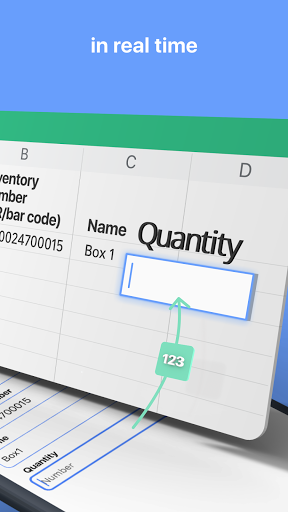
Scan data from your phone to your Google sheet quickly.
After that you can make any future manipulation with data on your Google sheet.
Perfectly fit for inventory, track attendance, finance and tax purpose, collecting QR codes to spreadsheet and beyond.
Save next data types:
- QR and Bar codes (scans code and save data to the spreadsheet);
- Geolocation (allow to save your current location or select it on map);
- Text;
- Number;
- Date / Time / Date and time;
- Select value from predefined list;
- Yes / No selector.
How it works
1. Select function;
2. Put data (scan codes, entering text etc);
3. Tap send;
4. Data appear in spreadsheet on your Google Drive.
You can …
Read the full description
Scan data from your phone to your Google sheet quickly. After that you can make any future manipulation with data on your Google sheet. Perfectly fit for inventory, track attendance, finance and tax purpose, collecting QR codes to spreadsheet and beyond. Save next data types: - QR and Bar codes (scans code and save data to the spreadsheet); - Geolocation (allow to save your current location or select it on map); - Text; - Number; - Date / Time / Date and time; - Select value from predefined list; - Yes / No selector. How it works 1. Select function; 2. Put data (scan codes, entering text etc); 3. Tap send; 4. Data appear in spreadsheet on your Google Drive. You can repeat it as much as you want. How to connect your Google sheet to the app 1. Connect your Google account to the app; 2. Set spreadsheet URL in function settings. What is Function Function has target spreadsheet URL and list of input fields. Function can be created manually or from predefined functions library. Create function manually 1. Create spreadsheet with required columns in your Google Drive; 2. Create function in the app: - Copy spreadsheet URL and name of sheet; - Set input fields: - name; - data type; - column. - Save. Create function from library 1. Select function from the library; 2. Tap “Add to my functions” - Function will be added on My Functions screen; - Spreadsheet will be copied to your Google Drive.
Installs since 29 Aug 2026 Measured
Exact Google Play install counts, collected daily
Ratings
123 ratings, 8 reviews
- 5 ★50%
- 4 ★11%
- 3 ★0.0%
- 2 ★16%
- 1 ★22%
Recent reviews
Latest public reviews from the store
No reviews in our sample for this app yet.
Top chart positions
Latest Google Play chart ranks by country, last 10 days
Not in any tracked top chart in the last 10 days.
Spreadsheet data entry history
Release, install milestones, listing and store changes
- First released on the store 3 Jan 2021
Update frequency
How often Spreadsheet data entry ships a new version, month by month
4 updates in the last 12 months. More often than most similar apps: they shipped a median of 0 updates in the same year.
Recent versions
Current version 4.3.7
- Version 4.3.713 Oct 2026
• AI assistant on the forms screen for signed-in users • Copy a form, including to another destination • Fill from the last sent form • Import "Keep both" keeps both forms under different names • Repeating a send keeps attached photos • More reliable free-plan request limit and Airtable sign-in • Fixed a freeze when using Share and tutorial highlights
- Version 4.3.524 Aug 2026
• Create Google Sheets directly from the app • Fixed sync, folders, and offline logout • Improved keyboard and input fields on forms • Fixed navigation, template cloning, and form import • Stability and performance improvements
- Version 4.3.19 Apr 2026
Performance improvements
- Version 4.36 Apr 2026
Listing keywords
Words and phrases Spreadsheet data entry repeats most in its store listing
Top phrases: create function (3), google drive (3), google sheet (3), spreadsheet url (3), connect your google (2).
Highlighted words also appear in the title. Counts cover the title, short description and description.
Business model and tech
From the store listing, the SDKs in the app package and its declared permissions
- Business model
- Free to downloadIn-app purchases
- Built with
- No cross-platform framework or game engine detected
- Ad networks (0)
- None detected
- Subscriptions and payments
- Google Play billing
- Analytics and crash reports
- Firebase
- Sensitive access
- LocationCameraPhotos, videos and filesAdvertising ID
1 ad, attribution and analytics SDKs detected. SDKs are read from the app package and permissions from the store listing, so code that loads later is not seen.
Technology
16 SDKs found in the app package
21 permissions
0 special access, 6 sensitive, 15 standard
- Take photos and videosSensitive
- Change or delete shared storageSensitive
- Read shared storageSensitive
- Approximate locationSensitive
- Precise locationSensitive
- Show notificationsPOST_NOTIFICATIONSSensitive
- Ad attribution (Privacy Sandbox)ACCESS_ADSERVICES_ATTRIBUTIONStandard
- Ad topics (Privacy Sandbox)ACCESS_ADSERVICES_TOPICSStandard
- Read how it was installed (install referrer)BIND_GET_INSTALL_REFERRER_SERVICEStandard
- Read the advertising IDAD_IDStandard
- Read the advertising ID (Privacy Sandbox)ACCESS_ADSERVICES_AD_IDStandard
- Keep the phone awakeStandard
Compliance
What the listing and the app package show
- Store status
- Live
- Upkeep
- Updated 13 Oct 2026
- Registered in
- Kazakhstan
- Privacy policy
- Linked on the listing
- Advertising
- No ads declared
- In-app purchases
- Offered
- Age rating
- Everyone
- Sensitive permissions
- 6 sensitive of 21
- Location access
- Yes, while in use
- Camera and microphone
- Camera
Apps like Spreadsheet data entry
Indian Standard Steel TableAptimo.91.1K installs★ 4.2
Coro LLDM Pro (LLDM Choir Pro)Arnel Cariaga Hiciano1.7K installs★ 4.48
My Device InfoVertexa Labs34.9K installs★ 4.43
Anchor Watch Litenet.fs38.3K installs★ 3.25
Magnet S or N Pole Judgmentoxdb.net23.3K installs★ 3.87
Looper - Loop / Interval TimerCaleb Cordell13.8K installs★ 3.91
QR & Barcode ScannerTech Boeing7.9K installs★ 4.67
Distance & Land Area MeasureRakta Tech23K installs★ 2.6
Universal Clock-7StyleSeven.com13.2K installs★ 4.2
Spreadsheet data entry: questions and answers
How many downloads does Spreadsheet data entry have?
Spreadsheet data entry has 50,405 installs on Google Play, measured from the store's own count on 21 Nov 2026.
Who makes Spreadsheet data entry?
Spreadsheet data entry is published by BP TEKH, a developer based in KZ.
When was Spreadsheet data entry last updated?
The latest version (4.3.7) was released on 13 Oct 2026.
Is Spreadsheet data entry free?
Yes. Spreadsheet data entry is free to download and offers in-app purchases.
Is Spreadsheet data entry still available?
Yes. Spreadsheet data entry is live on Google Play as of 21 Nov 2026.
Track Spreadsheet data entry and its competitors
Watch any app for new versions, rating drops, chart moves and removals. Free plan, no card.