
StoneAUTH - 세상에서 가장 빠르고 안전한 인증
Establish a login environment without ID/PW using a one-time authentication code (OTAC) that allows user identification.
- Installs
- 328
- Measured
- Rating
- —
- Ratings
- —
- Version
- Varies with device
- Updated 26 Nov 2020
- Released
- 16 Jul 2020
- Tracked since 13 May 2026
- Size
- 83 MB
- Needs 6.0
Screenshots

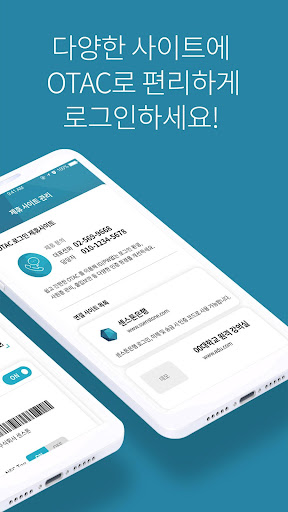

About StoneAUTH - 세상에서 가장 빠르고 안전한 인증
The description on the store listing
* Now don't remember your ID and password.
-Log in with only the'authentication code' that changes every time!
* Experience the easiest and fastest authentication in the world.
-The user generates a strong'authentication code' for security using his/her biometrics (fingerprint/facial recognition) and PIN number.
* You can use the service even if your smartphone is not connected to the Internet.
-Generates'authentication code' in a secure environment without any internet connection, such as wireless Internet (WiFi), 3G/LTE.
-In the process from service registration to user authentication, threats such as hacker intrusion are blocked and safe.
* Keep your …
Read the full description
* Now don't remember your ID and password. -Log in with only the'authentication code' that changes every time! * Experience the easiest and fastest authentication in the world. -The user generates a strong'authentication code' for security using his/her biometrics (fingerprint/facial recognition) and PIN number. * You can use the service even if your smartphone is not connected to the Internet. -Generates'authentication code' in a secure environment without any internet connection, such as wireless Internet (WiFi), 3G/LTE. -In the process from service registration to user authentication, threats such as hacker intrusion are blocked and safe. * Keep your personal information safe. -Apply user identification codes, one-time card numbers, and random access codes to various fields such as mobile identification cards, personal/corporate credit cards, and mobile pass cards. -It provides strong personal information protection for non-contact (non-face-to-face) authentication. [How to use] 1. Identity authentication -Enter your mobile phone number on the user authentication screen to authenticate yourself. 2. Registration of authentication method -Register the authentication method for generating the'authentication code' in the order of PIN number and biometrics (fingerprint/face). 3. Site registration -Click the Site Registration (+) button of the StoneAUTH app to register a login or authentication service. -Take a registered QR provided by the site and activate the site OTAC in the StoneAUTH app. ※ Since the registration method may be different for each affiliate site, please contact the site manager. 4. Settings/Menu -Authentication method selection, reset, initialization, introduction of affiliate site, etc. 5. Authentication method -Run the StoneAUTH app to generate a'one-time authentication code (OTAC)' through the authentication method (fingerprint/face, PIN, etc.) registered by the user. -In the [Authentication code input field] in the login/authentication screen you want to use, enter the'Authentication code' created in the app or scan the QR code to complete authentication. ※ For mobile service, StoneAUTH app is called. [Security factor] -Biometric information (fingerprint/facial face) and PIN number registered by the user are not stored or transmitted to the server. -In order to authenticate the user, at least one of the biometric information and PIN number must be applied to use the service. -'Camera' requires essential access for QR code authentication or identification. [Technology definition] * OTAC (One-Time Authentication Code) ID, password, and OTP (One-Time Password) are generated by using the same ID and password to prevent the secondary damage caused by account theft and leakage, which is changed every time of authentication and valid only for a certain time. ), Tokenization is used and a secure authentication system is implemented. [Use inquiry] -Phone number: 02-569-9668 -Email address: [email protected] ※ User complaint reporting, service establishment, partnership, etc.
Installs since 31 Aug 2026 Measured
Exact Google Play install counts, collected daily
Ratings
- 5 ★0.0%
- 4 ★0.0%
- 3 ★0.0%
- 2 ★0.0%
- 1 ★0.0%
Recent reviews
Latest public reviews from the store
No reviews in our sample for this app yet.
Top chart positions
Latest Google Play chart ranks by country, last 10 days
Not in any tracked top chart in the last 10 days.
StoneAUTH - 세상에서 가장 빠르고 안전한 인증 history
Release, install milestones, listing and store changes
- Reached 100+ installs 26 Nov 2020
- Reached 50+ installs 23 Sep 2020
- Reached 10+ installs 30 Jul 2020
- First released on the store 16 Jul 2020
Update frequency
How often StoneAUTH - 세상에서 가장 빠르고 안전한 인증 ships a new version, month by month
0 updates in the last 12 months. Less often than most similar apps: they shipped a median of 2 updates in the same year.
Recent versions
Current version Varies with device
- Version 1.2.028 Sep 2020
- Version 1.1.128 Aug 2020
- Version 1.1.010 Aug 2020
Listing keywords
Words and phrases StoneAUTH - 세상에서 가장 빠르고 안전한 인증 repeats most in its store listing
Top phrases: authentication method (5), authentication code (4), pin number (4), the'authentication code (3), authentication code otac (2).
Highlighted words also appear in the title. Counts cover the title, short description and description.
Business model and tech
From the store listing and declared permissions
- Business model
- Free to download
- Sensitive access
- CameraMicrophonePhotos, videos and files
15 permissions
0 special access, 4 sensitive, 11 standard
- Record audioSensitive
- Take photos and videosSensitive
- Change or delete shared storageSensitive
- Read shared storageSensitive
- Control vibrationStandard
- Keep the phone awakeStandard
- Use fingerprint or face unlockUSE_BIOMETRICStandard
- Use the fingerprint readerUSE_FINGERPRINTStandard
- Control NFCStandard
- Full internet accessStandard
- See network connectionsStandard
- See Wi-Fi connectionsStandard
Compliance
What the listing and the app package show
- Store status
- Live
- Upkeep
- No update since 26 Nov 2020
- Privacy policy
- Linked on the listing
- Advertising
- No ads declared
- In-app purchases
- None declared
- Age rating
- Everyone
- Sensitive permissions
- 4 sensitive of 15
- Location access
- No
- Camera and microphone
- Both
Apps like StoneAUTH - 세상에서 가장 빠르고 안전한 인증
Brainwallet®: Get LitecoinGrunt Software, LTD8.5K installs★ 4.6
Money Wallet- Budget trackerSpace D/C1.3K installs★ 4.0
Fast Payday Loans-Borrow MoneyVYDA Fintech Group7.8K installs★ 4.06
SardexPay CashbackSardex SpA18.6K installs★ 4.0
Cutting Edge Credit UnionCutting Edge Credit Union1.4K installs★ 4.56
BS OławaBank Spółdzielczy w Oławie13.3K installs★ 4.0
Долинск онлайнBANK DOLINSK JSC80.9K installs★ 3.2
Bitkit: Bitcoin WalletSynonym9.4K installs★ 4.11
Republic Bank TRSRepublic Bank & Trust Company21.5K installs★ 3.9
StoneAUTH - 세상에서 가장 빠르고 안전한 인증: questions and answers
How many downloads does StoneAUTH - 세상에서 가장 빠르고 안전한 인증 have?
StoneAUTH - 세상에서 가장 빠르고 안전한 인증 has 328 installs on Google Play, measured from the store's own count on 9 Nov 2026.
Who makes StoneAUTH - 세상에서 가장 빠르고 안전한 인증?
StoneAUTH - 세상에서 가장 빠르고 안전한 인증 is published by (주)센스톤.
When was StoneAUTH - 세상에서 가장 빠르고 안전한 인증 last updated?
The latest version (Varies with device) was released on 26 Nov 2020.
Is StoneAUTH - 세상에서 가장 빠르고 안전한 인증 free?
Yes. StoneAUTH - 세상에서 가장 빠르고 안전한 인증 is free to download.
Is StoneAUTH - 세상에서 가장 빠르고 안전한 인증 still available?
Yes. StoneAUTH - 세상에서 가장 빠르고 안전한 인증 is live on Google Play as of 9 Nov 2026.
Track StoneAUTH - 세상에서 가장 빠르고 안전한 인증 and its competitors
Watch any app for new versions, rating drops, chart moves and removals. Free plan, no card.