
TeslaMirror
App Mirroring for Tesla Car's Browser
- Installs
- 19.86K
- Measured
- Rating
- 3.15
- Ratings
- 293
- 105 reviews
- Version
- 10.22
- Updated 5 Nov 2026
- Released
- 30 Dec 2020
- Tracked since 13 May 2026
- Size
- —
Screenshots
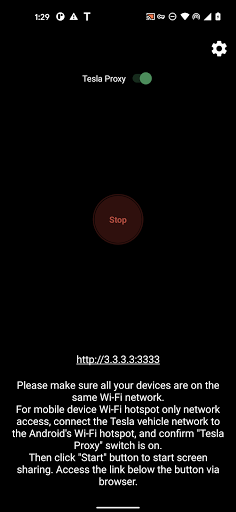
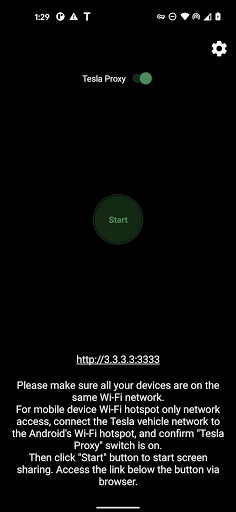
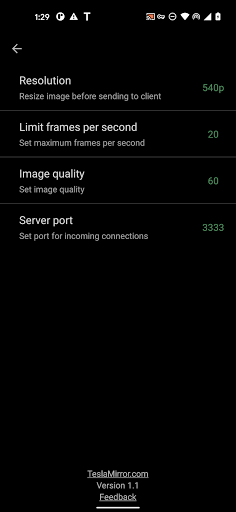
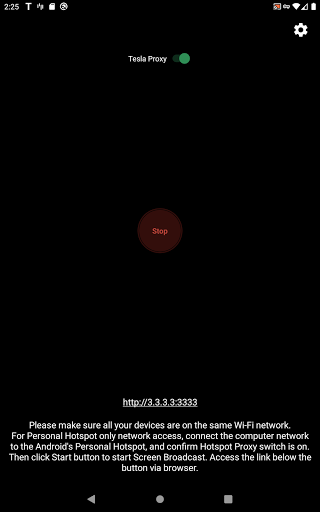
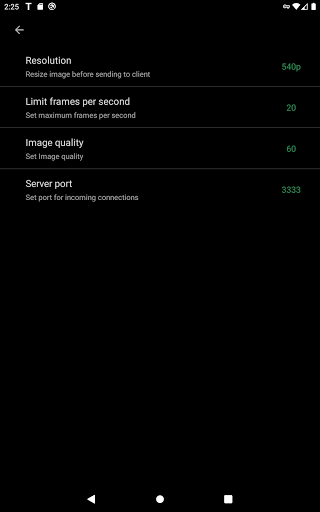
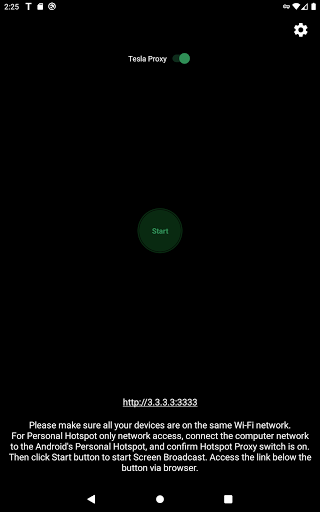
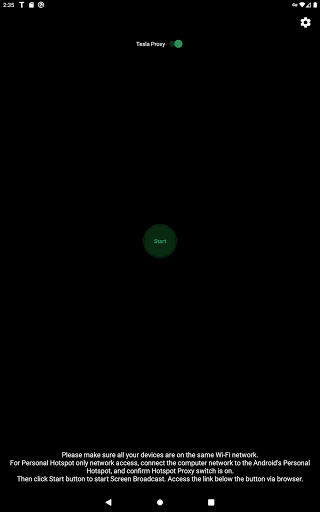

About TeslaMirror
The description on the store listing
Enjoy a free 144-hour (6-day) trial of TeslaMirror for Android on Google Play.
When you purchase TeslaMirror for Android on Google Play, you automatically get a 144-hour (6-day) trial period. If you’re not satisfied within 144 hours of purchase, request a refund by emailing [email protected] with your full order email address or your Google Play order number (e.g., GPA.3366-8888-8888-88888).
The first app on Google Play to support Tesla app mirroring!
TeslaMirror mirrors your Android device to your Tesla vehicle.
Setup
1) Update your Tesla’s infotainment system to the latest version.
2) Ensure your Tesla is PARKED (0 mph / 0 kph).
3) Connect your Tesla to your …
Read the full description
Enjoy a free 144-hour (6-day) trial of TeslaMirror for Android on Google Play. When you purchase TeslaMirror for Android on Google Play, you automatically get a 144-hour (6-day) trial period. If you’re not satisfied within 144 hours of purchase, request a refund by emailing [email protected] with your full order email address or your Google Play order number (e.g., GPA.3366-8888-8888-88888). The first app on Google Play to support Tesla app mirroring! TeslaMirror mirrors your Android device to your Tesla vehicle. Setup 1) Update your Tesla’s infotainment system to the latest version. 2) Ensure your Tesla is PARKED (0 mph / 0 kph). 3) Connect your Tesla to your Android phone’s mobile hotspot. Tesla MCU2/3 hardware is required. MCU2/3 is available on Model 3, Model Y, Model X (built after March 2018), Model S (built after March 2018), or vehicles upgraded from MCU1 to MCU2/3. • A 5 GHz hotspot is recommended. Tesla vehicles do not support Wi-Fi 6 access points (APs). 4) Open TeslaMirror and make sure the “Tesla Proxy” switch is ON. 5) Tap “Start” to begin screen broadcasting. 6) In the Tesla browser, access https://TSL6.com (H.264/H.265 mode) or http://100.99.9.9:3333 (MJPEG mode). Features • H.264/H.265 recommendations – MCU3(AMD Ryzen): Use H.265 at 720p@60fps (1080p requires higher bandwidth). MCU3 supports up to 1080p@60fps (H.264) and 1080p@30fps (H.265). – H.265 playback is supported only on MCU3 or newer hardware. If your Tesla uses MCU3 or better, we recommend H.265 for the best video quality. – MCU2(Intel Atom): Use H.264 at 540p@30fps. • Lossless audio (Android 10+ with H.264/H.265 mode) – Up to Hi-Res quality (96 kHz, stereo, 32-bit), typically much better than Bluetooth or low-bitrate audio. • MJPEG mode – Screen mirroring only (no audio). Use Bluetooth for audio. • Remote Control – Control your phone with the Tesla touchscreen or a mouse. FAQ • Is Netflix supported? No. DRM-protected content support is up to the 3rd-party app. Warning & Legal Disclaimer Use this service only when the car is PARKED (0 mph / 0 kph). The use of the built-in vehicle browser may be restricted by local laws and regulations. Why does TeslaMirror require VpnService (Android)? Tesla browsers block standard private-LAN IP ranges (e.g., 192.168.*.*). TeslaMirror uses a virtual IP and a VPN tunnel to bypass this limitation. The VPN tunnel does not connect to any public server: one endpoint is your Android device, and the other is your Tesla. Privacy A web server runs locally on your Android device at the virtual IP 100.99.9.9. It is not accessible from the public Internet. Only your Tesla and your phone communicate—there are no intermediary servers. TeslaMirror and its VPN component do not collect any user data or logs, and the app does not redirect or manipulate traffic from other apps. The VPN is the core functionality of TeslaMirror application. Or else Tesla car's browser cannot connect to the web browser on the Android device. Accessibility (for Remote Control) The “Remote Control” feature requires Accessibility permission. Without it, Remote Control is unavailable. TeslaMirror uses the AccessibilityService API (e.g., dispatchGesture and performGlobalAction) solely to enable remote touch and system actions. No data is collected through AccessibilityService. This helps you control the device more easily if reaching the screen or physical buttons is difficult.
Installs since 26 Aug 2026 Measured
Exact Google Play install counts, collected daily
Ratings
293 ratings, 105 reviews
- 5 ★38%
- 4 ★7.9%
- 3 ★3.6%
- 2 ★7.9%
- 1 ★43%
Recent reviews
Latest public reviews from the store
- 28 Apr 2025
this app is great!
Top chart positions
Latest Google Play chart ranks by country, last 10 days
Not in any tracked top chart in the last 10 days.
TeslaMirror history
Release, install milestones, listing and store changes
- Reached 10,000+ installs 30 Oct 2024
- Reached 5,000+ installs 7 Jan 2023
- Reached 1,000+ installs 18 May 2021
- First released on the store 30 Dec 2020
Update frequency
How often TeslaMirror ships a new version, month by month
10 updates in the last 12 months. More often than most similar apps: they shipped a median of 1 updates in the same year.
Recent versions
Current version 10.22
- Version 10.205 Nov 2026
- One-week free trial. - App renamed to TslaMirror.
- Version 9.8026 Aug 2026
- Added a free tier with 15 minutes of casting per day. - Eligible new subscribers can try Monthly Premium free for 6 days. Unless cancelled before the trial ends, it renews monthly at the price shown at checkout. - Premium now offers a monthly subscription or a one-time lifetime purchase for unlimited casting, with purchase restoration and lifetime promo code redemption. - Existing paid-app users keep lifetime Premium access.
- Version 9.732 Jul 2026
9.73: - Performance improvements. - For Tesla in-car system software version 2025.38.11 and later, H.265 mirroring is now recommended for both MCU2 and MCU3. 9.71: Android 17 support. 9.41: - H.265 playback is supported on all MCU3 vehicles, and on MCU2 vehicles running Tesla software 2025.38.11 or later. - To switch modes, tap the Settings button in the top-right corner → “Mirroring mode”. - On MCU3, H.265 enables smooth playback at 1080p@60 fps.
- Version 9.7226 Jun 2026
9.72: - Performance improvements. - For Tesla in-car system software version 2025.38.11 and later, H.265 mirroring is now recommended for both MCU2 and MCU3. 9.71: Android 17 support. 9.41: - H.265 playback is supported on all MCU3 vehicles, and on MCU2 vehicles running Tesla software 2025.38.11 or later. - To switch modes, tap the Settings button in the top-right corner → “Mirroring mode”. - On MCU3, H.265 enables smooth playback at 1080p@60 fps.
Listing keywords
Words and phrases TeslaMirror repeats most in its store listing
Top phrases: android device (4), google play (4), remote control (4), android on google (2), built after march (2).
Highlighted words also appear in the title. Counts cover the title, short description and description.
Business model and tech
From the store listing, the SDKs in the app package and its declared permissions
- Business model
- Paid, $5.99In-app purchases
- Built with
- No cross-platform framework or game engine detected
- Ad networks (0)
- None detected
- Subscriptions and payments
- Google Play billing
- Sensitive access
- Microphone
0 ad, attribution and analytics SDKs detected. SDKs are read from the app package and permissions from the store listing, so code that loads later is not seen.
Technology
15 SDKs found in the app package
15 permissions
0 special access, 2 sensitive, 13 standard
- Record audioSensitive
- Show notificationsPOST_NOTIFICATIONSSensitive
- Read how it was installed (install referrer)BIND_GET_INSTALL_REFERRER_SERVICEStandard
- Ask to skip battery optimisationREQUEST_IGNORE_BATTERY_OPTIMIZATIONSStandard
- Foreground service (media projection)FOREGROUND_SERVICE_MEDIA_PROJECTIONStandard
- Keep the phone awakeStandard
- Run a foreground serviceFOREGROUND_SERVICEStandard
- Change network connectivityStandard
- Connect to and disconnect from Wi-FiStandard
- Full internet accessStandard
- See network connectionsStandard
- See Wi-Fi connectionsStandard
Compliance
What the listing and the app package show
- Store status
- Live
- Upkeep
- Updated 5 Nov 2026
- Registered in
- China
- Privacy policy
- Linked on the listing
- Advertising
- No ads declared
- In-app purchases
- None declared
- Age rating
- Everyone
- Sensitive permissions
- 2 sensitive of 15
- Location access
- No
- Camera and microphone
- Microphone
Apps like TeslaMirror
Driver cab [BETA]ELIT-TAXI, LLC11.6K installs★ 3.5
Auto Lube SpecsRafter Circle Dot Development63.5K installs★ 4.22
Charge Smart MANational Grid PLC5.7K installs★ 4.47
artCARS: Каршеринг в ПодольскеMKT, OOO33.3K installs★ 2.1
Global Hero App (Except India)Hero MotoCorp Ltd82.6K installs★ 3.33
Fuel Calculators - Trip CostMobilia Apps117K installs★ 3.62
Real KITT - CarLasitha Lakmal - Airv apps58.2K installs★ 3.49
MachinerylineLinemedia Sp. z o.o.42.5K installs★ 4.93
Bajaj Spare Parts Search (EPC)Bajaj Auto ltd404K installs★ 2.5
TeslaMirror: questions and answers
How many downloads does TeslaMirror have?
TeslaMirror has 19,861 installs on Google Play, measured from the store's own count on 18 Nov 2026.
Who makes TeslaMirror?
TeslaMirror is published by Hustmobile, a developer based in CN.
When was TeslaMirror last updated?
The latest version (10.22) was released on 5 Nov 2026.
Is TeslaMirror free?
No. TeslaMirror is a paid app priced at $5.99.
Is TeslaMirror still available?
Yes. TeslaMirror is live on Google Play as of 18 Nov 2026.
Track TeslaMirror and its competitors
Watch any app for new versions, rating drops, chart moves and removals. Free plan, no card.