Timer Lock - Photo Lock App
Secret Gallery Timer vault to hide photos, hide video and File locker.
- Installs
- 3.78M
- Measured
- Rating
- 4.36
- Ratings
- 20K
- 96 reviews
- Version
- 4.7
- Updated 30 Jan 2026
- Released
- 5 May 2017
- Tracked since 13 May 2026
- Size
- 10 MB
- Needs 4.4
Screenshots


About Timer Lock - Photo Lock App
The description on the store listing
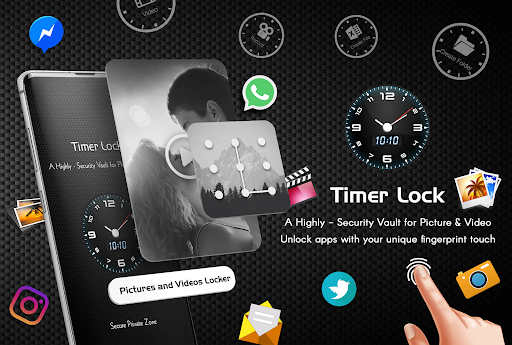
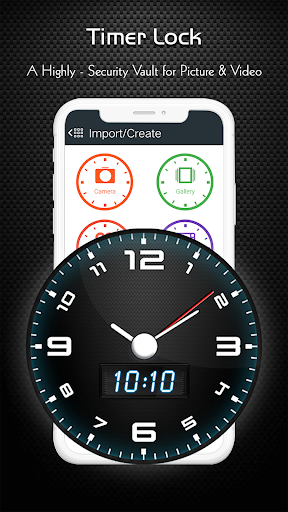
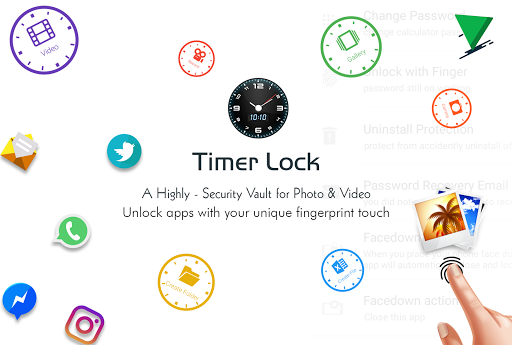
Hide Your Photo, Videos, File and secrets behind a Clock.
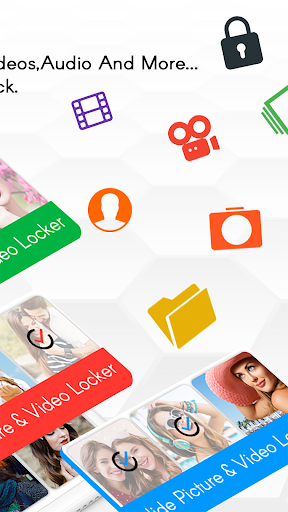
Use the best timer lock, Hide Photos,Videos - clock vault to hide photos, hide pictures, hide videos. Timer Lock - Hide Photos,Videos (Secret Photo locker & Video Locker) is great privacy protection vault app to keep it safe & easily hide photos, hide videos and other file app within privacy protecting gallery to lock files. Photo video vault feature hidden behind Clock App for protecting your privacy by keep it safe behind your secret time password!
Timer Lock - Photo Lock App is the Vault app can secretly Hide Photos, Hide Videos and other files without anyone knowing as gallery lock installed in your phone looks as just a …
Read the full description
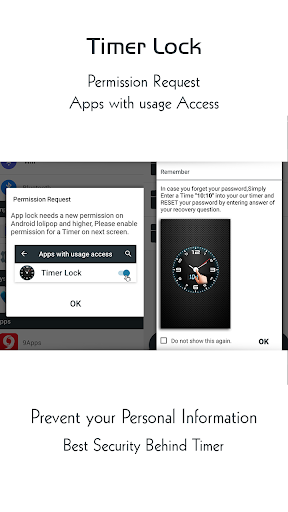
Hide Your Photo, Videos, File and secrets behind a Clock. Use the best timer lock, Hide Photos,Videos - clock vault to hide photos, hide pictures, hide videos. Timer Lock - Hide Photos,Videos (Secret Photo locker & Video Locker) is great privacy protection vault app to keep it safe & easily hide photos, hide videos and other file app within privacy protecting gallery to lock files. Photo video vault feature hidden behind Clock App for protecting your privacy by keep it safe behind your secret time password! Timer Lock - Photo Lock App is the Vault app can secretly Hide Photos, Hide Videos and other files without anyone knowing as gallery lock installed in your phone looks as just a beautiful clock, and works very well. Your files will be secretly stored in vault and can only be viewed after a time password is entered on clock of this app. Hide Your Photo, Videos and secrets behind a Clock. Smartest way to Hide Pictures, videos, Files and App lock secretly in Timer Lock - Keep Your Photos, Videos, and Files Safe. With Timer Lock - Photo Lock App, you can easily hide your photos, videos, and files behind a working clock. No one will know that you're using a photo vault app, and your private content will be protected with military-grade encryption. Amazing And Unique Way to Lock your phone with Lock screen - Time Password. Timer Lock - Hide photo, video and Files . Best Security vault app for your private photos and video. Secretly Hide Photos and videos Behind Working Clock. Secret Gallery clock vault to hide photos, hide videos, file locker. Here are just a few of the features that make Timer Lock the best photo vault app on the market: * Intuitive user interface: Timer Lock is easy to use, even for beginners. * Secure photo vault: Your photos, videos, and files are protected with military-grade encryption. * Multiple security options: You can choose from a variety of security options, including time password, or fingerprint lock. * Change icons: You can change the Timer Lock Clock Photo Vault app icon so that no one knows you're using it. ★ Frequently asked Q&A Q - Forgot password. How can I reset it? A -To reset password you have to open our Timer Lock and enter 10:10 time on clock and press middle button. It will open password reset screen with secret question set by you, answer it correctly and set new password or press on ? symbol button on screen and it will open reset screen. Q - I uninstalled this app and again installed. Can I get my locked pictures back? A - you need to unlock pictures before uninstall. Files are not available in new install. Q - Are my hidden files stored online? A - No. Your files are stored only on your device locally, so please make sure to unlock all your hidden video vault files before transferring to new device or factory reset or delete the app. Download Timer Lock, Hide Photos,Videos - Clock Vault today and keep your photos, videos, and files safe from prying eyes!
Installs, last 30 days Measured
Exact Google Play install counts, collected daily
Ratings
20,036 ratings, 96 reviews
- 5 ★76%
- 4 ★8.8%
- 3 ★3.8%
- 2 ★0.8%
- 1 ★11%
Recent reviews
Latest public reviews from the store
- 10 Feb 2022
Wonderful app indeed
- 20 Jul 2021
They say no one rated this yet go no further stop while you're ahead this thing doesn't even work
- 29 Mar 2021
Very useful app
Top chart positions
Latest Google Play chart ranks by country, last 10 days
Not in any tracked top chart in the last 10 days.
Timer Lock - Photo Lock App history
Release, install milestones, listing and store changes
- Reached 1,000,000+ installs 16 Jun 2018
- Reached 500,000+ installs 23 Dec 2017
- Reached 100,000+ installs 25 Sep 2017
- Reached 50,000+ installs 4 Sep 2017
- Reached 10,000+ installs 17 Jul 2017
- Reached 5,000+ installs 19 Jun 2017
- Reached 1,000+ installs 13 May 2017
- First released on the store 5 May 2017
Update frequency
How often Timer Lock - Photo Lock App ships a new version, month by month
1 updates in the last 12 months. Less often than most similar apps: they shipped a median of 3 updates in the same year.
Recent versions
Current version 4.7
- Version 4.730 Jan 2026
- Bug Fixed
- Version 4.524 May 2025
- Version 4.423 Apr 2025
- Version 4.228 Nov 2024
Listing keywords
Words and phrases Timer Lock - Photo Lock App repeats most in its store listing
Top phrases: timer lock (12), hide photos (9), photos videos (7), hide photos hide (5), photos hide (5).
Highlighted words also appear in the title. Counts cover the title, short description and description.
Business model and tech
From the store listing, the SDKs in the app package and its declared permissions
- Business model
- Free to downloadShows ads
- Built with
- No cross-platform framework or game engine detected
- Ad networks (1)
- AdMob
- Analytics and crash reports
- Firebase
- Sensitive access
- CameraMicrophoneContactsPhone and callsPhotos, videos and filesAccounts on the deviceNearby devicesDraws over other appsAdvertising ID
2 ad, attribution and analytics SDKs detected. SDKs are read from the app package and permissions from the store listing, so code that loads later is not seen.
Technology
32 SDKs found in the app package
Ad networks
Advertising and install-attribution SDKs found in the app package
- AdMob
38 permissions
3 special access, 10 sensitive, 25 standard
- Change system settingsWRITE_SETTINGSSpecial access
- Draw over other appsSpecial access
- See which apps are usedPACKAGE_USAGE_STATSSpecial access
- Record audioSensitive
- Take photos and videosSensitive
- Change contactsSensitive
- Read contactsSensitive
- See accounts on the deviceSensitive
- Change or delete shared storageSensitive
- Read photosREAD_MEDIA_IMAGESSensitive
- Read shared storageSensitive
- Show notificationsPOST_NOTIFICATIONSSensitive
Compliance
What the listing and the app package show
- Store status
- Live
- Upkeep
- Updated 30 Jan 2026
- Registered in
- India
- Privacy policy
- Linked on the listing
- Advertising
- Shows ads
- In-app purchases
- None declared
- Age rating
- Everyone
- Sensitive permissions
- 10 sensitive, 3 special access of 38
- Location access
- No
- Camera and microphone
- Both
Apps like Timer Lock - Photo Lock App
Nougat - Icon PackHydrOs Launcher UI Labs™715K installs★ 4.57
Photo Caller Screen DialerVasundhara Infotech LLC10.9M installs★ 3.96
Memoji Cartoon Stickers for WhCrewlett1.9M installs★ 3.98
Control Widget: Theme & PanelsWECHOICE MOBILE11.9M installs★ 4.29
Fast Charging AnimationWallet Passes Alliance2.6M installs★ 4.7
Transparent Live WallpaperMobi Softech10.5M installs★ 4.16
- Energy Ring - Universal Edition!IJP3.9M installs★ 3.62
Emoji Up genmoji sticker makerMobile entertainment s.r.l3.5M installs★ 4.36
Aesthetic Wallpaper – KawaiiEmpower softTechnology1.2M installs★ 4.43
Timer Lock - Photo Lock App: questions and answers
How many downloads does Timer Lock - Photo Lock App have?
Timer Lock - Photo Lock App has 3,775,345 installs on Google Play, measured from the store's own count on 19 Nov 2026.
Who makes Timer Lock - Photo Lock App?
Timer Lock - Photo Lock App is published by Quick PhotoEditing Apps, a developer based in IN.
When was Timer Lock - Photo Lock App last updated?
The latest version (4.7) was released on 30 Jan 2026.
Is Timer Lock - Photo Lock App free?
Yes. Timer Lock - Photo Lock App is free to download, and it shows ads.
Is Timer Lock - Photo Lock App still available?
Yes. Timer Lock - Photo Lock App is live on Google Play as of 19 Nov 2026.
Track Timer Lock - Photo Lock App and its competitors
Watch any app for new versions, rating drops, chart moves and removals. Free plan, no card.