Timer Lock - The Vault
Hide Photos and videos behind Clock using Timer Lock - The Clock Vault.
- Installs
- 265K
- Measured
- Rating
- 4.17
- Ratings
- 1K
- 5 reviews
- Version
- Varies with device
- Updated 23 Mar 2021
- Released
- 6 Jun 2017
- Tracked since 13 May 2026
- Size
- 8 MB
- Needs 4.4
Screenshots


About Timer Lock - The Vault
The description on the store listing
❤ Timer Lock, The Vault, The Clock Vault ❤
Timer Lock - Clock Vault is an application that makes your life more meaningful and valuable by growing good behavior.
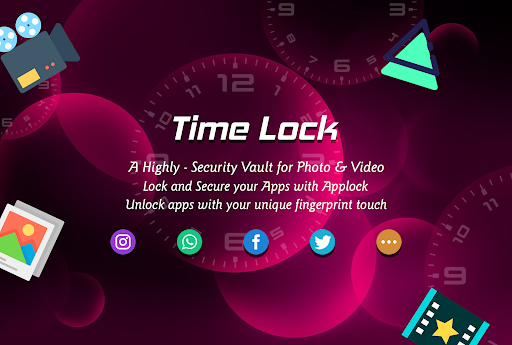
Use this Timer vault - photo video locker to hide pictures, hide photos, hide videos and use timer app lock secretly inside app.
Clock Vault - Secret Photo Video Locker Hide integrates a powerful vault, which comprehensively protects all the backed up photos and videos in it, while offering unmatched usability.
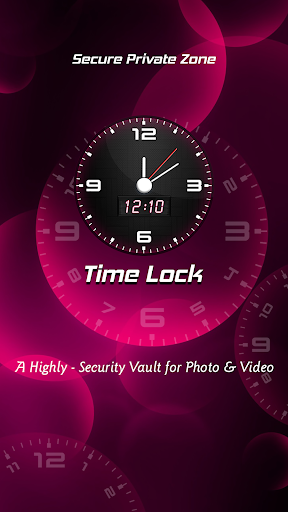
A high-security vault for photos and videos hidden in a clock With the new Time Lock-Clock Vault app, it is not only a timeless clock with an alarm function, but also a high security vault for your personal photos …
Read the full description
❤ Timer Lock, The Vault, The Clock Vault ❤ Timer Lock - Clock Vault is an application that makes your life more meaningful and valuable by growing good behavior. Use this Timer vault - photo video locker to hide pictures, hide photos, hide videos and use timer app lock secretly inside app. Clock Vault - Secret Photo Video Locker Hide integrates a powerful vault, which comprehensively protects all the backed up photos and videos in it, while offering unmatched usability. A high-security vault for photos and videos hidden in a clock With the new Time Lock-Clock Vault app, it is not only a timeless clock with an alarm function, but also a high security vault for your personal photos and videos. The vault itself is completely invisible, hidden in the design of the clock. Use this Timer vault to hide pictures, hide photos, hide videos and use app lock secretly inside app. No one will have the idea that there is a highly secured vault ingeniously hiding in your time - clock. A high-security vault for photos and videos hidden in a clock With the new Timer Lock app, it is not only a timeless clock with an alarm function, but also a high security vault for your personal photos and videos. The vault itself is completely invisible, hidden in the design of the clock. With the latest security technologies Timer Locker keeps all of your pictures and videos militarily secure, because the entire contents of the vault is encrypted with the strong algorithm. <b>Timer Lock, The Vault, The Clock Vault Features:</b> ☛ Import and hide pictures, hide video from photo gallery. ☛ Capture photos and record videos from camera by this Gallery Lock and hide photos and video inside app. ☛ Create new private hidden note with inbuilt editor inside Gallery Locker. ☛ Finger Print Detection will help you to enter into vault or open app lock without need to enter password in supported devices. ☛ Use restore function from Gallery locker when you want to show pictures and video in mobile gallery. ☛ Lock Apps by App Lock feature available by both Password Lock and Pattern Lock. ☛ Locked apps will not open without password or pattern lock that is set by you. Smart App Lock Features: ☛ Intruder Selfie: Selfie will be automatically taken of person who trying to break your app lock security with wrong PIN or pattern. ☛ Fake Cover App Lock: your apps and its lock can be cover with force close screen which simulates that opened app is closed by error. only you know the trick to get real app lock and open your apps. ☛ Finger Print Unlock: you can use your real fingerprints registered in your phone to quick unlock apps and calculator also. Device administrators Permission: By Start Protection, You will be asked to activate Device Administrator Permission for this app. Time Lock App uses device administrator permission for prevention of accidentally Uninstall and nothing else. To Uninstall this app you need to deactivate device administrator. You can easily deactivate by Turning off Start Protection from the app or you can go to Settings->Security->Device Administrators from your phone anytime. You Enable Device administrators Permission for app uninstall protection we confirm that you are agree with Device administrators Permission BIND ACCESSIBILITY SERVICE permission Allow BIND ACCESSIBILITY SERVICE permission to use app-lock so that you can use the app-lock feature fast and reduce battery usage. ☛ Frequently asked Q&A Q - Forgot password. How can I reset it? A -To reset password you have to open our Timer Lock and enter 10:10 time on clock and press middle button. It will open password reset screen with secret question set by you, answer it correctly and set new password or press on ? symbol button on screen and it will open reset screen. Q - I uninstalled this app and again installed. Can I get my locked pictures back? A - you need to unlock pictures before uninstall. Files are not available in new install.
Installs since 24 Jul 2026 Measured
Exact Google Play install counts, collected daily
Ratings
1,009 ratings, 5 reviews
- 5 ★67%
- 4 ★17%
- 3 ★0.0%
- 2 ★0.0%
- 1 ★17%
Recent reviews
Latest public reviews from the store
No reviews in our sample for this app yet.
Top chart positions
Latest Google Play chart ranks by country, last 10 days
Not in any tracked top chart in the last 10 days.
Timer Lock - The Vault history
Release, install milestones, listing and store changes
- Reached 100,000+ installs 2 Jul 2018
- Reached 50,000+ installs 24 Dec 2017
- Reached 10,000+ installs 16 Sep 2017
- Reached 5,000+ installs 17 Aug 2017
- Reached 1,000+ installs 21 Jun 2017
- Reached 500+ installs 14 Jun 2017
- First released on the store 6 Jun 2017
Recent versions
Current version Varies with device
- Version 2.123 Mar 2021
- Version 2.030 Sep 2020
- Version 1.817 Mar 2020
- Version 1.68 Jan 2019
Listing keywords
Words and phrases Timer Lock - The Vault repeats most in its store listing
Top phrases: timer lock (7), photos and videos (6), clock vault (6), high security vault (4), device administrators (4).
Highlighted words also appear in the title. Counts cover the title, short description and description.
Business model and tech
From the store listing, the SDKs in the app package and its declared permissions
- Business model
- Free to downloadShows ads
- Built with
- No cross-platform framework or game engine detected
- Ad networks (2)
- AdMobFacebook Audience Network
- Sensitive access
- CameraMicrophonePhotos, videos and filesAccounts on the deviceNearby devices
2 ad, attribution and analytics SDKs detected. SDKs are read from the app package and permissions from the store listing, so code that loads later is not seen.
Technology
16 SDKs found in the app package
Ad networks
Advertising and install-attribution SDKs found in the app package
- AdMob
- Facebook Audience Network
21 permissions
3 special access, 5 sensitive, 13 standard
- Act as an accessibility serviceBIND_ACCESSIBILITY_SERVICESpecial access
- Change system settingsSpecial access
- See which apps are usedPACKAGE_USAGE_STATSSpecial access
- Record audioSensitive
- Take photos and videosSensitive
- See accounts on the deviceSensitive
- Change or delete shared storageSensitive
- Read shared storageSensitive
- Control vibrationStandard
- Keep the phone awakeStandard
- Run a foreground serviceFOREGROUND_SERVICEStandard
- See running appsStandard
Compliance
What the listing and the app package show
- Store status
- Live
- Upkeep
- No update since 23 Mar 2021
- Registered in
- India
- Privacy policy
- Linked on the listing
- Advertising
- Shows ads
- In-app purchases
- None declared
- Age rating
- Everyone
- Sensitive permissions
- 5 sensitive, 3 special access of 21
- Location access
- No
- Camera and microphone
- Both
Apps like Timer Lock - The Vault
BatteryAlarmGoldLokik Soni58.2K installs★ 3.33
Photo Watch Face ProTiny Watch21.4K installs★ 4.42
GPS Location Sharing & LocatorNeo Utilities796K installs★ 4.2
Views Fans: CommunityaAa Designer36.5K installs★ 3.67
Space Clean ToolkitStarlume Tech597K installs★ 3.85
Calculator+ Photo&Video vaultGreen Water420K installs★ 4.37
Red Panic ButtonUltimate Communication Software LTD257K installs★ 3.31
Cutting Paper CalculatorTasikWeb.com84.5K installs★ 3.92
FORMSThe App Master848K installs★ 2.78
Timer Lock - The Vault: questions and answers
How many downloads does Timer Lock - The Vault have?
Timer Lock - The Vault has 264,583 installs on Google Play, measured from the store's own count on 19 Nov 2026.
Who makes Timer Lock - The Vault?
Timer Lock - The Vault is published by Droid Keypad - Photo Keyboard, Theme Keyboard, a developer based in IN.
When was Timer Lock - The Vault last updated?
The latest version (Varies with device) was released on 23 Mar 2021.
Is Timer Lock - The Vault free?
Yes. Timer Lock - The Vault is free to download, and it shows ads.
Is Timer Lock - The Vault still available?
Yes. Timer Lock - The Vault is live on Google Play as of 19 Nov 2026.
Track Timer Lock - The Vault and its competitors
Watch any app for new versions, rating drops, chart moves and removals. Free plan, no card.