
Titanium Backup (root needed)
EXTREMELY powerful tool. Backup ALL apps, Market links, remove bloatware & MORE!
- Installs
- 27.64M
- Measured
- Rating
- 2.96
- Ratings
- 362K
- 31.2K reviews
- Version
- 8.4.0.2
- Updated 24 Nov 2019
- Released
- —
- Tracked since 13 May 2026
- Size
- 8 MB
- Needs 1.5
Screenshots
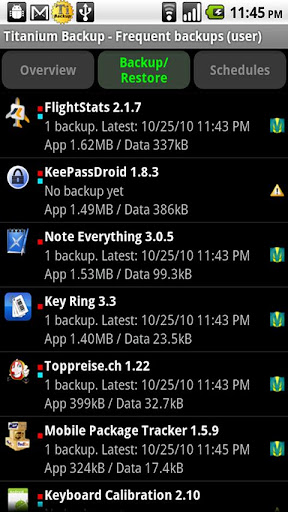
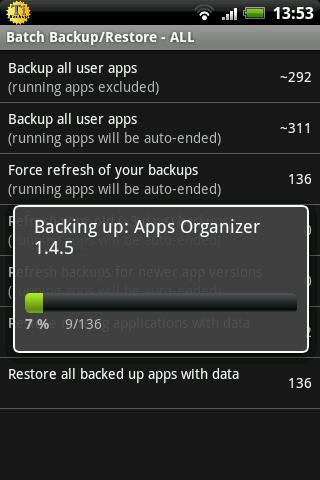
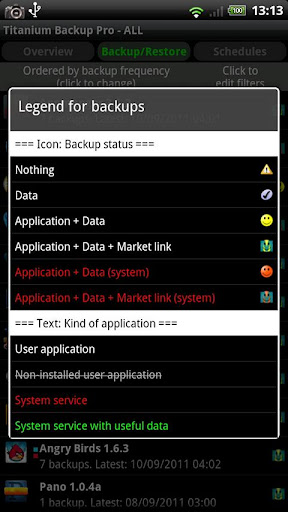
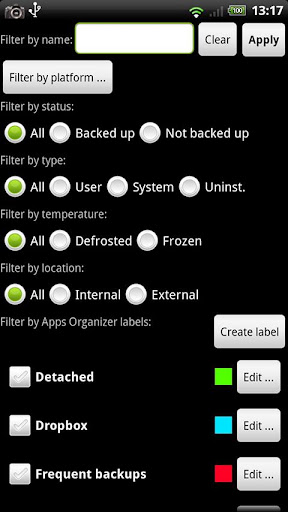
About Titanium Backup (root needed)
The description on the store listing
☆Needs <b>ROOT</b>, Android 1.5-10+ (ARM,x86,MIPS)
☆Over 25 million users, 32+ languages.
☆PRO Key is available on Play Store!
☆Voted #1 TOP ROOT APP on Twitter.
☆Problem? See titaniumtrack.com/kb
☆Scroll down for more info & DEMO VIDEOS ;-)
☆ ☆ ☆
<b>Titanium Backup is the most powerful backup tool on Android, and then some.</b>
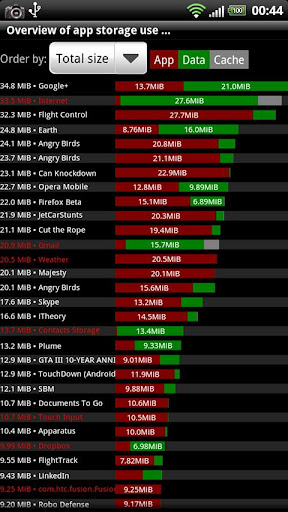
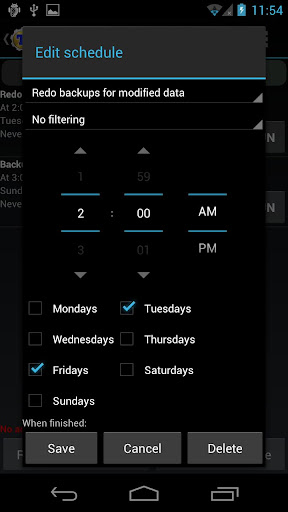
You can backup, restore, freeze (with Pro) your apps + data + Market links. This includes all protected apps & system apps, plus external data on your SD card. You can do 0-click batch & scheduled backups. Backups will operate without closing any apps (with Pro). You can move any app (or app data) to/from the SD card. You can browse any app's data and …
Read the full description
☆Needs <b>ROOT</b>, Android 1.5-10+ (ARM,x86,MIPS) ☆Over 25 million users, 32+ languages. ☆PRO Key is available on Play Store! ☆Voted #1 TOP ROOT APP on Twitter. ☆Problem? See titaniumtrack.com/kb ☆Scroll down for more info & DEMO VIDEOS ;-) ☆ ☆ ☆ <b>Titanium Backup is the most powerful backup tool on Android, and then some.</b> You can backup, restore, freeze (with Pro) your apps + data + Market links. This includes all protected apps & system apps, plus external data on your SD card. You can do 0-click batch & scheduled backups. Backups will operate without closing any apps (with Pro). You can move any app (or app data) to/from the SD card. You can browse any app's data and even query the Market to see detailed information about the app. <b>Also see the paid PRO key which adds EVEN MORE awesome features such as:</b> [✔] 0-click batch restores [✔] Keep multiple backups per app [✔] Backup/restore SMS,MMS,calls,bookmarks,Wi-Fi AP as XML [✔] Multi-user app data [✔] Apps freezer [✔] Sync to/from Dropbox (manual/scheduled) [✔] Sync to/from Box (manual/scheduled) [✔] Sync to/from Google Drive (manual/scheduled) [✔] TB Web Server: download/upload your backups as a single ZIP on your computer [✔] Convert user apps <=> system apps [✔] Integrate system app updates into ROM [✔] Encryption [✔] Market Doctor (relink apps to Market) [✔] "Destroy all Market links" feature [✔] Hypershell speed [✔] Backup apps without closing them! [✔] Create your own update.zip containing apps+data! [✔] Restore individual apps+data from non-root ADB backups! [✔] Restore individual apps+data from CWM backups! [✔] Restore individual apps+data from TWRP backups! [✔] Market "auto updating" manager [✔] System logs cleaner [✔] Dalvik cache cleaner [✔] Integrate Dalvik cache system elements into ROM [✔] Unlimited schedules [✔] Load/Save a Filter and use it in Widgets/Schedules [✔] Change the device's Android ID, restore it from a backup or after a factory reset [✔] Protect backup against deletion [✔] Send backup (to e-mail/cloud) and import it in 1 click [✔] Backup→Verify→Un-install an app in one shot [✔] Freeze/defrost/launch apps in a single click [✔] CSV export any app DB (e-mail or Google Docs) [✔] Convert app data to/from fast WAL format [✔] WAY MORE! <b>Check out this in-depth review of TB PRO:</b> http://youtube.com/watch?v=vuvDTS9RDrM&hd=1 <b>And check out the new TB PRO demo video:</b> http://youtube.com/watch?v=YU33zabluSY&hd=1 <b>Here's the older TB demo video:</b> http://youtube.com/watch?v=pZdqITHxCsM&hd=1 <b>More info on permissions:</b> • "Internet" is used to access Market,Dropbox,ChangeLog. • "Accounts" is used to access Market. <b>Some advice:</b> • We recommend to avoid "modified" TB versions because they can cause various problems down the road.
Installs, last 30 days Measured
Exact Google Play install counts, collected daily
Ratings
362,152 ratings, 31,197 reviews
- 5 ★40%
- 4 ★3.6%
- 3 ★7.8%
- 2 ★5.7%
- 1 ★43%
Recent reviews
Latest public reviews from the store
- 1 Jul 2024
Really helpful get homely items. Delivery is fast and the product packaging is amazing.
- 19 Jan 2024
Choice is good. Delivery is disappointing sometimes
- 2 Jan 2024
I want to try again and to finalize
- 28 Dec 2023
Really helping service
What reviewers bring up
Topics mentioned in the latest 10 reviews, by how many reviews mention them
Liked in good reviews (5 reviews)
- service 2
Raised in bad reviews (5 reviews)
- order 2
Top chart positions
Latest Google Play chart ranks by country, last 10 days
Not in any tracked top chart in the last 10 days.
Titanium Backup (root needed) history
Release, install milestones, listing and store changes
- Removed from the store 11 Aug 2026
Update frequency
How often Titanium Backup (root needed) ships a new version, month by month
0 updates in the last 12 months. Less often than most similar apps: they shipped a median of 4 updates in the same year.
Recent versions
Current version 8.4.0.2
- Version 8.4.0.224 Nov 2019
• Fixed built-in MENU action not appearing on some devices (+ added GUI setting to forcibly hide it). • Updated translations.
- Version 8.4.0.127 Oct 2019
- Version 8.3.314 Apr 2019
- Version 8.3.210 Mar 2019
Listing keywords
Words and phrases Titanium Backup (root needed) repeats most in its store listing
Top phrases: individual apps data (3), manual scheduled (3), market links (3), restore individual (3), backups restore individual (2).
Highlighted words also appear in the title. Counts cover the title, short description and description.
Business model and tech
From the store listing and declared permissions
- Business model
- Free to download
- Sensitive access
- ContactsPhone and callsPhotos, videos and filesAccounts on the device
24 permissions
1 special access, 6 sensitive, 17 standard
- Install other appsREQUEST_INSTALL_PACKAGESSpecial access
- Change contactsSensitive
- Read contactsSensitive
- See accounts on the deviceSensitive
- Change or delete shared storageSensitive
- Read shared storageSensitive
- Read phone status and identitySensitive
- Use accounts on the deviceStandard
- Control vibrationStandard
- Keep the phone awakeStandard
- Run a foreground serviceFOREGROUND_SERVICEStandard
- Start when the phone turns onStandard
Compliance
What the listing and the app package show
- Store status
- Removed (11 Aug 2026)
- Upkeep
- No update since 24 Nov 2019
- Registered in
- Switzerland
- Privacy policy
- Linked on the listing
- Advertising
- No ads declared
- In-app purchases
- None declared
- Age rating
- Everyone
- Sensitive permissions
- 6 sensitive, 1 special access of 24
- Location access
- No
- Camera and microphone
- Neither
Apps like Titanium Backup (root needed)
Mp3 Music downloader all songsFast Mp3 Music Download Offline Apps11.4M installs★ 4.72
Link2SDBülent Akpınar42.7M installs★ 3.42
Surfshark: Secure VPN serviceSurfshark B.V.28.5M installs★ 4.6
Game Remote Play ControllerMethods Studio19M installs★ 4.48
FreeScan© QR Code ScannerEasy to Use QR Code Scanner & Barcode Reader52.9M installs★ 4.4
Girls Skins for Minecraft PECrone26.9M installs★ 4.5
Status Saver- Video DownloaderNative Craft - Status Images, Photo & Video Saver77.9M installs★ 4.64
TunnelBear VPNTunnelBear, LLC47.8M installs★ 3.4
WiFimanUbiquiti Inc.10.2M installs★ 4.75
Titanium Backup (root needed): questions and answers
How many downloads does Titanium Backup (root needed) have?
Titanium Backup (root needed) has 27,639,850 installs on Google Play, measured from the store's own count on 20 Nov 2026.
Who makes Titanium Backup (root needed)?
Titanium Backup (root needed) is published by Titanium Track, a developer based in CH.
When was Titanium Backup (root needed) last updated?
The latest version (8.4.0.2) was released on 24 Nov 2019.
Is Titanium Backup (root needed) free?
Yes. Titanium Backup (root needed) is free to download.
Is Titanium Backup (root needed) still available?
No. Titanium Backup (root needed) is no longer listed on Google Play. We first saw it missing around 11 Aug 2026.
Track Titanium Backup (root needed) and its competitors
Watch any app for new versions, rating drops, chart moves and removals. Free plan, no card.