
TP-Link Omada
Omada app is used for configuring and managing your Omada devices.
- Installs
- 1.66M
- Measured
- Rating
- 4.3
- Ratings
- 8.6K
- 310 reviews
- Version
- 5.3.80
- Updated 6 Nov 2026
- Released
- 17 Apr 2018
- Tracked since 13 May 2026
- Size
- 12 MB
- Needs 4.4
Also on App Store: TP-Link Omada (686 ratings)
Screenshots


About TP-Link Omada
The description on the store listing
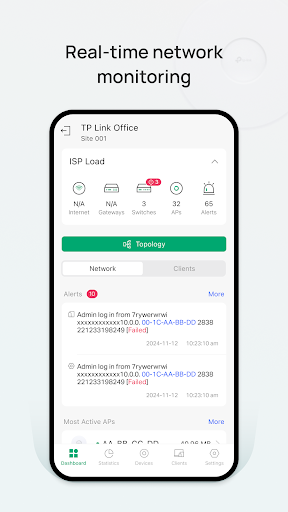
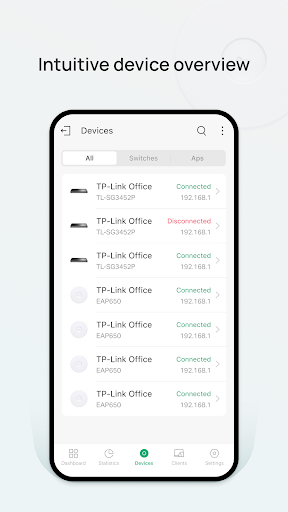
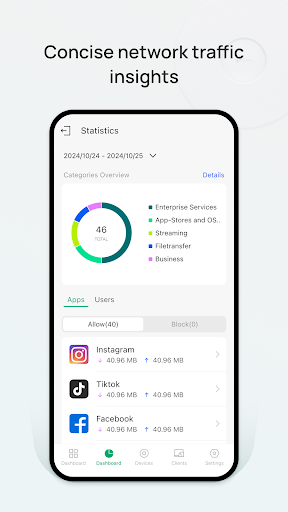
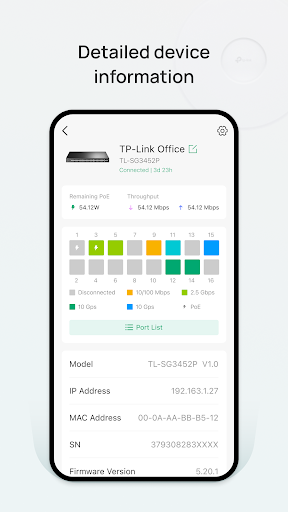
Omada app is used for configuring and managing your Omada devices. You can change settings, monitor the network status and manage clients, all from the convenience of a smart phone or tablet.
STANDALONE MODE
Standalone mode is designed for managing EAPs or wireless routers right away without having to spend time configuring a controller. Each device is managed separately. This mode is recommended for networks which only have a few EAPs (or wireless routers) and require only basic functions, such as home network.
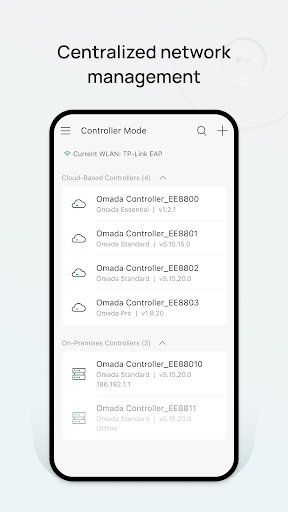
CONTROLLER MODE
Controller mode works together with a software Omada Controller or a hardware Cloud Controller, and is suitable for managing multiple devices (including …
Read the full description
Omada app is used for configuring and managing your Omada devices. You can change settings, monitor the network status and manage clients, all from the convenience of a smart phone or tablet. STANDALONE MODE Standalone mode is designed for managing EAPs or wireless routers right away without having to spend time configuring a controller. Each device is managed separately. This mode is recommended for networks which only have a few EAPs (or wireless routers) and require only basic functions, such as home network. CONTROLLER MODE Controller mode works together with a software Omada Controller or a hardware Cloud Controller, and is suitable for managing multiple devices (including gateways, switches and EAPs) centrally. Controller mode allows you to configure and automatically synchronize unified settings to the devices in the network. Compared to Standalone Mode, more configuration options are available and supports to manage more devices in Controller mode. You can manage devices in Controller mode in two ways: via Local Access or Cloud Access. In Local Access mode, the Omada app can manage devices when the Controller and your mobile device are in the same subnet; in Cloud Access mode, the Omada app can access the Controller across the internet so you can manage your devices wherever you are. Compatibility List: The controller mode currently supports hardware cloud controllers (OC200 V1, OC300 V1), software Omada Controller v3.0.2 and above. (To experience more features support and more stable services, we recommend that you upgrade your controller to a new version). Standalone Mode currently supports the following models (with latest firmware): EAP245 (EU)/(US) V1 EAP225 (EU)/(US) V3/V2/V1 EAP115 (EU)/(US) V4/V2/V1 EAP110 (EU)/(US) V4/V2/V1 EAP225-Outdoor (EU)/(US) V1 EAP110-Outdoor (EU)/(US) V3/V1 EAP115-Wall (EU) V1 EAP225-Wall (EU) V2 ER706W (EU)/(US) V1/V1.6 ER706W-4G (EU)/(US) V1/V1.6 *The latest firmware is required and can be downloaded from https://www.tp-link.com/omada_compatibility_list. More devices supported by the app are coming!
Installs, last 30 days Measured
Exact Google Play install counts, collected daily
Ratings
8,580 ratings, 310 reviews
- 5 ★70%
- 4 ★12%
- 3 ★3.9%
- 2 ★2.0%
- 1 ★12%
Recent reviews
Latest public reviews from the store
No reviews in our sample for this app yet.
Top chart positions
Latest Google Play chart ranks by country, last 10 days
Not in any tracked top chart in the last 10 days.
TP-Link Omada history
Release, install milestones, listing and store changes
- Reached 1,000,000+ installs 9 Jan 2025
- Reached 500,000+ installs 10 Oct 2022
- First released on the store 17 Apr 2018
Update frequency
How often TP-Link Omada ships a new version, month by month
13 updates in the last 12 months. More often than most similar apps: they shipped a median of 2 updates in the same year.
Recent versions
Current version 5.3.80
- Version 5.3.796 Nov 2026
1. Fixed a rare issue where the app could crash and improved app stability.
- Version 5.3.1912 Aug 2026
1. Improved the reliability of biometric login and DDNS setup.
- Version 5.2.308 Jun 2026
1. Improved the time range configuration experience and fixed several known issues.
- Version 5.2.2829 May 2026
1. Fixed several known issues for improved stability and performance.
Listing keywords
Words and phrases TP-Link Omada repeats most in its store listing
Top phrases: controller mode (6), eu us v1 (4), standalone mode (4), v1 eap225 (3), v2 v1 (3).
Highlighted words also appear in the title. Counts cover the title, short description and description.
Business model and tech
From the store listing, the SDKs in the app package and its declared permissions
- Business model
- Free to download
- Built with
- No cross-platform framework or game engine detected
- Ad networks (0)
- None detected
- Analytics and crash reports
- Firebase
- Sensitive access
- LocationCameraPhotos, videos and filesNearby devices
1 ad, attribution and analytics SDKs detected. SDKs are read from the app package and permissions from the store listing, so code that loads later is not seen.
Technology
33 SDKs found in the app package
25 permissions
0 special access, 9 sensitive, 16 standard
- Take photos and videosSensitive
- Change or delete shared storageSensitive
- Read photosREAD_MEDIA_IMAGESSensitive
- Read shared storageSensitive
- Approximate locationSensitive
- Precise locationSensitive
- Connect to paired Bluetooth devicesBLUETOOTH_CONNECTSensitive
- Find nearby Bluetooth devicesBLUETOOTH_SCANSensitive
- Show notificationsPOST_NOTIFICATIONSSensitive
- Control the flashlightStandard
- Control vibrationStandard
- Keep the phone awakeStandard
Compliance
What the listing and the app package show
- Store status
- Live
- Upkeep
- Updated 6 Nov 2026
- Registered in
- United States
- Privacy policy
- Linked on the listing
- Advertising
- No ads declared
- In-app purchases
- None declared
- Age rating
- Everyone
- Sensitive permissions
- 9 sensitive of 25
- Location access
- Yes, while in use
- Camera and microphone
- Camera
Apps like TP-Link Omada
Touch Macro Pro - Auto Clickerjake773M installs★ 2.84
MobileRecov - Data RecoveryStor Med Apps563K installs★ 4.69
Fibex Oficina MóvilSoluciones Medianet, C.A.631K installs★ 2.86
WeBackGrit Technology949K installs★ 1.2
LED Scroller - text LED BannerCristools Simple Apps607K installs★ 4.75
Find My Bluetooth DeviceByteBox Inc.939K installs★ 3.9
Blue Speed VPNhelalik1.4M installs★ 4.51
Lag remover Lower Gaming PingNoLag Australia708K installs★ 4.35
Electron: battery health infoMaher Safadi4M installs★ 3.81
TP-Link Omada: questions and answers
How many downloads does TP-Link Omada have?
TP-Link Omada has 1,662,511 installs on Google Play, measured from the store's own count on 19 Nov 2026.
Who makes TP-Link Omada?
TP-Link Omada is published by TP-LINK SYSTEMS INC., a developer based in US.
When was TP-Link Omada last updated?
The latest version (5.3.80) was released on 6 Nov 2026.
Is TP-Link Omada free?
Yes. TP-Link Omada is free to download.
Is TP-Link Omada still available?
Yes. TP-Link Omada is live on Google Play as of 19 Nov 2026.
Track TP-Link Omada and its competitors
Watch any app for new versions, rating drops, chart moves and removals. Free plan, no card.