Tutorial for Excel
Complete Tutorial for MS Excel. Learn Excel spreadsheet quickly and effectively.
- Installs
- 381K
- Measured
- Rating
- 4.0
- Ratings
- 1.6K
- 8 reviews
- Version
- Varies with device
- Updated 24 Dec 2024
- Released
- 11 Sep 2014
- Tracked since 13 May 2026
- Size
- 9 MB
- Needs 4.1
Screenshots
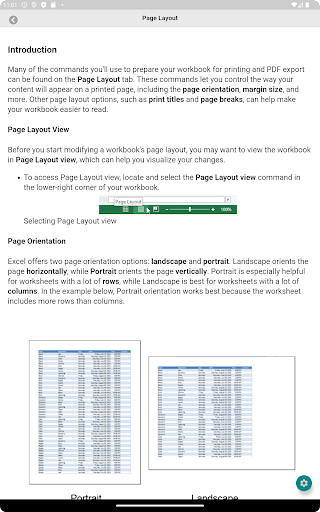
About Tutorial for Excel
The description on the store listing
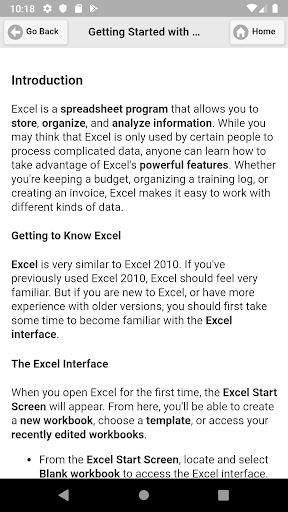
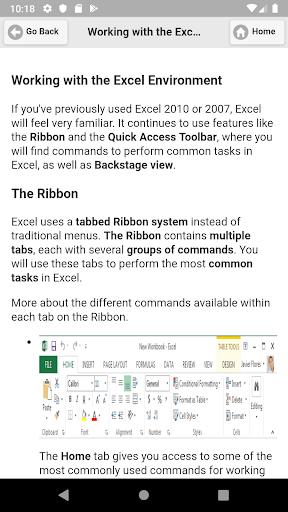
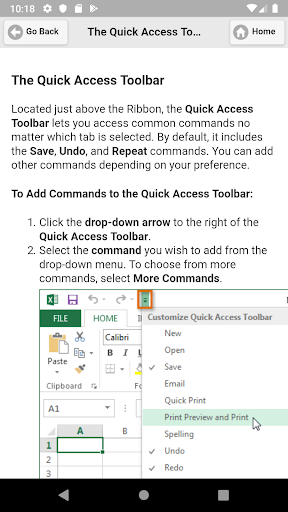
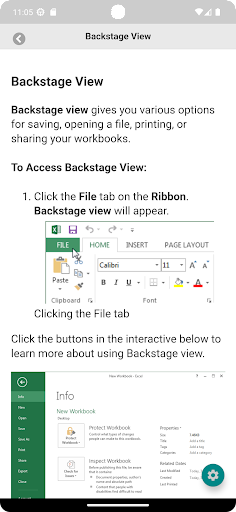
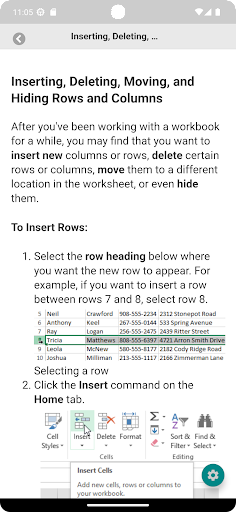
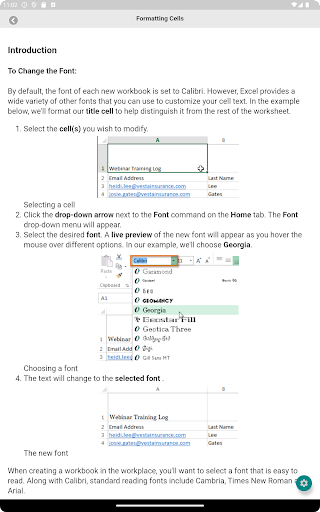
Learn Microsoft Excel using your Android Device from this comprehensive app. Learn how to create formulas and charts, use functions, format cells etc using MS Excel.
From this free Excel tutorial app, you will able to learn how to create a spreadsheets, use formulas and charts, use functions, format cells and many more using MS Excel. Excel is the most powerful application to manage and analyse Data. It's used in all types of business and professions.
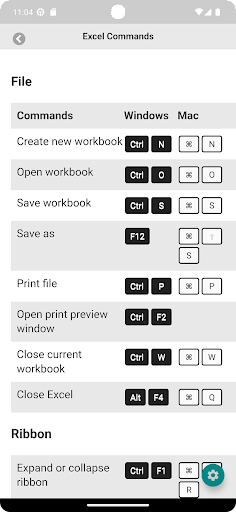
For your convenient, this app also includes all essential MS Excel keyboard shortcuts for both Windows and macOS. When you work with your spreadsheets, you can quickly take a look in this app and find useful info at your fingertips. …
Read the full description
Learn Microsoft Excel using your Android Device from this comprehensive app. Learn how to create formulas and charts, use functions, format cells etc using MS Excel. From this free Excel tutorial app, you will able to learn how to create a spreadsheets, use formulas and charts, use functions, format cells and many more using MS Excel. Excel is the most powerful application to manage and analyse Data. It's used in all types of business and professions. For your convenient, this app also includes all essential MS Excel keyboard shortcuts for both Windows and macOS. When you work with your spreadsheets, you can quickly take a look in this app and find useful info at your fingertips. Learning spreadsheets like Excel might improve your job opportunities. If you add this skill to your belt, you can make yourself more valuable in the modern day workforce. From this app, you will also able to learn Excel tips and tricks so you can do more with this popular spreadsheet program. Use tutorials included this app to learn more about organising and calculating data, using formulas and functions in Excel and solve problems. This app includes all essential information for learning Microsoft Office Excel you need to know. Like: <b>Excel Basics</b> Getting Started with Excel Creating and Opening Workbooks Saving and Sharing Workbooks <b>Cell Basics</b> Modifying Columns, Rows, and Cells Formatting Cells Worksheet Basics Page Layout Printing Workbooks <b>Formulas and Functions</b> Simple Formulas Complex Formulas Relative and Absolute Cell References Functions Working with Data Freezing Panes and View Options Sorting Data Filtering Data Groups and Subtotals Tables Charts Sparklines Doing More with Excel Track Changes and Comments Finalizing and Protecting Workbooks Conditional Formatting PivotTables What-If Analysis This app also include Excel Keyboard Shortcuts, so that you can increase your productivity.
Installs, last 30 days Measured
Exact Google Play install counts, collected daily
Ratings
1,643 ratings, 8 reviews
- 5 ★50%
- 4 ★25%
- 3 ★12%
- 2 ★0.0%
- 1 ★12%
Recent reviews
Latest public reviews from the store
- 12 Nov 2022
Great work
- 7 Jul 2022
Nice
- 4 Feb 2022
Great
- 10 Dec 2021
#include int main() { printf("Thank you very much.This app is so useful!"); return 0; }
What reviewers bring up
Topics mentioned in the latest 50 reviews, by how many reviews mention them
Liked in good reviews (42 reviews)
- learning 3
- bangla 2
- better 2
- think 2
- jonno 2
- ekta 2
- একট 2
Raised in bad reviews (5 reviews)
No topic comes up twice.
Top chart positions
Latest Google Play chart ranks by country, last 10 days
Not in any tracked top chart in the last 10 days.
Tutorial for Excel history
Release, install milestones, listing and store changes
- Reached 100,000+ installs 27 Nov 2015
- Reached 50,000+ installs 11 Oct 2015
- Reached 10,000+ installs 7 Aug 2015
- Reached 5,000+ installs 1 Jul 2015
- Reached 1,000+ installs 12 Jan 2015
- Reached 500+ installs 26 Nov 2014
- Reached 100+ installs 30 Sep 2014
- Reached 50+ installs 21 Sep 2014
Update frequency
How often Tutorial for Excel ships a new version, month by month
0 updates in the last 12 months. Less often than most similar apps: they shipped a median of 2 updates in the same year.
Recent versions
Current version Varies with device
- Version 1.1424 Dec 2024
- Version 1.1326 Feb 2024
- Version 1.1215 Apr 2023
- Version 1.96 Feb 2020
Listing keywords
Words and phrases Tutorial for Excel repeats most in its store listing
Top phrases: ms excel (4), able to learn (2), charts use functions (2), excel keyboard shortcuts (2), formulas and charts (2).
Highlighted words also appear in the title. Counts cover the title, short description and description.
Business model and tech
From the store listing, the SDKs in the app package and its declared permissions
- Business model
- Free to downloadShows ads
- Built with
- No cross-platform framework or game engine detected
- Ad networks (1)
- AdMob
- Analytics and crash reports
- Firebase
- Sensitive access
- Advertising ID
2 ad, attribution and analytics SDKs detected. SDKs are read from the app package and permissions from the store listing, so code that loads later is not seen.
Technology
28 SDKs found in the app package
Ad networks
Advertising and install-attribution SDKs found in the app package
- AdMob
9 permissions
0 special access, 0 sensitive, 9 standard
- Ad attribution (Privacy Sandbox)ACCESS_ADSERVICES_ATTRIBUTIONStandard
- Ad topics (Privacy Sandbox)ACCESS_ADSERVICES_TOPICSStandard
- Read the advertising IDAD_IDStandard
- Read the advertising ID (Privacy Sandbox)ACCESS_ADSERVICES_AD_IDStandard
- Keep the phone awakeStandard
- Run a foreground serviceFOREGROUND_SERVICEStandard
- Full internet accessStandard
- See network connectionsStandard
- Internal app permissionDYNAMIC_RECEIVER_NOT_EXPORTED_PERMISSIONStandard
Compliance
What the listing and the app package show
- Store status
- Live
- Upkeep
- Updated 24 Dec 2024
- Registered in
- Bangladesh
- Privacy policy
- Linked on the listing
- Advertising
- Shows ads
- In-app purchases
- None declared
- Age rating
- Everyone
- Sensitive permissions
- 0 sensitive of 9
- Location access
- No
- Camera and microphone
- Neither
Apps like Tutorial for Excel
Test DGT 2026 - PracticaTestPracticaTest1.3M installs★ 4.06
Simplify Fractions CalculatorGK Apps327K installs★ 3.28
Class 9 English Guide 2026Class Notes BD315K installs★ 4.13
Binogi - Smarter LearningBinogi studios1M installs★ 4.2
Correct Spelling-Spell checkerDaily Life App Tech1.3M installs★ 4.01
Discovery & Invention GK HindiDev Thakur441K installs★ 4.1
English to Bangla dictionaryFirehawk1.6M installs★ 3.91
Entrenador Vocal, Vocal drillsEntrenador Vocal aplicacion movil226K installs★ 4.63
Likhit: Nepal Driving LicenseTamago Studios344K installs★ 4.04
Tutorial for Excel: questions and answers
How many downloads does Tutorial for Excel have?
Tutorial for Excel has 381,361 installs on Google Play, measured from the store's own count on 19 Nov 2026.
Who makes Tutorial for Excel?
Tutorial for Excel is published by Tech-tweets, a developer based in BD.
When was Tutorial for Excel last updated?
The latest version (Varies with device) was released on 24 Dec 2024.
Is Tutorial for Excel free?
Yes. Tutorial for Excel is free to download, and it shows ads.
Is Tutorial for Excel still available?
Yes. Tutorial for Excel is live on Google Play as of 19 Nov 2026.
Track Tutorial for Excel and its competitors
Watch any app for new versions, rating drops, chart moves and removals. Free plan, no card.