
UsbWebCamera
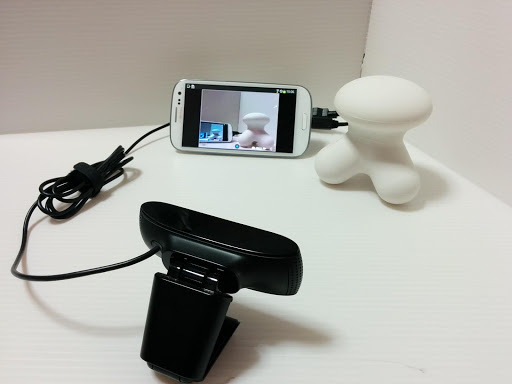
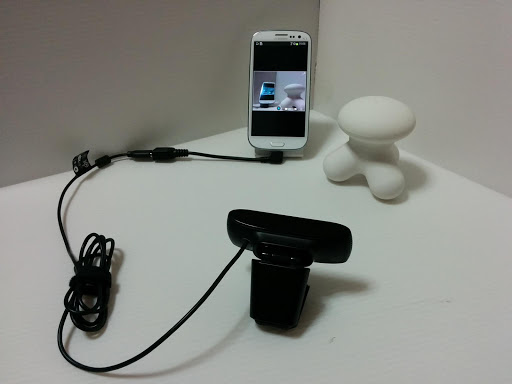
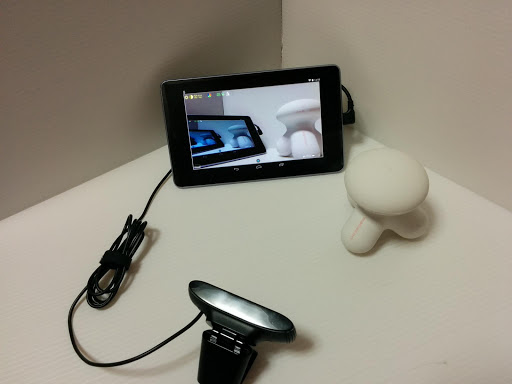
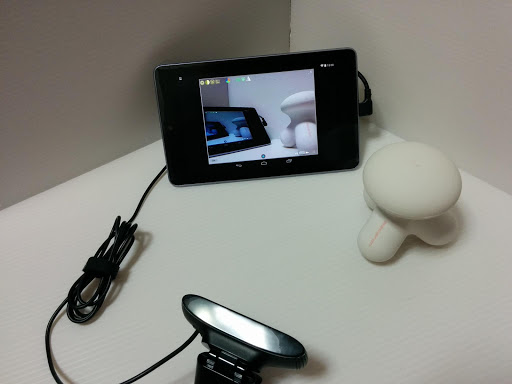
This can preview and capture movie & still image from web camera w/o root.
- Installs
- 587K
- Measured
- Rating
- 2.76
- Ratings
- 1.7K
- 117 reviews
- Version
- 7.0.3
- Updated 29 Aug 2026
- Released
- 18 Jun 2014
- Tracked since 13 May 2026
- Size
- 7 MB
- Needs 4.1
Screenshots
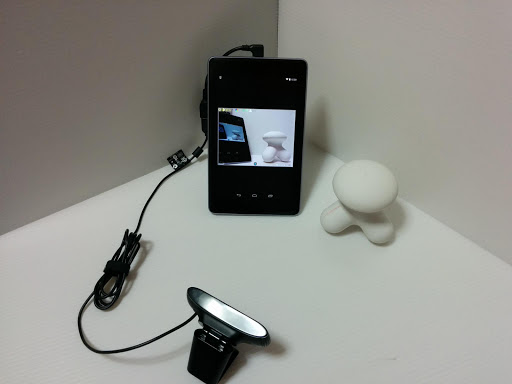
About UsbWebCamera
The description on the store listing
Caution! Some Android 9 devices will not work well. If video recording does not work on your Android 9 device, please try to set [Settings]>[Expert settings]>[Enable Surface encoder for movie capture] ON.
Caution! Android 5.1.1 for Samsung GALAXY series currently have issue on accessing USB device. And if you update your GALAXY to Android 5.1.1, this app may not work.
Caution! Some devices like which CPU/SOC is made by MediaTek, Rockchip and Allwinner will have some issues on USB host function and these devices may freeze, restart. Additionally some devices have limitation of USB current and/or are very sensitive to USB current variation. The power consumption of web cam is more tha …
Read the full description
Caution! Some Android 9 devices will not work well. If video recording does not work on your Android 9 device, please try to set [Settings]>[Expert settings]>[Enable Surface encoder for movie capture] ON. Caution! Android 5.1.1 for Samsung GALAXY series currently have issue on accessing USB device. And if you update your GALAXY to Android 5.1.1, this app may not work. Caution! Some devices like which CPU/SOC is made by MediaTek, Rockchip and Allwinner will have some issues on USB host function and these devices may freeze, restart. Additionally some devices have limitation of USB current and/or are very sensitive to USB current variation. The power consumption of web cam is more tha several hundreds mA and we recommend to use self-powered USB hub for stable use of this app. No root access and custon ROM need even on Android4.4/5.0 devices. Only you need is just install(and of course you need UVC web cam and OTG cable) If you don't want to show ads, you can use paid-for version after checking of operation using this free version. Detailed usage is available on following web site. But it is still Japanese only.<a href="http://www.google.com/url?q=http%3A%2F%2Fserenegiant.com%2Fblog%2F%3Fpage_id%3D1815&sa=D&sntz=1&usg=AOvVaw0xlmYeoV3Y2U7w6xdYckri">UsbWebカメラアプリの使い方</a> There are some devices that fail to start preview with specific combination of camera and resolutions. Please stop and restart preview again with ON/OFF button. Features: ・Movie capturing You can save the image frames as a MP4 movie file into the Movies/UsbWebCamera directory on the external storage. This app limits maximum duration time by 3 minutes. If you want more duration time, please use un-limited paid-for version. You can start/stop movie capturing by pressing capturing button placed at bottom center of screen(while you set a switch placed at right bottom of screen to the right position). Simultaneous audio capturing is available when it is enabled on preference screen. ・Still iamge capturing You can also save still image as a png file into DCIM/UsbWebCamera directory on the external strage by pressing the capturing button(while you set a switch placed at the right bottom of screen to the left position) ・Interval capturing(still image and movie) You can start interval capturing by long pressing the caputuring button. ・Mirror display is available. You can flip horizontal, vertical and both horizontal & vertical of preview image. This has no effect to still image and movie capturing. ・Limitation of maximum FPS for reducing battery consumption ・Quality control of preview rendering for reducing battery consumption ・Screen dimming for reducing battery consumption ・Cross line view finder The view finder never shows on still image and movie. ・Screen orientation You can select whether screen rotates depending on the device orientation, or fix it to portrait/landscape. ・Adjusting image You can adjust brightness, contrast, saturation, sharpness, gamma, gain and whiteblance if your camera supports them. We assume many of generic UVC web came and video grabber can work with this app but not all of them. If you find a device that can not work with this app, it is helpful for us to let it know us. Note: ・Please detach your cam from device when you don't need it because just connecting web cam use battery. ・The power consumption of web cam is more tha several hundreds mA and we recommend to use self-powered USB hub. ・This app does not support multiple cam previewing now. You can connect multiple cam when using USB hub, but only one cam can use at a time. ・This app may not work well according to the combination of camera type, resolution and fps setting etc. About permissions: ・This app use the permission of write accress to external storage to save still image/movie. ・This app use the permission of network access to show ads. ・This app use the permission of vibration to feedback on starting interval capturing. ・This app use the permission of audio recording. Notifications: This app is based in part on the work of the Independent JPEG Group.
Installs, last 30 days Measured
Exact Google Play install counts, collected daily
Ratings
1,671 ratings, 117 reviews
- 5 ★38%
- 4 ★13%
- 3 ★5.6%
- 2 ★7.2%
- 1 ★36%
Recent reviews
Latest public reviews from the store
No reviews in our sample for this app yet.
Top chart positions
Latest Google Play chart ranks by country, last 10 days
Not in any tracked top chart in the last 10 days.
UsbWebCamera history
Release, install milestones, listing and store changes
- Reached 500,000+ installs 27 Sep 2018
- Reached 100,000+ installs 14 Jan 2016
- Reached 50,000+ installs 27 Aug 2015
- Reached 10,000+ installs 14 Dec 2014
- Reached 5,000+ installs 9 Nov 2014
- Reached 1,000+ installs 16 Sep 2014
- Reached 500+ installs 26 Aug 2014
- Reached 100+ installs 22 Jul 2014
Update frequency
How often UsbWebCamera ships a new version, month by month
2 updates in the last 12 months. More often than most similar apps: they shipped a median of 1 updates in the same year.
Recent versions
Current version 7.0.3
- Version 7.0.329 Aug 2026
・Add support Android 16 devices ・Migrate to new UI/UX ・Improve crash when USB device detached while video streaming from the device ・Improve a crash that occured on settings screen on older devices than Android12 ・Optimize app
- Version 7.0.228 Aug 2026
・Add support Android 16 devices ・Migrate to new UI/UX ・Improve crash when USB device detached while video streaming from the device
- Version 6.6.225 Oct 2025
* Improved handling of display cutout. * Fixed a crash that could occur when rotating the screen. * Fixed the splash screen. * Fixed an issue where connecting a UVC device before granting camera access permissions during initial startup would prevent automatic image capture. * Adjusted the layout of the settings screen. * Improved behavior during recording. * Support 16KB alignment
- Version 5.1.130 Oct 2019
Listing keywords
Words and phrases UsbWebCamera repeats most in its store listing
Top phrases: web cam (4), image and movie (3), reducing battery consumption (3), battery consumption (3), interval capturing (3).
Highlighted words also appear in the title. Counts cover the title, short description and description.
Business model and tech
From the store listing, the SDKs in the app package and its declared permissions
- Business model
- Free to downloadIn-app purchasesShows ads
- Built with
- No cross-platform framework or game engine detected
- Ad networks (1)
- AdMob
- Subscriptions and payments
- Google Play billing
- Analytics and crash reports
- FirebaseCrashlytics
- Sensitive access
- CameraMicrophonePhotos, videos and files
2 ad, attribution and analytics SDKs detected. SDKs are read from the app package and permissions from the store listing, so code that loads later is not seen.
Technology
30 SDKs found in the app package
Ad networks
Advertising and install-attribution SDKs found in the app package
- AdMob
14 permissions
0 special access, 4 sensitive, 10 standard
- Record audioSensitive
- Take photos and videosSensitive
- Change or delete shared storageSensitive
- Read shared storageSensitive
- Read how it was installed (install referrer)BIND_GET_INSTALL_REFERRER_SERVICEStandard
- Control vibrationStandard
- Keep the phone awakeStandard
- Run a foreground serviceFOREGROUND_SERVICEStandard
- Full internet accessStandard
- See network connectionsStandard
- Receive push messagesStandard
- Read Google service settingsStandard
Compliance
What the listing and the app package show
- Store status
- Live
- Upkeep
- Updated 29 Aug 2026
- Registered in
- Japan
- Privacy policy
- Linked on the listing
- Advertising
- Shows ads
- In-app purchases
- Offered
- Age rating
- Everyone
- Sensitive permissions
- 4 sensitive of 14
- Location access
- No
- Camera and microphone
- Both
Apps like UsbWebCamera
Video Maker with Music & PhotoAzura Mobile Apps208K installs★ 4.44
FlashDown: 4K Video DownloaderVitality AI3.5M installs★ 3.83
Asaloun : Quran video editingHazem Ourari193K installs★ 4.0
Video Downloader : Clip SaverVirMal Apps150K installs★ 3.88
Smart IPTV Player & ParserAzeDev65.5K installs★ 4.2
Video to MP3 ConverterVidSoftLab218K installs★ 4.07
VidCut - Video Editor & MakerJingSay468K installs★ 4.24
Amritvela (Official)Amritvela Trust124K installs★ 5.0
Screen Recorder - Video EditorVideo Editor & AI Cut Out491K installs★ 4.46
UsbWebCamera: questions and answers
How many downloads does UsbWebCamera have?
UsbWebCamera has 587,196 installs on Google Play, measured from the store's own count on 19 Nov 2026.
Who makes UsbWebCamera?
UsbWebCamera is published by Serenegiant(旧), a developer based in JP.
When was UsbWebCamera last updated?
The latest version (7.0.3) was released on 29 Aug 2026.
Is UsbWebCamera free?
Yes. UsbWebCamera is free to download and offers in-app purchases, and it shows ads.
Is UsbWebCamera still available?
Yes. UsbWebCamera is live on Google Play as of 19 Nov 2026.
Track UsbWebCamera and its competitors
Watch any app for new versions, rating drops, chart moves and removals. Free plan, no card.