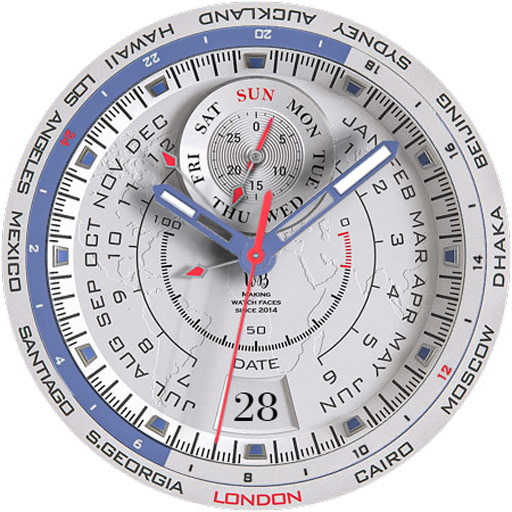
VOYAGER WorldTimer Watch Face
Super realistic, functional and super festive watch face!
- Installs
- 2.82K
- Measured
- Rating
- 4.57
- Ratings
- 34
- 2 reviews
- Version
- Varies with device
- Updated 29 Oct 2025
- Released
- 14 Dec 2023
- Tracked since 14 May 2026
- Size
- —
Screenshots

About VOYAGER WorldTimer Watch Face
The description on the store listing
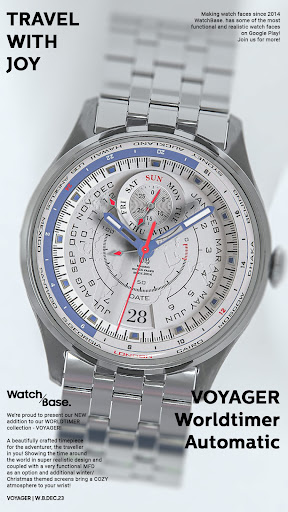
Our new VOYAGER watch face is a precisely crafted Worldtimer with a very functional and realistic design for Wear OS!
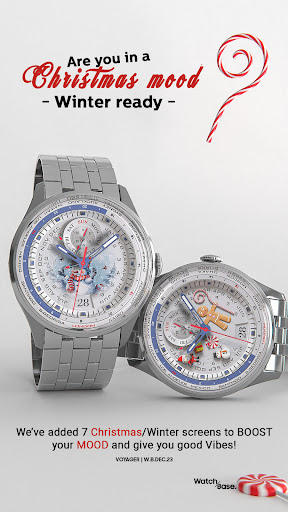
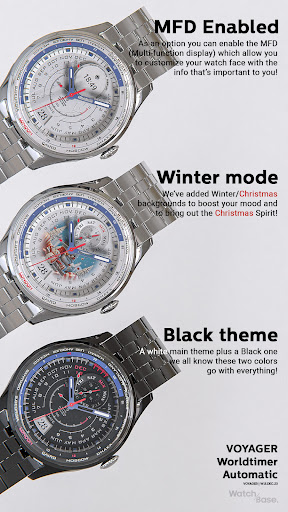
Enjoy the classic look with additional Christmas/Winter themes and with a
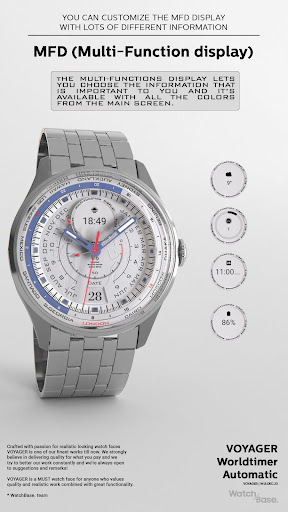
Multi-Function display, you can customize the info that matters to you!
NOTE: Please read the how to section and installation section !!!
ⓘ Features:
- Worldtimer.
- 12 different Time zones indicator.
- Multi-function Display (MFD).
- Very realistic.
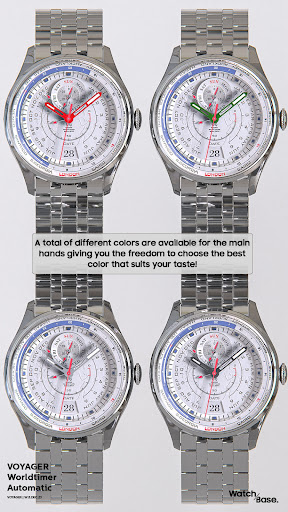
- Changeable HANDS color (6 colors).
- Changeable indicator hands color (2 colors day/night).
- Changeable SECONDS hand color (5 colors).
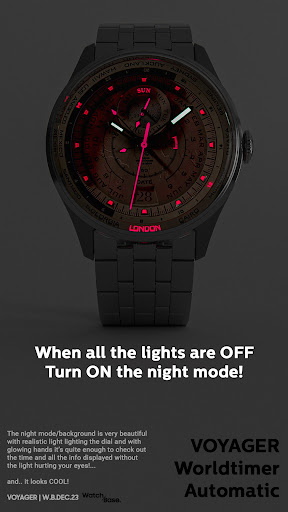
- Changeable BACKGROUND color/theme (10 different backgrounds).
- Time and date.
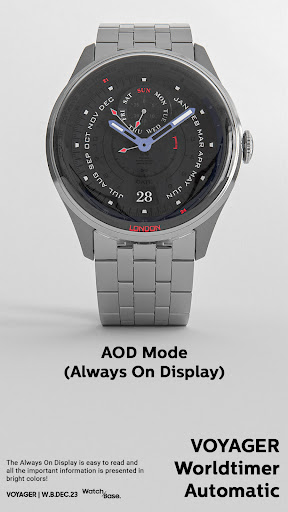
- AOD (Always …
Read the full description
Our new VOYAGER watch face is a precisely crafted Worldtimer with a very functional and realistic design for Wear OS! Enjoy the classic look with additional Christmas/Winter themes and with a Multi-Function display, you can customize the info that matters to you! NOTE: Please read the how to section and installation section !!! ⓘ Features: - Worldtimer. - 12 different Time zones indicator. - Multi-function Display (MFD). - Very realistic. - Changeable HANDS color (6 colors). - Changeable indicator hands color (2 colors day/night). - Changeable SECONDS hand color (5 colors). - Changeable BACKGROUND color/theme (10 different backgrounds). - Time and date. - AOD (Always on display). ⓘ How to: - To customize your watch face, touch and hold on the screen, then tap on customize. * IMPORTANT - if you enable MFD display you must choose/customize it with the information you want. If you turn off the MFD you must choose "Empty" as a complication option to avoid text/info being displayed over the Month indicator. ⓘ Moon-phase indicator - The moon phases indicator is only available in white color theme. If enabled the Moon-phase indicator overlays the MFD (if enabled). Want another SUPER REALISTIC watch face? Here you go: https://play.google.com/store/apps/details?id=wb.luna.benedicta ⓘ Installation How to install: https://watchbase.store/static/ai/ After installation: https://watchbase.store/static/ai/ai.html * Luna Benedicta watch face shown in the "How to install" and "After installation". The same installation process is valid for all of our watch faces. If you have any issues installing the watch face, please note that we have no control over the installation process or any other Google Play / Watch processes. The most common issue that people face is after they buy the watch face and install it, they can't see/find it. In order to apply the watch face after you install it, touch and hold on the main screen (your current watch face) the swipe left to look for it. If you can't see it, tap on the " + " sign at the end (add a watch face) and find our watch face there. We use a companion app for the phone to make the installation process easier. If you buy our watch face, tap on the install button (on the phone app) you must check your watch.. a screen will appear with the watch face.. tap install again and wait for the installation to finish. If you already bought the watch face and it still asks you to buy it again on the watch, don't worry you will not be charged twice. This is a common synchronization issue, just wait a little or try to restart your watch. Another solution for installing the watch face is to try to install it from a browser, logged with your account (google play account that you use on the watch). JOIN WatchBase. Facebook group (General watch faces group): https://www.facebook.com/groups/1170256566402887/ Facebook page: https://www.facebook.com/WatchBase Instagram: https://www.instagram.com/watch.base/ SUBSCRIBE to our YouTube channel: https://www.youtube.com/c/WATCHBASE?sub_confirmation=1 https://www.youtube.com/c/WATCHBASE
Installs since 13 Nov 2026 Measured
Exact Google Play install counts, collected daily
Daily history starts once this app is in our daily install sample.
Ratings
34 ratings, 2 reviews
- 5 ★69%
- 4 ★16%
- 3 ★16%
- 2 ★0.0%
- 1 ★0.0%
Recent reviews
Latest public reviews from the store
- 1 Sep 2022
Very cool looking design. Fantastic workmanship. Excellent quality. Great job 👏 👍 👌
Top chart positions
Latest Google Play chart ranks by country, last 10 days
Not in any tracked top chart in the last 10 days.
VOYAGER WorldTimer Watch Face history
Release, install milestones, listing and store changes
- Reached 1,000+ installs 4 Oct 2024
- Reached 500+ installs 6 Mar 2024
- First released on the store 14 Dec 2023
Recent versions
Current version Varies with device
- Version 5.029 Oct 2025
Listing keywords
Words and phrases VOYAGER WorldTimer Watch Face repeats most in its store listing
Top phrases: watch face (16), color colors (3), installation process (3), color colors changeable (2), hands color colors (2).
Highlighted words also appear in the title. Counts cover the title, short description and description.
Business model and tech
From the store listing and declared permissions
- Business model
- Paid, $1.89
- Sensitive access
- No sensitive permission declared
Compliance
What the listing and the app package show
- Store status
- Live
- Upkeep
- Updated 29 Oct 2025
- Registered in
- Bulgaria
- Privacy policy
- Linked on the listing
- Advertising
- No ads declared
- In-app purchases
- None declared
- Age rating
- Everyone
Apps like VOYAGER WorldTimer Watch Face
Shani Dev Cube Live WallpaperNext Live Wallpapers29.1K installs★ 4.6
タクト キーボード - 日本語入力takt.keyboard23.9K installs★ 4.0
Star Photo IdentificationW.T21.1K installs★ 3.33
Digital Clock Live WallpaperXoxoi6.9K installs★ 3.57
Realme C71 Video WallpapersYes Themes50.9K installs★ 3.8
3D Valentine Hearts WatchFaceFilmmotion Studio7.7K installs★ 4.54
10000+ Nature WallpaperVariable Expression9K installs★ 4.17
Wayfinder - Analog Watch FaceLuka Kilic - Watch Faces1.9K installs★ 5.0
SXZ Sport Lum Watch FaceSXZ Universe2.7K installs★ 4.2
VOYAGER WorldTimer Watch Face: questions and answers
How many downloads does VOYAGER WorldTimer Watch Face have?
VOYAGER WorldTimer Watch Face has 2,823 installs on Google Play, measured from the store's own count on 13 Nov 2026.
Who makes VOYAGER WorldTimer Watch Face?
VOYAGER WorldTimer Watch Face is published by WatchBase, a developer based in BG.
When was VOYAGER WorldTimer Watch Face last updated?
The latest version (Varies with device) was released on 29 Oct 2025.
Is VOYAGER WorldTimer Watch Face free?
No. VOYAGER WorldTimer Watch Face is a paid app priced at $1.89.
Is VOYAGER WorldTimer Watch Face still available?
Yes. VOYAGER WorldTimer Watch Face is live on Google Play as of 13 Nov 2026.
Track VOYAGER WorldTimer Watch Face and its competitors
Watch any app for new versions, rating drops, chart moves and removals. Free plan, no card.