Wakey: Keep Screen On
Wakey: Screen stays on! Smart automations, custom brightness. Never time out.
- Installs
- 841K
- Measured
- Rating
- 4.5
- Ratings
- 9.6K
- 467 reviews
- Version
- 13.0.0
- Updated 12 Oct 2026
- Released
- 21 Sep 2012
- Tracked since 12 May 2026
- Size
- 7 MB
- Needs 6.0
Screenshots



About Wakey: Keep Screen On
The description on the store listing
Tired of your Android screen timing out at the worst moments? Introducing Wakey: Keep Screen On – your ultimate smart screen control and automation app, designed to prevent unwanted screen timeouts during reading, navigation, gaming, work, or while simply enjoying your photos.
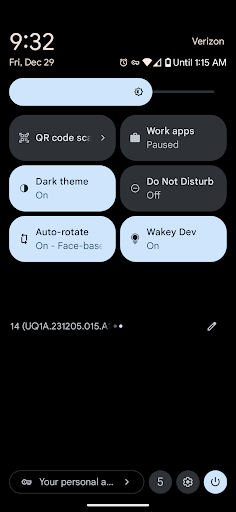
Wakey puts you in complete control. With just one tap, you can override your device's default sleep timeout, keeping your screen lit on your terms. Whether you need it fully bright for directions, dim for night-time reading, or even completely dark while your phone continues working in your pocket, Wakey handles it.
Free Features to Enhance Your Experience:
• Manual Control: Tap the iconic bulb in the app or …
Read the full description
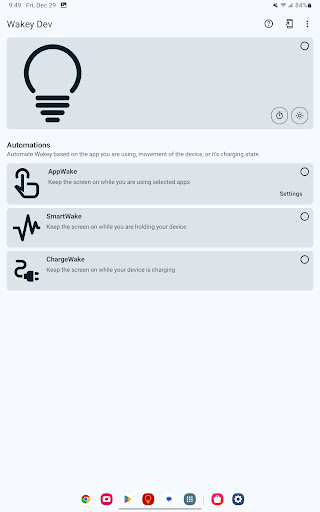
Tired of your Android screen timing out at the worst moments? Introducing Wakey: Keep Screen On – your ultimate smart screen control and automation app, designed to prevent unwanted screen timeouts during reading, navigation, gaming, work, or while simply enjoying your photos. Wakey puts you in complete control. With just one tap, you can override your device's default sleep timeout, keeping your screen lit on your terms. Whether you need it fully bright for directions, dim for night-time reading, or even completely dark while your phone continues working in your pocket, Wakey handles it. Free Features to Enhance Your Experience: • Manual Control: Tap the iconic bulb in the app or use the convenient Quick-Setting Tile or Home screen Widget to instantly toggle "stay awake" mode. • Custom Timers: Set a maximum screen-on duration for specific tasks, ensuring efficiency without constant monitoring. • Flexible Brightness Modes: Choose between Darken, Normal, and Brighten to perfectly suit any environment or task. • Idle Dimming: Keep the screen awake but allow it to dim when idle, saving battery while remaining accessible. • Smart Pocket Mode: Fully darken your screen while it stays awake in your pocket, preventing accidental touches and saving power. • Persistent Notification: Keep quick control and status information always visible (optional). Unlock Uninterrupted Productivity & Convenience with Wakey Premium! Upgrade to Wakey Premium (a single, one-time purchase, no subscription required!) to unlock powerful automations and an ad-free experience, making your life even easier: • SmartWake: Automatically keep your screen awake simply by using your device or when it's in motion. Perfect for reading e-books, following recipes, or any activity where you need the screen to stay on while you interact. • AppWake: Set your screen to automatically stay awake when specific apps are in the foreground. Never miss a beat during your gaming sessions, keep album art visible while music plays, or ensure uninterrupted navigation. This feature is also a lifesaver for users with limited dexterity who need extra time to navigate apps. ◦ Your Privacy Matters: When the AppWake Accessibility Service is enabled, it only monitors which apps are in the foreground to enable Wakey as configured. It cannot see the contents of your screen, read anything you type, listen to your microphone, or use your camera. No data about your specific use of AppWake is collected or shared with anyone. This is crucial for building user trust and complying with Google's strict privacy policies. • ChargeWake: Keep your screen awake automatically whenever your device is charging. Ideal for displaying important information, using your device as a kiosk, or simply ensuring it’s ready when you pick it up. • BtWake: Automatically keep the screen on when connected to selected Bluetooth devices. Great for integration with car systems, smartwatches, or other peripherals where continuous display is beneficial. • Tasker Plugin: For advanced users, integrate Wakey seamlessly with Tasker or Locale. Customize Wakey's behavior to react to virtually any trigger Tasker supports – from dimming the screen for night-time browsing to maximizing brightness for daytime navigation. • Remove Ads: Enjoy Wakey without any interruptions. Wakey is the perfect tool for: • Readers: Stay immersed in your e-books and articles. • Drivers & Navigators: Keep your map visible without taps. • Presenters: Ensure your display never sleeps during important talks. • Gamers: Focus on your game, not your screen timeout. • Technicians & Coders: Keep reference materials visible while you work. • ...and anyone who simply needs reliable, customizable screen control. Download Wakey now and experience the freedom of a screen that stays on when you need it, exactly how you want it. Upgrade to Premium to unlock the full suite of smart automations and support our ongoing development!
Installs, last 30 days Measured
Exact Google Play install counts, collected daily
Ratings
9,625 ratings, 467 reviews
- 5 ★88%
- 4 ★6.8%
- 3 ★1.0%
- 2 ★0.0%
- 1 ★3.9%
Recent reviews
Latest public reviews from the store
No reviews in our sample for this app yet.
Top chart positions
Latest Google Play chart ranks by country, last 10 days
Not in any tracked top chart in the last 10 days.
Wakey: Keep Screen On history
Release, install milestones, listing and store changes
- Reached 500,000+ installs 23 Apr 2022
- First released on the store 21 Sep 2012
Update frequency
How often Wakey: Keep Screen On ships a new version, month by month
13 updates in the last 12 months. More often than most similar apps: they shipped a median of 2 updates in the same year.
Recent versions
Current version 13.0.0
- Version 12.2.112 Oct 2026
• Redesigned home screen — a bigger bulb, a timer right up front, and a line showing what's keeping your screen on. • New low-battery guard: Wakey stands down when the battery drops below a level you pick. • Light theme fixes. • Premium users: ◦ Wakey can now pick up where it left off after a restart. ◦ More reliable BTWake detection. ◦ A new Developer Mode switch in Settings unlocks DevWake.
- Version 11.6.725 Aug 2026
• SmartWake is better at telling when your phone is in your pocket. • Home-screen widget fixes — shape, colors, and no more blank square. • Better at recovering your Premium status when it doesn't show up. • Tasker tasks that turn Wakey off are more reliable now. • Fewer crashes, better screen reader support, and translation fixes throughout.
- Version 11.6.615 Aug 2026
• SmartWake is better at telling when your phone is in your pocket. • Home-screen widget fixes — shape, colors, and no more blank square. • Better at recovering your Premium status when it doesn't show up. • Tasker tasks that turn Wakey off are more reliable now. • Fewer crashes, better screen reader support, and translation fixes throughout.
- Version 11.6.57 Jul 2026
• Big update to the billing engine — handles purchases, restores, and Premium status. Should be invisible for most, but if anything looks off (trouble purchasing Premium, Premium not unlocking after a purchase or restore), please ping me from the app's Support menu. Reports come straight to me and help me fix things fast. • Bug fixes and performance improvements.
Listing keywords
Words and phrases Wakey: Keep Screen On repeats most in its store listing
Top phrases: screen awake (3), wakey keep screen (2), screen control (2), smart automations (2), stay awake (2).
Highlighted words also appear in the title. Counts cover the title, short description and description.
Business model and tech
From the store listing, the SDKs in the app package and its declared permissions
- Business model
- Free to downloadIn-app purchasesShows ads
- Built with
- No cross-platform framework or game engine detected
- Ad networks (1)
- AdMob
- Subscriptions and payments
- Google Play billing
- Analytics and crash reports
- Firebase
- Sensitive access
- Nearby devicesDraws over other appsAdvertising ID
2 ad, attribution and analytics SDKs detected. SDKs are read from the app package and permissions from the store listing, so code that loads later is not seen.
Technology
19 SDKs found in the app package
Ad networks
Advertising and install-attribution SDKs found in the app package
- AdMob
23 permissions
3 special access, 2 sensitive, 18 standard
- Change system settingsWRITE_SETTINGSSpecial access
- Draw over other appsSpecial access
- See which apps are usedPACKAGE_USAGE_STATSSpecial access
- Connect to paired Bluetooth devicesBLUETOOTH_CONNECTSensitive
- Show notificationsPOST_NOTIFICATIONSSensitive
- Ad attribution (Privacy Sandbox)ACCESS_ADSERVICES_ATTRIBUTIONStandard
- Ad topics (Privacy Sandbox)ACCESS_ADSERVICES_TOPICSStandard
- Read how it was installed (install referrer)BIND_GET_INSTALL_REFERRER_SERVICEStandard
- Read the advertising IDAD_IDStandard
- Read the advertising ID (Privacy Sandbox)ACCESS_ADSERVICES_AD_IDStandard
- Foreground service (special use)FOREGROUND_SERVICE_SPECIAL_USEStandard
- Keep the phone awakeStandard
Compliance
What the listing and the app package show
- Store status
- Live
- Upkeep
- Updated 12 Oct 2026
- Registered in
- United States
- Privacy policy
- Linked on the listing
- Advertising
- Shows ads
- In-app purchases
- Offered
- Age rating
- Everyone
- Sensitive permissions
- 2 sensitive, 3 special access of 23
- Location access
- No
- Camera and microphone
- Neither
Apps like Wakey: Keep Screen On
MobileRecov - Data RecoveryStor Med Apps563K installs★ 4.69
WeBackGrit Technology949K installs★ 1.2
LED Scroller - text LED BannerCristools Simple Apps607K installs★ 4.75
Find My Bluetooth DeviceByteBox Inc.939K installs★ 3.9
Blue Speed VPNhelalik1.4M installs★ 4.51
Fibex Oficina MóvilSoluciones Medianet, C.A.632K installs★ 2.86
Electron: battery health infoMaher Safadi4M installs★ 3.81
CFMOTO RIDECFMOTO320K installs★ 3.77
Lag remover Lower Gaming PingNoLag Australia709K installs★ 4.38
Wakey: Keep Screen On: questions and answers
How many downloads does Wakey: Keep Screen On have?
Wakey: Keep Screen On has 840,993 installs on Google Play, measured from the store's own count on 20 Nov 2026.
Who makes Wakey: Keep Screen On?
Wakey: Keep Screen On is published by Kanetik, a developer based in US.
When was Wakey: Keep Screen On last updated?
The latest version (13.0.0) was released on 12 Oct 2026.
Is Wakey: Keep Screen On free?
Yes. Wakey: Keep Screen On is free to download and offers in-app purchases, and it shows ads.
Is Wakey: Keep Screen On still available?
Yes. Wakey: Keep Screen On is live on Google Play as of 20 Nov 2026.
Track Wakey: Keep Screen On and its competitors
Watch any app for new versions, rating drops, chart moves and removals. Free plan, no card.