
Watch Droid Assistant
Connect your smartwatch with Android operating system to the phone.
- Installs
- 903K
- Measured
- Rating
- 3.66
- Ratings
- 1.7K
- 59 reviews
- Version
- 15.16
- Updated 18 Jun 2021
- Released
- 9 Aug 2017
- Tracked since 13 May 2026
- Size
- 13 MB
- Needs 4.1
Screenshots

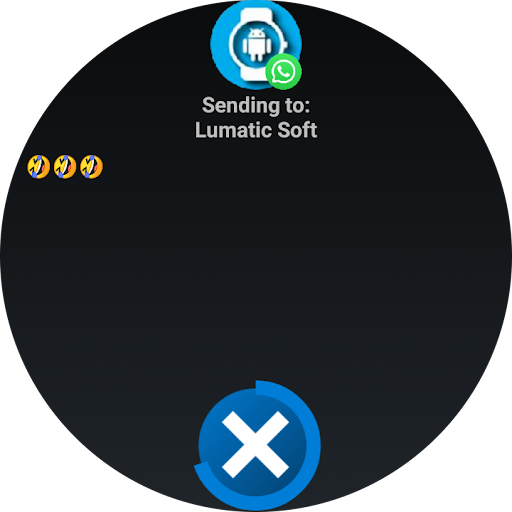


About Watch Droid Assistant
The description on the store listing
<u><b>Version for smartwatch.</b></u>
Connect your Android smartwatch to the phone to receive notifications from your applications, manage music playback, send files and more.
<u><b>How does it work:</b></u>
<u>Install "Watch Droid Phone" on your phone.</u>
https://play.google.com/store/apps/details?id=com.lumaticsoft.watchdroidphone
<u>Install "Watch Droid Assistent" on the smartwatch.</u>
https://play.google.com/store/apps/details?id=com.lumaticsoft.watchdroidassistant
Verify that both devices have bluetooth enabled.
Open "Watch Droid Phone" and follow the steps of the assistant in configuration
Latest versions for smartwatch without Play Store: …
Read the full description
<u><b>Version for smartwatch.</b></u> Connect your Android smartwatch to the phone to receive notifications from your applications, manage music playback, send files and more. <u><b>How does it work:</b></u> <u>Install "Watch Droid Phone" on your phone.</u> https://play.google.com/store/apps/details?id=com.lumaticsoft.watchdroidphone <u>Install "Watch Droid Assistent" on the smartwatch.</u> https://play.google.com/store/apps/details?id=com.lumaticsoft.watchdroidassistant Verify that both devices have bluetooth enabled. Open "Watch Droid Phone" and follow the steps of the assistant in configuration Latest versions for smartwatch without Play Store: http://www.lumaticsoft.com/watch-droid/versions/ <u><b>Notifications:</b></u> After giving permission for the management of phone notifications and selecting the applications that you want to control, you can answer them from the smartwatch. In the options of the phone application you will have the possibility to modify your predefined answers, delete or add. If the notification has the possibility of being answered, the button will appear to be able to select one of your predetermined answers, keyboard or voice dictation (if the smartwatch has the possibility). <u><b>Music:</b></u> In the music option you can: * Open the default player of your phone. * Skip the topic, pause or play it. * Raise or lower the multimedia volume of the phone. <u><b>Share files:</b></u> * Select the file to send. * Select the location on your smartwatch. * Send your file. <u><b>Camera control:</b></u> *Take a picture * Change camera from back to front <u><b>Notice: Watch Droid is an independent development of Lumatic Software and is not associated with, or in any way related to, any company. All visual material shown corresponds to their respective companies and brands, Watch Droid does not contain iconography, designs or logos of any brand in its compilation, everything exhibited was extracted from the information that the different applications publish in the notification bar.</b></u>
Installs, last 30 days Measured
Exact Google Play install counts, collected daily
Ratings
1,715 ratings, 59 reviews
- 5 ★52%
- 4 ★13%
- 3 ★6.4%
- 2 ★8.8%
- 1 ★20%
Recent reviews
Latest public reviews from the store
- 30 Dec 2025
Very good app for daily story ritual with the child...the stories are new and relevant.
Top chart positions
Latest Google Play chart ranks by country, last 10 days
Not in any tracked top chart in the last 10 days.
Watch Droid Assistant history
Release, install milestones, listing and store changes
- Reached 500,000+ installs 17 Jul 2019
- Reached 100,000+ installs 3 Apr 2018
- Reached 50,000+ installs 6 Jan 2018
- Reached 10,000+ installs 13 Nov 2017
- Reached 5,000+ installs 31 Oct 2017
- Reached 1,000+ installs 15 Sep 2017
- Reached 100+ installs 27 Aug 2017
- Reached 5+ installs 20 Aug 2017
Recent versions
Current version 15.16
- Version 15.1618 Jun 2021
New option for WhatsApp multimedia notifications Date and time stamp in notifications Fixed bugs in physical activity log and last battery charge Battery: Graphics and consumption statistics Control of percentage of charge, status, type, temperature, battery voltage. Heart Rate: Automatic measurement of the heart rate according to configuration Continuous heart rate measurement for 5 min, 15 min, 30 min, 1 hour Step Tracking: Track daily activity log counting steps taken Bugs fixed
- Version 15.1431 May 2021
- Version 15.1110 Feb 2021
- Version 15.1021 Dec 2020
Listing keywords
Words and phrases Watch Droid Assistant repeats most in its store listing
Top phrases: watch droid (6), install watch droid (2), watch droid phone (2), droid phone (2), install watch (2).
Highlighted words also appear in the title. Counts cover the title, short description and description.
Business model and tech
From the store listing, the SDKs in the app package and its declared permissions
- Business model
- Free to download
- Built with
- No cross-platform framework or game engine detected
- Ad networks (0)
- None detected
- Sensitive access
- Photos, videos and filesBody sensors and activityNearby devicesDraws over other apps
0 ad, attribution and analytics SDKs detected. SDKs are read from the app package and permissions from the store listing, so code that loads later is not seen.
Technology
12 SDKs found in the app package
15 permissions
3 special access, 4 sensitive, 8 standard
- Ask to uninstall appsREQUEST_DELETE_PACKAGESSpecial access
- Draw over other appsSpecial access
- Install other appsREQUEST_INSTALL_PACKAGESSpecial access
- Change or delete shared storageSensitive
- Read shared storageSensitive
- Read body sensors (heart rate)BODY_SENSORSSensitive
- Recognise physical activityACTIVITY_RECOGNITIONSensitive
- Control vibrationStandard
- Keep the phone awakeStandard
- Run a foreground serviceFOREGROUND_SERVICEStandard
- Start when the phone turns onStandard
- Turn off the screen lockStandard
Compliance
What the listing and the app package show
- Store status
- Live
- Upkeep
- No update since 18 Jun 2021
- Privacy policy
- Linked on the listing
- Advertising
- No ads declared
- In-app purchases
- None declared
- Age rating
- Everyone
- Sensitive permissions
- 4 sensitive, 3 special access of 15
- Location access
- No
- Camera and microphone
- Neither
Apps like Watch Droid Assistant
Love Sticker to share - SmileyMGGAMES529K installs★ 4.7
MyGabbGabb Wireless, Inc.248K installs★ 2.02
TG AI: Chats, Calls & AI ToolsDestruction299K installs★ 3.88
Bengali Sticker App (Animated)Kanika Biswas201K installs★ 3.4
Phone Caller ID - Spam BlockerHARRISON DAVID HILL LTD5.5M installs★ 4.06
Recover Deleted Chat, MessagesXcd Labs Developer844K installs★ 2.83
Temp SMS and MailALABIDI DEV157K installs★ 4.13
Conference CallerIT-System Syd660K installs★ 4.83
4G internet guide without dataAllerena Apps298K installs★ 3.92
Watch Droid Assistant: questions and answers
How many downloads does Watch Droid Assistant have?
Watch Droid Assistant has 902,510 installs on Google Play, measured from the store's own count on 19 Nov 2026.
Who makes Watch Droid Assistant?
Watch Droid Assistant is published by Lumatic Software.
When was Watch Droid Assistant last updated?
The latest version (15.16) was released on 18 Jun 2021.
Is Watch Droid Assistant free?
Yes. Watch Droid Assistant is free to download.
Is Watch Droid Assistant still available?
Yes. Watch Droid Assistant is live on Google Play as of 19 Nov 2026.
Track Watch Droid Assistant and its competitors
Watch any app for new versions, rating drops, chart moves and removals. Free plan, no card.