
WinZip – Zip UnZip Tool
Makes it easy to create, extract and manage Zip files on your phone and tablet!
- Installs
- 31.11M
- Measured
- Rating
- 2.77
- Ratings
- 102K
- 2.8K reviews
- Version
- 7.1.1
- Updated 11 Jan 2024
- Released
- 15 Jun 2012
- Tracked since 13 May 2026
- Size
- 35 MB
- Needs 4.1
Screenshots




About WinZip – Zip UnZip Tool
The description on the store listing
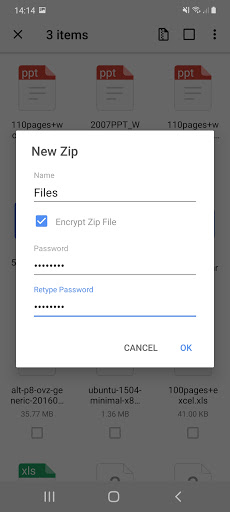
Get the world’s #1 zip file opener on Android! Create Zip and Zipx files, extract files, encrypt, open zip files, send large files by email, share to clouds.
Whether you receive a zip file as an email attachment, or want to extract and view the contents of a zip file from the web, just “Open with WinZip”. Sharing files is safe and simple too, with direct integration with multiple clouds.
WinZip makes it easy to handle major compressed types of files on your Android device!
Now you can:
• Connect directly to your cloud accounts to zip, unzip and share files
• Zip your cloud storage files, unzip files to your accounts, and create and save .zip and .zipx files to your accounts
• …
Read the full description
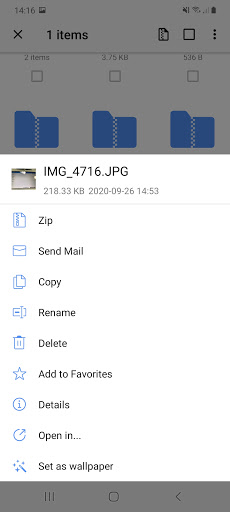
Get the world’s #1 zip file opener on Android! Create Zip and Zipx files, extract files, encrypt, open zip files, send large files by email, share to clouds. Whether you receive a zip file as an email attachment, or want to extract and view the contents of a zip file from the web, just “Open with WinZip”. Sharing files is safe and simple too, with direct integration with multiple clouds. WinZip makes it easy to handle major compressed types of files on your Android device! Now you can: • Connect directly to your cloud accounts to zip, unzip and share files • Zip your cloud storage files, unzip files to your accounts, and create and save .zip and .zipx files to your accounts • Protect your files before you save and share with powerful 128- or 256-bit AES encryption • Open and save email attachments to your connected cloud storage accounts • Easily view all images in a Zip file with the enhanced image viewer • Browse your Photo Album and easily multi-select, zip and share photo collections • Unzip and view most common file types, including: .doc, .docx, .xls, .xlsx, .ppt, .pptx,.pdf, .jpg, .png, .bmp, .gif, .tif, and more • Send or copy links to your files in your cloud storage accounts • Copy files from your cloud storage accounts and save them on your device • Unzip major compressed file types with just a tap • Choose Zip or Zipx format to compress and email large files, photos and videos with ease • Zip and share photos and videos from your device • Use WinZip to access music files on your device and save them to your cloud accounts Notes: These features are Premium only: • Create and protect Zip and Zipx files with 128- and 256-bit AES encryption • Immediate access to ‘Zip & email’ feature • Direct integration of multiple cloud storages WinZip for Android lets you open other popular file types in third party apps: - Word documents (.doc, .docx) - Excel spreadsheets (.xls, .xlsx) - PowerPoint presentations (.ppt, .pptx) - PDF files (.pdf) WinZip for Android lets you view: - Photos and images (.jpg, .jpeg, .png, .bmp, .gif) - Text files (.rtf, .csv, .txt, .ini, .inf, .bat, .js, .log, .xml,.css, .java, .cs, .h, .m,.cpp,.c,.sql,. properties) - Web files (htm, .html,.jsp,.asp) - Apk files (.apk) - Comic book files (.cbz) Compatible with Android operating systems from 4.0 to Android 11.0. WinZip for Android is available now as a free English app. FAQ Q1: I used WinZip to protect a folder of files with a password, but the list of files can still be viewed. Why? A1: Even though the files or folder is encrypted, the file names can still be viewed (but not the file content). For this reason, we recommend that you avoid using confidential information in file or folder names. For example, avoid using account numbers or ID numbers (such as a social insurance number) in file or folder names. Q2: I am using WinZip to compress JPEGs, but the size didn’t change much. Why? A2: In order to compress your photos as much as possible, without any loss of photo quality, in the app Settings, choose Zipx (Best Method). This compression method examines each file and selects the compression option most likely to supply the best compression results.
Installs, last 30 days Measured
Exact Google Play install counts, collected daily
Ratings
102,450 ratings, 2,787 reviews
- 5 ★33%
- 4 ★8.9%
- 3 ★7.6%
- 2 ★3.0%
- 1 ★48%
Recent reviews
Latest public reviews from the store
- 18 Mar 2026
Great game great price win more price and money 🤑
- 9 Oct 2025
Exllent 🥳🥳🥳
- 14 Mar 2025
Real ya fake ? Payment milega ya nhi ?
- 10 Mar 2025
Very satisfied with this app
Top chart positions
Latest Google Play chart ranks by country, last 10 days
Not in any tracked top chart in the last 10 days.
WinZip – Zip UnZip Tool history
Release, install milestones, listing and store changes
- Reached 10,000,000+ installs 6 Jan 2016
- First released on the store 15 Jun 2012
Update frequency
How often WinZip – Zip UnZip Tool ships a new version, month by month
0 updates in the last 12 months. Less often than most similar apps: they shipped a median of 8 updates in the same year.
Recent versions
Current version 7.1.1
- Version 7.1.110 Jan 2024
Fixed the issue that WinZip will crash after reopening from the background.
- Version 7.1.019 Dec 2023
- Version 7.0.18 Sep 2023
- Version 6.9.012 Jun 2023
Listing keywords
Words and phrases WinZip – Zip UnZip Tool repeats most in its store listing
Top phrases: cloud storage (4), zip file (4), cloud storage accounts (3), winzip for android (3), zip and zipx (3).
Highlighted words also appear in the title. Counts cover the title, short description and description.
Business model and tech
From the store listing, the SDKs in the app package and its declared permissions
- Business model
- Free to downloadIn-app purchasesShows ads
- Built with
- No cross-platform framework or game engine detected
- Ad networks (1)
- AdMob
- Subscriptions and payments
- Google Play billing
- Analytics and crash reports
- Firebase
- Sensitive access
- Photos, videos and filesAccounts on the deviceAdvertising ID
2 ad, attribution and analytics SDKs detected. SDKs are read from the app package and permissions from the store listing, so code that loads later is not seen.
Technology
36 SDKs found in the app package
Ad networks
Advertising and install-attribution SDKs found in the app package
- AdMob
23 permissions
2 special access, 5 sensitive, 16 standard
- Manage all filesMANAGE_EXTERNAL_STORAGESpecial access
- Set exact alarmsSCHEDULE_EXACT_ALARMSpecial access
- See accounts on the deviceSensitive
- Change or delete shared storageSensitive
- Read shared storageSensitive
- Show notificationsPOST_NOTIFICATIONSSensitive
- Access USB storage filesystemSensitive
- Read how it was installed (install referrer)BIND_GET_INSTALL_REFERRER_SERVICEStandard
- Read the advertising IDAD_IDStandard
- Use accounts on the deviceStandard
- Control vibrationStandard
- Keep the phone awakeStandard
Compliance
What the listing and the app package show
- Store status
- Live
- Upkeep
- No update since 11 Jan 2024
- Registered in
- United States
- Privacy policy
- Linked on the listing
- Advertising
- Shows ads
- In-app purchases
- Offered
- Age rating
- Everyone
- Sensitive permissions
- 5 sensitive, 2 special access of 23
- Location access
- No
- Camera and microphone
- Neither
Apps like WinZip – Zip UnZip Tool
Zain KSAZain SA8.1M installs★ 4.4
Beatron - AI Music MakerOcean Float Mobile5.5M installs★ 4.59
B-Love NetworkCloud Intense12.5M installs★ 3.02
Shake it Alarm - Clock & SleepSuperCommon9.7M installs★ 4.1
Easy Contacts CleanerLSM Apps3.6M installs★ 4.8
Orange Max it - JordanOrange Jordan4.8M installs★ 4.13
NET SECURE - Smooth ProxyYOYOLOLO GAME37.6M installs★ 4.23
aCalendar - your calendarTapir Apps GmbH11.8M installs★ 4.33
Cash App: Recharge Earning appReward Supreme1.6M installs★ 4.83
WinZip – Zip UnZip Tool: questions and answers
How many downloads does WinZip – Zip UnZip Tool have?
WinZip – Zip UnZip Tool has 31,112,225 installs on Google Play, measured from the store's own count on 19 Nov 2026.
Who makes WinZip – Zip UnZip Tool?
WinZip – Zip UnZip Tool is published by WinZip Computing, LLC, a developer based in US.
When was WinZip – Zip UnZip Tool last updated?
The latest version (7.1.1) was released on 11 Jan 2024.
Is WinZip – Zip UnZip Tool free?
Yes. WinZip – Zip UnZip Tool is free to download and offers in-app purchases, and it shows ads.
Is WinZip – Zip UnZip Tool still available?
Yes. WinZip – Zip UnZip Tool is live on Google Play as of 19 Nov 2026.
Track WinZip – Zip UnZip Tool and its competitors
Watch any app for new versions, rating drops, chart moves and removals. Free plan, no card.