
WordPress – Website Builder
Easily build your website & blog. Create posts & track analytics from anywhere!
- Installs
- 19.54M
- Measured
- Rating
- 4.3
- Ratings
- 202K
- 9.6K reviews
- Version
- Varies with device
- Updated 4 Nov 2026
- Released
- 2 Feb 2010
- Tracked since 10 May 2026
- Size
- 39 MB
- Needs 5.0
Also on App Store: WordPress – Website Builder (22.3K ratings)
Screenshots



About WordPress – Website Builder
The description on the store listing
WordPress for Android puts the power of web publishing in your pocket. It’s a website creator and so much more!
CREATE
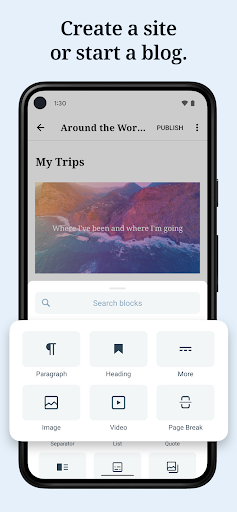
- Give your big ideas a home on the web. WordPress for Android is a website builder and a blog maker.
- Pick the right look and feel from a wide selection of WordPress themes, then customize with photos, colors, and fonts so it’s uniquely you.
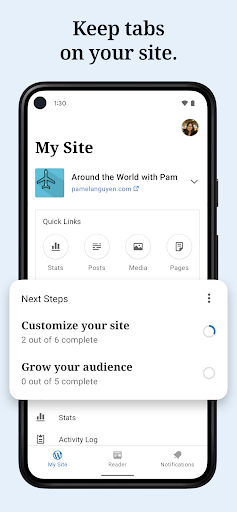
- Built-in Quick Start tips guide you through the setup basics to set your new website up for success.
PUBLISH
- Create updates, stories, photo essays announcements -- anything! -- with the editor.
- Bring your posts and pages to life with photos and video from your camera and albums, or find the perfect image with the …
Read the full description
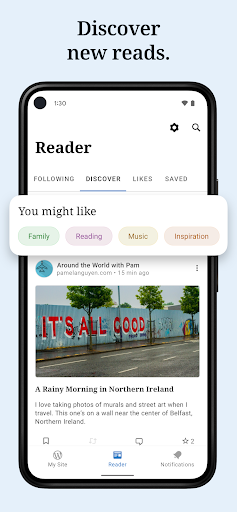
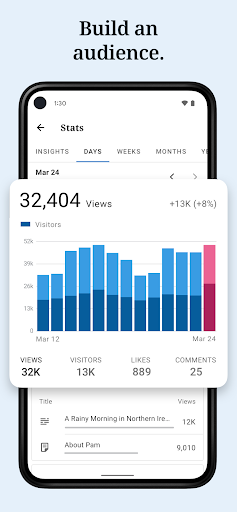
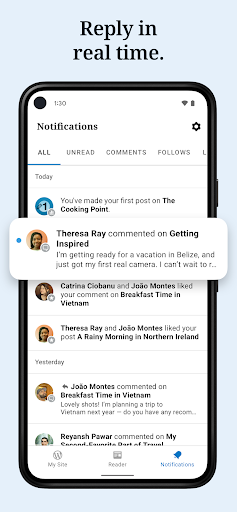
WordPress for Android puts the power of web publishing in your pocket. It’s a website creator and so much more! CREATE - Give your big ideas a home on the web. WordPress for Android is a website builder and a blog maker. - Pick the right look and feel from a wide selection of WordPress themes, then customize with photos, colors, and fonts so it’s uniquely you. - Built-in Quick Start tips guide you through the setup basics to set your new website up for success. PUBLISH - Create updates, stories, photo essays announcements -- anything! -- with the editor. - Bring your posts and pages to life with photos and video from your camera and albums, or find the perfect image with the in-app collection of free-to-use pro photography. - Save ideas as drafts and come back to them when your muse returns, or schedule new posts for the future so your site is always fresh and engaging. - Add tags and categories to help new readers discover your posts, and watch your audience grow. STATS - Check your website’s stats in real time to keep track of the activity on your site. - Track which posts and pages get the most traffic over time by exploring daily, weekly, monthly, and yearly insights. NOTIFICATIONS - Get notifications about comments, likes, and new followers so you can see people reacting to your website as it happens. - Reply to new comments as they show up to keep the conversation flowing and acknowledge your readers. READER - Explore thousands of topics by tag, discover new authors and organizations, and follow the ones who pique your interest. - Hang on to the posts that fascinate you with the Save for later feature. SHARE - Set up automated sharing to tell your followers on social media when you publish a new post. - Add social sharing buttons to your posts so your visitors can share them with their network, and let your fans become your ambassadors. Why WordPress? There are a lot of blogging services, website builders, and social networks out there. Why create your website with WordPress? WordPress powers over a third of the web. It’s used by hobby blogs, businesses of all sizes, online stores, even the biggest news sites on the internet. Odds are that many of your favorite websites are running on WordPress. With WordPress, you own your own content. Other social networks treat you as a commodity, and assume ownership of the content you post. But with WordPress anything you publish is yours, and you can take it with you wherever you’d like. Whether you need a website builder to create your website, or a simple blog maker, WordPress can help. It gives you beautiful designs, powerful features, and the freedom to build anything you want. California users privacy notice: https://wp.me/Pe4R-d/#california-consumer-privacy-act-ccpa.
Installs since 19 Jul 2026 Measured
Exact Google Play install counts, collected daily
Ratings
201,765 ratings, 9,627 reviews
- 5 ★71%
- 4 ★9.7%
- 3 ★4.1%
- 2 ★2.9%
- 1 ★12%
Recent reviews
Latest public reviews from the store
- 15 Mar 2026
Love reading the bible
- 22 Dec 2025
Giving section does not give confirmation of the donation, just a spinning icon. Confirmed that the payment went through under Giving History on the website, but app stalls after submission, and giving history on the app is similarly unavailable. Aside from that, this app seems to be a nearly fully-functioning mobile version of the church website, which is great for keeping up with events and staying informed!
Top chart positions
Latest Google Play chart ranks by country, last 10 days
Not in any tracked top chart in the last 10 days.
WordPress – Website Builder history
Release, install milestones, listing and store changes
- First released on the store 2 Feb 2010
Update frequency
How often WordPress – Website Builder ships a new version, month by month
4 updates in the last 12 months. About as often as similar apps, which shipped a median of 4 updates in the same year.
Recent versions
Current version Varies with device
- Version 26.720 Mar 2026
- Version 26.63 Mar 2026
- Version 26.57 Feb 2026
- Version 26.47 Dec 2025
Listing keywords
Words and phrases WordPress – Website Builder repeats most in its store listing
Top phrases: website builder (3), create your website (2), posts and pages (2), wordpress for android (2), blog maker (2).
Highlighted words also appear in the title. Counts cover the title, short description and description.
Business model and tech
From the store listing and declared permissions
- Business model
- Free to download
- Sensitive access
- No sensitive permission declared
Compliance
What the listing and the app package show
- Store status
- Live
- Upkeep
- Updated 4 Nov 2026
- Registered in
- United States
- Privacy policy
- Linked on the listing
- Advertising
- No ads declared
- In-app purchases
- None declared
- Age rating
- Mature 17+
Apps like WordPress – Website Builder
OKEN - camscanner, pdf scannerCAMBYTE Pte. Ltd.72M installs★ 4.24
Widgets Color Widgets + Iconsandroidslide14M installs★ 3.89
Мой НалогФНС России21.1M installs★ 3.38
Compress PDF FileSmartApps3811.4M installs★ 4.73
ClevNote - Notepad, ChecklistCleveni Inc.14M installs★ 4.38
Contacts+Polaris Software DBA Contacts Plus LLC28.4M installs★ 3.85
Desh Tamil KeyboardDesh Keyboard24.2M installs★ 4.69
Bangla KeyboardHamed SKY5.9M installs★ 3.86
Lilo Study Timer & ChallengesPado Apps718K installs★ 4.82
WordPress – Website Builder: questions and answers
How many downloads does WordPress – Website Builder have?
WordPress – Website Builder has 19,542,454 installs on Google Play, measured from the store's own count on 15 Nov 2026.
Who makes WordPress – Website Builder?
WordPress – Website Builder is published by Automattic, Inc, a developer based in US.
When was WordPress – Website Builder last updated?
The latest version (Varies with device) was released on 4 Nov 2026.
Is WordPress – Website Builder free?
Yes. WordPress – Website Builder is free to download.
Is WordPress – Website Builder still available?
Yes. WordPress – Website Builder is live on Google Play as of 15 Nov 2026.
Track WordPress – Website Builder and its competitors
Watch any app for new versions, rating drops, chart moves and removals. Free plan, no card.