
XLSX Editor: XLS Viewer Reader
Read & edit XLS formulas, charts, data - Create XLSX, XLS, sheets
- Installs
- 279K
- Measured
- Rating
- 4.15
- Ratings
- 4K
- 6 reviews
- Version
- 1.2.7
- Updated 19 Aug 2025
- Released
- 10 Jul 2023
- Tracked since 13 May 2026
- Size
- —
Screenshots

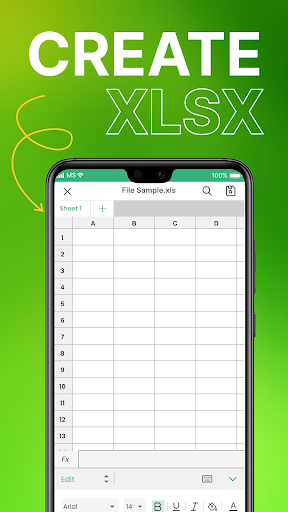


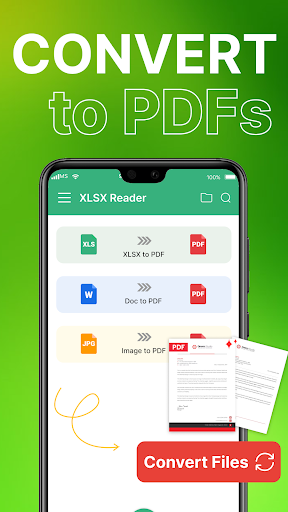

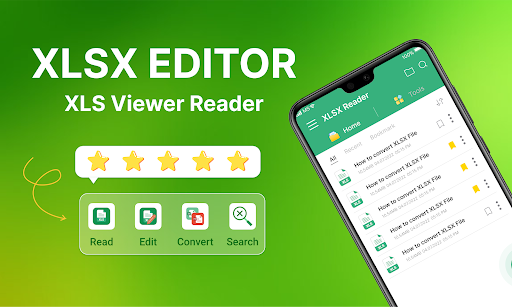

About XLSX Editor: XLS Viewer Reader
The description on the store listing
📗 XLSX Editor: XLS Viewer Reader - Experience the Future of Mobile Sheet Editing
✓ Need to view XLS file while you can't connect to wifi? Use this app!
✓ Struggling with XLS, XLSX Errors? Our XLS Editor App solves them instantly!
✓ Need a FREE solution to edit, analyze, and create XLS file? Use this app!
📗 Introducing XLSX Editor: XLS Viewer Reader, the ultimate Android app designed for seamless opening and editing of XLSX or XLS files. With its array of powerful features, this app is the perfect companion for managing sheets on the go. Let's explore the highlights of this remarkable tool.
✓ Quick and Convenient Navigation: Effortlessly navigate through your XLSX files …
Read the full description
📗 XLSX Editor: XLS Viewer Reader - Experience the Future of Mobile Sheet Editing ✓ Need to view XLS file while you can't connect to wifi? Use this app! ✓ Struggling with XLS, XLSX Errors? Our XLS Editor App solves them instantly! ✓ Need a FREE solution to edit, analyze, and create XLS file? Use this app! 📗 Introducing XLSX Editor: XLS Viewer Reader, the ultimate Android app designed for seamless opening and editing of XLSX or XLS files. With its array of powerful features, this app is the perfect companion for managing sheets on the go. Let's explore the highlights of this remarkable tool. ✓ Quick and Convenient Navigation: Effortlessly navigate through your XLSX files with quick page navigation. This feature enables you to locate and access specific XLSX sheets instantly, ensuring efficient document management. ✓ Offline File Viewing: Experience the freedom of viewing XLSX files without an internet connection. Our offline mode enables you to access and review XLSX documents anytime, anywhere, making it ideal for professionals on the move. ✓ User-Friendly Interface: Enjoy a friendly and intuitive interface that makes opening and viewing XLSX files a breeze. With just a few taps, you can effortlessly access your documents and start working on them. ✓ Versatile Viewing Options: Customize your viewing experience with landscape or vertical orientation and zoom in or out to focus on specific details. Tailor the display to your preferences for enhanced productivity. ✓ Pin and Bookmark Files: Easily pin and bookmark your important files for quick and convenient access. This feature ensures that your frequently referenced sheets are just a tap away, saving you valuable time. ✓ Support for Multiple File Formats: Not only is XLSX Editor: XLS Viewer Reader an exceptional XLSX viewer, but it also supports various document formats: PDF, DOC, DOCX, TXT, you can effortlessly access and manage a wide range of office files. 📗 Wanna make your sheets more collaborative? Work with XLSX files for free on Android ✓ High-quality view of XLSX sheets, enabling seamless data analysis and document creation. XLSX Editor: XLS Viewer Reader ensures a top-notch experience with all your office productivity needs. ✓ Read and manage various document files, including PDF, DOC, DOCX, TXT files. ✓ File-management options, such as renaming and deleting files, making your document management a breeze. ✓ Share your XLSX files with colleagues and clients directly from your mobile device. ✓ Print files directly, ensuring quick access to physical copies when needed. ✓ Secure your valuable files by exporting and backing them up through sharing. Our XLSX Editor: XLS Viewer Reader app allows you to safeguard your data and ensure it is accessible whenever you need it. 📗 Join the community of millions of satisfied XLSX Editor: XLS Viewer Reader users and enjoy its exceptional features. Our dedicated team continually updates and improves the app, providing you with the best possible experience. 💗 Take advantage of the full potential of XLSX Editor: XLS Viewer Reader and enhance your productivity. We value your feedback, so please feel free to share any suggestions or comments with us. If you have any specific inquiries or suggestions, please reach out to us at [email protected]. Create, view, and edit XLSX files Open and view XLS, XLSX files, freely edit any exel sheets with this free app View & edit your xcell Create, open, and edit XLS or XLSX spreadsheets with XLSX Editor: Excel Reader Read ecel and other formats Wanna make your exel spreadsheets more collaborative? Work with XLS files for free on Android Master ecel on your phone Edit and save xcel sheets Budgeting, chart creation, data analytics and more. Easily xcel access premium feature for free Ecel sheet viewer & editor Exel reader enables you to manage and create XLS documents on your android smartphone
Installs, last 30 days Measured
Exact Google Play install counts, collected daily
Ratings
3,951 ratings, 6 reviews
- 5 ★61%
- 4 ★17%
- 3 ★0.0%
- 2 ★8.7%
- 1 ★13%
Recent reviews
Latest public reviews from the store
- 19 May 2026
Very good
- 18 May 2026
good
- 18 May 2026
needs improvement
- 16 May 2026
Good
What reviewers bring up
Topics mentioned in the latest 50 reviews, by how many reviews mention them
Liked in good reviews (29 reviews)
No topic comes up twice.
Raised in bad reviews (15 reviews)
- ads 6
- open 3
- waste 2
- paid 2
Top chart positions
Latest Google Play chart ranks by country, last 10 days
Not in any tracked top chart in the last 10 days.
XLSX Editor: XLS Viewer Reader history
Release, install milestones, listing and store changes
- Reached 50,000+ installs 20 Jun 2024
- Reached 10,000+ installs 16 Mar 2024
- Reached 5,000+ installs 25 Dec 2023
- Reached 1,000+ installs 2 Sep 2023
- Reached 500+ installs 5 Aug 2023
- Reached 100+ installs 23 Jul 2023
- Reached 50+ installs 21 Jul 2023
- First released on the store 10 Jul 2023
Update frequency
How often XLSX Editor: XLS Viewer Reader ships a new version, month by month
0 updates in the last 12 months. Less often than most similar apps: they shipped a median of 1 updates in the same year.
Recent versions
Current version 1.2.7
- Version 1.2.718 Aug 2025
- Version 1.2.619 Sep 2024
- Version 1.1.917 May 2024
- Version 1.1.812 May 2024
Listing keywords
Words and phrases XLSX Editor: XLS Viewer Reader repeats most in its store listing
Top phrases: xlsx editor (9), editor xls viewer (8), xls viewer reader (8), xlsx editor xls (8), editor xls (8).
Highlighted words also appear in the title. Counts cover the title, short description and description.
Business model and tech
From the store listing and declared permissions
- Business model
- Free to downloadIn-app purchasesShows ads
- Subscriptions and payments
- Google Play billing
- Sensitive access
- CameraPhotos, videos and filesAdvertising ID
22 permissions
1 special access, 4 sensitive, 17 standard
- Manage all filesMANAGE_EXTERNAL_STORAGESpecial access
- Take photos and videosSensitive
- Change or delete shared storageSensitive
- Read shared storageSensitive
- Show notificationsPOST_NOTIFICATIONSSensitive
- Ad attribution (Privacy Sandbox)ACCESS_ADSERVICES_ATTRIBUTIONStandard
- Read how it was installed (install referrer)BIND_GET_INSTALL_REFERRER_SERVICEStandard
- Read the advertising IDAD_IDStandard
- Read the advertising ID (Privacy Sandbox)ACCESS_ADSERVICES_AD_IDStandard
- Add home screen shortcutsStandard
- Keep the phone awakeStandard
- Reorder running appsStandard
Compliance
What the listing and the app package show
- Store status
- Live
- Upkeep
- Updated 19 Aug 2025
- Registered in
- Hong Kong SAR China
- Privacy policy
- Linked on the listing
- Advertising
- Shows ads
- In-app purchases
- Offered
- Age rating
- Everyone
- Sensitive permissions
- 4 sensitive, 1 special access of 22
- Location access
- No
- Camera and microphone
- Camera
Apps like XLSX Editor: XLS Viewer Reader
Bangla Keyboard 2025Alpha Keyboards1.4M installs★ 4.13
Dtritus (Ville de Gatineau)Ville de Gatineau44.5K installs★ 4.79
OCR Scanner: PDF ReaderAvn Global Application1.8M installs★ 4.03
Simple BlackboardBitDeveloper728K installs★ 3.96
Arabic Keyboard: Typing ArabicCards693K installs★ 4.05
Widgery: Web WidgetUrySoft66.5K installs★ 3.9
DHBVN Electricity Bill PaymentPragyaware Informatics Private Ltd1.1M installs★ 4.2
Arabic Keyboard - Type ArabicDigital Apps club3.3M installs★ 3.69
Digital Youth HubNational IT Board, Government Of Pakistan1.3M installs★ 3.67
XLSX Editor: XLS Viewer Reader: questions and answers
How many downloads does XLSX Editor: XLS Viewer Reader have?
XLSX Editor: XLS Viewer Reader has 279,346 installs on Google Play, measured from the store's own count on 20 Nov 2026.
Who makes XLSX Editor: XLS Viewer Reader?
XLSX Editor: XLS Viewer Reader is published by BlueGrowth, a developer based in HK.
When was XLSX Editor: XLS Viewer Reader last updated?
The latest version (1.2.7) was released on 19 Aug 2025.
Is XLSX Editor: XLS Viewer Reader free?
Yes. XLSX Editor: XLS Viewer Reader is free to download and offers in-app purchases, and it shows ads.
Is XLSX Editor: XLS Viewer Reader still available?
Yes. XLSX Editor: XLS Viewer Reader is live on Google Play as of 20 Nov 2026.
Track XLSX Editor: XLS Viewer Reader and its competitors
Watch any app for new versions, rating drops, chart moves and removals. Free plan, no card.