
- Installs
- 393K
- Measured
- Rating
- 3.57
- Ratings
- 1.6K
- 130 reviews
- Version
- Varies with device
- Updated 14 Aug 2026
- Released
- 5 Nov 2013
- Tracked since 14 May 2026
- Size
- —
Screenshots


About XServer XSDL
The description on the store listing
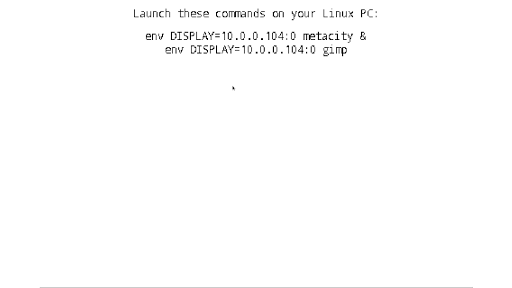
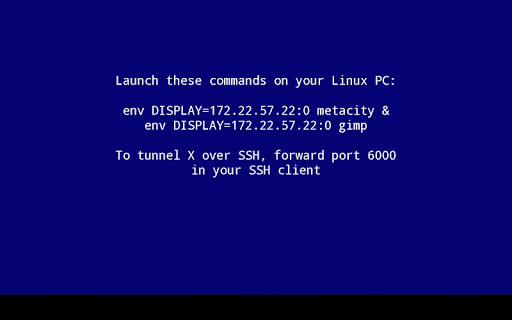
X Window System / X11 server for Android, complete and fully functional, with PulseAudio server included.
You may use it to stream applications from your Linux PC, or to launch Linux installed on your Android (installing Linux is done via separate app).
3D acceleration and OpenGL are not supported. If you're launching X clients from PC, you can install VirtualGL to use OpenGL.
Touch screen with two fingers to send right mouse button click, with three fingers to send middle button click. You can also press button on your stylus, or use Bluetooth mouse.
Swipe with two fingers to scroll documents.
Finger hover is supported on select devices. If you have Galaxy S4/Note 3 device, enable …
Read the full description
X Window System / X11 server for Android, complete and fully functional, with PulseAudio server included. You may use it to stream applications from your Linux PC, or to launch Linux installed on your Android (installing Linux is done via separate app). 3D acceleration and OpenGL are not supported. If you're launching X clients from PC, you can install VirtualGL to use OpenGL. Touch screen with two fingers to send right mouse button click, with three fingers to send middle button click. You can also press button on your stylus, or use Bluetooth mouse. Swipe with two fingers to scroll documents. Finger hover is supported on select devices. If you have Galaxy S4/Note 3 device, enable AirView in system settings to use it. To invoke keyboard, press Back key. Non-English text input is not supported in terminal, but it works in GUI applications. If you don't see Back key, swipe up from the bottom of the screen. If you have hardware Menu key, it will send Ctrl-Z (Undo in most apps). You can disable gyroscope in <b>Mouse emulation</b> → <b>Advanced</b> → <b>Gyroscope</b>. You can enable portrait screen orientation and 24bpp color depth in <b>Change device config</b> → <b>Video</b>. To set custom display number, go to <b>Change device config</b> → <b>Command line parameters</b> → change parameters to <b>XSDL :123</b>, press <b>OK</b>, where 123 is your display number. XSDL will listen on TCP port 6123. You may also pass other parameters to X server using this dialog. To connect to the display manager on your PC, add parameter <b>-query your.PC.IP.address</b> to the Xserver command line, then configure your display manager. If you have XDM, you will need to remove a line starting with <b>:0</b> from <b>/etc/X11/xdm/Xservers</b> , add <b>*</b> to <b>/etc/X11/xdm/Xaccess</b> , and set <b>DisplayManager*authorize: false</b> in <b>/etc/X11/xdm/xdm-config</b> , to disable local X server and allow connections from external IP addresses. If you want SHM extension to work in Linux chroot - download file libandroid-shmem.so from here: https://github.com/pelya/cuntubuntu/tree/master/dist copy it to chroot, set executable flag, and execute this in chroot before other commands: export LD_PRELOAD=/path/to/libandroid-shmem.so .APK file for side-loading and old versions: https://sourceforge.net/projects/libsdl-android/files/apk/XServer-XSDL/ Sources: https://github.com/pelya/commandergenius/tree/sdl_android/project/jni/application/xserver
Installs, last 30 days Measured
Exact Google Play install counts, collected daily
Ratings
1,576 ratings, 130 reviews
- 5 ★48%
- 4 ★13%
- 3 ★11%
- 2 ★4.0%
- 1 ★24%
Recent reviews
Latest public reviews from the store
- 27 Oct 2023
Udj
- 16 Jan 2020
awesome iam very thankfull of sir muneer....when i was studying in claas 9...i studied sir muneer's english book...thank u sir muneer
- 16 Oct 2019
N.c
- 25 Aug 2019
Very good app
What reviewers bring up
Topics mentioned in the latest 13 reviews, by how many reviews mention them
Liked in good reviews (11 reviews)
- sir 2
Raised in bad reviews (1 reviews)
No topic comes up twice.
Top chart positions
Latest Google Play chart ranks by country, last 10 days
Not in any tracked top chart in the last 10 days.
XServer XSDL history
Release, install milestones, listing and store changes
- Reached 100,000+ installs 18 Jan 2018
- Reached 50,000+ installs 23 Aug 2016
- Reached 10,000+ installs 9 Sep 2014
- Reached 5,000+ installs 18 Apr 2014
- Reached 1,000+ installs 8 Jan 2014
- Reached 500+ installs 11 Dec 2013
- Reached 100+ installs 17 Nov 2013
- First released on the store 5 Nov 2013
Update frequency
How often XServer XSDL ships a new version, month by month
4 updates in the last 12 months. More often than most similar apps: they shipped a median of 0 updates in the same year.
Recent versions
Current version Varies with device
- Version 1.20.6614 Aug 2026
Two-finger zoom support Automatic screen orientation
- Version 1.20.6228 Jul 2026
Fixed a crash when running Krita
- Version 1.20.6020 Jul 2026
The app works again, hopefully
- Version 1.20.5917 Jul 2026
Removed PulseAudio
Listing keywords
Words and phrases XServer XSDL repeats most in its store listing
Top phrases: x11 xdm (3), change device config (2), complete and fully (2), fingers to send (2), button click (2).
Highlighted words also appear in the title. Counts cover the title, short description and description.
Business model and tech
From the store listing and declared permissions
- Business model
- Free to download
- Sensitive access
- No sensitive permission declared
Compliance
What the listing and the app package show
- Store status
- Live
- Upkeep
- Updated 14 Aug 2026
- Privacy policy
- Linked on the listing
- Advertising
- No ads declared
- In-app purchases
- None declared
- Age rating
- Everyone
Apps like XServer XSDL
Age Calculator AppCalc de Calc265K installs★ 3.8
PlacasVE: Consulta de placasPurpleDevApps99.7K installs★ 3.03
Font SizeByte Sculptor Apps320K installs★ 4.5
Landa vpnamiraxy4151K installs★ 3.85
Wifi UnlockerTime, Translator, Downloader and Blocker App58.9K installs★ 4.47
Camel VPNMutaz Awad338K installs★ 4.02
PDF Toolkit: Viewer & Editoryaohuo1.3M installs★ 3.59
QRsetupBUFFALO INC.2.6M installs★ 2.9
Quick Ringtone Maker - Cut MP3Galaxy studio apps418K installs★ 4.13
XServer XSDL: questions and answers
How many downloads does XServer XSDL have?
XServer XSDL has 393,465 installs on Google Play, measured from the store's own count on 19 Nov 2026.
Who makes XServer XSDL?
XServer XSDL is published by pelya.
When was XServer XSDL last updated?
The latest version (Varies with device) was released on 14 Aug 2026.
Is XServer XSDL free?
Yes. XServer XSDL is free to download.
Is XServer XSDL still available?
Yes. XServer XSDL is live on Google Play as of 19 Nov 2026.
Track XServer XSDL and its competitors
Watch any app for new versions, rating drops, chart moves and removals. Free plan, no card.