
- Installs
- 488M
- Measured
- Rating
- 4.18
- Ratings
- 1.4M
- 15.4K reviews
- Version
- 1.0.10
- Updated 24 Jun 2024
- Released
- 24 Jan 2012
- Tracked since 14 May 2026
- Size
- —
Also on App Store: ZArchiver解压缩工具 (22 ratings)
Screenshots
About ZArchiver
The description on the store listing
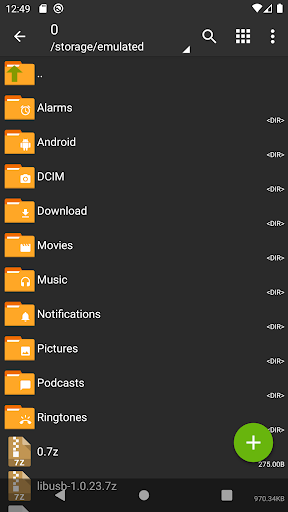
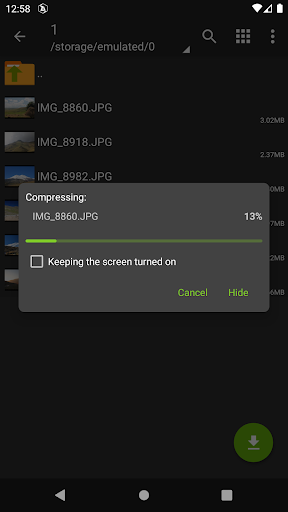
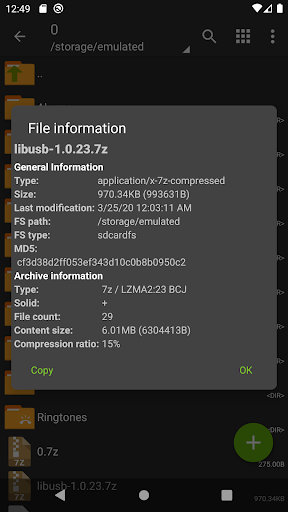
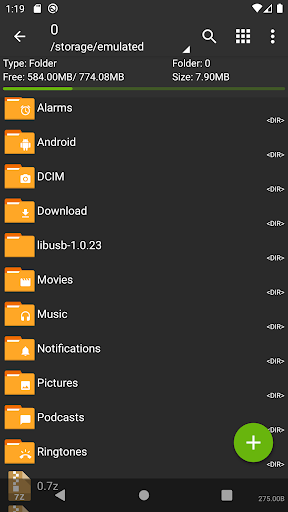
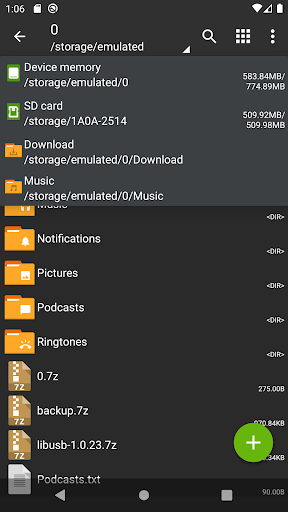
ZArchiver - is a program for archive management (including managing of application backups in archives). You can managment backup of application. It has a simple and functional interface. The app doesn't have permission to access the internet, so cannot transmit any information to other services or persons.
ZArchiver lets you:
- Create the following archive types: 7z (7zip), zip, bzip2 (bz2), gzip (gz), XZ, lz4, tar, zst (zstd);
- Decompress the following archive types: 7z (7zip), zip, rar, rar5, bzip2, gzip, XZ, iso, tar, arj, cab, lzh, lha, lzma, xar, tgz, tbz, Z, deb, rpm, zipx, mtz, chm, dmg, cpio, cramfs, img (fat, ntfs, ubf), wim, ecm, lzip, zst (zstd), egg, alz;
- View …
Read the full description
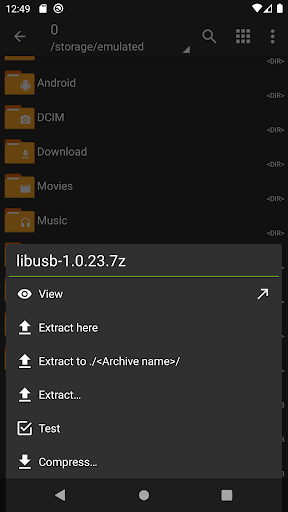
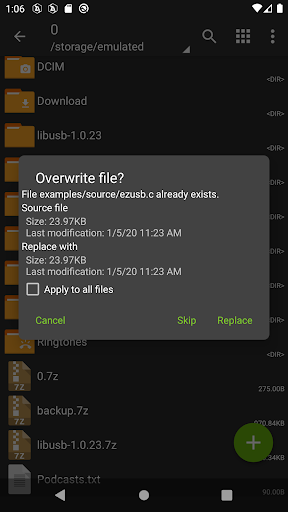
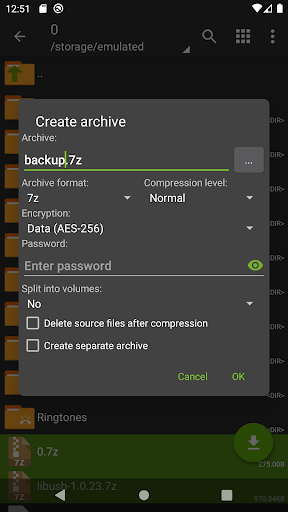
ZArchiver - is a program for archive management (including managing of application backups in archives). You can managment backup of application. It has a simple and functional interface. The app doesn't have permission to access the internet, so cannot transmit any information to other services or persons. ZArchiver lets you: - Create the following archive types: 7z (7zip), zip, bzip2 (bz2), gzip (gz), XZ, lz4, tar, zst (zstd); - Decompress the following archive types: 7z (7zip), zip, rar, rar5, bzip2, gzip, XZ, iso, tar, arj, cab, lzh, lha, lzma, xar, tgz, tbz, Z, deb, rpm, zipx, mtz, chm, dmg, cpio, cramfs, img (fat, ntfs, ubf), wim, ecm, lzip, zst (zstd), egg, alz; - View archive contents: 7z (7zip), zip, rar, rar5, bzip2, gzip, XZ, iso, tar, arj, cab, lzh, lha, lzma, xar, tgz, tbz, Z, deb, rpm, zipx, mtz, chm, dmg, cpio, cramfs, img (fat, ntfs, ubf), wim, ecm, lzip, zst (zstd), egg, alz; - Create and decompress password-protected archives; - Edit archives: add/remove files to/from the archive (zip, 7zip, tar, apk, mtz); - Create and decompress multi-part archives: 7z, rar (decompress only); - Install APK and OBB file from backup (archive); - Partial archive decompression; - Open compressed files; - Open an archive file from mail applications; - Extract split archives: 7z, zip and rar (7z.001, zip.001, part1.rar, z01); Particular properties: - Start with Android 9 for small files (<10MB). If possible, use direct opening without extracting to a temporary folder; - Multithreading support (useful for multicore processors); - UTF-8/UTF-16 support for filenames allows you to use national symbols in filenames. ATTENTION! Any useful ideas or wishes are welcome. You can send them by email or just leave a comment here. Mini FAQ: Q: What password? A: The contents of some archives may be encrypted and the archive can only be opened with the password (don't use the phone password!). Q: The program is not working correctly? A: Send me an email with detailed description of the problem. Q: How to compress files? A: Select all the files you want to compress by clicking on icons (from the left of filenames). Click on the first of selected files and choose "Compress" from menu. Set desired options and press the OK button. Q: How to extract files? A: Click on the archive name and select suitable options ("Extract Here" or other).
Installs, last 30 days Measured
Exact Google Play install counts, collected daily
Ratings
1,446,649 ratings, 15,369 reviews
- 5 ★70%
- 4 ★7.6%
- 3 ★4.1%
- 2 ★3.5%
- 1 ★15%
Recent reviews
Latest public reviews from the store
- 15 May 2026
any new feature!?
- 21 Apr 2026
the best ever
- 30 Dec 2025
the app is amazing, the one star is for adds in general.
- 29 Dec 2025
DEVS THAT MADE THIS APP 100% PRO. Serieouslly best app I found for mounting USB SATA, EIDE, Flash, SD, Micro SD, Micro EIDE, Just plain old works! Not compatible with some file browsers, but I see that as a failure of other devs because all the software these guys make sees the mounted drives and System file browser and some others see the mounts as will. Every single piece of software these guys make is FREAKN SPOT ON AND WORKS! This is the only mounter app I have seen that consistently WORKS!!
What reviewers bring up
Topics mentioned in the latest 50 reviews, by how many reviews mention them
Liked in good reviews (40 reviews)
- usb 8
- ntfs 7
- drive 6
- file 6
- other 5
- devs 4
- zarchiver 3
- developer 3
Raised in bad reviews (7 reviews)
- permission 2
Top chart positions
Latest Google Play chart ranks by country, last 10 days
- Countries ranked
- 5
- Best rank
- #25
- Top 10 placements
- 0
- of 6 chart placements
- Average rank
- #151.5
Best countries on Google Play
- 🇮🇩 Indonesia · Top free, Tools#25
- 🇧🇷 Brazil · Top free, Tools#110
- 🇲🇽 Mexico · Top free, Tools#198
- 🇮🇳 India · Top free, Tools#198
- 🇻🇳 Vietnam · Top free#200
ZArchiver history
Release, install milestones, listing and store changes
- Reached 100,000,000+ installs 1 Jun 2020
- Reached 50,000,000+ installs 12 Jan 2019
- Reached 10,000,000+ installs 17 May 2016
- Reached 5,000,000+ installs 4 Oct 2014
- Reached 1,000,000+ installs 23 Dec 2012
- Reached 500,000+ installs 15 Nov 2012
- Reached 250,000+ installs 5 Jun 2012
- Reached 50,000+ installs 10 Mar 2012
Update frequency
How often ZArchiver ships a new version, month by month
0 updates in the last 12 months. Less often than most similar apps: they shipped a median of 14 updates in the same year.
Recent versions
Current version 1.0.10
- Version 1.0.1024 Jun 2024
- speedup file operations; - added SUI support; - added E-Ink theme; - added drag and drop file in or out from ZA; - other fixes and improvements.
- Version 1.0.925 Dec 2023
- Version 1.0.821 Jul 2023
- Version 1.0.76 Mar 2023
Listing keywords
Words and phrases ZArchiver repeats most in its store listing
Top phrases: 7z 7zip zip (3), 7z 7zip (3), 7zip zip (3), zst zstd (3), 7zip zip rar (2).
Highlighted words also appear in the title. Counts cover the title, short description and description.
Business model and tech
From the store listing and declared permissions
- Business model
- Free to download
- Sensitive access
- No sensitive permission declared
Compliance
What the listing and the app package show
- Store status
- Live
- Upkeep
- No update since 24 Jun 2024
- Registered in
- Russia
- Privacy policy
- Linked on the listing
- Advertising
- No ads declared
- In-app purchases
- None declared
- Age rating
- Everyone
Apps like ZArchiver
e-TítuloJustiça Eleitoral Brasileira101M installs★ 4.87
Speedtest by OoklaOokla270M installs★ 4.58
Free VPN Super™ -Fast & SecureTOPAPPS TECH PTE LTD100M installs★ 4.69
VPN Proxy Master - Safer VpnSECUREGUARD GROUP179M installs★ 4.73
Nova LauncherInstabridge Sweden AB115M installs★ 3.49
Digital WellbeingGoogle LLC11.2B installs★ 3.63
NordVPN – fast VPN for privacyNord Security124M installs★ 4.58
1.1.1.1 + WARP: Safer InternetCloudflare, Inc.358M installs★ 4.11
Proton VPN: Fast & Secure VPNProton AG140M installs★ 4.66
ZArchiver: questions and answers
How many downloads does ZArchiver have?
ZArchiver has 488,201,364 installs on Google Play, measured from the store's own count on 20 Nov 2026.
Who makes ZArchiver?
ZArchiver is published by ZDevs, a developer based in RU.
When was ZArchiver last updated?
The latest version (1.0.10) was released on 24 Jun 2024.
Is ZArchiver free?
Yes. ZArchiver is free to download.
Is ZArchiver still available?
Yes. ZArchiver is live on Google Play as of 20 Nov 2026.
Track ZArchiver and its competitors
Watch any app for new versions, rating drops, chart moves and removals. Free plan, no card.