
- Installs
- —
- Apple does not publish download counts
- Rating
- 3.78
- Ratings
- 8.7K
- 8.7K reviews
- Version
- 12.15
- Updated 7 Oct 2026
- Released
- 15 Jan 2010
- Tracked since 10 May 2026
- Size
- 185 MB
- Needs 17.0
Also on Google Play: 8x8 Work (11.8K ratings)
Screenshots


About 8x8 Work
The description on the store listing
Work smarter. Wherever you are.
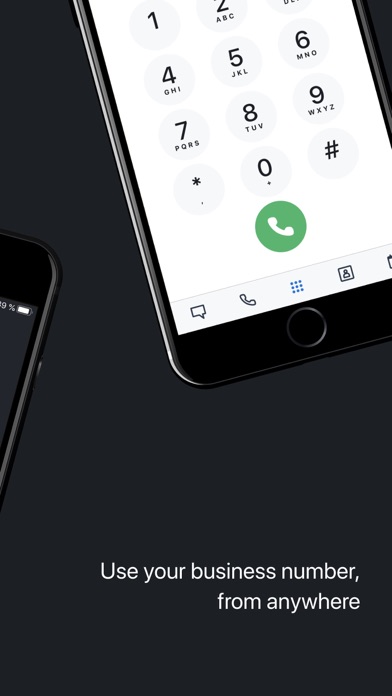
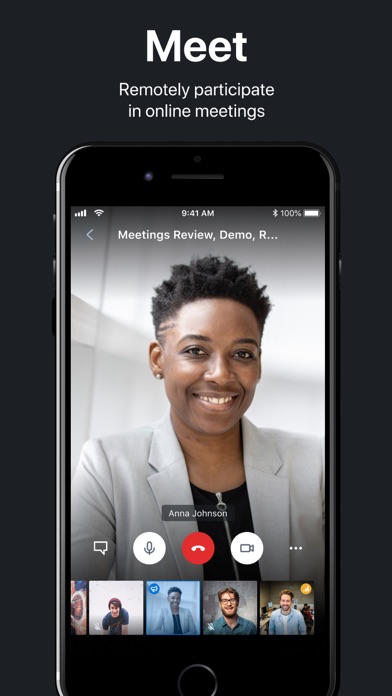
The 8x8 Work app for iPhone puts your business communications in your pocket—secure voice calls, HD video meetings, and team chat, all in one beautifully streamlined app. Whether in back-to-back meetings or between coffee breaks, 8x8 Work keeps you seamlessly connected.
From the first call to the final sign-off of the day, stay productive and professional, no matter where work takes you.
Why iPhone users love 8x8 Work:
+All-in-one business comms
Make and receive business calls, start video meetings, and chat with teammates—all from one intuitive interface.
+Professional calls, personal privacy
Use your business number to call or text—without revealing …
Read the full description
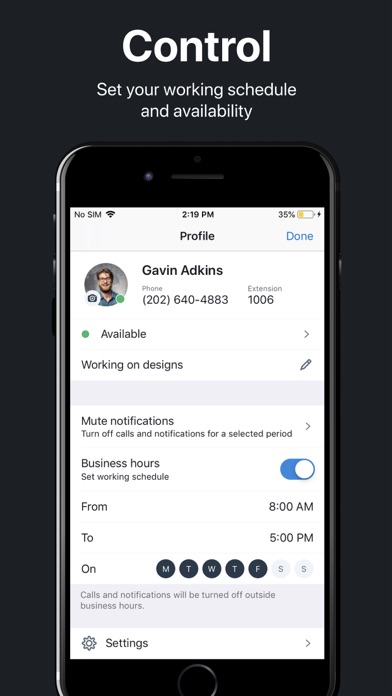
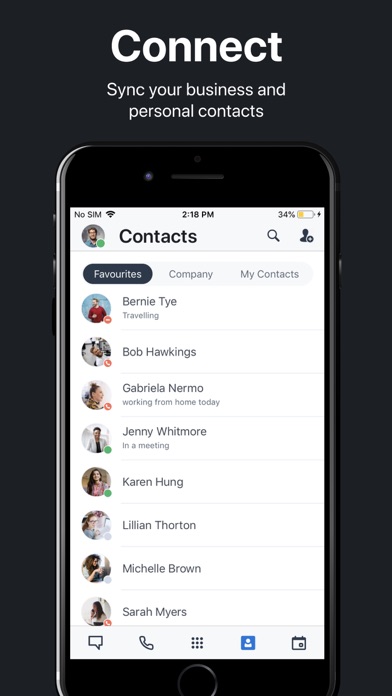
Work smarter. Wherever you are. The 8x8 Work app for iPhone puts your business communications in your pocket—secure voice calls, HD video meetings, and team chat, all in one beautifully streamlined app. Whether in back-to-back meetings or between coffee breaks, 8x8 Work keeps you seamlessly connected. From the first call to the final sign-off of the day, stay productive and professional, no matter where work takes you. Why iPhone users love 8x8 Work: +All-in-one business comms Make and receive business calls, start video meetings, and chat with teammates—all from one intuitive interface. +Professional calls, personal privacy Use your business number to call or text—without revealing your personal phone number. +Effortless video meetings Launch HD video meetings with a tap, record sessions, or go live on YouTube to reach a wider audience. +Smarter messaging Create public or private chat rooms, share files, @mention teammates, and see who’s available in real time. +Admin-approved IT teams get consistent control across locations—from corner offices to kitchen tables. Top features +HD audio and video calling from your iPhone +Instant meeting hosting with screen sharing and recording +Business texting and team chat with file sharing and presence +Customizable business hours and call handling +Reliable performance on Wi-Fi or cellular Ready to go? Requires an 8x8 X Series subscription. Need help? Visit 8x8 iOS Support: https://support.8x8.com/cloud-phone-service/voice/work-mobile
Installs, last 30 days
Apple does not publish download counts. Estimates are in testing.
Estimated store revenue Estimated Beta
App Store, worldwide, monthly rate from the last 13 chart days to 20 Nov 2026
Below the top 100 grossing apps in the markets we calibrate. In the United States that usually means under about $6.4M a month. App Store purchases and subscriptions only, before Apple's 15 to 30% fee. Ads and web payments are not included.
Ratings
8,664 ratings, 8,664 reviews
No rating breakdown published for this app.
Recent reviews
Latest public reviews from the store
- 19 Jul 2023
Works ok, needs enhancements
One annoying issue is it will always use cell service even when you have a strong wifi signal. This leads to very poor audio quality. To work around this I disabled cell but then when I’m not on wifi it doesn’t work which in my case is fine. Next having the app installed on your phone makes your presence look like your available 24x7. You can setup work hours but I don’t have consistent hours everyday and sometimes I’m not available during the day. The desktop app automatically sets your presence based the machine being active (eg. Sets away status when you haven’t used your machine for 10 minutes). If you have phone app running it overrides this status and show available 24x7. I wish I could have the desktop app override the mobile app for status but you cant. I know I can manually set the status but who wants to do that multiple times a day?
- 18 May 2021
Update
Please go back and reread my previous feedback along with your “developer response”. My complaint was specific to this iOS app and I even clearly stated that the mobile app does not have the same transfer directly to voicemail feature that is on the desktop app and desk phone and you sent me a link directing me to instructions on how to transfer from a desktop app and a desk phone. The same thing happened when I called your tech support, it’s like no one understands that there are three options for using this program (cell phone app, desktop app, and desk phone) and two of the three ways give you the feature but the third (the cell phone) does not. Hence my review being in the AppStore, and specifically stating that it was for this mobile app. Again, let me restate it: the desk phone and the desktop app have a feature where you can transfer a call directly to another extension’s voicemail, but the iOS app for iPhones does NOT have this same feature.
- 7 Nov 2020
Works but could be better
The app is really innovative and convenient for those that need to take work calls on the go. However, I wish the option to FaceTime people was not on the call screen. My cheek FaceTimes clients unfortunately often and then they try to FaceTime my cell number back and I don’t like that. I also would like to see an option to separate the calls from my cell call log and only see work calls in the app. Because it is easy to accidentally call a client back instead of my mother. Especially when my toddlers clumsy fingers are trying to make calls. And my personal calls get lost in the 65 work calls I get a day. Other than that the app is always lagging. It gets frozen on screens and won’t let me answer calls. Sometimes I see calls coming in on the computer app but it isn’t ringing through on my cell app. And the vm takes a while to update. The app has great features and potential to be a trail blazer. But there’s some key things like mentioned here that could really turnaround my overall view of the app and it’s overtaking of my cell phone.
- 21 Oct 2020
System works great
8x8 has many features that work well for our company such as multiple numbers and complete access on your cell phone or desk phone and has the ability to see on inbound calls what number was dialed. I would like to be a little simpler to change the outbound caller ID. It is done by logging into the admin console on your computer and changing it under the user info. If I am using the app on my phone and need to switch which number I am calling from to make another call then it is rather cumbersome going over to the admin webpage to switch it. Would be nice to have that feature with quick access in the phone app. Also, the system only allows you to be logged into one remote device at a time. I would like to be always logged into my phone and iPad at the same time but as soon as I log into a second device I am logged out of any place I was already logged into.
What reviewers bring up
Topics mentioned in the latest 8 reviews, by how many reviews mention them
Liked in good reviews (2 reviews)
- features 2
Raised in bad reviews (3 reviews)
- without 3
- business 2
- instead 2
- through 2
- seems 2
- first 2
- cell 2
- call 2
Top chart positions
Latest App Store chart ranks by country, last 10 days
Not in any tracked top chart in the last 10 days.
8x8 Work history
Release, install milestones, listing and store changes
- First released on the store 15 Jan 2010
Update frequency
How often 8x8 Work ships a new version, month by month
7 updates in the last 12 months. Less often than most similar apps: they shipped a median of 9 updates in the same year.
Recent versions
Current version 12.15
- Version 12.147 Oct 2026
Bug fixes and small improvements.
- Version 12.1210 Aug 2026
Add 8x8 Meetings straight from Apple Calendar. Call recordings now include interaction and customer details. Engage users can pick outbound CC queues as caller ID. Admins can activate CC routing plans on the go. Plus crash fixes and smoother messaging.
- Version 12.1120 Jul 2026
Bug fixes and minor improvements.
- Version 12.109 Jul 2026
Bug fixes and minor improvements.
Listing keywords
Words and phrases 8x8 Work repeats most in its store listing
Top phrases: 8x8 work (4), video meetings (4), hd video meetings (2), hd video (2), team chat (2).
Highlighted words also appear in the title. Counts cover the title, short description and description.
Compliance
What the listing and the app package show
- Store status
- Live
- Upkeep
- Updated 7 Oct 2026
- Age rating
- 4+
Apps like 8x8 Work
 HS Team AppHotSchedules★ 4.35
 pdfFiller: edit PDF documentsairSlate, Inc.★ 4.46
 MySpot CarrierSpot Freight★ 4.68
 HID Mobile AccessHID Global★ 4.73
 Alabama PowerAlabama Power Company★ 4.71
 Homes for Sale – Edina RealtyEdina Realty★ 4.67
 WebexCisco★ 4.58
 Sortly: Inventory SimplifiedSortly Inc.★ 4.73
 Setmore Appointment SchedulingSetmore★ 4.68
8x8 Work: questions and answers
Who makes 8x8 Work?
8x8 Work is published by 8x8, Inc..
When was 8x8 Work last updated?
The latest version (12.15) was released on 7 Oct 2026.
Is 8x8 Work free?
Yes. 8x8 Work is free to download.
Is 8x8 Work still available?
Yes. 8x8 Work is live on App Store as of 20 Nov 2026.
Track 8x8 Work and its competitors
Watch any app for new versions, rating drops, chart moves and removals. Free plan, no card.