
- Installs
- —
- Apple does not publish download counts
- Rating
- 4.4
- Ratings
- 277
- 277 reviews
- Version
- 1.4.6
- Updated 31 Mar 2026
- Released
- 11 Jun 2016
- Tracked since 10 May 2026
- Size
- 11 MB
- Needs 13.0
Screenshots
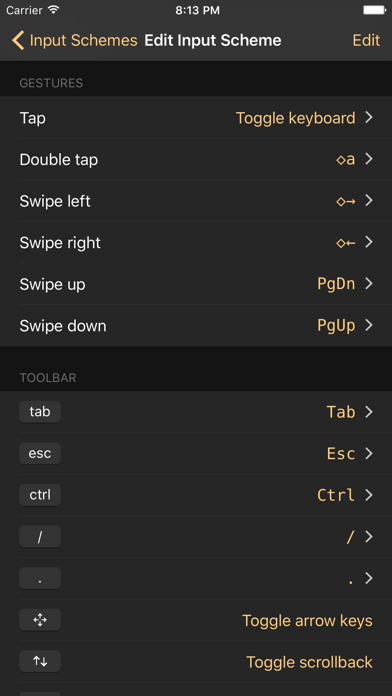
About Shelly - SSH Client
The description on the store listing
SSH client designed for usability and performance.
RELIABLE AND FAST
• Hardware accelerated text rendering.
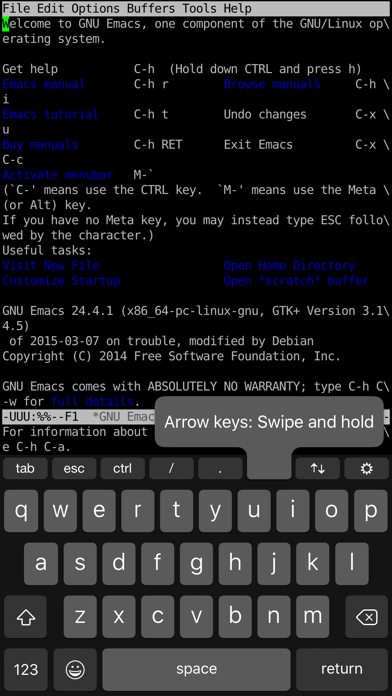
• Robust terminal emulation based on the PuTTY engine.
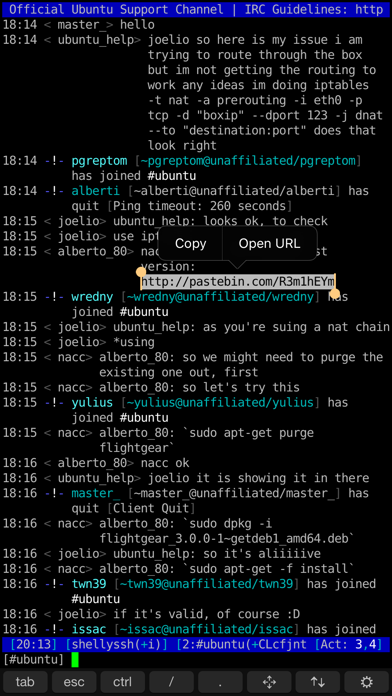
• Works great with programs such as 'screen' and 'irssi'.
CONTROL WITH GESTURES
• Default gestures optimized for irssi. Just swipe to switch channels or to scroll up and down.
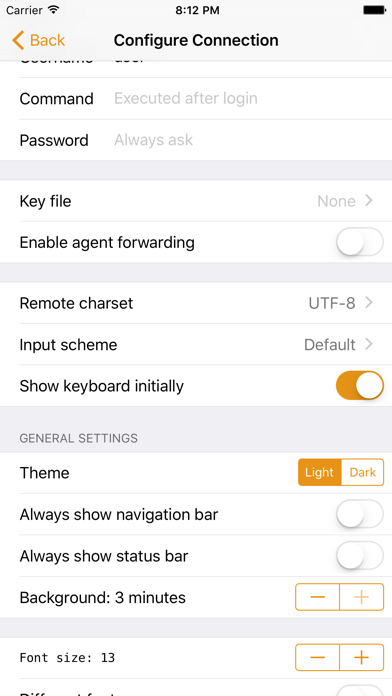
• Fully customizable. Any keypress or action can be attached to any gesture.
EASY CONNECTING
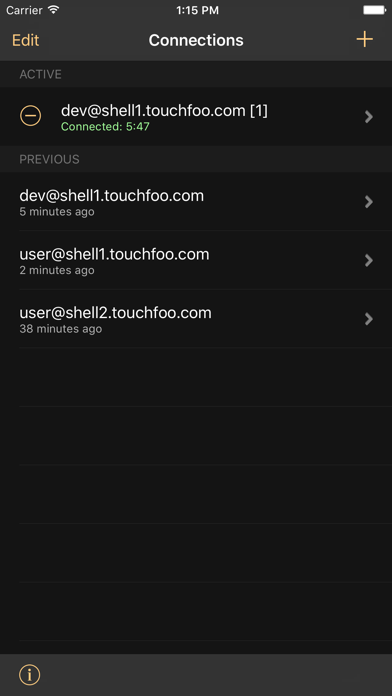
• Save user credentials and configure a remote command such as ‘screen -rd’ to connect with one tap.
• 3D touch support. Connect directly from the iOS home screen.
CUSTOMIZABLE KEYBOARD
• Easily bind custom actions to buttons on the keyboard toolbar.
• Works with …
Read the full description
SSH client designed for usability and performance. RELIABLE AND FAST • Hardware accelerated text rendering. • Robust terminal emulation based on the PuTTY engine. • Works great with programs such as 'screen' and 'irssi'. CONTROL WITH GESTURES • Default gestures optimized for irssi. Just swipe to switch channels or to scroll up and down. • Fully customizable. Any keypress or action can be attached to any gesture. EASY CONNECTING • Save user credentials and configure a remote command such as ‘screen -rd’ to connect with one tap. • 3D touch support. Connect directly from the iOS home screen. CUSTOMIZABLE KEYBOARD • Easily bind custom actions to buttons on the keyboard toolbar. • Works with custom iOS keyboards such as SwiftKey. OPEN LINKS AND SELECT TEXT • Familiar iOS text selection experience. Long-press on text to show the selection controls. • Copy and paste text. • Select a URL to easily open it in the web browser. OTHER FEATURES • iCloud sync support. • Terminal color themes. Choose your favorite from the several themes included or make your own. • Key file authentication support. Import an existing private key, or create a new key and export the public key. • Host key verification and management. • Agent forwarding (OpenSSH servers only). • Keep connections alive while the app is in the background. • Connection history with optional realtime location data. • Plenty of other configuration options. Please note that some features require a paid upgrade. You can try all features for free for a limited time.
Installs since 29 Aug 2026
Apple does not publish download counts. Estimates are in testing.
Estimated store revenue Estimated Beta
App Store, worldwide, monthly rate from the last 12 chart days to 19 Nov 2026
Below the top 100 grossing apps in the markets we calibrate. In the United States that usually means under about $6.4M a month. App Store purchases and subscriptions only, before Apple's 15 to 30% fee. Ads and web payments are not included.
Ratings
277 ratings, 277 reviews
No rating breakdown published for this app.
Recent reviews
Latest public reviews from the store
- 7 May 2025
No real full screen mode, and bugs
BUGS: Saved "Keyboard and gestures" profiles seem to be overwritten when setting them as a default, or after renaming. I noticed because even when "Auto-Hide On-Screen Toolbar" is checked in the "Hardware Keyboard" section, sometimes the toolbar persists, which is annoying as it wastes screen space. It is also distracting when you have a hardware keyboard. Even when you manage to make it work (by carefully making backups of your "Keyboard and gestures" profile, renaming twice, and never make any of them the default), the bottom of the screen where the toolbar would go is left blank and unusable, suggesting the toolbar area is always reserved and never usable. SUGGESTIONS: "Scrollback enabled initially" should be a default, one tap should have an option to open settings (for full screen use), a real full screen mode should be added with just one toggle (without having to fight the toolbar) and actually using the entire screen (not reserving the toolbar area when it's not drawn) WISHES: a way to remap hardware keyboard keys (ex: Globe)
- 22 May 2024
The Best Terminal App
I had been looking for a good terminal emulator in order to connect to my Linux severs for quite a while. This is the only app which gives you not only a full keyboard and customizable terminal, but also keeps the connection alive as long as possible. Other apps would disconnect after a few seconds in the background but not this one. In my opinion the premium version is well worth it.
- 3 Feb 2024
Superior SSH Client
There are a slew of SSH apps available, but as far as straightforward ssh client applications go, this one provides the best convergence of utility, simplicity, and value. It ponies up everything one needs to manage one’s hosts—from workstations to servers—on the go, has a nice graphical presentation, and a rather good keyboard configuration environment. This last is not as minor as one might imagine, as access to asterisk, slash, and exclamation, keys is otherwise difficult and frustrating on an iPad or iPhone. If it had an integrated cousin or sibling that worked on Mac desktop and laptop computers, it would be practically unbeatable, and best of all…NO GREEDY SUBSCRIPTION SCAM.
- 12 Feb 2020
Cracking toast, Gromit!
A very slick, polished app, and it surprises by doing something useful when you start to think “I wish it would...” and you gets surprised when it does it (or comes very close). It is clear the product has been developed by people who have logged many, many hours of left seat time working via SSH. They know what is useful and what just gives “good demo”. The upgrade to the Pro version is exactly that. If all you ever do with SSH is login to reset the time or run backups, you may not need the upgrade. But it is a nice example of how to have a baseline product which isn’t lame-ware, and a Pro upgrade that isn’t just LEDs in the wheel wells. And the upgrade price is a real bargain. If this were a diner, the touring musician’s rating would be “Good Grease!”
What reviewers bring up
Topics mentioned in the latest 8 reviews, by how many reviews mention them
Liked in good reviews (7 reviews)
- ssh 5
- iphone 3
- other 3
- few 3
- subscription 2
- practically 2
- connection 2
- background 2
Raised in bad reviews (0 reviews)
No topic comes up twice.
Top chart positions
Latest App Store chart ranks by country, last 10 days
- Countries ranked
- 45 of 50
- Best rank
- #15
- Top 10 placements
- 0
- of 63 chart placements
- Average rank
- #68.3
Best countries on App Store
- 🇫🇮 Finland · Top grossing, Developer Tools#15
- 🇨🇿 Czechia · Top grossing, Developer Tools#17
- 🇳🇱 Netherlands · Top grossing, Developer Tools#23
- 🇩🇰 Denmark · Top grossing, Developer Tools#33
- 🇭🇺 Hungary · Top grossing, Developer Tools#34
- 🇷🇴 Romania · Top grossing, Developer Tools#43
| Country | Chart | Category | Rank | Best (10 days) | Date |
|---|---|---|---|---|---|
| 🇫🇮 Finland | Top grossing | Developer Tools | #15 | #8 | 19 Nov 2026 |
| 🇨🇿 Czechia | Top grossing | Developer Tools | #17 | #11 | 19 Nov 2026 |
| 🇳🇱 Netherlands | Top grossing | Developer Tools | #23 | #23 | 19 Nov 2026 |
| 🇩🇰 Denmark | Top grossing | Developer Tools | #33 | #31 | 19 Nov 2026 |
| 🇭🇺 Hungary | Top grossing | Developer Tools | #34 | #31 | 19 Nov 2026 |
| 🇷🇴 Romania | Top grossing | Developer Tools | #43 | #39 | 19 Nov 2026 |
| 🇸🇪 Sweden | Top grossing | Developer Tools | #43 | #40 | 19 Nov 2026 |
| 🇦🇷 Argentina | Top grossing | Developer Tools | #44 | #44 | 19 Nov 2026 |
| 🇬🇷 Greece | Top grossing | Developer Tools | #44 | #41 | 19 Nov 2026 |
| 🇵🇪 Peru | Top grossing | Developer Tools | #46 | #46 | 19 Nov 2026 |
Shelly - SSH Client history
Release, install milestones, listing and store changes
- First released on the store 11 Jun 2016
Update frequency
How often Shelly - SSH Client ships a new version, month by month
1 updates in the last 12 months. Less often than most similar apps: they shipped a median of 2 updates in the same year.
Recent versions
Current version 1.4.6
- Version 1.4.631 Mar 2026
New in 1.4.6: • Fixed an issue with restoring in-app purchases on another device. • Fixed an issue where after deleting a key file, it remained loaded until app restart. New in 1.4.5: • Fixed right-swipe navigation gesture conflicting with terminal gestures. New in 1.4.4: • Updated Nerd Fonts. • Shift+Enter is now mapped to \n when using an external hardware keyboard in order to enter newlines in agentic CLI tools. • Shift+Tab and Shift+Enter key combinations can now be added to the on-screen keyboard toolbar. • Fixed various UI layout issues and bugs.
Listing keywords
Words and phrases Shelly - SSH Client repeats most in its store listing
Top phrases: ssh client (2).
Highlighted words also appear in the title. Counts cover the title, short description and description.
Compliance
What the listing and the app package show
- Store status
- Live
- Upkeep
- Updated 31 Mar 2026
- Age rating
- 4+
Apps like Shelly - SSH Client
 hyperPad iPad Game MakerUntitledD★ 4.32
 Device Monitor Z: CPU x RAM OSPhan Nhut★ 4.53
 Python3ideHurryApp LTD★ 4.38
 ScarletSteven Troughton-Smith★ 4.46
 Wifi Analyzer: Network ScannerKupertino Labs★ 4.35
 Leaflet for Swift&Algorithm雷 戴★ 4.57
 Изучаем Python: CodXVyacheslav Shumkov★ 4.65
 NeoServer: SSH Client|TerminalSpace-Time Transformation Technology Co., Ltd.★ 4.78
 Spectre VPNPassion Only★ 3.89
Shelly - SSH Client: questions and answers
Who makes Shelly - SSH Client?
Shelly - SSH Client is published by Touch Foo.
When was Shelly - SSH Client last updated?
The latest version (1.4.6) was released on 31 Mar 2026.
Is Shelly - SSH Client free?
Yes. Shelly - SSH Client is free to download.
Is Shelly - SSH Client still available?
Yes. Shelly - SSH Client is live on App Store as of 14 Nov 2026.
Track Shelly - SSH Client and its competitors
Watch any app for new versions, rating drops, chart moves and removals. Free plan, no card.