- Installs
- —
- Apple does not publish download counts
- Rating
- 4.63
- Ratings
- 3.9K
- 3.9K reviews
- Version
- 5.17.1
- Updated 24 Jan 2022
- Released
- 17 Nov 2011
- Tracked since 10 May 2026
- Size
- 37 MB
- Needs 12.0
Screenshots
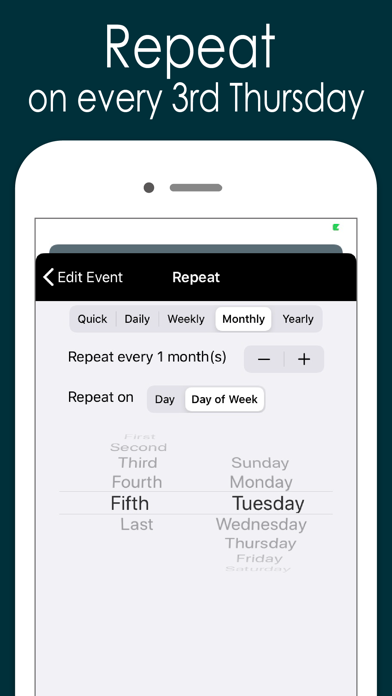
About Awesome Calendar
The description on the store listing
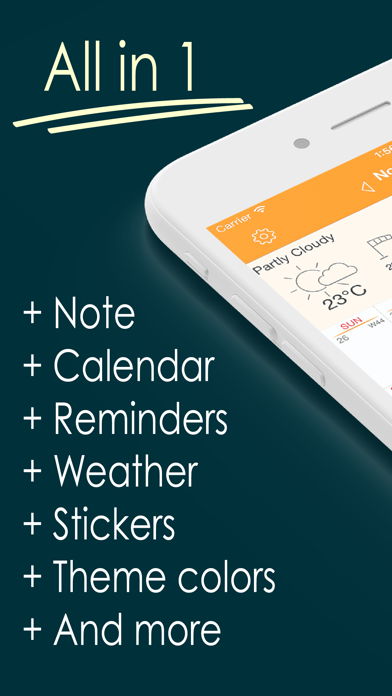
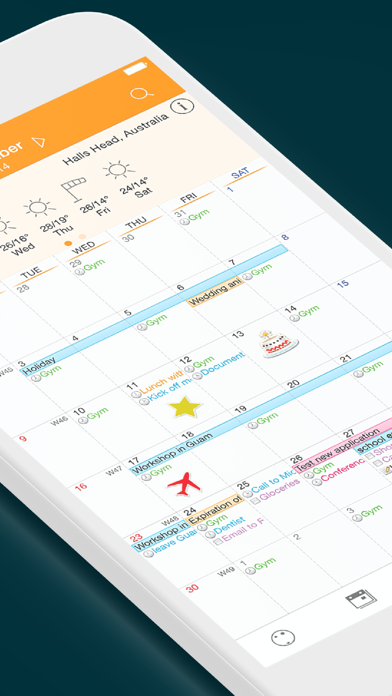
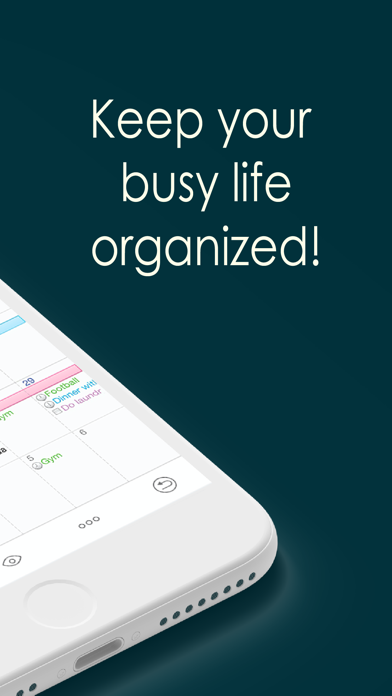
Now you can automatically sync with all iPhone calendars, write your todo list, create notes with photos, check the weather and more, all with Awesome Calendar! This elegant application keeps you organized, shows holidays and is even perfect for team projects.
You’re away from the office but need to check your schedule. What do you do? Open up Awesome Calendar, of course. It only takes a second or two. The app automatically syncs with all iPhone supported calendars to let you know when you have time for that next meeting.
Quick as a wink, you add the meeting to your calendar then create a note that will help you prepare for it. A fast snap of the camera or visit to your camera roll and …
Read the full description
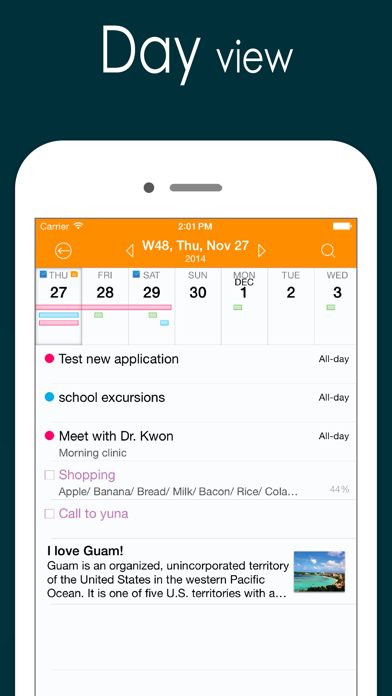
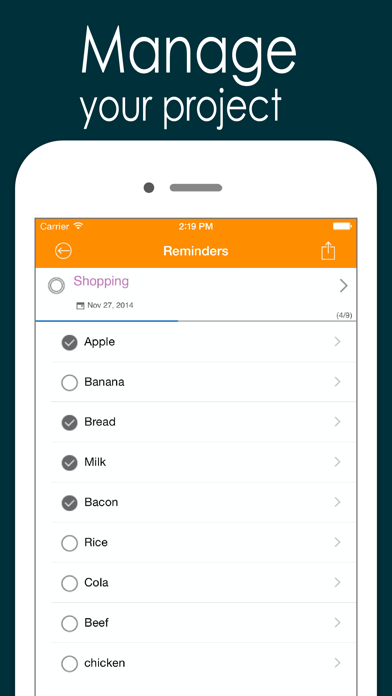
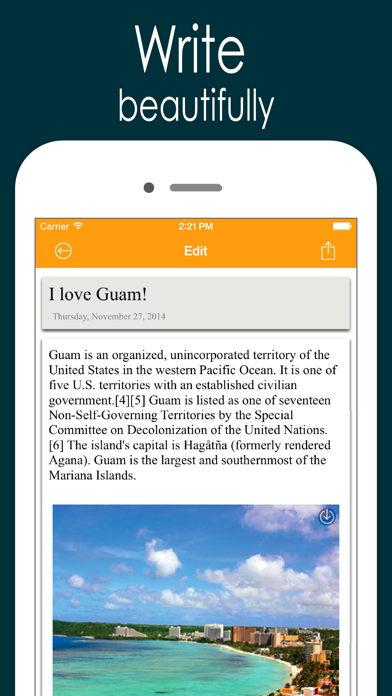
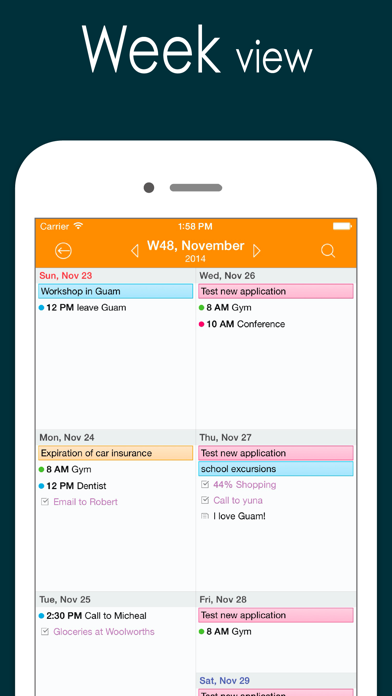
Now you can automatically sync with all iPhone calendars, write your todo list, create notes with photos, check the weather and more, all with Awesome Calendar! This elegant application keeps you organized, shows holidays and is even perfect for team projects. You’re away from the office but need to check your schedule. What do you do? Open up Awesome Calendar, of course. It only takes a second or two. The app automatically syncs with all iPhone supported calendars to let you know when you have time for that next meeting. Quick as a wink, you add the meeting to your calendar then create a note that will help you prepare for it. A fast snap of the camera or visit to your camera roll and you add a picture of the product you’re quoting on, the item needing repair, or whatever you want. Another tap and you share all the information with your assistant back at the office, who can get the ball rolling on this project. You pride yourself on making things happen fast, that’s why you have Awesome Calendar on your iPhone, iPod touch or iPad. In one speedy swoop, right from the client’s office, you were able to set up dates and times, note all of the information, and get things underway remotely. Once again, you are providing the five-star service you are known for. Awesome Calendar is the all-in-tool to help you manage your personal and business life. View and edit your schedule, check the weather, create a todo list, write in your diary, embed photos in notes, check for holidays. This one does it all! Want to share your schedule and notes? Would you like to have someone help you with your growing todo list? No problem, you can do those things from right inside the Awesome Calendar app. That’s right, it’s that easy and convenient. You never have to leave the app to use it most efficiently. The time management power and functionality of this app is amazing. It has an elegant, easy-to-use interface from where you can organize your life and schedule. Aside from the tasks already mentioned, the application offers month, week, day and list views, event alarms, collapsible weeks, holiday listings for 35 different countries, and far more than what can be listed here. Check out just a few of the features offered in Awesome Calendar: + Natural Language Input. + works with all iPhone supported calendars(MobileMe, iCloud, Google Calendar, Exchange, CalDAV) + iOS reminder integrated. Custom color, priority, note, custom alarms and sub-task. + Synchronization with google task + 4 apps in 1(calendar, task manager, notepad, weather, sticker) + Multiple calendar control + Month, week agenda, Filofax, day and list views + Rolling todo and todo carry over. + Custom color for event and reminder. + iCloud support for diary. + Customizable calendar and event color. + Font size and Style change option in view and note. + Timezone support. + Event template for quick adding. + Grouping of todo option + Quick popup on month view. + Holidays noted for 35 countries. Multiple holiday selection. + Elegant Photo album calendar. + Powerful diary lets you type notes and embed photos. + Full text search for event, note and todo. + Easy-push event alarm and customizable alarm. + Unlimited alarms. + Weather information display – current and 10 day forecast + Air print-Month overview, week, day and each event. + Lots of Cuteeeee stickers available to use in month view + Share events, notes and todo lists from inside the app + Passcode lock. + Monday/Sunday start option. + Customized recurrence for event and reminder. + Insert photo to note. + Sharing note via email. + Badge alarm on icon. Number of today’s events, todos. + Displaying past events on 1,2,3,4 and 5 years ago today at a glance. + Today's wise saying. + Theme color. + Customizable recurring rule for event and reminder. + Note sync via iCloud.
Installs, last 30 days
Apple does not publish download counts. Estimates are in testing.
Estimated store revenue Estimated Beta
App Store, worldwide, monthly rate from the last 13 chart days to 20 Nov 2026
Below the top 100 grossing apps in the markets we calibrate. In the United States that usually means under about $6.4M a month. App Store purchases and subscriptions only, before Apple's 15 to 30% fee. Ads and web payments are not included.
Ratings
3,872 ratings, 3,872 reviews
- 5 ★81%
- 4 ★11%
- 3 ★2.5%
- 2 ★1.4%
- 1 ★4.2%
Recent reviews
Latest public reviews from the store
- 7 Oct 2022
Changed
I have used this calendar for years now mainly because it’s free, but it is also the best calendar. The past year or so though it has been doing something REALLY annoying and that’s why I can now only give it 3 stars. It use to be when you create an event on the calendar you pick the color you want it to be, save it and then it would show the event that color on the calendar. Something happened about a year ago where when you create an event, choose the color, save it, but when you go to the calendar it defaults back to the main default color and you have to re-open the event and select the color again and re-save it before it will take the color you chose. It’s really annoying to have to open every event twice when creating it to get the color you want. For a while I thought it was just a glitch and would get fixed, but it’s been nearly a year and it’s still doing it. Why even have the choice to add a color when originally creating the event if it won’t stay that color? If I didn’t have 10 events almost every day on my calendar it may not be so annoying, but I’m really starting to get fed up with it.
- 5 Jun 2022
Updated review
Still our family’s fav iPhone calendar app! But without Dark Mode or Apple Watch support, it’s out of date. There’s also a bug defaulting to 2 alerts. The new app Awesome Cal 2 version addresses these issues, but is not the same calendar display and without the fantastic customizations this one has. Can’t these two be integrated? Been using it since 2011 and still our family go to calendar. The display layout is beautiful, yet simple. Plenty of customizations available. It supports multiple, shareable calendars and notes. It’s SO reliable and easy to add events. Sync all past events forever or choose a time frame. I love the monthly view the best! Seeing the whole month all you events for the in one glance is extremely useful. And with One-button push, I can see weekly or daily agenda. As good as it is, there are a few things needed to bring it up to today’s iOS14 standard: - dark mode support. I’m surprised we don’t have this yet!! Need the ability to attach a photo to a specific event. Yea one can be added to a note, but a note doesn’t save the same purpose as an event. No alerts attached to those. - Alerts keep defaulting to two of them, forcing me to go b
- 26 Apr 2020
Tried dozens - this is the best for IOS
I’ve literally tried dozens of calendar apps over the years. I don’t often leave reviews, but hoped this short review would help other busy executives. This calendar has the best overall UI and readability of any I’ve used on the iPhone. It syncs seamlessly with the native Mac OS calendar including shared calendars so my staff can see where I’ll be and when I have meetings scheduled. If someone adds something to my schedule I can quickly glance at my day or my week and see what’s next. The month view is what finally sold me on this software. I need the ability at a glance to see where I have availability in my calendar to schedule meetings, this does the trick. Entering new meetings wasn’t intuitive at first, it’s simple process but easy easy to overthink it until you use it a few times. It’s a great addition to your digital repertoire of tools, don’t hesitate to give it a try. I’ve been using it for several years, and it’s never failed me.
- 21 Jul 2019
Love this but not the minor flaw
I absolutely love this calendar app! I’ve been using this one for a long time and have tried many in the past and they don’t compare. The only downside and extremely annoying thing about this app is when I put in an all-day event it defaults into two alert times. In the settings section of the app under the default alert times I have the all-day alert times set to none for both sections and have had it that way forever. Now when I make an all day event the alert times aren’t there, which is what I ultimately want, when I save it but when I go back into the event to review it there are now two alert times that have populated, which keep in mind I’ve changed that in settings to “none”. It gets extremely annoying especially when I have a recurring monthly event (just so I don’t forget about certain things) and it takes me 5 or so minutes to get rid of the alert notification for all of the events. If this could be somehow fixed it would be a 5 star review higher if that allowed!
What reviewers bring up
Topics mentioned in the latest 8 reviews, by how many reviews mention them
Liked in good reviews (3 reviews)
- calendar 3
- other 3
- availability 2
- including 2
- monthly 2
- tried 2
- often 2
- syncs 2
Raised in bad reviews (1 reviews)
No topic comes up twice.
Top chart positions
Latest App Store chart ranks by country, last 10 days
- Countries ranked
- 45 of 50
- Best rank
- #20
- Top 10 placements
- 0
- of 45 chart placements
- Average rank
- #51.1
Best countries on App Store
- 🇫🇮 Finland · Top paid, Productivity#20
- 🇬🇷 Greece · Top paid, Productivity#23
- 🇸🇬 Singapore · Top paid, Productivity#23
- 🇮🇩 Indonesia · Top paid, Productivity#24
- 🇵🇹 Portugal · Top paid, Productivity#25
- 🇿🇦 South Africa · Top paid, Productivity#26
| Country | Chart | Category | Rank | Best (10 days) | Date |
|---|---|---|---|---|---|
| 🇫🇮 Finland | Top paid | Productivity | #20 | #17 | 20 Nov 2026 |
| 🇬🇷 Greece | Top paid | Productivity | #23 | #20 | 20 Nov 2026 |
| 🇸🇬 Singapore | Top paid | Productivity | #23 | #19 | 20 Nov 2026 |
| 🇮🇩 Indonesia | Top paid | Productivity | #24 | #23 | 20 Nov 2026 |
| 🇵🇹 Portugal | Top paid | Productivity | #25 | #25 | 20 Nov 2026 |
| 🇿🇦 South Africa | Top paid | Productivity | #26 | #26 | 20 Nov 2026 |
| 🇳🇿 New Zealand | Top paid | Productivity | #27 | #24 | 20 Nov 2026 |
| 🇲🇾 Malaysia | Top paid | Productivity | #28 | #28 | 20 Nov 2026 |
| 🇹🇭 Thailand | Top paid | Productivity | #28 | #17 | 20 Nov 2026 |
| 🇭🇺 Hungary | Top paid | Productivity | #28 | #24 | 20 Nov 2026 |
Awesome Calendar history
Release, install milestones, listing and store changes
- First released on the store 17 Nov 2011
Update frequency
How often Awesome Calendar ships a new version, month by month
0 updates in the last 12 months. Less often than most similar apps: they shipped a median of 2 updates in the same year.
Recent versions
Current version 5.17.1
- Version 5.17.124 Jan 2022
New features: + Transfer data to AwesomeCalendar 2. Bug fixed: + Support iOS15. + Database connection error. Thank you for using AwesomeCalendar! If you leave a review in the App Store, it encourages us to keep improving AwesomeCalendar.
Listing keywords
Words and phrases Awesome Calendar repeats most in its store listing
Top phrases: awesome calendar (7), event and reminder (3), todo list (3), check the weather (2), iphone supported calendars (2).
Highlighted words also appear in the title. Counts cover the title, short description and description.
Compliance
What the listing and the app package show
- Store status
- Live
- Upkeep
- No update since 24 Jan 2022
- Age rating
- 4+
Apps like Awesome Calendar
 ShineDay: Habit Tracker俊航 何★ 4.72
 ESET HOMEESET, spol. s r.o.★ 4.74
 Volunteer ConnectionDigital Cheetah Solutions, Inc.★ 4.66
 Reminder & Countdown ProSergey Astakhov★ 4.79
 To Do List - Reminders & TasksMonelyze Inc.★ 4.69
 My Measures + AR MeasureTOP APP d.o.o.★ 4.35
 Epson iProjectionSeiko Epson Corporation★ 4.33
 Goal Tracker & Daily PlannerSuccess Wizard, Inc.★ 4.72
 Pen & Paper - Digital journalMartin Diz★ 4.73
Awesome Calendar: questions and answers
Who makes Awesome Calendar?
Awesome Calendar is published by YunaSoft Inc..
When was Awesome Calendar last updated?
The latest version (5.17.1) was released on 24 Jan 2022.
Is Awesome Calendar free?
No. Awesome Calendar is a paid app priced at $9.99.
Is Awesome Calendar still available?
Yes. Awesome Calendar is live on App Store as of 20 Nov 2026.
Track Awesome Calendar and its competitors
Watch any app for new versions, rating drops, chart moves and removals. Free plan, no card.