
- Installs
- —
- Apple does not publish download counts
- Rating
- —
- Ratings
- —
- Version
- 2.1.5
- Updated 6 Mar 2023
- Released
- 9 Nov 2012
- Tracked since 10 May 2026
- Size
- 8 MB
- Needs 10.15
Screenshots


About BeanCounter Pro
The description on the store listing
••• Featured by Apple in Money Management - Business Accounting collection •••
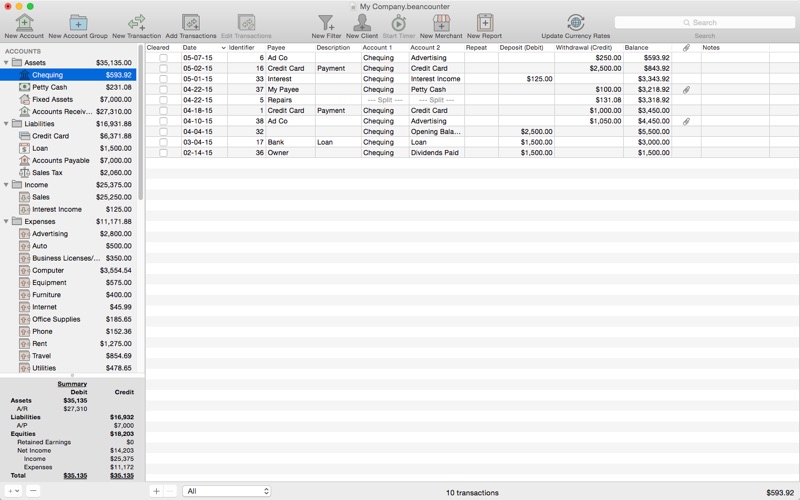
BeanCounter is a powerful yet easy to use professional bookkeeping, time tracking, and invoicing application. It features double-entry accounting, multiple currency support, and a simple one window user interface. Manage accounts, clients, projects, merchants, and bills for an unlimited number of businesses. Stay on top of your business with detailed reports and graphs.
Add new transactions with support for nine types of custom fields and file attachments. Attach photos, scans, voice memos, and files such as receipts, invoices, and other documents to each transaction. Define custom accounting periods and …
Read the full description
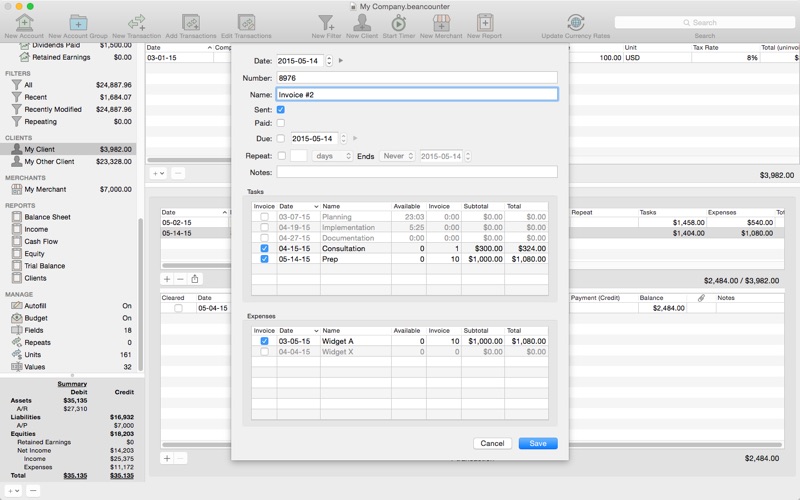
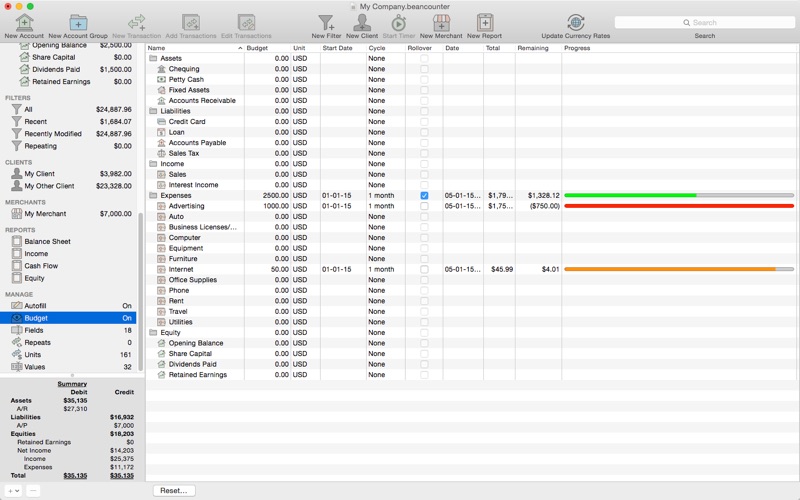
••• Featured by Apple in Money Management - Business Accounting collection ••• BeanCounter is a powerful yet easy to use professional bookkeeping, time tracking, and invoicing application. It features double-entry accounting, multiple currency support, and a simple one window user interface. Manage accounts, clients, projects, merchants, and bills for an unlimited number of businesses. Stay on top of your business with detailed reports and graphs. Add new transactions with support for nine types of custom fields and file attachments. Attach photos, scans, voice memos, and files such as receipts, invoices, and other documents to each transaction. Define custom accounting periods and automatically clear down nominal accounts. BeanCounter supports budgets, filters, batch transaction editing, autofill, and split/repeat transactions. Import and export transactions to a variety of file formats. Track project tasks and expenses for clients. Tasks may be timed (using the included time tracker) or non-timed. Generate customized estimates and invoices itemizing tasks and expenses. Choose from five invoice layouts or design your own custom layout. Keep track of outstanding invoice balances and manage incoming payments. General: - double-entry, accrual accounting - create an unlimited number of businesses - support for self-proprietorships, partnerships, and corporations - define custom accounting periods - create custom units/currencies - full-screen support - auto save Accounts: - create 16 types of accounts - set a budget for each account - create complex filters with any combination of transaction fields - advanced search Transactions: - single and multiple transaction entry forms - multiple currency support - add custom fields (nine types) for local taxes, payment type, completion dates, or anything else - mileage support including start/stop values - attach photos, voice memos, and other files to transactions - split transactions with balance button - create repeating transactions - batch edit transactions - autofill Merchants: - create merchants for tracking bills and payments - create repeating bills - make payments to multiple bills Clients: - create clients for managing projects with tasks and expenses - timed tasks with time tracker (application and menulet) - non-timed tasks (flat, hour, day, week, month, quarter, year) - minimum, rounding, and idle warning task time preferences - make payments to multiple invoices Invoices: - send project estimates/invoices with itemized list of tasks and expenses - includes five invoice layouts with support for creating custom layouts - select which invoice fields to include and customize titles - option to include previous balance and payments - create repeating invoices Reports: - generate 10 types of reports with graphs - option to select comparison date - customize fonts Import/Export: - transactions (with attachments) - project tasks (with task items) and expenses - import CSV, QIF, OFX/QFX files - export CSV, HTML, PDF, QIF, and OFX/QFX files - option to create new accounts, list items, and tags when importing
Installs
Apple does not publish download counts. Estimates are in testing.
We publish iOS estimates only after they pass a back-test against real numbers. Chart history below is measured.
Estimated store revenue Estimated Beta
App Store, worldwide, monthly rate from the last 13 chart days to 20 Nov 2026
Below the top 100 grossing apps in the markets we calibrate. In the United States that usually means under about $6.4M a month. App Store purchases and subscriptions only, before Apple's 15 to 30% fee. Ads and web payments are not included.
Ratings
No rating breakdown published for this app.
Recent reviews
Latest public reviews from the store
No reviews in our sample for this app yet.
Top chart positions
Latest App Store chart ranks by country, last 10 days
Not in any tracked top chart in the last 10 days.
BeanCounter Pro history
Release, install milestones, listing and store changes
- First released on the store 9 Nov 2012
Update frequency
How often BeanCounter Pro ships a new version, month by month
0 updates in the last 12 months. Less often than most similar apps: they shipped a median of 2 updates in the same year.
Recent versions
Current version 2.1.5
- Version 2.1.56 Mar 2023
- update currency exchange rate API - update default currency exchange rates - bug fix - fix issue where clearing custom text field value results in 'null' string - bug fix - fix issue with pop-up button where title is not displayed for empty strings - bug fix - fix issue where editing tag/list fields hides the field values
Listing keywords
Words and phrases BeanCounter Pro repeats most in its store listing
Top phrases: tasks and expenses (4), create repeating (3), custom accounting periods (2), define custom accounting (2), five invoice layouts (2).
Highlighted words also appear in the title. Counts cover the title, short description and description.
Compliance
What the listing and the app package show
- Store status
- Live
- Upkeep
- No update since 6 Mar 2023
- Age rating
- 4+
Apps like BeanCounter Pro
 BofA Point of Sale - MobileBank of America★ 3.88
 Purpl Digital WalletPurpl SAL★ 4.54
 Expedier: Send Money GloballyEXPEDIER INC★ 4.52
 Cenoa: Get Paid GloballyCENOA PTE. LTD.★ 4.62
 Texas Traditions MobileTexas Traditions Bank★ 4.74
 Minhas Finanças | PessoaisNimtech Tecnologia da Informacao LTDA★ 4.94
 SkyCashSkyCash★ 2.78
 FactSet 2.0 (legacy)FactSet Research Systems, Inc.★ 3.96
 My Funds - Portfolio TrackerQTech Solutions Pty Ltd★ 3.78
BeanCounter Pro: questions and answers
Who makes BeanCounter Pro?
BeanCounter Pro is published by Tidal Pool Software.
When was BeanCounter Pro last updated?
The latest version (2.1.5) was released on 6 Mar 2023.
Is BeanCounter Pro free?
No. BeanCounter Pro is a paid app priced at $49.99.
Is BeanCounter Pro still available?
Yes. BeanCounter Pro is live on App Store as of 10 May 2026.
Track BeanCounter Pro and its competitors
Watch any app for new versions, rating drops, chart moves and removals. Free plan, no card.