
- Installs
- —
- Apple does not publish download counts
- Rating
- 4.46
- Ratings
- 516
- 516 reviews
- Version
- 3.8
- Updated 21 Mar 2026
- Released
- 21 Mar 2014
- Tracked since 11 May 2026
- Size
- 257 MB
- Needs 9.0
Screenshots
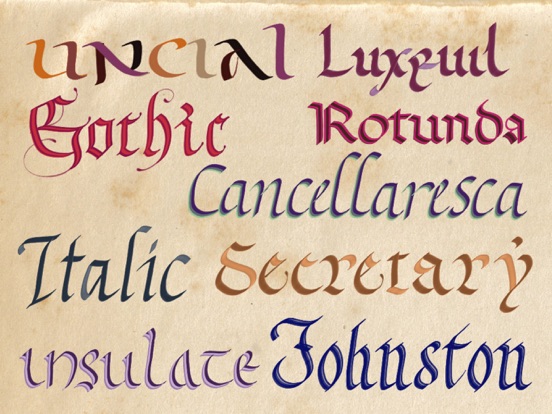
About Calligraphy Handbook
The description on the store listing
It's proven that practicing calligraphy can quickly improve bad handwriting by a better understanding of letters' structure and proportion. Writing bigger letters helps to make curves and lines correctly. The beauty of the letters will make the task of writing more pleasant.
Calligraphy is also a very constructive leisure. It develops virtues such as patience, attention to detail, perfection, willingness to learn, and the sense of beauty.
Calligraphy is a full art form using letters, words and illuminations. It’s also a meditation process when your mind focuses on the strokes, beautifully draw lines and curves, following your intuition and inspiration.
The only pre-requirement to this …
Read the full description
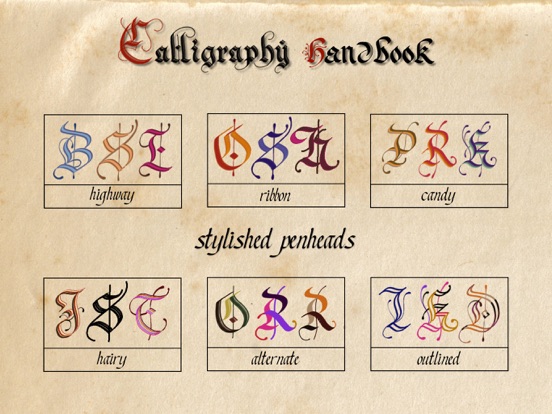
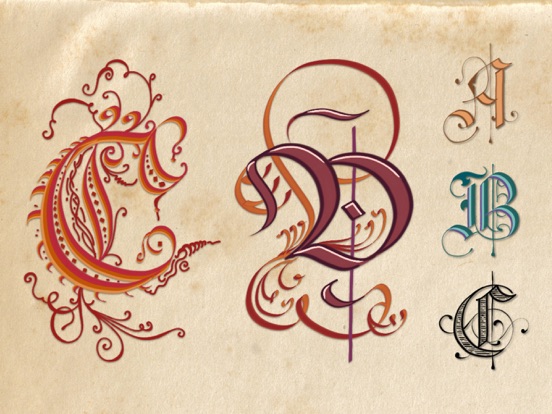
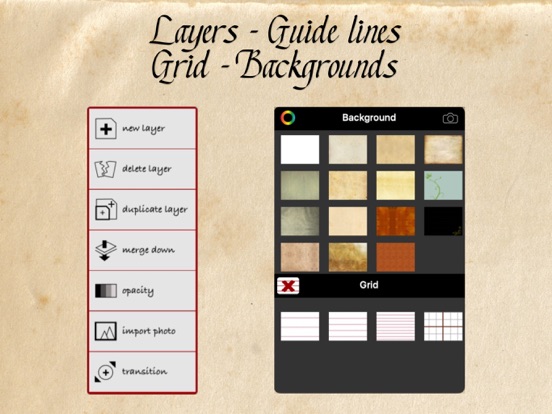
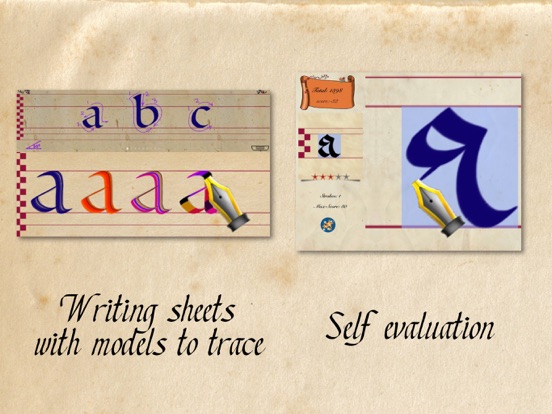
It's proven that practicing calligraphy can quickly improve bad handwriting by a better understanding of letters' structure and proportion. Writing bigger letters helps to make curves and lines correctly. The beauty of the letters will make the task of writing more pleasant. Calligraphy is also a very constructive leisure. It develops virtues such as patience, attention to detail, perfection, willingness to learn, and the sense of beauty. Calligraphy is a full art form using letters, words and illuminations. It’s also a meditation process when your mind focuses on the strokes, beautifully draw lines and curves, following your intuition and inspiration. The only pre-requirement to this art is the knowledge of writing, which everyone is proficient. Calligraphy has a high potential of discoveries, it’s one of the rare art form that you can start from a basis you already know: writing letters and words. 1/ CALLIGRAPHY HANDBOOK is a perfect tool for learning and improving your calligraphy skill. As a beginner, the app will provide the best digital pens and papers for your learning. Don’t waste paper and ink now, digital tools are endlessly renewable. As a confirmed calligrapher, you will find pen and color effects that are impossible to create in real life: 6 small parallel lines, 4 size-lines, light effect pen, shaded line, rainbow effect, mixed colors in one stroke, alternated colors in one letter… 2/ CHALLENGE your friends in different writing styles, or simply evaluate your skill with the incredible calligraphy game. Reproduce a model inside a limited space, with a limited number of strokes, and see how many stars you can gain. Avoid actions as: undo, exceeding strokes or using tracing image. Otherwise your score will be heavily cut down. 3/ WRITING TOOLS: - 11 calligraphic pens - 1 pointed pen - 12 mixed colors effects - 12 alternated colors effects - 1 eraser - Smoothed strokes for all pens, let you draw perfect curves and lines. NOTE: we have intentionally made the strokes slower and smoother, because drawing beautiful letters has to be done in a slower speed compared to handwriting or painting. Calligraphy is a highly relaxing activity, a slow motion is the best for it. Writing features and supplies: - 19 calligraphic hands in a large choice of styles (more hands are coming with future updates) - Old papers - Guiding lines - Shadowed letters for tracing - 24 preset pen angles - 63 premixed colors - Export your writing to the camera roll or by email. - Palm rejection - Pen offset 4 / ARTISTIC CREATION. Calligraphy Handbook is a truly comprehensive tool for creating calligraphic works (greeting card, invitation, letterhead, logo, brochure, magazine cover, etc ... - Users can create true works of art with all the calligraphic tools. - An entire page is provided with layers management. - A gallery to save works in progress. - The gallery is organized by blocks, each block contains an unlimited number of pages. - The works and the blocks can be exported and shared in png or pdf formats. - Shadows and texture can be added to your lettering. 5/ TIPS: - Draw your letters very very SLOWLY. - Take a long breathe before a long stroke, then expire slowly and regularly while drawing. - Take a comfortable sitting position. - Clean up your screen frequently. - When following the lessons in this app, don’t pressure yourself to immediately draw perfect letters, but simply follow your intuition and focus on the movement of the strokes. It’s not so important to get completely correct letters, don’t forget, it’s not typography. - Relax yourself before starting a calligraphy session, you will have better strokes. Stretch and simply shake your hands and shoulders. Take a comfortable sitting position.
Installs since 29 Aug 2026
Apple does not publish download counts. Estimates are in testing.
Estimated store revenue Estimated Beta
App Store, worldwide, monthly rate from the last 12 chart days to 19 Nov 2026
Below the top 100 grossing apps in the markets we calibrate. In the United States that usually means under about $6.4M a month. App Store purchases and subscriptions only, before Apple's 15 to 30% fee. Ads and web payments are not included.
Ratings
516 ratings, 516 reviews
No rating breakdown published for this app.
Recent reviews
Latest public reviews from the store
- 29 Jul 2025
good but
whenever i try to restore perchases it wouldn’t let me and i still have ads
- 4 Aug 2024
Good but some bugs and suggestions
It is pretty thorough with a lot of hand (font) options. They’re beautiful and pretty easy. But there are certain things like making a nice serif that’s tricky. It would be nice if it had a little video on each letter and hand. Also, like the L, at the end where it ticks up and thicken on the right, how can I do that with a digital pen? Or even a calligraphy pen & nibs without changing nibs? Initially, it started great but then the app keeps registering my stroke and stops halfway and the whole page shifts instead. Maybe it’s my pen’s battery? I love that it’s free with possible upgrades. One thing I can’t stand are very limited apps for a free trial. Definitely worth a try!
- 15 Dec 2023
Great for getting started
I’m relatively new to calligraphy and wanted an app that would allow me to practice without spending all the money on equipment and paper until I felt more comfortable. Perfect for practice
- 3 Dec 2023
Usability
Clunky.
What reviewers bring up
Topics mentioned in the latest 50 reviews, by how many reviews mention them
Liked in good reviews (37 reviews)
- calligraphy 23
- practice 12
- without 7
- letters 7
- try 7
- pen 7
- different 5
- wonderful 5
Raised in bad reviews (9 reviews)
- purchase 2
- switch 2
- unlock 2
Top chart positions
Latest App Store chart ranks by country, last 10 days
Not in any tracked top chart in the last 10 days.
Calligraphy Handbook history
Release, install milestones, listing and store changes
- First released on the store 21 Mar 2014
Update frequency
How often Calligraphy Handbook ships a new version, month by month
1 updates in the last 12 months. About as often as similar apps, which shipped a median of 1 updates in the same year.
Recent versions
Current version 3.8
- Version 3.821 Mar 2026
Version 3.8: - General app improvement - Added a new function for using digital stickers to create decorative patterns - Added the possibility to generate drop shadows when using layers
Listing keywords
Words and phrases Calligraphy Handbook repeats most in its store listing
Top phrases: calligraphy handbook (3), comfortable sitting position (2), curves and lines (2), take comfortable sitting (2), alternated colors (2).
Highlighted words also appear in the title. Counts cover the title, short description and description.
Compliance
What the listing and the app package show
- Store status
- Live
- Upkeep
- Updated 21 Mar 2026
- Age rating
- 4+
Apps like Calligraphy Handbook
 SpicyGF: My AI Girlfriend ChatOnyx Tech Inc★ 4.59
 BolitaCubaYoangel Rivaflecha★ 4.77
 TV5MONDETV5MONDE★ 4.63
 Makeup DIY: Spa Makeover GamesVery Pink Company Ltd★ 4.51
 CMC California Music ChannelCMC Broadcasting Company, Incorporated★ 4.83
 LEGO® Powered UpLEGO★ 3.58
 FaceAi - Reface & Dream FaceVisualCraftsman★ 4.33
 Brainrot Makeover:DIY ItalianOuafae Abriji★ 4.59
 DeepLove AI:Dream AI Love ChatDuSichuan★ 4.64
Calligraphy Handbook: questions and answers
Who makes Calligraphy Handbook?
Calligraphy Handbook is published by Yongjie HU.
When was Calligraphy Handbook last updated?
The latest version (3.8) was released on 21 Mar 2026.
Is Calligraphy Handbook free?
Yes. Calligraphy Handbook is free to download.
Is Calligraphy Handbook still available?
Yes. Calligraphy Handbook is live on App Store as of 14 Nov 2026.
Track Calligraphy Handbook and its competitors
Watch any app for new versions, rating drops, chart moves and removals. Free plan, no card.