- Installs
- —
- Apple does not publish download counts
- Rating
- 4.37
- Ratings
- 27
- 27 reviews
- Version
- 3.6
- Updated 16 Mar 2022
- Released
- 11 Dec 2015
- Tracked since 10 May 2026
- Size
- 46 MB
- Needs 9.0
Screenshots
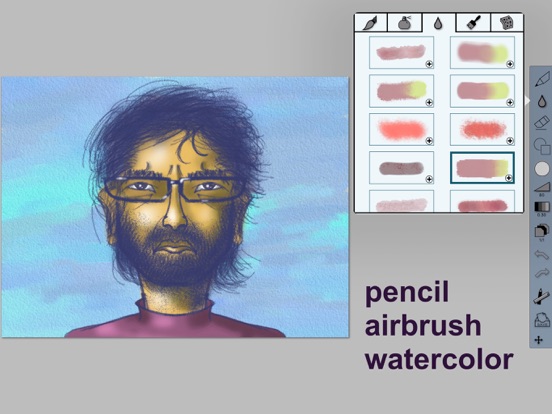

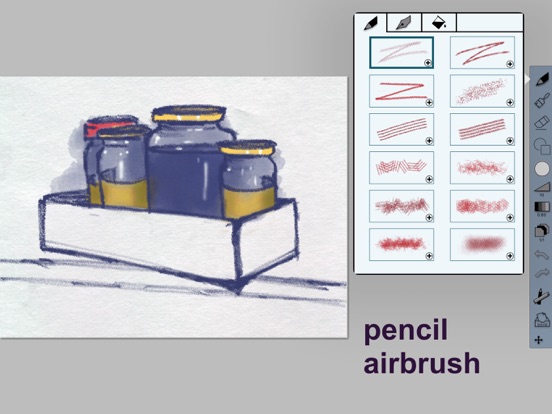
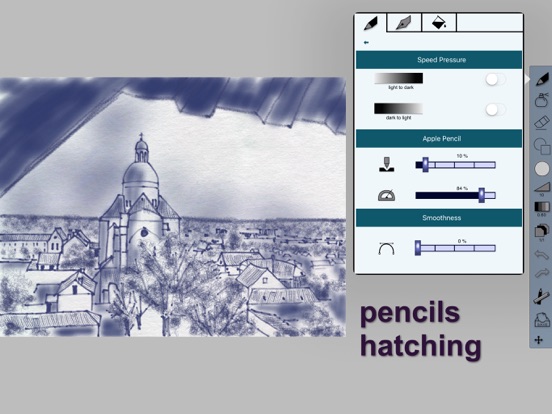
About Drawing Box Pro
The description on the store listing
Drawing Box Pro is the best app for painting and designing on a mobile device. A complete artist necessary tool set, with gorgeous pencil and brush effects. The strong feeling of comfort and the variety of the painting tools are incomparably rich. The pencil has 3 different stroke styles and 9 exclusive hatching effects. Brush, airbrush, watercolor, oil painting and smudge complete the set of artist tools.
The excellent video replay of your paintings will show up your processes and techniques. This is the best tool for teaching, analyzing and sharing your artworks.
Special for Apple Pencil drawing on the iPad Pro:
The Apple Pencil brings new challenges to painting apps with the three …
Read the full description
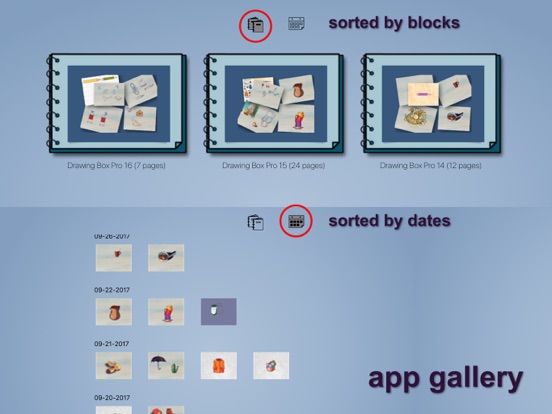
Drawing Box Pro is the best app for painting and designing on a mobile device. A complete artist necessary tool set, with gorgeous pencil and brush effects. The strong feeling of comfort and the variety of the painting tools are incomparably rich. The pencil has 3 different stroke styles and 9 exclusive hatching effects. Brush, airbrush, watercolor, oil painting and smudge complete the set of artist tools. The excellent video replay of your paintings will show up your processes and techniques. This is the best tool for teaching, analyzing and sharing your artworks. Special for Apple Pencil drawing on the iPad Pro: The Apple Pencil brings new challenges to painting apps with the three totally new specifications: the pointed pencil tip, the tilt angle, and the pressure sensitivity. Drawing Box Pro will give more accuracy compared to the finger tip and other styluses, the painting tool size will produce a really smooth variation by simple tilt the angle of the pen, and the pressure will add dark and saturation to the colors. The pencils, brushes and other painting tools were enhanced individually to take the biggest advantages from pressure sensitivity and tilt angle cognition. You will feel again the incredible natural way to use pencils, pens and brushes. Drawing with the Apple Pencil means working with not less than 350 levels of color density without adjusting your tool. In the meantime, you will draw and paint with strokes which can be enlarged up to 7 times their initial size, always without any adjustment. The necessary tools: - Pencil - Brush - Eraser - Color palettes - Canvas The artist basic digital features: - Zoom and pan - Multi-layers - Undo and redo - Gallery (storage place) - Size and opacity adjustment The extra art tools: - Pencil: 3 styles + 9 hatching heads - Inkpen: rounded and calligraphic heads - Art brush: 30 awesome effects - Airbrush: 9 rich styles - Watercolor: 10 whooshy brushes - Oil painting: 3 deep coloring effects - Smudge: 3 different color merging methods - Symmetrical drawing: vertical and horizontal orientations - Shapes: lined, gradient and flat fill. - Color mixer: create your personal colors. - Wet effect on the canvas. Bonus digital features: - Pressure sensitivity control (compatible with the new Apple Pencil) - Multi-layers options: duplication, merge down 2 layers, opacity control, layer transition and edition, fill layers with imported pictures from your device library, camera or the application gallery. - Canvas: rich textures and colors. - Multiple undos and redos for a faster work edition. - The gallery artwork is organized by blocks of unlimited number of pages. You can almost create a digital book inside the app, then export it as pdf files. Supported exported formats: psd, png, pdf, video. - Video replay and sharing of your artworks. - Paintings can be mixed and duplicated into several blocks.
Installs
Apple does not publish download counts. Estimates are in testing.
We publish iOS estimates only after they pass a back-test against real numbers. Chart history below is measured.
Estimated store revenue Estimated Beta
App Store, worldwide, monthly rate from the last 12 chart days to 19 Nov 2026
Below the top 100 grossing apps in the markets we calibrate. In the United States that usually means under about $6.4M a month. App Store purchases and subscriptions only, before Apple's 15 to 30% fee. Ads and web payments are not included.
Ratings
27 ratings, 27 reviews
No rating breakdown published for this app.
Recent reviews
Latest public reviews from the store
No reviews in our sample for this app yet.
Top chart positions
Latest App Store chart ranks by country, last 10 days
Not in any tracked top chart in the last 10 days.
Drawing Box Pro history
Release, install milestones, listing and store changes
- First released on the store 11 Dec 2015
Recent versions
Current version 3.6
- Version 3.616 Mar 2022
Version 3.6: Bug fixes
Listing keywords
Words and phrases Drawing Box Pro repeats most in its store listing
Top phrases: apple pencil (4), drawing box pro (3), box pro (3), drawing box (3), pressure sensitivity (3).
Highlighted words also appear in the title. Counts cover the title, short description and description.
Compliance
What the listing and the app package show
- Store status
- Live
- Upkeep
- No update since 16 Mar 2022
- Age rating
- 4+
Apps like Drawing Box Pro
 AITSO - Talking AI ChatbotDrum Starz★ 3.18
 李雷和韩梅梅2023:恋爱养成RPG晖 郑★ 4.5
 SoSkillsSoSkills★ 4.58
 Horror Movie ClassicsMacMillan Interactive Communications, LLC★ 4.84
 GranPlayerLuxza★ 2.68
 CineWisenet★ 4.38
 CGR CinémasThe Boxoffice Company France★ 4.82
 Sound Effects!TMSOFT★ 3.4
 Skill Addicts – Play & LearnSKillAddicts s.r.o★ 4.2
Drawing Box Pro: questions and answers
Who makes Drawing Box Pro?
Drawing Box Pro is published by Yongjie HU.
When was Drawing Box Pro last updated?
The latest version (3.6) was released on 16 Mar 2022.
Is Drawing Box Pro free?
Yes. Drawing Box Pro is free to download.
Is Drawing Box Pro still available?
Yes. Drawing Box Pro is live on App Store as of 1 Jul 2026.
Track Drawing Box Pro and its competitors
Watch any app for new versions, rating drops, chart moves and removals. Free plan, no card.