- Installs
- —
- Apple does not publish download counts
- Rating
- 4.41
- Ratings
- 15.9K
- 15.9K reviews
- Version
- 1.19.9
- Updated 4 Nov 2026
- Released
- 30 Aug 2014
- Tracked since 10 May 2026
- Size
- 2 MB
- Needs 14.0
Screenshots
About Draft Paper
The description on the store listing
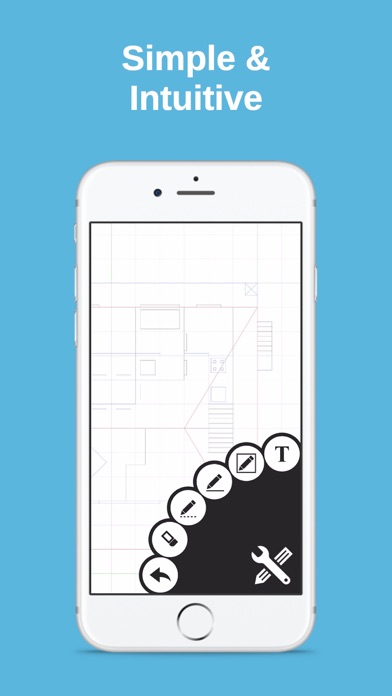
Draft Paper is a simple and intuitive way to make floor plans, layouts or blueprints quickly and easily.
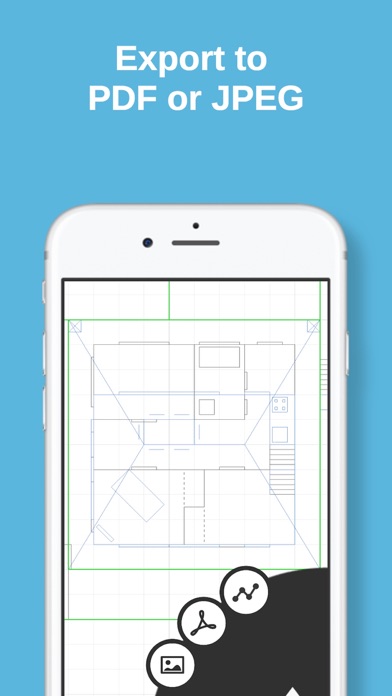
Touch and drag to draw lines and rectangles on up to 10 independent layers, then export directly to PDF, JPEG or DXF ready for printing, emailing or editing in other software.
Full feature list:
+ Drawing: Line, Dotted Line, Arrow, Rectangle, Ellipse, Segment, Text, Erase, Measure, Presentation
+ Multi file iCloud support
+ Export to JPEG / Vector PDF / DXF
+ Upload / download from DropBox or any other compatible app
+ Mirror / translate / rotate / scale operations
+ Smooth, fast and intuitive zooming / panning
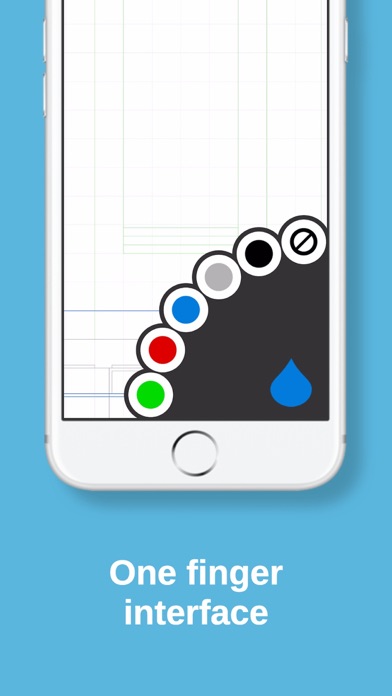
+ Multiple layers and colors
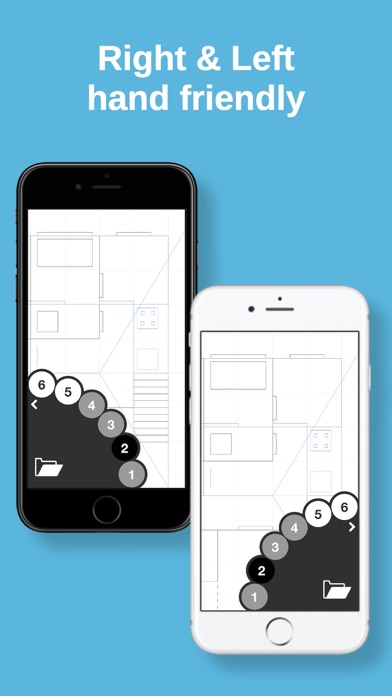
+ Selectable right / left handed modes.
+ …
Read the full description
Draft Paper is a simple and intuitive way to make floor plans, layouts or blueprints quickly and easily. Touch and drag to draw lines and rectangles on up to 10 independent layers, then export directly to PDF, JPEG or DXF ready for printing, emailing or editing in other software. Full feature list: + Drawing: Line, Dotted Line, Arrow, Rectangle, Ellipse, Segment, Text, Erase, Measure, Presentation + Multi file iCloud support + Export to JPEG / Vector PDF / DXF + Upload / download from DropBox or any other compatible app + Mirror / translate / rotate / scale operations + Smooth, fast and intuitive zooming / panning + Multiple layers and colors + Selectable right / left handed modes. + Unlimited undo + Unlimited size drawing area + Apple Pencil support (including double tap) + Metric / Imperial (USC) units support + Designed for iPhone and iPad For full instructions please visit our website, http://draftpaper-app.com
Installs, last 30 days
Apple does not publish download counts. Estimates are in testing.
Estimated store revenue Estimated Beta
App Store, worldwide, monthly rate from the last 13 chart days to 20 Nov 2026
Below the top 100 grossing apps in the markets we calibrate. In the United States that usually means under about $6.4M a month. App Store purchases and subscriptions only, before Apple's 15 to 30% fee. Ads and web payments are not included.
Ratings
15,922 ratings, 15,922 reviews
No rating breakdown published for this app.
Recent reviews
Latest public reviews from the store
- 13 Dec 2025
Excellent for circuit design!
I discovered this app while searching for a program that I could easily draw custom circuit diagrams within. I design PCB modules for personal projects, and like to draw out my wiring schematics beforehand. I usually do this one paper, but wanted something more permanent and professional to use in my portfolio. This app is excellent, because the scale allows me to hand-draw common symbols used to represent electrical components. Ultimately, I am able to draw a diagram that more accurately represents the physical layouts of prototypes before I move onto manufactured layouts in programs like KiCAD. I plan on purchasing the additional features, so that I can make changes to designs as I improve them over time. The ability to export these designs at a proper zoom level is very convenient, and much appreciated.
- 27 Sep 2023
Way better than default Apple tools
I was trying to use the default note app to create a house plan and it was frustrating and I was getting nowhere. This app is a godsend. Simple enough to be able to learn in ten minutes yet feature rich enough to get a real house plan done. One thing that isn’t obvious is that you need to go to layers view and disable the graph by clicking on that icon, in order to make any shapes or lines that aren’t 1m because everything just snaps to grid., which is 1m. Also it isn’t intuitive how to, for example save a square which is the shape of the house to file slot 1 and then make a duplicate of that same file into slot 3, so you can design multiple rooms using the same template. But you’ll figure it all out in about 15 minutes via trial and error and reading the instruction manual.
- 12 Mar 2022
Great 2D Drafting App
Draft Paper completely matches its name, anything you can do on real draft paper, you can do in this app; only better. It’s super easy to use and being able to draw floor plans, basic woodworking plans and any other drawing you need where measurements are important this app can do. The measuring capabilities of this plan are on par with very expensive CAD programs. Additionally, if your skills include drawing in 3D on paper, you can do it in the app. It also offers layers, colors, fast geometric object and great arch’s which easily curve either direction. The snap to grid is another nice feature to have. Overall, a fantastic drafting tool. Unfortunately, this app does crash and you have to restore purchase. Additionally, even though I purchased the top version, it doesn’t acknowledge that, so some features are still locked. I’d like to export to PDF, but it thinks I haven’t paid and ask me for money each time. Totally annoying. Hope the developers fix these 2 issues and make this a 5-star app.
- 27 Sep 2021
No Support
I like this application and have used it to design two homes that we have then sent our drawings to an architectural engineer to render into CAD. Unfortunately the more detailed (bigger) the designs become the more the application slows down and begins to freeze or close. I have accepted this as it’s still the best application I have found to render home designs. Recently, in an attempt to hopefully remove the laggy and buggy operation as my plans progressed, I downloaded and saved the file into a PDF with the intent to clear the active application and then upload it back. While the option to upload exists it DOES NOT actually allow you to do so. I went directly to the developers website and downloaded their PDF operation manual and again even though follow directs was unable to upload to the application. I am writing this review as I have emailed them directly now two times with no response and no support. As anyone would Imagine, I am frustrated having paid for the premium services and having spent 10’s of hours designing a home which I can no longer work on as the application will not permitting as advertised.
What reviewers bring up
Topics mentioned in the latest 8 reviews, by how many reviews mention them
Liked in good reviews (7 reviews)
- developers 4
- features 4
- design 4
- layers 4
- plans 4
- able 4
- projects 3
- paper 3
Raised in bad reviews (0 reviews)
No topic comes up twice.
Top chart positions
Latest App Store chart ranks by country, last 10 days
Not in any tracked top chart in the last 10 days.
Draft Paper history
Release, install milestones, listing and store changes
- First released on the store 30 Aug 2014
Update frequency
How often Draft Paper ships a new version, month by month
1 updates in the last 12 months. About as often as similar apps, which shipped a median of 1 updates in the same year.
Recent versions
Current version 1.19.9
- Version 1.19.94 Nov 2026
Fixed crashes when downloading drawings from iCloud and opening confirmation or error dialogs. Improved handling of failed drawing downloads.
- Version 1.19.46 Sep 2024
* Fixed scaling problem when exporting PDFs with very small lines. * Fixed JPG export error
Listing keywords
Words and phrases Draft Paper repeats most in its store listing
Top phrases: draft paper (2).
Highlighted words also appear in the title. Counts cover the title, short description and description.
Compliance
What the listing and the app package show
- Store status
- Live
- Upkeep
- Updated 4 Nov 2026
- Age rating
- 4+
Apps like Draft Paper
 Grit: Daily Habit TrackerGrittyApps★ 4.78
 Password Manager - Safe LockApp Rover★ 4.5
 Rocket Lawyer Legal & Law HelpRocket Lawyer Incorporated★ 4.88
 Talview CandidateTalview Inc★ 4.7
 Yandex Mail: Email & CloudDirect Cursus Computer Systems Trading★ 4.74
 Reminder & CountdownSergey Astakhov★ 4.76
 The Image Converter □Float Tech, LLC★ 4.65
 RoboAI - Chat & Ask AI ChatbotSense Yazilim★ 4.58
 Fax From iPhone - Receive FaxFree AI Utility Apps LLC★ 4.78
Draft Paper: questions and answers
Who makes Draft Paper?
Draft Paper is published by Giles Goddard.
When was Draft Paper last updated?
The latest version (1.19.9) was released on 4 Nov 2026.
Is Draft Paper free?
Yes. Draft Paper is free to download.
Is Draft Paper still available?
Yes. Draft Paper is live on App Store as of 20 Nov 2026.
Track Draft Paper and its competitors
Watch any app for new versions, rating drops, chart moves and removals. Free plan, no card.