
- Installs
- —
- Apple does not publish download counts
- Rating
- 4.55
- Ratings
- 2.4K
- 2.4K reviews
- Version
- 1.7.4
- Updated 27 Oct 2025
- Released
- 23 Apr 2020
- Tracked since 10 May 2026
- Size
- 175 MB
- Needs 15.5
Screenshots
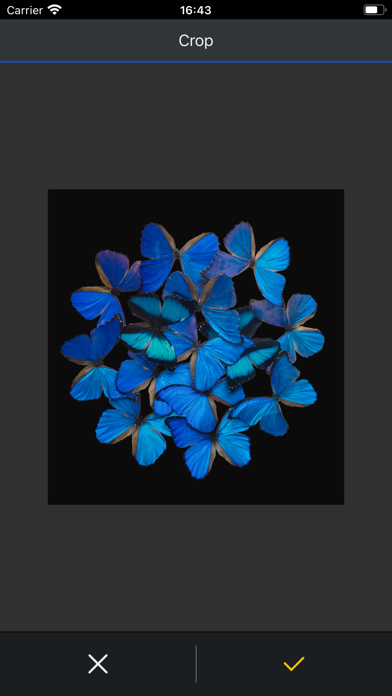
About Epson Print Layout
The description on the store listing
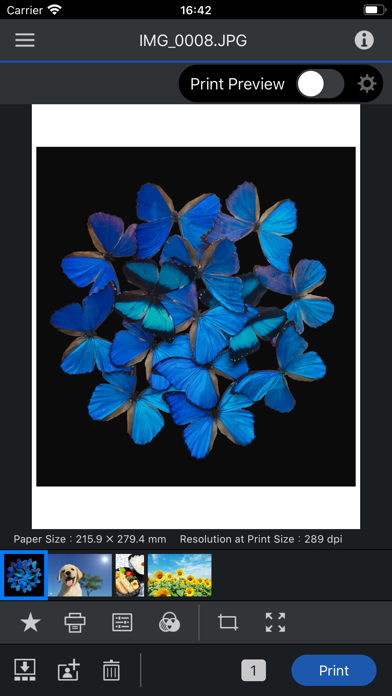
Epson Print Layout is a high-quality print application for Epson printers from iPhone/iPad. Featuring convenient functions such as image layout, color setting, preview, etc., allows smooth printing.
The following printers can be used with this application.
SC-P700, SC-P900, ET-8500, ET-8550, L8160, L8180, SC-P5300
If you are using a printer other than the above, use Epson Smart Panel.
[Main Functions]
≪Search/connect printer≫
- You can search for and connect to Epson printers in Wi-Fi networks to which your device is connected.
≪Printing≫
- You can select photos and retouched images from your tablet for easy printing.
≪Layout setting≫
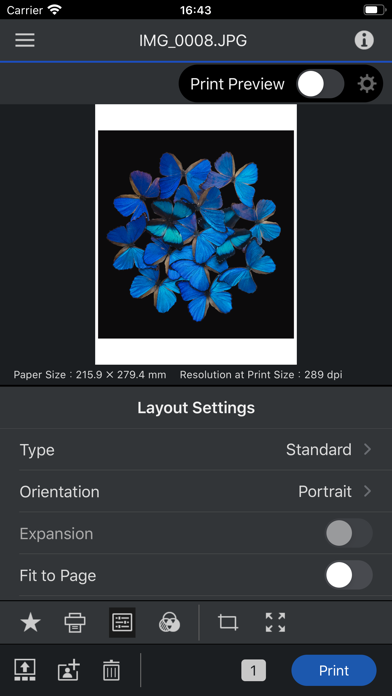
- You can change the paper orientation, arrange …
Read the full description
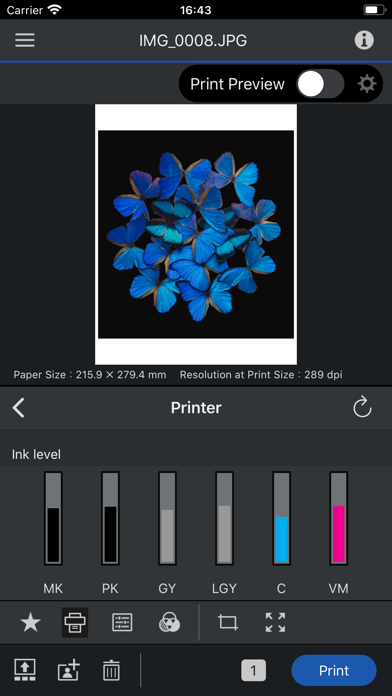
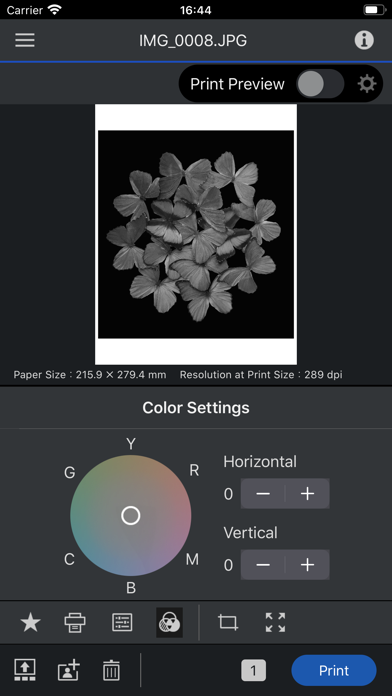
Epson Print Layout is a high-quality print application for Epson printers from iPhone/iPad. Featuring convenient functions such as image layout, color setting, preview, etc., allows smooth printing. The following printers can be used with this application. SC-P700, SC-P900, ET-8500, ET-8550, L8160, L8180, SC-P5300 If you are using a printer other than the above, use Epson Smart Panel. [Main Functions] ≪Search/connect printer≫ - You can search for and connect to Epson printers in Wi-Fi networks to which your device is connected. ≪Printing≫ - You can select photos and retouched images from your tablet for easy printing. ≪Layout setting≫ - You can change the paper orientation, arrange and size images, and crop images. ≪Color setting≫ - The color type "ICC Profile" allows you to print using a paper profile. - You can also print grayscale and monochrome photographs. ≪Print preview≫ - You can preview your photos to take into account the ambient light they are displayed in. (Color temperature setting of ambient light does not affect printing results) ≪Management≫ - You can check the status of the connected printer and check the remaining quantity. ≪Troubleshooting≫ - You can check the manual from the system menu. 1. Epson Print Layout 앱 다운로드 및 호환되는 스마트 장치가 필요합니다. 데이터 사용 요금이 적용될 수 있습니다. 자세한 내용은 www.epson.com을 방문하여 지원을 받으십시오. [앱 접근권한] 서비스 제공을 위해 다음과 같은 접근권한을 필요로 합니다. [필수] 위치 획득 권한 사용할 프린터를 식별해서 접속하기 위한 목적 [필수] 사진 및 동영상 저장된 파일의 인쇄 및 스캔을 위한 목적 [선택] 카메라 카메라로 촬영한 이미지를 인쇄하기 위한 목적 [필수] 로컬 네트워크 사용하는 프린터와 통신하기 위한 목적 * 선택 접근 권한은 동의하지 않아도 앱을 사용하실 수 있습니다. * 선택 접근 권한 미동의시 서비스 일부 기능의 정상적인 이용이 어려울 수 있습니다.
Installs, last 30 days
Apple does not publish download counts. Estimates are in testing.
Estimated store revenue Estimated Beta
App Store, worldwide, monthly rate from the last 12 chart days to 19 Nov 2026
Below the top 100 grossing apps in the markets we calibrate. In the United States that usually means under about $6.4M a month. App Store purchases and subscriptions only, before Apple's 15 to 30% fee. Ads and web payments are not included.
Ratings
2,373 ratings, 2,373 reviews
- 5 ★82%
- 4 ★7.7%
- 3 ★2.4%
- 2 ★1.6%
- 1 ★6.8%
Recent reviews
Latest public reviews from the store
- 9 Apr 2026
Only tried a few times
It’s ok better than using my computer
- 2 Mar 2026
Learning
Just downloaded
- 15 Feb 2026
Great printer
My husband bought this printer and we are impressed with the Quality of the pictures we printed, the colors accuracy is outstanding a gorgeous, and this is multifunctional printer we can print documents, make copies and scan when needed we are more than happy with this purchase!
- 26 Nov 2025
Beautiful Photos
The set up of the printer was a bit challenging but once I figured it out, I’ve really enjoyed the quality of the photos. The apps are also very easy to use.
What reviewers bring up
Topics mentioned in the latest 50 reviews, by how many reviews mention them
Liked in good reviews (18 reviews)
- quality 5
- ipad 4
- finally 3
- ability 3
- better 3
- set 3
- et- 3
- icc profiles 2
Raised in bad reviews (30 reviews)
- print 14
- paper 10
- epson 7
- find 5
- change 4
- cannot 4
- image 4
- photo 4
Top chart positions
Latest App Store chart ranks by country, last 10 days
Not in any tracked top chart in the last 10 days.
Epson Print Layout history
Release, install milestones, listing and store changes
- First released on the store 23 Apr 2020
Update frequency
How often Epson Print Layout ships a new version, month by month
0 updates in the last 12 months. Less often than most similar apps: they shipped a median of 2 updates in the same year.
Recent versions
Current version 1.7.4
- Version 1.7.427 Oct 2025
- Fixed minor bugs.
Listing keywords
Words and phrases Epson Print Layout repeats most in its store listing
Top phrases: 위한 목적 (4), epson print layout (3), epson print (3), print layout (3), 위한 목적 선택 (2).
Highlighted words also appear in the title. Counts cover the title, short description and description.
Compliance
What the listing and the app package show
- Store status
- Live
- Upkeep
- Updated 27 Oct 2025
- Age rating
- 4+
Apps like Epson Print Layout
 Photo Collage Maker & PrinterVitalij Schaefer★ 4.7
 Reelsy Reel Maker IG TemplatesZed Italia S.r.l.★ 4.67
 Gram AI: Art CreatorUBI MEDIA FZE LLC★ 4.52
 Love Pic - Photo Collage MakerZipoApps★ 4.61
 Affinity Photo 2 for iPadSerif Labs★ 4.6
 Wallpaper _ Dynamic IslandEuropean Apps Solutions★ 4.52
 How Old Do I Look? Age Camera长金 胡★ 4.49
 Retouch - AI Face EditorSCALEUP YAZILIM HIZMETLERI★ 4.67
 instax UP! -Scan instax photosFUJIFILM Corporation★ 4.76
Epson Print Layout: questions and answers
Who makes Epson Print Layout?
Epson Print Layout is published by Seiko Epson Corporation.
When was Epson Print Layout last updated?
The latest version (1.7.4) was released on 27 Oct 2025.
Is Epson Print Layout free?
Yes. Epson Print Layout is free to download.
Is Epson Print Layout still available?
Yes. Epson Print Layout is live on App Store as of 19 Nov 2026.
Track Epson Print Layout and its competitors
Watch any app for new versions, rating drops, chart moves and removals. Free plan, no card.