
- Installs
- —
- Apple does not publish download counts
- Rating
- 1.39
- Ratings
- 3.3K
- Version
- 4.9.6
- Updated 21 Oct 2025
- Released
- 23 Jan 2014
- Tracked since 10 May 2026
- Size
- 55 MB
- Needs 12.0
Also on Google Play: FUJIFILM Camera Remote (28.7K ratings)
Screenshots
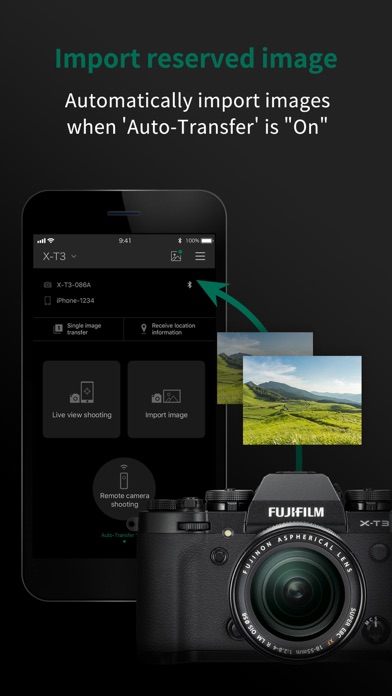
About FUJIFILM Camera Remote
The description on the store listing
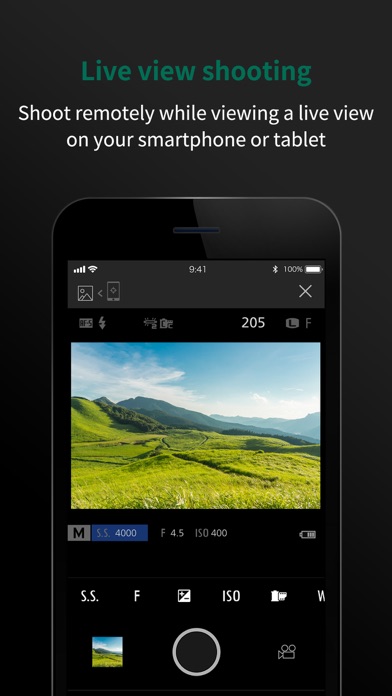
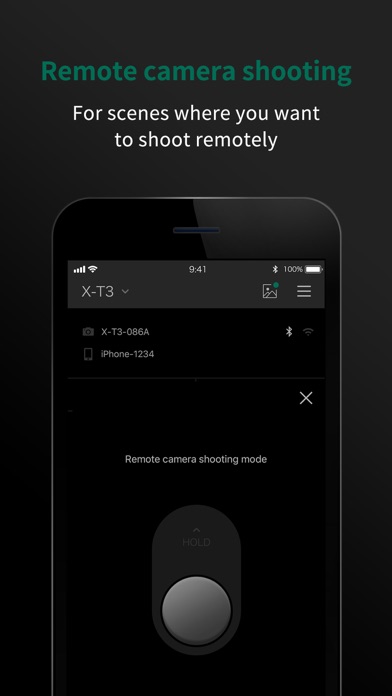
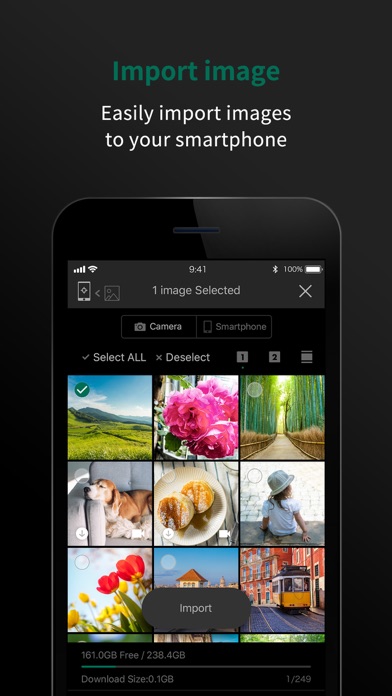
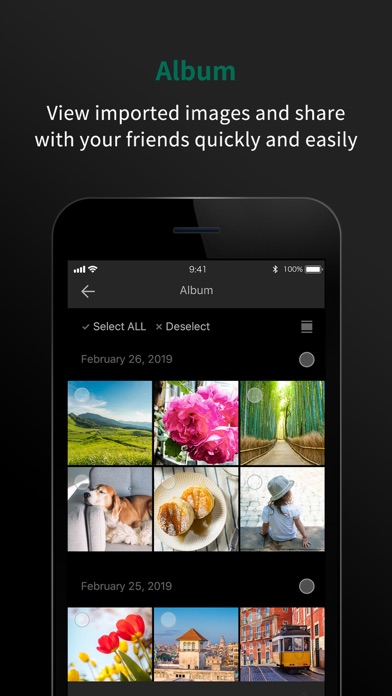
The FUJIFILM Camera Remote is an application provided by FUJIFILM that can operate wireless-equipped digital cameras by remote control to shoot images and to view images and movies in the camera and to transfer them to smartphones or tablets. And it also supports the cameras that offers Bluetooth® capability. Pair it with your smartphones or tablet devices, it synchronizes "date and time" and/or "location information" of your smartphone or tablet devices with the cameras that offers Bluetooth® capability. In advanced of shooting, to easily transfer pictures you have taken to the smartphones or tablet device via this application. Bluetooth wireless remote shutter release can be used for …
Read the full description
The FUJIFILM Camera Remote is an application provided by FUJIFILM that can operate wireless-equipped digital cameras by remote control to shoot images and to view images and movies in the camera and to transfer them to smartphones or tablets. And it also supports the cameras that offers Bluetooth® capability. Pair it with your smartphones or tablet devices, it synchronizes "date and time" and/or "location information" of your smartphone or tablet devices with the cameras that offers Bluetooth® capability. In advanced of shooting, to easily transfer pictures you have taken to the smartphones or tablet device via this application. Bluetooth wireless remote shutter release can be used for cameras that offers Bluetooth® capability. In addition, firmware update is now supported from your smartphone or tablet devices via Bluetooth without the need of a SD memory card. [Features] -This application provides the following functions: 1. Transferring images and movies to a Smartphone 2. Browsing the Camera from a Smartphone 3. Downloading Location Data from a Smartphone 4. Shooting Images by Remote Control(*) 5. Easily transfer pictures from the cameras that offers Bluetooth capability. 6. Synchronizing "date and time" and/or "location information" with the cameras that offers Bluetooth capability 7. Firmware update via a Smartphone to the cameras that offers Bluetooth capability. 8. Bluetooth wireless remote control camera shutter release is now supported for cameras that offers Bluetooth capability. *How to change the setting depends on your camera. [Supported cameras] FUJIFILM GFX100 II, GFX100, GFX100SII, GFX100S, GFX50S II, GFX 50R, GFX 50S, X-H2S, X-H2, X-H1, X-Pro3, X-Pro2, X-T5, X-T4, X-T3, X-T2, X-T1※, X-T50, X-T30 II, X-T30, X-T20, X-T10(*), X-T200, X-T100, X-S10, X-E4, X-E3, X-E2S(*), X-E2(*), X-M5, X-M1(*), X-A7, X-A5, X-A3, X-A2(*), X-A1(*), X-A20, X-A10, X100VI, X100V, X100F, X100T(*), XF10, X70(*), X30(*), XQ2(*), XQ1(*) FinePix XP140, XP130, XP120, XP90, XP80, S9950W, S9900W (*) Some functions are not available on some smartphones. Please refer to the URL below. https://fujifilm-x.com/global/news/countermeasure-for-fujifilm-camera-remote-connection-failure/ [Smartphone System Requirements] iPhone/iPad/iPod touch: iOS 11.0 - 17.1 *iPad WiFi, iPod touch can not use the Geotagging. *This application software doesn't guarantee the functions for all the iPhone, iPad and iPodtouch. *iOS10:Ignore the message of "Security Recommendation" during Wi-Fi setting. Please use your camera with the latest firmware when using the FUJIFILM Camera Remote App. Please visit the FUJIFILM website for instructions and to download the latest firmware. http://www.fujifilm.com/support/digital_cameras/software/ Please Visit FUJIFILM Web pages for more details and usage. http://app.fujifilm-dsc.com/en/camera_remote/index.html
Installs
Apple does not publish download counts. Estimates are in testing.
We publish iOS estimates only after they pass a back-test against real numbers. Chart history below is measured.
Estimated store revenue Estimated Beta
App Store, worldwide, monthly rate from the last 12 chart days to 19 Nov 2026
Below the top 100 grossing apps in the markets we calibrate. In the United States that usually means under about $6.4M a month. App Store purchases and subscriptions only, before Apple's 15 to 30% fee. Ads and web payments are not included.
Ratings
3,251 ratings
- 5 ★5.2%
- 4 ★2.6%
- 3 ★2.8%
- 2 ★5.0%
- 1 ★84%
Recent reviews
Latest public reviews from the store
- 8 Oct 2021
Annoying, but try this.
iOS 14 + this app worked. After iOS 15, no luck. Don’t know if it’s iOS 15 or the Fuji app but try this.. I noticed that after my IOS update, the Fuji app no longer recognized my camera (fully). Live view and transferring pics would not work, but remote shutter would. I happened to notice that even after re-registering the relationship that when I initiated either live view shooting or image transfer that it was attempting to connect to the previous registration/relationship. While it was trying to connect, I then pressed Okay on my X-T3 to switch to the “other” iPhone (which was the same phone, but under a new registration name) and BAM. So my guess is that in my situation, after updating to iOS 15, that something in the iPhones wireless radio registration changed causing the X-T3 to no longer see it. I have restarted both devices to try and bonk it, but they are still working solid. This leads me to think that Bluetooth was still working fine, which is why the Remote Shutter in the app was working, but WiFi, which is required for image transfer and Live View, was not. I have since removed that old iPhone relationship/registration. I have not updated to the Latest Fuji 4.1
- 9 Jul 2021
Turns out Ok.
First time I tried this I gave up after a few attempts. Recently I revisited Cam Remote and admittedly with some patience I successfully linked my iPhone, iPad and X H1 camera. It works reliably for me either as a remote view/shutter release function or transferring selected images. I do not attempt to upload all images automatically. Additionally, because my camera has two SD card slots, one being Raw files I only allow the app to load the jpg images which is very effective. If the app goes to Raw files it slows down and may stop all together. So to summarize, if you want to remotely control and view with the shutter release feature and upload selected jpg images to your phone it’s definitely “Ok”. Update: It just doesn’t work anymore. I really needed to use the wireless remote today and no luck. I cannot figure this out and I’m tired of it. I’m burning this app in a few minutes. I love Fujifilm cameras and lenses but I do a slow burn with this app and just want to forget that it exist.
- 9 Aug 2020
Not as bad for me
I’ve been wanting to transfer photos from my xt3 to my iPhone since I bought it. I almost downloaded this app a few months back but didn’t because of all the bad reviews. Then recently I read through the reviews again and the sentiment hadn’t changed. But I said screw it and downloaded it anyways. After quickly following the instructions online I changed a few settings on my camera and then paired it with my phone on the first try. Downloading photos was quite easy and fast. It also automatically updated my camera and lens firmware to the latest versions! When I don’t want to pair the two I turn off the Bluetooth setting on my camera so it doesn’t constantly try to download photos. Once you learn the correct steps to transfer photos it works almost every time. And if it doesn’t work I just follow the steps again until it works. It’s not really so difficult. Give it a try!
- 16 Dec 2019
Great for Photo Transfer
This might be the first app review I’ve written, and I’m writing it because my experience has been very different than the reviews of this app would have led me to believe. I almost did not download this app because of the bad reviews, but so far I have had no problems using this app. The only complaint I have with this app is that it can take longer than I would expect to connect to my camera, but it has always worked after no more than a minute (I also always turn the Bluetooth on my camera off when I’m done with it to save battery). I have transferred one to ten photos at a time to my phone using this app. The photos transfer quickly and it is very convenient to be able to share a few favorite shots quickly. I haven’t tried to offload an entire memory card with this app, but it does everything I want it to do. I do not understand why this app is rated so low. Maybe it works with some camera models better than others. At least give it a try before judging harshly.
What reviewers bring up
Topics mentioned in the latest 8 reviews, by how many reviews mention them
Liked in good reviews (3 reviews)
- reviews 3
- bluetooth 2
- download 2
- quickly 2
- almost 2
- first 2
- quite 2
- tried 2
Raised in bad reviews (3 reviews)
- camera 3
- shutter release 2
- frustrating 2
- absolutely 2
- pictures 2
- settings 2
- getting 2
- connect 2
Top chart positions
Latest App Store chart ranks by country, last 10 days
- Countries ranked
- 2 of 50
- Best rank
- #99
- Top 10 placements
- 0
- of 2 chart placements
- Average rank
- #99.5
Best countries on App Store
- 🇹🇭 Thailand · Top free, Photo & Video#99
- 🇮🇩 Indonesia · Top free, Photo & Video#100
FUJIFILM Camera Remote history
Release, install milestones, listing and store changes
- First released on the store 23 Jan 2014
Update frequency
How often FUJIFILM Camera Remote ships a new version, month by month
0 updates in the last 12 months. Less often than most similar apps: they shipped a median of 1 updates in the same year.
Recent versions
Current version 4.9.6
- Version 4.9.621 Oct 2025
Some minor bugs are fixed.
Listing keywords
Words and phrases FUJIFILM Camera Remote repeats most in its store listing
Top phrases: cameras that offers (7), offers bluetooth capability (7), bluetooth capability (7), offers bluetooth (7), fujifilm camera remote (3).
Highlighted words also appear in the title. Counts cover the title, short description and description.
Compliance
What the listing and the app package show
- Store status
- Live
- Upkeep
- Updated 21 Oct 2025
- Age rating
- 4+
Apps like FUJIFILM Camera Remote
 Manual Camera Pro + RAW PhotoOnelight Apps CY Ltd★ 4.61
 Photo Editor+Axiem Systems★ 4.65
 Background Editor: Blur AppEditr Apps Inc.★ 4.25
 Video Downloader HD ~ VidowAshish Paneliya★ 4.42
 FaceAI - AI Photos & Face SwapDOFA TECH YAZILIM HIZMETLERI ANONIM SIRKETI★ 4.77
 Albumii - Photo PrintingKode Aap Inc.★ 4.81
 Tagstagram - Hashtag GeneratorBYOApps, LLC★ 4.78
 PICFX Picture Editor & BordersActive Development Limited★ 4.55
 Collage Maker - Combine PhotoLivintis W.L.L.★ 4.82
FUJIFILM Camera Remote: questions and answers
Who makes FUJIFILM Camera Remote?
FUJIFILM Camera Remote is published by FUJIFILM Corporation.
When was FUJIFILM Camera Remote last updated?
The latest version (4.9.6) was released on 21 Oct 2025.
Is FUJIFILM Camera Remote free?
Yes. FUJIFILM Camera Remote is free to download.
Is FUJIFILM Camera Remote still available?
Yes. FUJIFILM Camera Remote is live on App Store as of 10 May 2026.
Track FUJIFILM Camera Remote and its competitors
Watch any app for new versions, rating drops, chart moves and removals. Free plan, no card.