
- Installs
- —
- Apple does not publish download counts
- Rating
- 4.68
- Ratings
- 419K
- 419K reviews
- Version
- 1.2026.46101
- Updated 9 Nov 2026
- Released
- 26 Aug 2014
- Tracked since 11 May 2026
- Size
- 357 MB
- Needs 16.0
Also on Google Play: Google Slides (713K ratings)
Screenshots

About Google Slides
The description on the store listing
Create, edit, and collaborate on presentations with the Google Slides app. With Slides you can:
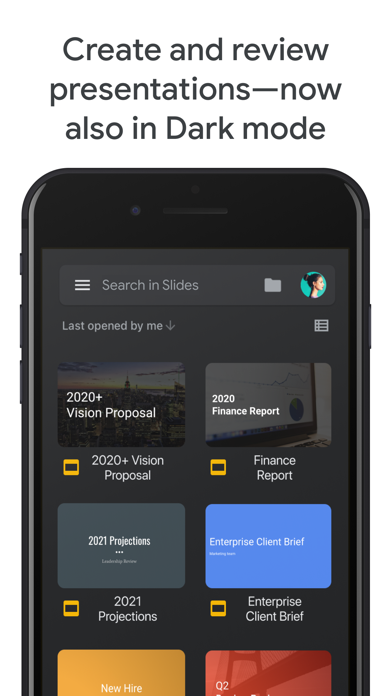
* Create new presentations or edit existing ones
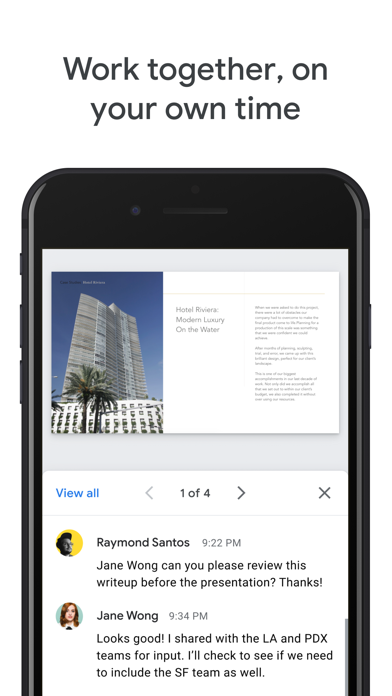
* Share presentations and collaborate with others in the same presentation at the same time
* Work anywhere, anytime - even offline
* Add and rearrange slides, format text and shapes, and more
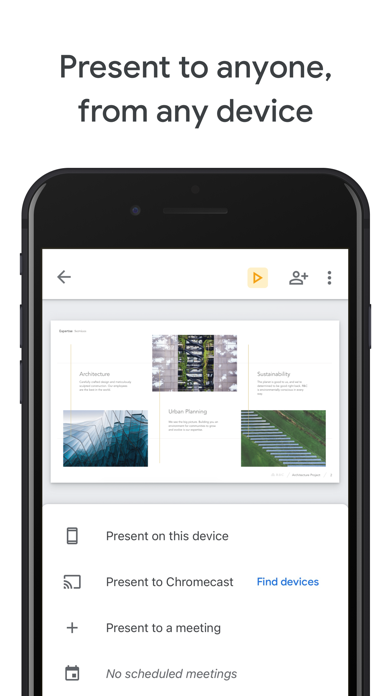
* Present right from your device
* Never worry about losing your work -- everything is automatically saved as you type
* Present slides to video calls - scheduled meetings will automatically appear
* Open, edit, and save PowerPoint files
Google Slides is part of Google Workspace: where teams of any size can chat, create, and collaborate.
Google Workspace …
Read the full description
Create, edit, and collaborate on presentations with the Google Slides app. With Slides you can: * Create new presentations or edit existing ones * Share presentations and collaborate with others in the same presentation at the same time * Work anywhere, anytime - even offline * Add and rearrange slides, format text and shapes, and more * Present right from your device * Never worry about losing your work -- everything is automatically saved as you type * Present slides to video calls - scheduled meetings will automatically appear * Open, edit, and save PowerPoint files Google Slides is part of Google Workspace: where teams of any size can chat, create, and collaborate. Google Workspace subscribers have access to additional Google Slides features, including: * Collaborating on a single presentation online with your business partner, your whole team, or external contacts. You control who gets permission to edit, view, or just add comments. * Starting from scratch or expediting the process by choosing a template. You can enhance your presentations with videos, images, drawings, and smooth transitions. * Working across PCs, Macs, mobiles, and tablets—View or even present your slides from your phone or tablet, so you have the option to practice your presentation up until the last minute. Permissions Notice Camera: This is used for camera mode in video calls and to insert images taken with the camera. Microphone: This is used to transmit audio in video calls. Photos: This is used to access photos under the control of Photos application to let the users pick images to insert into slides.
Installs, last 30 days
Apple does not publish download counts. Estimates are in testing.
Estimated store revenue Estimated Beta
App Store, worldwide, monthly rate from the last 12 chart days to 19 Nov 2026
Below the top 100 grossing apps in the markets we calibrate. In the United States that usually means under about $6.4M a month. App Store purchases and subscriptions only, before Apple's 15 to 30% fee. Ads and web payments are not included.
Ratings
419,270 ratings, 419,270 reviews
- 5 ★85%
- 4 ★7.1%
- 3 ★2.4%
- 2 ★1.1%
- 1 ★4.4%
Recent reviews
Latest public reviews from the store
- 19 Apr 2024
Too many bugs on iPad & iPhone
I make a lot of things on google slides, so I thought the iPhone version would help me out… WRONG! This version of the software is very very buggy and limited! You can’t search the web to find photos, you have to screenshot them yourself! So many good features on the desktop version are thrown away for the App Store version!!! I would think that this was a rip-off made my different people if I didn’t know better!! Don’t get me started on the bugs, because they are horrible. Sometimes your work doesn’t save, which means you need to do everything AGAIN, which isn’t even that bad compared to clicking on things. If you click on something, for example, a shape, it’ll click on something far below or higher then where your finger actually was!! The worst part of all of this is the fact that they don’t even read any of these reviews! None of these problems have been fixed!!! So, to the person reading this I’d like to say, DON’T WASTE YOUR STORAGE ON THIS APP!!!! Update: So for the first time ever, a few things were fixed. Luckily enough, I actually did get a response, and they have fixed a few bugs and added a few new features. HOWEVER they still need to fix a lot of t
- 24 Aug 2020
Good, Could be Better.
Well I’ve always enjoyed writing little books and things like that, but you see the problem with google slides is, well this is kind of hard to say but it doesn't represent something you would use as to write or draw due to bugs and things like that, im sure with all these little new updates etc. they will be fixed, but it just doesn't seem that way really, all the updates say bugs fixed and improvements and it really just seems like a throw off, I keep getting suggestions and auto correct from slides that are wrong and are up to me to fix, my pictures really don't seem to feel like uploading themselves and these problems have really been bugging me and i’m sure many other people can agree with this claim. anyways this rating was mostly complains but the app isn’t all that bad, of course like everything, it has it’s ups and downs, but it really is a great way to write and do things like homework and etc, with online school right around the corner im sure it will be useful. Thank you for reading my little rating, I hope it helps you.
- 29 Oct 2019
Transitions and Backgrounds
I honestly prefer Google products over most Microsoft, and Slides is a definite win, especially after seeing a mobile app. I took my iPad to school, prepared for the presentation, and I tapped around, seeing what all they had. Don’t get me wrong, I’m glad we have the “theme” option, but what about backgrounds? It’s kinda tiring looking up images, dragging them into slides, making it full size, sending to the back, and not helping your team all at once. Please add the “background” option. Also, since I begun Slides, I always tried my best to use my best format, honest opinion, and make them as interesting as possible. However, after looking around, I found I still couldn’t find yet another option- transitions. While yes, I agree that we need more, newer ones, we also need— well, the basic options on mobile. I can see them on my iPad during present, but I can’t find it. (If it’s there, please respond where.) Other than those, I’d say 5 stars! *****
- 8 Jun 2018
Multiple photo uploads at a time would make it better.
I use google slides for all of my classroom presentations. I also have my students use google slides to keep track of the artwork like a ongoing portfolio. The app makes it easy to drop single photos into the slide show without having to download photos or email them to yourself first. My only complaint about the app is that you cannot upload more than one photo at a time from your camera roll. I take a lot of photos of artwork for my students and shuffling through hundreds of photos to get to things I took months ago can take a long time-it would be so helpful to be able to click on several photos at a time. I do the majority of my editing of my slides on a computer, I could edit from my phone but it is easier to fine tune things on a full computer. I primarily use the app to transfer the photos to my slides.
What reviewers bring up
Topics mentioned in the latest 8 reviews, by how many reviews mention them
Liked in good reviews (2 reviews)
- took 2
- full 2
Raised in bad reviews (4 reviews)
- google slides 3
- ipad 3
- text 3
- functionality 2
- presentations 2
- background 2
- multiple 2
- computer 2
Top chart positions
Latest App Store chart ranks by country, last 10 days
- Countries ranked
- 49 of 50
- Best rank
- #19
- Top 10 placements
- 0
- of 49 chart placements
- Average rank
- #35.3
Best countries on App Store
- 🇺🇸 United States · Top free, Productivity#19
- 🇵🇹 Portugal · Top free, Productivity#19
- 🇮🇪 Ireland · Top free, Productivity#19
- 🇸🇪 Sweden · Top free, Productivity#19
- 🇵🇭 Philippines · Top free, Productivity#19
- 🇦🇷 Argentina · Top free, Productivity#20
| Country | Chart | Category | Rank | Best (10 days) | Date |
|---|---|---|---|---|---|
| 🇺🇸 United States | Top free | Productivity | #19 | #19 | 19 Nov 2026 |
| 🇵🇹 Portugal | Top free | Productivity | #19 | #19 | 19 Nov 2026 |
| 🇮🇪 Ireland | Top free | Productivity | #19 | #19 | 19 Nov 2026 |
| 🇸🇪 Sweden | Top free | Productivity | #19 | #19 | 19 Nov 2026 |
| 🇵🇭 Philippines | Top free | Productivity | #19 | #19 | 19 Nov 2026 |
| 🇦🇷 Argentina | Top free | Productivity | #20 | #19 | 19 Nov 2026 |
| 🇫🇮 Finland | Top free | Productivity | #20 | #18 | 19 Nov 2026 |
| 🇨🇦 Canada | Top free | Productivity | #21 | #19 | 19 Nov 2026 |
| 🇲🇽 Mexico | Top free | Productivity | #22 | #20 | 19 Nov 2026 |
| 🇵🇪 Peru | Top free | Productivity | #22 | #19 | 19 Nov 2026 |
Google Slides history
Release, install milestones, listing and store changes
- First released on the store 26 Aug 2014
Update frequency
How often Google Slides ships a new version, month by month
19 updates in the last 12 months. More often than most similar apps: they shipped a median of 10 updates in the same year.
Recent versions
Current version 1.2026.46101
- Version 1.2026.451029 Nov 2026
* Security improvements, bug fixes, and performance improvements.
- Version 1.2026.441013 Nov 2026
* Security improvements, bug fixes, and performance improvements.
- Version 1.2026.3510131 Aug 2026
* Security improvements, bug fixes, and performance improvements.
- Version 1.2026.3410124 Aug 2026
* Security improvements, bug fixes, and performance improvements.
Listing keywords
Words and phrases Google Slides repeats most in its store listing
Top phrases: google slides (4), video calls (3), google workspace (2).
Highlighted words also appear in the title. Counts cover the title, short description and description.
Compliance
What the listing and the app package show
- Store status
- Live
- Upkeep
- Updated 9 Nov 2026
- Age rating
- 4+
Apps like Google Slides
 Evernote ScannableEvernote Corporation★ 4.85
 Microsoft CopilotMicrosoft Corporation★ 4.84
 Cozi Family OrganizerCozi★ 4.81
 Kia AccessKia America, Inc.★ 4.73
 FreeformApple★ 4.55
 Ringtones Maker - the ring app苏娟 陈★ 4.67
 Notability: AI Notes & PDF appGinger Labs★ 4.76
 VPN - Fast VPN Super ™TOPAPPS TECH PTE LTD★ 4.67
 Goodnotes: AI Notes, Docs, PDFGoodnotes Limited★ 4.72
Google Slides: questions and answers
Who makes Google Slides?
Google Slides is published by Google.
When was Google Slides last updated?
The latest version (1.2026.46101) was released on 9 Nov 2026.
Is Google Slides free?
Yes. Google Slides is free to download.
Is Google Slides still available?
Yes. Google Slides is live on App Store as of 19 Nov 2026.
Track Google Slides and its competitors
Watch any app for new versions, rating drops, chart moves and removals. Free plan, no card.