
- Installs
- —
- Apple does not publish download counts
- Rating
- —
- Ratings
- —
- Version
- 2.0
- Updated 28 Apr 2018
- Released
- 24 Mar 2015
- Tracked since 10 May 2026
- Size
- 3 MB
- Needs 10.8
Screenshots
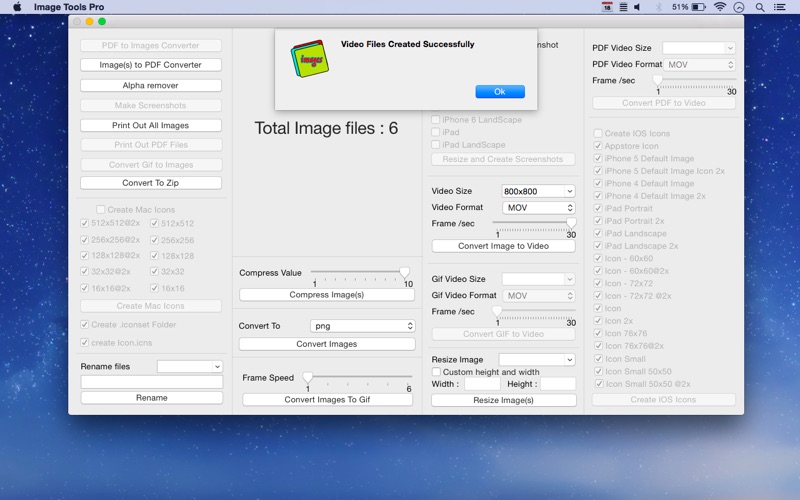
About Image Tools Pro
The description on the store listing
***Get Image Tools Pro with 75% discount! It's a time limited offer, so hurry up and get it now***
A Simple and Easy application to perform multiple function very easily and quickly.
Simple and clean design , Optimized to minimize the Energy Impact to save your Mac battery life.
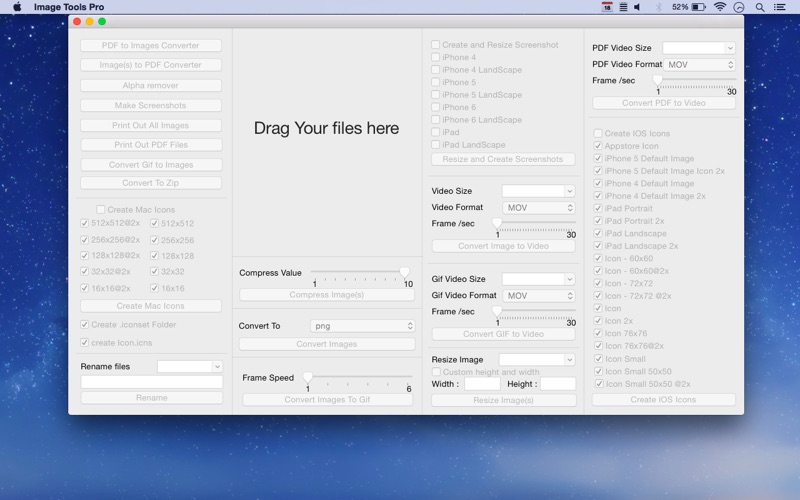
Simply drag and drop your images , PDF , and Gif files into the application and Perform your desire function with a button click.
-> PDF TO IMAGE CONVERTER
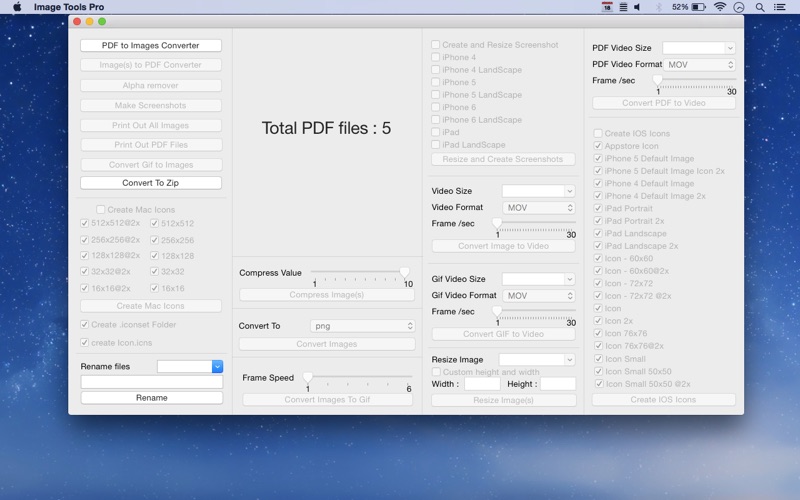
User Can Convert PDF to Images Easily and Quickly
PDF to Image Converter is the way to convert PDF files to image files easily and quickly
-> IMAGE TO PDF CONVERTER
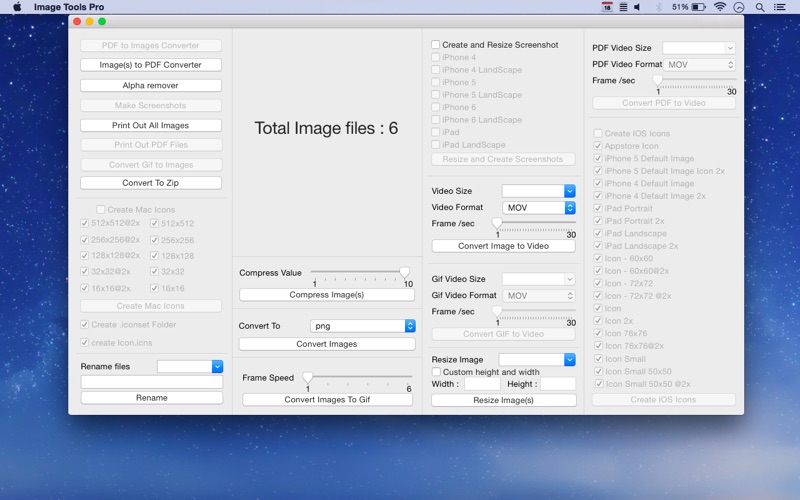
Image to PDF Converter it allows you to convert image files of various formats (including JPG, …
Read the full description
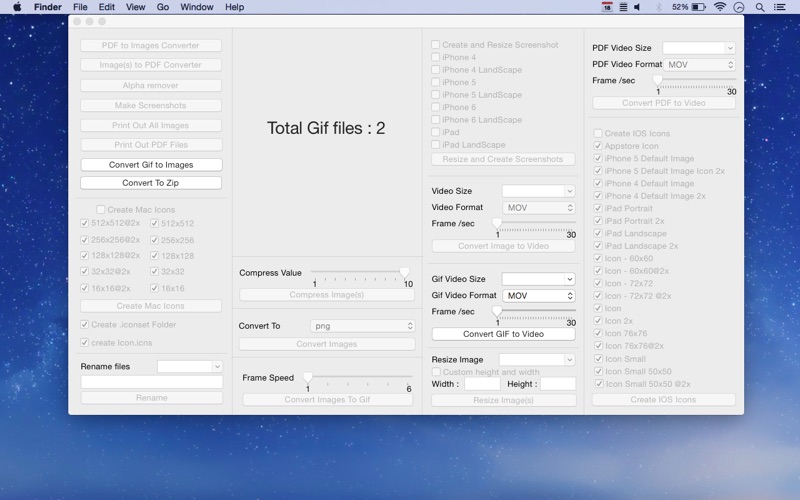
***Get Image Tools Pro with 75% discount! It's a time limited offer, so hurry up and get it now*** A Simple and Easy application to perform multiple function very easily and quickly. Simple and clean design , Optimized to minimize the Energy Impact to save your Mac battery life. Simply drag and drop your images , PDF , and Gif files into the application and Perform your desire function with a button click. -> PDF TO IMAGE CONVERTER User Can Convert PDF to Images Easily and Quickly PDF to Image Converter is the way to convert PDF files to image files easily and quickly -> IMAGE TO PDF CONVERTER Image to PDF Converter it allows you to convert image files of various formats (including JPG, PNG and GIF) to PDF documents. (Unlimited Image Can be used to create PDF files) -> PRINT OUT IMAGES This can turn your Mac to an virtual printer … just drag and Drop Unlimited Images and click “Print Out All Images” with this you can printout all the Images with a button click -> PRINT OUT PDF This can turn your Mac to virtual printer … just drag and Drop PDF and click “Print Out PDF” with this you can printout PDF easily and quickly with a button click -> CONVERT GIF TO IMAGE A simple utility to extract Image from an animated gif file. and it supports export multiple gif once. -> CONVERT TO ZIP This Function is creating Zip files from Images or PDF files. With this app you can easily Zip files from Images just drag and drop Images and click Convert to ZIP With this you can quickly and easily convert it into Zip files -> CREATE MAC ICONS AND ICNS FILE Creating your own custom icons just got easier! the easiest way to create and convert mac icons and ICNS from almost any format. This Function allows you to create ICNS icon with any image. Drag and drop an image to the window and create Mac Icons Easily and quickly . You just need to drag and drop 1024X1024 Image. A very simple app that help Mac/iOS developers during the icons file creation. With this app you will rescue all the time you were losing to resize icons manually. It creates automatically all the files needed to build a iconset in Mavericks. -> RENAME files A simple and easy way for file renaming solution for everyone Rename your photo collection using meaningful names. Fast, easy and a very quick way to rename your files with a single button click -> COMPRESS IMAGES The COMPRESS IMAGES is used to compress images to reduce the size for a better transmission and storage. It is very easy and simple in use but powerful in its function. Set the compression level and Drag images into Window and click the button it will compress the images automatically. -> RESIZE IMAGES Batch resize images to specified width, height, Custom width and height, as well Resize Images easily and quickly -> CONVERT IMAGE TO PNG OR JPG If you Want to convert multiple JPG pictures to PNG or turn the PNG files to JPG format this function can help users convert images from JPG, PNG, format to each other without any difficulty. Convert PNG to JPG or convert JPG to PNG format easily; -> CONVERT IMAGE TO GIF With this app you can easily convert Images to GIF, or create GIF animation from set of images with a button click Image to GIF is a very useful tool for you to convert photos to GIF file. It supports all kinds of photo. Let you create a funny GIF file from photos very easily. You can also set Frame speed of gif as well. -> CONVERT GIF TO VIDEO Convert animated gif image files into Video. You can create .mov , .mpeg , .m4v, .mp4, .m4a from animated gifs. You can increase or decrease speed of a file by adjusting the frame rate. -> CONVERT PDF TO VIDEO Create Video from PDF files . You can create .mov , .mpeg , .m4v, .mp4, .m4a from PDFs. -> CREATE AND RESIZE SCREENSHOTS Create Screenshots easily for Appstore Support iPhone 4 , iPhone 5 , iPhone 6 , iPad Support both Portrait and landscape And Many More Options More Feature Coming Soon….
Installs
Apple does not publish download counts. Estimates are in testing.
We publish iOS estimates only after they pass a back-test against real numbers. Chart history below is measured.
Estimated store revenue Estimated Beta
App Store, worldwide, monthly rate from the last 13 chart days to 20 Nov 2026
Below the top 100 grossing apps in the markets we calibrate. In the United States that usually means under about $6.4M a month. App Store purchases and subscriptions only, before Apple's 15 to 30% fee. Ads and web payments are not included.
Ratings
No rating breakdown published for this app.
Recent reviews
Latest public reviews from the store
No reviews in our sample for this app yet.
Top chart positions
Latest App Store chart ranks by country, last 10 days
Not in any tracked top chart in the last 10 days.
Image Tools Pro history
Release, install milestones, listing and store changes
- First released on the store 24 Mar 2015
Recent versions
Current version 2.0
- Version 2.028 Apr 2018
- fixed bug
Listing keywords
Words and phrases Image Tools Pro repeats most in its store listing
Top phrases: drag and drop (6), button click (5), pdf files (4), click print (3), compress images (3).
Highlighted words also appear in the title. Counts cover the title, short description and description.
Compliance
What the listing and the app package show
- Store status
- Live
- Upkeep
- No update since 28 Apr 2018
- Age rating
- 4+
Apps like Image Tools Pro
 AI Cut - Photo Generate & EditBeijing Changhai Internet Technology Co., Ltd.★ 4.1
 Birthday Invitations Makerwilliam leandro aristizabal giraldo★ 4.7
 AI VistaSCIENJOY META TECHNOLOGY LLC★ 2.9
 Logotipo - AI Logo GeneratorMobile Ocean★ 4.02
 Anime AI Maker: DreamtuneLYKOV STUDIO LTD★ 4.34
 DIY Wallpaper Maker DIYScreenEvgenii Fomin★ 4.68
 Vintage Camera - Film FiltersPlane Cubes★ 4.42
 Color Widgets - WallpapersFlying Pigeons LLC★ 4.34
 Artimind - AI Video GeneratorAPERO TECHNOLOGIES GROUP PTE.LTD★ 1.41
Image Tools Pro: questions and answers
Who makes Image Tools Pro?
Image Tools Pro is published by Abdul Rahim Khurram.
When was Image Tools Pro last updated?
The latest version (2.0) was released on 28 Apr 2018.
Is Image Tools Pro free?
Yes. Image Tools Pro is free to download.
Is Image Tools Pro still available?
Yes. Image Tools Pro is live on App Store as of 10 May 2026.
Track Image Tools Pro and its competitors
Watch any app for new versions, rating drops, chart moves and removals. Free plan, no card.