- Installs
- —
- Apple does not publish download counts
- Rating
- 1.33
- Ratings
- 3
- 3 reviews
- Version
- 6.0.0
- Updated 12 Feb 2019
- Released
- 12 Feb 2019
- Tracked since 10 May 2026
- Size
- 10 MB
- Needs 7.0
Screenshots
About iPunchclock
The description on the store listing
The location-aware time tracker with a focus on clean, ergonomic workflow for efficient tracking of your activities.
"Hands down the best time tracking app for the iPhone (5 Stars)
by Eddiela"
"Best one (5 Stars)
by mcomte"
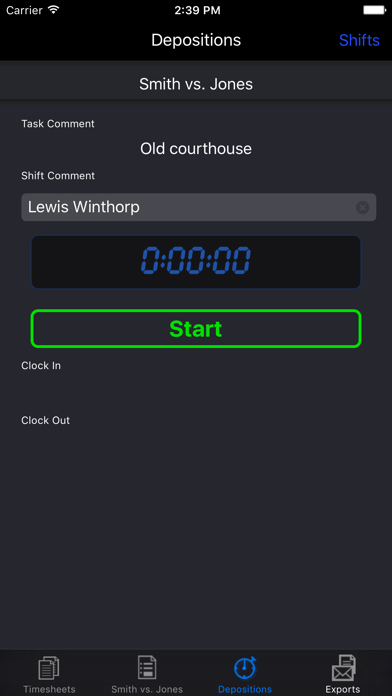
iPunchclock makes it easy to track the time you spend on different tasks. Whether you are a professional who bills by the hour, or just have a serious interest in tracking what you do, and when and where, to the second, iPunchclock is there for you.
Thanks to the iPhone's awesome technology, iPunchclock is also location savvy, and along with the time and date, can store the longitude, latitude and altitude at which you start and stop on a particular task. …
Read the full description
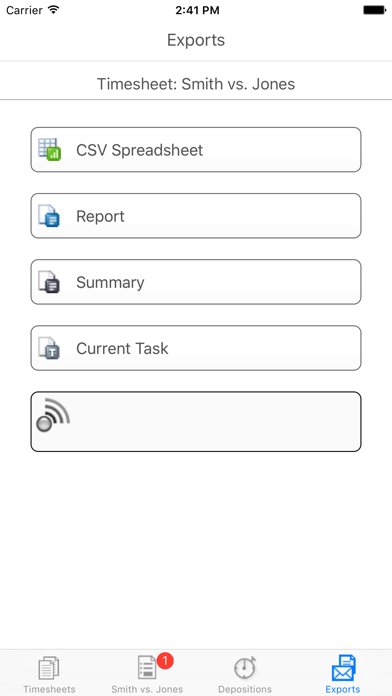
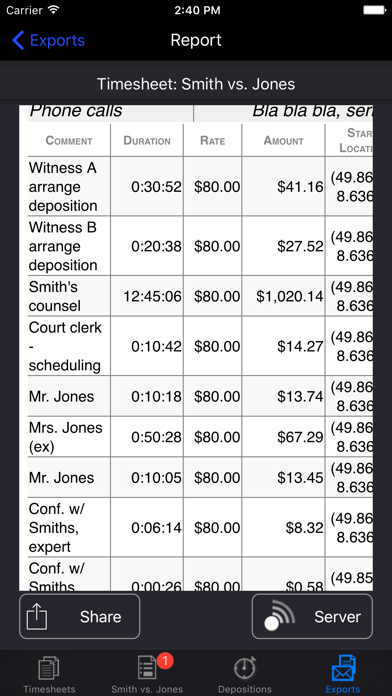
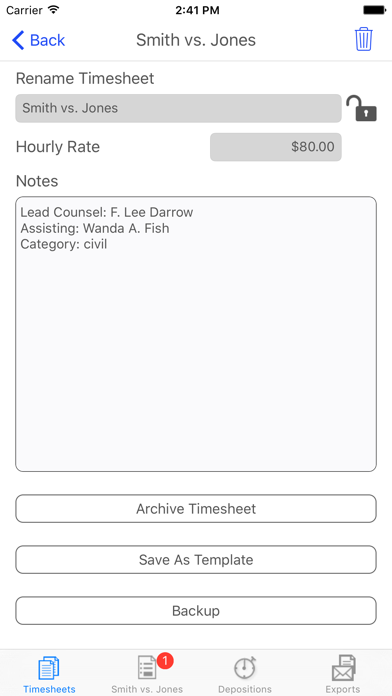
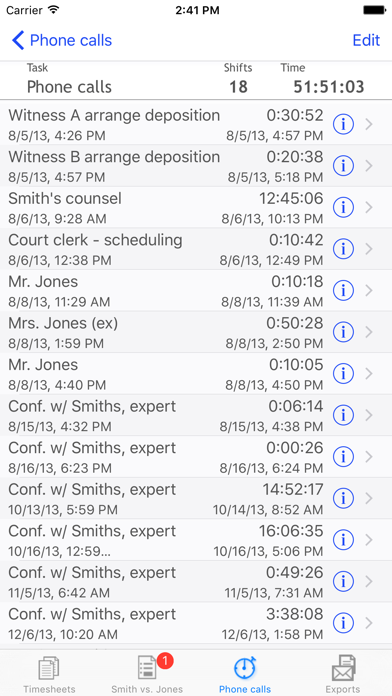
The location-aware time tracker with a focus on clean, ergonomic workflow for efficient tracking of your activities. "Hands down the best time tracking app for the iPhone (5 Stars) by Eddiela" "Best one (5 Stars) by mcomte" iPunchclock makes it easy to track the time you spend on different tasks. Whether you are a professional who bills by the hour, or just have a serious interest in tracking what you do, and when and where, to the second, iPunchclock is there for you. Thanks to the iPhone's awesome technology, iPunchclock is also location savvy, and along with the time and date, can store the longitude, latitude and altitude at which you start and stop on a particular task. iPunchclock can help everyone, from lawyers and independent contractors to scientists and backcountry marathon runners, track their activities with ease and precision. iPunchclock manages multiple independent 'timesheets'. Each timesheet is made up of any number of tasks you care to add. Each task contains a list of 'shifts'. Whenever you start working on that task, just tap start, and iPunchclock opens a new shift, recording the exact time and place. Multitaskers rejoice, your iPunchclock can hold as many simultaneously active tasks as you need, across any number of timesheets. In addition to the task descriptions, each shift can carry its own comment. Once you have accumulated a mass of data defining your activities, you can export them via email or directly to a browser via WiFi or upload to the cloud. Because you can add or edit shifts in your timesheet at any time, iPunchclock can easily be used to create a timesheet at day's end, rather than logging activities as they occur. iPunchclock is designed for efficiency, and will wake up ready to start or stop your most recent task at a touch. Features: Location-aware time sheets, mark your 4-dimensional coordinates! Multiple concurrent shifts in multiple tasks in multiple timesheets Export timesheets, reports, summaries, or single tasks to Google Drive, Dropbox, or email in standard CSV or TSV format Dropbox Sync: keep live cloud-based versions of your timesheets that update as needed whenever a connection is available Export preferences customize date formats and exported fields, allowing you to hide or include start/stop times start/stop dates or location information Timesheet templates allow you to set up tasks to automatically populate new timesheets Live times and totals, with optional hourly rate Flexibility with focus, no need to set up client databases, just time your stuff, whatever it may be Timesheet Archive function automatically splits timesheet for reporting ongoing projects without double billing or losing a second Backup and restore or share timesheets using Google Drive or Dropbox iTunes File Sharing for backup/restore and easy access to exported data Time span display preferences, hide seconds display hours and minutes or fractional hours (i.e. 3:30 or 3.5), Round times up to 5, 6, 10,15, 30 or 60 minute intervals at shift or task level. Friendly location-quality indicator instantly shows how accurate your position measurement will be Keeps timing all your tasks even when app is closed or iPhone is off Note: iPunchclock's location-based features depend on your device. For iPods without GPS, you must be content with old-fashioned 1D time tracking. 'Air Server' exports your data to any browser on your WIFI network, with no special software to install, even share with another iphone. Exports page for instant access to CSV, HTML, single-task and summary timesheet export Export preview, shows export data before you send it to google, mail or your desktop browser. Improved export report formatting, check samples on our website! In-app email with CSV/TSV and report attachments. Per-task pay rate option: override the pay rate for specific tasks. Lock time sheet: Archives and templates are automatically locked, to prevent inadvertent changes
Installs
Apple does not publish download counts. Estimates are in testing.
We publish iOS estimates only after they pass a back-test against real numbers. Chart history below is measured.
Estimated store revenue Estimated Beta
App Store, worldwide, monthly rate from the last 13 chart days to 20 Nov 2026
Below the top 100 grossing apps in the markets we calibrate. In the United States that usually means under about $6.4M a month. App Store purchases and subscriptions only, before Apple's 15 to 30% fee. Ads and web payments are not included.
Ratings
3 ratings, 3 reviews
No rating breakdown published for this app.
Recent reviews
Latest public reviews from the store
No reviews in our sample for this app yet.
Top chart positions
Latest App Store chart ranks by country, last 10 days
Not in any tracked top chart in the last 10 days.
iPunchclock history
Release, install milestones, listing and store changes
- First released on the store 12 Feb 2019
Update frequency
How often iPunchclock ships a new version, month by month
0 updates in the last 12 months. Less often than most similar apps: they shipped a median of 1 updates in the same year.
Recent versions
Current version 6.0.0
- Version 6.0.012 Feb 2019
This update from Apple will improve the functionality of this app. No new features are included. Completely new, modernized look, with light and dark modes, like The Force. Export reports, summaries, and task reports to PDF Export using system Share and Open In lists to share with other apps that support PDF or CSV Direct link to preferences from App, makes changing skin, format and export options much easier.
Listing keywords
Words and phrases iPunchclock repeats most in its store listing
Top phrases: google drive (2), location aware (2), pay rate (2), start stop (2).
Highlighted words also appear in the title. Counts cover the title, short description and description.
Compliance
What the listing and the app package show
- Store status
- Live
- Upkeep
- No update since 12 Feb 2019
- Age rating
- 4+
Apps like iPunchclock
 Robin - Mobile AppRobin Powered, Inc★ 3.32
 Bright AisleMedia Solutions Corp★ 2.52
 Rhingie: phone call 2nd numberDating onlain, ooo★ 3.96
 PayClockLathem Time Corporation★ 2.08
 云电话-网络电话虚拟隐私小号国辉 李★ 4.74
 QuicklynQuicklyn★ 4.86
 Diligent BoardsDiligent Corporation★ 3.32
 DATABASICSDATABASICS★ 3.8
 vMEyeSuperGuangzhou Kedi Intelligence Technology Co., Ltd.★ 3.14
iPunchclock: questions and answers
Who makes iPunchclock?
iPunchclock is published by PixelSplincher.
When was iPunchclock last updated?
The latest version (6.0.0) was released on 12 Feb 2019.
Is iPunchclock free?
Yes. iPunchclock is free to download.
Is iPunchclock still available?
Yes. iPunchclock is live on App Store as of 1 Jul 2026.
Track iPunchclock and its competitors
Watch any app for new versions, rating drops, chart moves and removals. Free plan, no card.