
- Installs
- —
- Apple does not publish download counts
- Rating
- 4.58
- Ratings
- 12K
- Version
- 25.11204.0.9201
- Updated 15 Dec 2025
- Released
- 25 Sep 2018
- Tracked since 10 May 2026
- Size
- 32 MB
- Needs 17.0
Also on Google Play: Microsoft Whiteboard (94.7K ratings)
Screenshots

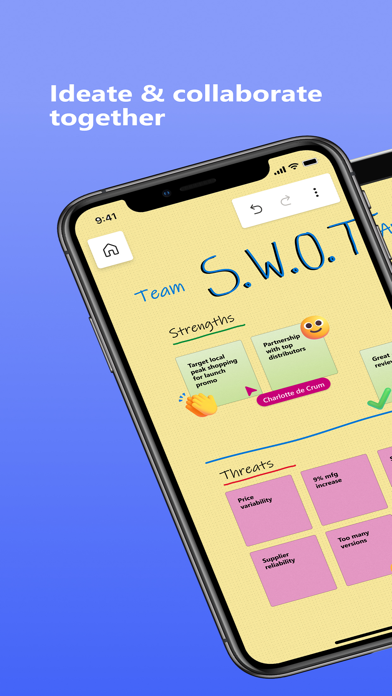
About Microsoft Whiteboard
The description on the store listing
Update : The App performance has been significantly improved & there are also a ton of other features which have been added. Check out the “What’s new” section for more details!!
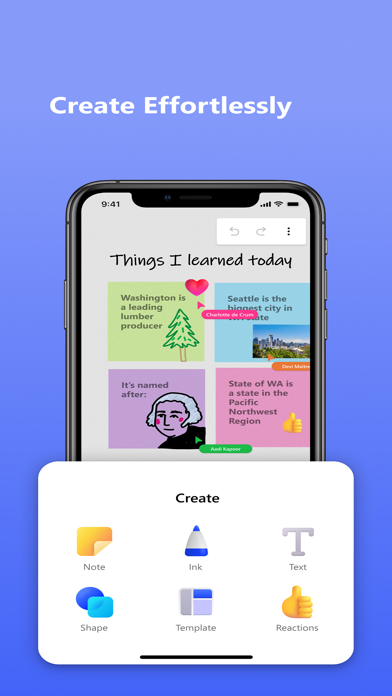
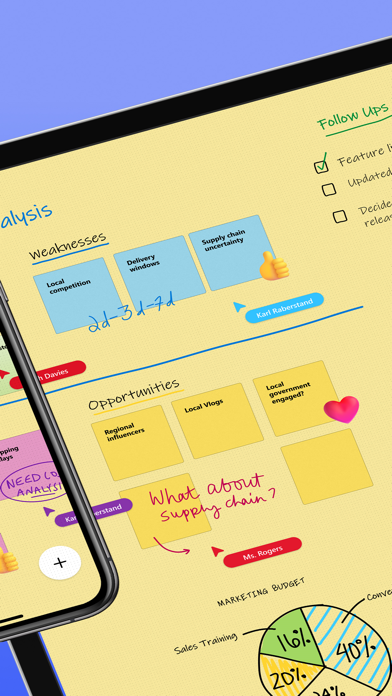
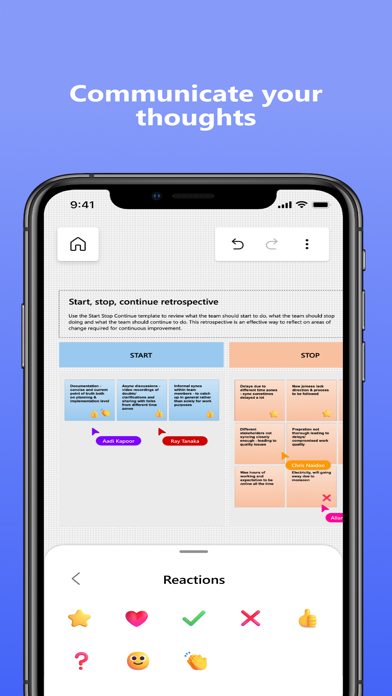
Microsoft Whiteboard provides a freeform intelligent canvas where individuals & teams alike can ideate, create, and collaborate visually via the cloud. Designed for touch, type & pen, it lets you write or draw as smoothly as you would with ink, you can even type in text, add sticky notes or notes grid to express your ideas & use reactions to visually communicate your thoughts. It enhances teamwork by allowing all team members to edit the canvas in real time, no matter where they are. Get started quickly by …
Read the full description
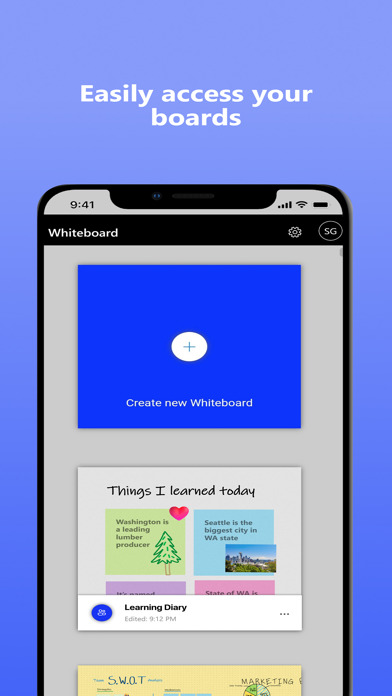
Update : The App performance has been significantly improved & there are also a ton of other features which have been added. Check out the “What’s new” section for more details!! Microsoft Whiteboard provides a freeform intelligent canvas where individuals & teams alike can ideate, create, and collaborate visually via the cloud. Designed for touch, type & pen, it lets you write or draw as smoothly as you would with ink, you can even type in text, add sticky notes or notes grid to express your ideas & use reactions to visually communicate your thoughts. It enhances teamwork by allowing all team members to edit the canvas in real time, no matter where they are. Get started quickly by inserting a pre-built template or draw your own flowchart using our expansive shapes library. No matter what your use case, we have the right set of tools for you and all your work stays safe in the cloud, ready to be picked back up from another location or device. -- Create freely, work naturally – Microsoft Whiteboard provides an infinite canvas where imagination has room to grow: draw, type, add a sticky note or a notes grid, move them around – it’s all possible. The touch-first, pen-first interface frees your ideas from the keyboard, and the intelligent inking technology transforms your doodles into great-looking shapes and lines that can be copied, pasted and combined with other objects. Moreover, you can also, ink on your sticky notes & text boxes and magically see the ink get converted to text using Apple Scribble functionality (on iPads with Apple Pencil). --Collaborate in real time, wherever you are— Microsoft Whiteboard brings every member of a team together working from their own devices across the globe. On the Whiteboard canvas, you can also see what your teammates are doing in real time and start collaborating on the same area. It’s about getting everyone on the same page – or board. --Save automatically, resume seamlessly – Forget having to take photos of your whiteboards, or marking them with “Do Not Erase.” With Microsoft Whiteboard, your brainstorming sessions are saved automatically to the Microsoft cloud, so you can pick up where you left off, whenever – and wherever – inspiration strikes next. What’s new: • Improved App Performance & Reduction in crashes which has been a strong customer ask. • Modern look and feel: 1. Streamlined user experience - an unobtrusive app UI maximizes your canvas space. 2. Creation gallery - a highly discoverable, simple way of finding and using objects and features in the application. • Interactive content features: 3. 40+ customizable templates – get started quickly and collaborate, brainstorm, and ideate with brand new templates. 4. Shapes & Lines - Choose from an expansive library of shapes & lines to visually collaborate & ideate with your team members 5. Reactions - provide lightweight, contextual feedback with a set of fun reactions. • Inking features: 6. Apple Scribble – Ink on text boxes & sticky notes and see your ink strokes magically convert to text (on iPads with Apple pencil) 7. Ink arrows – smoothly draw single and double-sided arrows using ink to better facilitate diagramming. Dichiarazione di accessibilità: https://www.microsoft.com/it-it/accessibility/declarations
Installs
Apple does not publish download counts. Estimates are in testing.
We publish iOS estimates only after they pass a back-test against real numbers. Chart history below is measured.
Estimated store revenue Estimated Beta
App Store, worldwide, monthly rate from the last 13 chart days to 20 Nov 2026
Below the top 100 grossing apps in the markets we calibrate. In the United States that usually means under about $6.4M a month. App Store purchases and subscriptions only, before Apple's 15 to 30% fee. Ads and web payments are not included.
Ratings
11,962 ratings
- 5 ★79%
- 4 ★11%
- 3 ★3.3%
- 2 ★1.9%
- 1 ★4.8%
Recent reviews
Latest public reviews from the store
- 25 Apr 2026
I love it but
I wish there was more stuff. I used to play on this app so much when I was younger until I just got bored
- 10 Apr 2026
Love it
. I love how I’m able to write my school problems down without having to use the actual whiteboard.
- 8 Apr 2026
Just getting started
Not as intuitive as I’d hoped but also using it on an iPad that I’m only a novice at using. Hoped that it would be easier to create a space instead of using the templates, but overall I appreciate that it is accessible across devices.
- 13 Mar 2026
Excellent
Very intuitive easy to use,
What reviewers bring up
Topics mentioned in the latest 50 reviews, by how many reviews mention them
Liked in good reviews (18 reviews)
- intuitive 2
- features 2
- function 2
- overall 2
- devices 2
- stuff 2
- write 2
- put 2
Raised in bad reviews (23 reviews)
- crashes 7
- microsoft 6
- ipad 6
- trying 5
- whiteboard 4
- crashing 4
- open 4
- potential 3
Top chart positions
Latest App Store chart ranks by country, last 10 days
Not in any tracked top chart in the last 10 days.
Microsoft Whiteboard history
Release, install milestones, listing and store changes
- First released on the store 25 Sep 2018
Update frequency
How often Microsoft Whiteboard ships a new version, month by month
1 updates in the last 12 months. Less often than most similar apps: they shipped a median of 5 updates in the same year.
Recent versions
Current version 25.11204.0.9201
- Version 25.11204.0.920115 Dec 2025
1. Updated Intune Company Portal support for access by work & school accounts 2. General fixes
Listing keywords
Words and phrases Microsoft Whiteboard repeats most in its store listing
Top phrases: microsoft whiteboard (5), sticky notes (3), ipads with apple (2), microsoft whiteboard provides (2), add sticky (2).
Highlighted words also appear in the title. Counts cover the title, short description and description.
Compliance
What the listing and the app package show
- Store status
- Live
- Upkeep
- Updated 15 Dec 2025
- Age rating
- 4+
Apps like Microsoft Whiteboard
 Focus Friend, by Hank GreenB-Tech Consulting Group LLC★ 4.84
 Flibbo AI - Video Image MakerSOFYO DIJITAL★ 4.72
 The Moon CalendarLaura Haworth★ 4.86
 Grocery List: Out of MilkinMarket Media, LLC★ 4.46
 NextcloudNextcloud GmbH★ 4.68
 Week Calendar - Smart PlannerDo More Mobile, LLC.★ 4.44
 Translate Voice App TranslatorNayer AbuAlSoud★ 4.43
 Filemail – File Transfer AppFilemail.com★ 4.61
 Focus Town: Study With FriendsSecond Round Inc.★ 4.77
Microsoft Whiteboard: questions and answers
Who makes Microsoft Whiteboard?
Microsoft Whiteboard is published by Microsoft Corporation.
When was Microsoft Whiteboard last updated?
The latest version (25.11204.0.9201) was released on 15 Dec 2025.
Is Microsoft Whiteboard free?
Yes. Microsoft Whiteboard is free to download.
Is Microsoft Whiteboard still available?
Yes. Microsoft Whiteboard is live on App Store as of 10 May 2026.
Track Microsoft Whiteboard and its competitors
Watch any app for new versions, rating drops, chart moves and removals. Free plan, no card.