Microsoft Whiteboard
Whiteboard provides an intelligent canvas to create, and collaborate visually.
- Installs
- 8.46M
- Measured
- Rating
- 4.64
- Ratings
- 94.7K
- 778 reviews
- Version
- 1.301.0.26042704
- Updated 6 May 2026
- Released
- 4 Mar 2021
- Tracked since 13 May 2026
- Size
- 4 MB
- Needs 6.0
Also on App Store: Microsoft Whiteboard (12K ratings)
Screenshots


About Microsoft Whiteboard
The description on the store listing
Update : Whiteboard is now available for personal (Microsoft) accounts & there are also a ton of other features which you can check out in the “What’s new” section!!
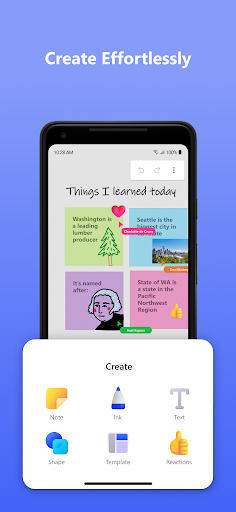
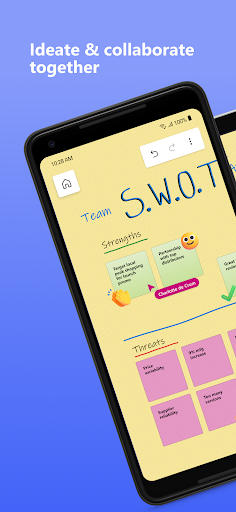
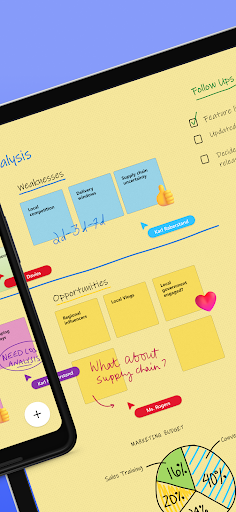
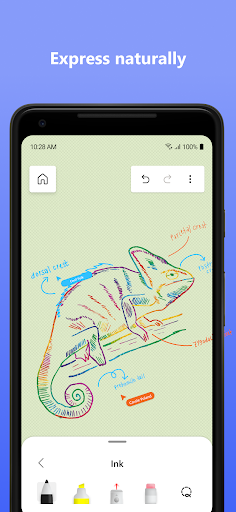
Microsoft Whiteboard provides a freeform intelligent canvas where individuals & teams alike can ideate, create, and collaborate visually via the cloud. Designed for touch, type & pen, it lets you write or draw as smoothly as you would with ink, you can even type in text, add sticky notes or notes grid to express your ideas & use reactions to visually communicate your thoughts. It enhances teamwork by allowing all team members to edit the canvas in real time, no matter where they are. Get started quickly by inserting a …
Read the full description
Update : Whiteboard is now available for personal (Microsoft) accounts & there are also a ton of other features which you can check out in the “What’s new” section!! Microsoft Whiteboard provides a freeform intelligent canvas where individuals & teams alike can ideate, create, and collaborate visually via the cloud. Designed for touch, type & pen, it lets you write or draw as smoothly as you would with ink, you can even type in text, add sticky notes or notes grid to express your ideas & use reactions to visually communicate your thoughts. It enhances teamwork by allowing all team members to edit the canvas in real time, no matter where they are. Get started quickly by inserting a pre-built template or draw your own flowchart using our expansive shapes library. No matter what your use case, we have the right set of tools for you and all your work stays safe in the cloud, ready to be picked back up from another location or device. -- Create freely, work naturally – Microsoft Whiteboard provides an infinite canvas where imagination has room to grow: draw, type, add a sticky note or a notes grid, move them around – it’s all possible. The touch-first, interface frees your ideas from the keyboard, and the intelligent inking technology transforms your doodles into great-looking shapes and lines that can be copied, pasted and combined with other objects. --Collaborate in real time, wherever you are— Microsoft Whiteboard brings every member of a team together working from their own devices across the globe. On the Whiteboard canvas, you can also see what your teammates are doing in real time and start collaborating on the same area. It’s about getting everyone on the same page – or board. --Save automatically, resume seamlessly – Forget having to take photos of your whiteboards, or marking them with “Do Not Erase.” With Microsoft Whiteboard, your brainstorming sessions are saved automatically to the Microsoft cloud, so you can pick up where you left off, whenever – and wherever – inspiration strikes next. What’s new: • Users can now log in using their personal (Microsoft) accounts which has been a strong customer ask since we launched the Android Preview App • Modern look and feel: 1. Streamlined user experience - an unobtrusive app UI maximizes your canvas space. 2. Creation gallery - a highly discoverable, simple way of finding and using objects and features in the application. • Interactive content features: 3. 40+ customizable templates – get started quickly and collaborate, brainstorm, and ideate with brand new templates. 4. Reactions - provide lightweight, contextual feedback with a set of fun reactions. • Facilitation features: 5. Copy/paste – copy and paste content and text within the same whiteboard. 6. Object alignment – use alignment lines and object snapping to precisely organize content spatially. 7. Format background – personalize your whiteboard by changing the background color and pattern . • Inking features: 8. Ink arrows – smoothly draw single and double-sided arrows using ink to better facilitate diagramming. 9. Ink effect pens – express yourself in a creative way using rainbow and galaxy ink. Dichiarazione di accessibilità: https://www.microsoft.com/it-it/accessibility/declarations
Installs, last 30 days Measured
Exact Google Play install counts, collected daily
Ratings
94,675 ratings, 778 reviews
- 5 ★78%
- 4 ★14%
- 3 ★3.6%
- 2 ★0.7%
- 1 ★3.4%
Recent reviews
Latest public reviews from the store
- 18 May 2026
remove gaming co pilot
- 18 May 2026
nice app
- 18 May 2026
simple set up everytime. xbox will forever be my go to for gaming and consoles
- 18 May 2026
Very good is all I can say
What reviewers bring up
Topics mentioned in the latest 50 reviews, by how many reviews mention them
Liked in good reviews (33 reviews)
- xbox 6
- captures 3
- gaming 3
- download 2
- overall 2
- long 2
- boss 2
Raised in bad reviews (15 reviews)
- customer 3
- service 3
- points 3
- access 3
- buy 3
- playstation 2
- account 2
- change 2
Top chart positions
Latest Google Play chart ranks by country, last 10 days
Not in any tracked top chart in the last 10 days.
Microsoft Whiteboard history
Release, install milestones, listing and store changes
- Removed from the store 8 Nov 2026
- Reached 5,000,000+ installs 5 Oct 2024
- Reached 1,000,000+ installs 9 Dec 2022
- Reached 500,000+ installs 31 Dec 2021
- Reached 100,000+ installs 6 May 2021
- Reached 50,000+ installs 3 Apr 2021
- First released on the store 4 Mar 2021
Update frequency
How often Microsoft Whiteboard ships a new version, month by month
1 updates in the last 12 months. Less often than most similar apps: they shipped a median of 10 updates in the same year.
Recent versions
Current version 1.301.0.26042704
- Version 1.301.0.2604270426 Apr 2026
This version adds the following functionalities/updates: 1. App user interface update for tablets. 2. Expanded reaction sticker set for tablets. 3. Canvas object duplication functionality from object menu. 4. Eraser size increase based on erase velocity (applicable when point eraser is selected).
- Version 1.301.0.250805054 Aug 2025
- Version 1.301.0.2506100710 Jun 2025
- Version 1.301.0.2505220925 May 2025
Listing keywords
Words and phrases Microsoft Whiteboard repeats most in its store listing
Top phrases: microsoft whiteboard (5), whiteboard provides (3), create and collaborate (2), microsoft whiteboard provides (2), personal microsoft accounts (2).
Highlighted words also appear in the title. Counts cover the title, short description and description.
Business model and tech
From the store listing, the SDKs in the app package and its declared permissions
- Business model
- Free to download
- Built with
- No cross-platform framework or game engine detected
- Ad networks (0)
- None detected
- Sensitive access
- CameraPhotos, videos and files
0 ad, attribution and analytics SDKs detected. SDKs are read from the app package and permissions from the store listing, so code that loads later is not seen.
Technology
11 SDKs found in the app package
8 permissions
0 special access, 4 sensitive, 4 standard
- Take photos and videosSensitive
- Change or delete shared storageSensitive
- Read shared storageSensitive
- Show notificationsPOST_NOTIFICATIONSSensitive
- Run a foreground serviceFOREGROUND_SERVICEStandard
- Control NFCStandard
- Full internet accessStandard
- See network connectionsStandard
Compliance
What the listing and the app package show
- Store status
- Removed (8 Nov 2026)
- Upkeep
- Updated 6 May 2026
- Registered in
- United States
- Privacy policy
- Linked on the listing
- Advertising
- No ads declared
- In-app purchases
- None declared
- Age rating
- Everyone
- Sensitive permissions
- 4 sensitive of 8
- Location access
- No
- Camera and microphone
- Camera
Apps like Microsoft Whiteboard
PeopleStrongPeopleStrong Technologies Pvt Ltd4.5M installs★ 4.42
TimeTune - Schedule PlannerTimeTune Studio7.6M installs★ 4.6
AadhaarUnique Identification Authority of India53M installs★ 3.19
Orderkuota - Agen Pulsa PPOBOrderkuota Indonesia4.3M installs★ 4.79
Spaces: Follow BusinessesWix.com, INC.22.1M installs★ 4.17
pCloud: Cloud StoragepCloud LTD5.9M installs★ 4.57
HabitNow Daily Routine PlannerHabitNow7.3M installs★ 4.75
Email: Fast, Manage All MailsBizApp Innovators13.3M installs★ 4.58
GalleryGallery Photos & Videos10.8M installs★ 3.78
Microsoft Whiteboard: questions and answers
How many downloads does Microsoft Whiteboard have?
Microsoft Whiteboard has 8,459,280 installs on Google Play, measured from the store's own count on 20 Nov 2026.
Who makes Microsoft Whiteboard?
Microsoft Whiteboard is published by Microsoft Corporation, a developer based in US.
When was Microsoft Whiteboard last updated?
The latest version (1.301.0.26042704) was released on 6 May 2026.
Is Microsoft Whiteboard free?
Yes. Microsoft Whiteboard is free to download.
Is Microsoft Whiteboard still available?
No. Microsoft Whiteboard is no longer listed on Google Play. We first saw it missing around 8 Nov 2026.
Track Microsoft Whiteboard and its competitors
Watch any app for new versions, rating drops, chart moves and removals. Free plan, no card.