- Installs
- —
- Apple does not publish download counts
- Rating
- 3.5
- Ratings
- 2
- 2 reviews
- Version
- 2.0.3
- Updated 18 Nov 2017
- Released
- 14 Nov 2015
- Tracked since 10 May 2026
- Size
- 73 MB
- Needs 8.1
Also on Google Play: MixRemote (1.3K ratings)
Screenshots
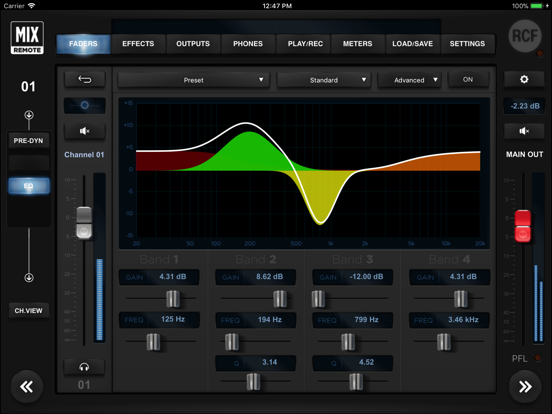
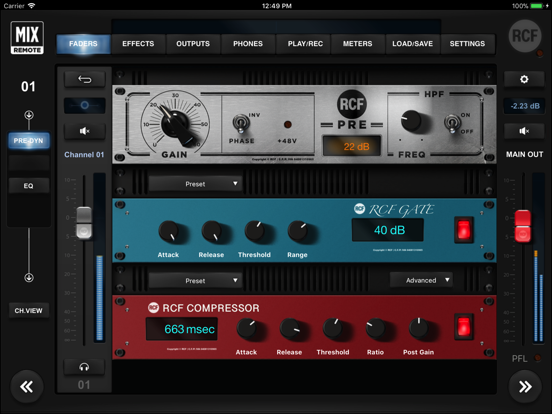
About MixRemote
The description on the store listing
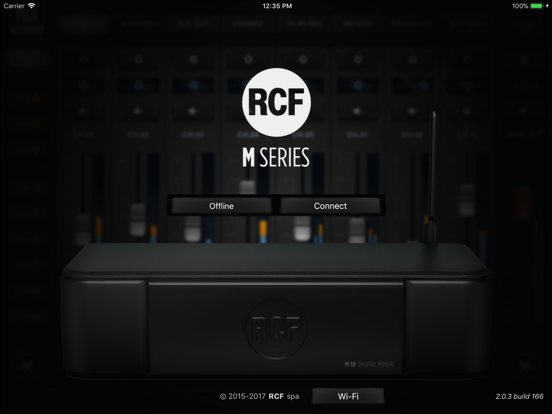
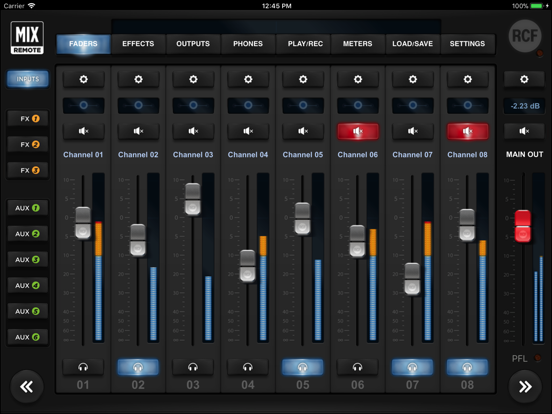
The MixRemote app for iPad allows full remote control of the M series of digital audio mixers, through their internal WiFi Access Point. The M series digital mixers are compact, self-contained, feature-packed faderless units which are ideal in all cases where live music is being performed. Several internal digital effects, both in send and in insert, are available for maximum flexibility.
Several iPads can connect to the internal WiFi Access Point and manage all the available parameters. No audio is transferred between the iPad and the digital mixer, and all features of the digital mixers are accessible with this app, without requiring an additional computer for specific settings. …
Read the full description
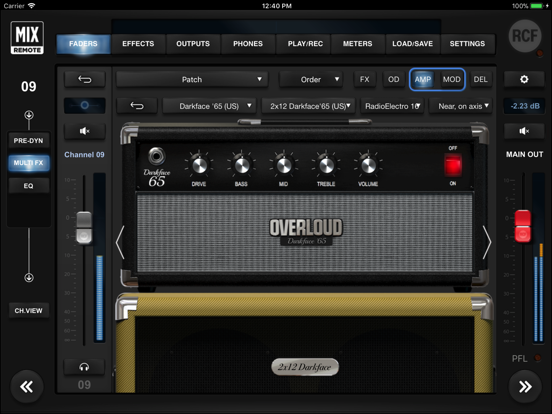
The MixRemote app for iPad allows full remote control of the M series of digital audio mixers, through their internal WiFi Access Point. The M series digital mixers are compact, self-contained, feature-packed faderless units which are ideal in all cases where live music is being performed. Several internal digital effects, both in send and in insert, are available for maximum flexibility. Several iPads can connect to the internal WiFi Access Point and manage all the available parameters. No audio is transferred between the iPad and the digital mixer, and all features of the digital mixers are accessible with this app, without requiring an additional computer for specific settings. Features: - Intuitive user interface and consistent layout - Complete recall of all parameters (SHOW) - Song-oriented recall of a parameter subset (SNAPSHOT) - Several multi-effects on specific inputs, whose parameters can be saved and recalled as a PATCH - MFX1 and MFX2: 3 effects in series (modulation, delay, special FX) - MFX3 and MFX4: 5 effects in series (overdrive, modulation, delay, special FX, amp simulation) - Other 3 effects with dedicated send (post-fader) busses - on all physical inputs: a versatile Noise Gate, a flexible and musical Compressor with two available modes: Easy (one-knob) and Advanced - 4-band Parametric EQ on each input, with three selectable modes: Standard, Vintage and Mmooth - 4-band Parametric EQ (in standard mode) on AUX and PHONES outputs - Presets are available for Noise Gate, Compressor, EQ, Reverb, and other effects on send busses - 31-band Stereo Graphic EQ on MAIN left and right outputs, with presets - Microphone Preamps with digital remote control, switchable 48V phantom power and phase invert - Line inputs with selectable -10 dBV / +4 dBu sensitivity; two line inputs can be switched into Hi-Z impedance mode - Two simultaneous amp simulations of guitar and bass amplifiers, licensed from OverloudTM - Modeling of MarkBassTM TTE-500 and Little Mark III amplifiers - All inputs can be linked into stereo pairs - Dual footswitch with assignable functions: individual FX on/off on MFX1, MFX2, MFX3 and MFX4, previous and next MFX1/MFX2/MFX3/MFX4 PATCH, previous and next SNAPSHOT, player control - Flexible stereo file player, with selectable Auto mode that enables automatic playback of next file - Supported file types on the player : WAV16, WAV24, AIFF, MP3 - The player also allows 4-track mode, using multitrack WAV files - Internal Metronome with flexible time signature and accent/beat sample selection - Internal stereo RECORDER on USB flash drive, with dedicated trim and VU meter - MIDI control of several parameters - 5-pin MIDI and USB-MIDI support (automatically merged) - Selectable internal/external WiFi second antenna; the first antenna is internal (M18 only) - Separate buss can be selected for PFL solo or Personal Monitoring (independent stereo mix of all inputs) - Four DAC groups (with Mute) that can be enabled on any of the available inputs - Quick Bar to allow immediate access to player control and several mutes - Mastering Processor on MAIN left and right outputs, including Valve Warmer, Xciter and Maximizer processors; the three units can be configured from a single preset for maximum ease of parameter recall - Several iPads can be connected at once (up to 5) to enable simultaneous control from different performers - A LAN port is available for connecting an external WiFi client or Access Point RCF spa Web SiteMixRemote Support
Installs
Apple does not publish download counts. Estimates are in testing.
We publish iOS estimates only after they pass a back-test against real numbers. Chart history below is measured.
Estimated store revenue Estimated Beta
App Store, worldwide, monthly rate from the last 13 chart days to 20 Nov 2026
Below the top 100 grossing apps in the markets we calibrate. In the United States that usually means under about $6.4M a month. App Store purchases and subscriptions only, before Apple's 15 to 30% fee. Ads and web payments are not included.
Ratings
2 ratings, 2 reviews
No rating breakdown published for this app.
Recent reviews
Latest public reviews from the store
No reviews in our sample for this app yet.
Top chart positions
Latest App Store chart ranks by country, last 10 days
Not in any tracked top chart in the last 10 days.
MixRemote history
Release, install milestones, listing and store changes
- First released on the store 14 Nov 2015
Update frequency
How often MixRemote ships a new version, month by month
0 updates in the last 12 months. Less often than most similar apps: they shipped a median of 1 updates in the same year.
Recent versions
Current version 2.0.3
- Version 2.0.318 Nov 2017
This update from Apple will improve the functionality of this app. No new features are included. NEW FEATURES * Channel Safes for all inputs and outputs * Save/Recall of input channel EQ (10 user locations) * Improved managements of WiFi settings (some changes do not require reboot anymore) * Several performance improvements * Several minor bug fixes
Listing keywords
Words and phrases MixRemote repeats most in its store listing
Top phrases: access point (3), band parametric eq (2), delay special fx (2), effects in series (2), internal wifi access (2).
Highlighted words also appear in the title. Counts cover the title, short description and description.
Compliance
What the listing and the app package show
- Store status
- Live
- Upkeep
- No update since 18 Nov 2017
- Registered in
- United States
- Age rating
- 4+
Apps like MixRemote
 Pyware 3D ViewerPygraphics, Inc.★ 2.86
 WNGC Your Georgia CountryCox Media Group★ 4.54
 Rhythm Necklace - Geometric SequencerSam Tarakajian★ 4.64
 DigiStix 2 AUv3 Plugin4Pockets.com★ 4.54
 JPLAYMarcin Ostapowicz★ 4.3
 MS Vinyl - Music WidgetDinh Dong Nguyen★ 4.26
 Radio TEDDYIR MediaAd GmbH★ 4.56
 Arpeggionome Pro | matrix arpeggiatorAlexandernaut★ 4.56
 Guitar & Ukulele Tuner 2025Aleksandr Kulaga★ 4.44
MixRemote: questions and answers
Who makes MixRemote?
MixRemote is published by RCF spa, a developer based in US.
When was MixRemote last updated?
The latest version (2.0.3) was released on 18 Nov 2017.
Is MixRemote free?
Yes. MixRemote is free to download.
Is MixRemote still available?
Yes. MixRemote is live on App Store as of 1 Jul 2026.
Track MixRemote and its competitors
Watch any app for new versions, rating drops, chart moves and removals. Free plan, no card.