- Installs
- —
- Apple does not publish download counts
- Rating
- 2.58
- Ratings
- 26
- 26 reviews
- Version
- 4.1.1.0
- Updated 27 Jun 2017
- Released
- 27 Sep 2013
- Tracked since 10 May 2026
- Size
- 27 MB
- Needs 6.0
Also on Google Play: NotateMe (633 ratings)
Screenshots
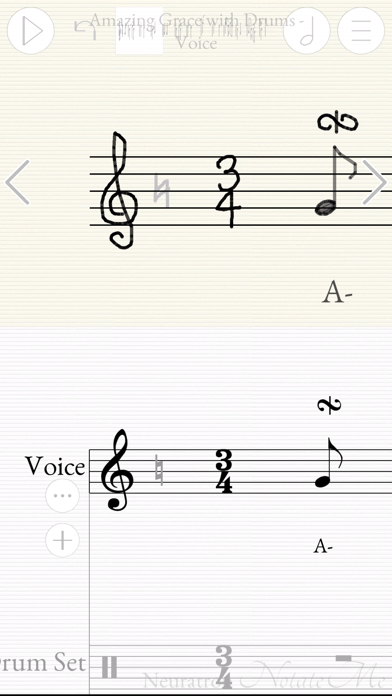
About NotateMe
The description on the store listing
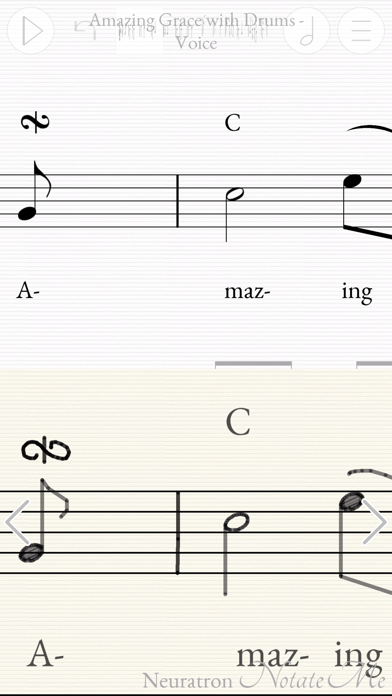
Ground-breaking music composition and notation software from Neuratron, featuring handwritten music recognition.
Top 10 Music App in 62 countries!
iPad Pro & Apple Pencil recommended for best results.
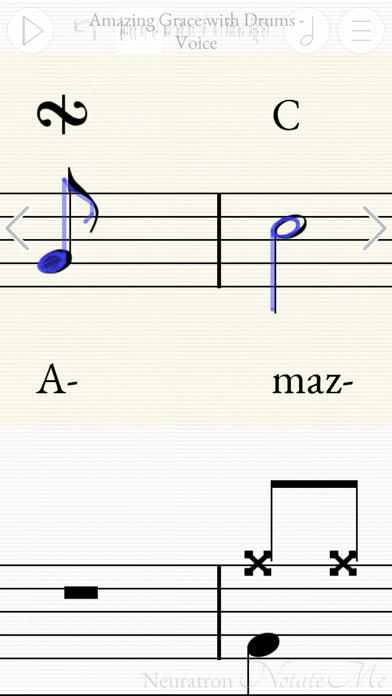
- Quickly and accurately enter music notation with your finger or stylus.
- Write music on the train, in a plane, by a lake, or just sitting comfortably on your sofa!
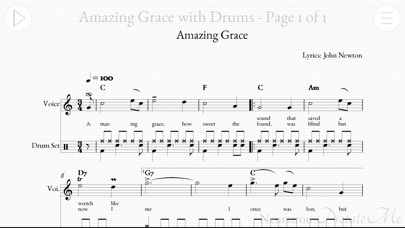
- Simple, intuitive interface with little to distract you from your creativity - similar to writing with pen and paper, but with instant playback, editing and a score suitable for publishing at the end!
- Write music for solo instruments (including voice and piano), drums or ensembles from string quartets and choirs to full …
Read the full description
Ground-breaking music composition and notation software from Neuratron, featuring handwritten music recognition. Top 10 Music App in 62 countries! iPad Pro & Apple Pencil recommended for best results. - Quickly and accurately enter music notation with your finger or stylus. - Write music on the train, in a plane, by a lake, or just sitting comfortably on your sofa! - Simple, intuitive interface with little to distract you from your creativity - similar to writing with pen and paper, but with instant playback, editing and a score suitable for publishing at the end! - Write music for solo instruments (including voice and piano), drums or ensembles from string quartets and choirs to full orchestral scores. Includes support for transposing instruments. - PhotoScore Add-In (In-App Purchase): Take photos of printed sheet music with your device's camera, so you can play back and edit them with NotateMe! Recognizes 5-line staves and most markings including chords, flags, beams, rests, accidentals, articulation marks, clefs, key signatures, time signatures, tuplets, slurs, ties, hairpins and text including lyrics, dynamics and instrument names. Note: Requires 5MP camera & 1 GB RAM - so not for iPad 2, iPhone 4S, iPad Mini (1st gen) or earlier. - Email PDF, MusicXML and MIDI files of your scores to friends or other musicians. Open in other apps and desktop notation packages. Print to paper. - Import and edit MusicXML files (most music symbols supported). - Automatically sync your scores to Dropbox so you can edit them on your phone whilst you are out, and then on your tablet when you get back. - Great when learning or teaching music notation. - NotateMe recognises a wide range of music symbols, including notes (with solid, open, and slanted noteheads), flags, beams (even cross-staff*), leger lines, multiple voices per staff, chords, rests, accidentals (natural, sharp, double sharp & flat), articulation marks, augmentation dots, ties, slurs, hairpins, clef changes, key signatures. Barlines, clefs, time signatures and tuplets are added automatically. - Drag and drop (or set selected drawings to) further music symbols including cross noteheads, pedal markings, ornaments and appoggiatura. - Add chord-symbols, dynamics, technique, tempo changes and lyrics to your score. Write comments or ideas in 'red pen'. - If NotateMe doesn’t recognize your style immediately, keep at it, as it will adjust. Leave clear space between symbols and make markings clearer with further strokes if any transcription errors occur. If you experience problems, tap 'Help Improve NotateMe' from the Export menu and we will analyze your handwriting to help us improve NotateMe further. * Cross-staff beaming requires an iPad DEVICE REQUIREMENTS MINIMUM RECOMMENDED: iPhone 5/s/c, iPad (3rd gen onwards, iPad mini (2nd gen onwards), iPod Touch 5 onwards Screen size - 4 inches diagonal Writing implement - Finger or stylus PhotoScore Add-In: 5MP rear facing camera with auto-focus, 1 GB RAM. Good lighting conditions. Note: It may take a short while for you to become accustomed to aligning parts of musical symbols when writing using a finger, particularly on a smaller screen. WILL NOT RUN ON iPhone 3GS OR iPod Touch 4th Gen or earlier. RECOMMENDED: iPad Pro with Apple Pencil Screen size - 9.7+ inches diagonal PhotoScore Add-In: 5MP rear facing camera with auto-focus, 1 GB RAM. Good lighting conditions.
Installs
Apple does not publish download counts. Estimates are in testing.
We publish iOS estimates only after they pass a back-test against real numbers. Chart history below is measured.
Estimated store revenue Estimated Beta
App Store, worldwide, monthly rate from the last 13 chart days to 20 Nov 2026
Below the top 100 grossing apps in the markets we calibrate. In the United States that usually means under about $6.4M a month. App Store purchases and subscriptions only, before Apple's 15 to 30% fee. Ads and web payments are not included.
Ratings
26 ratings, 26 reviews
No rating breakdown published for this app.
Recent reviews
Latest public reviews from the store
- 2 Oct 2019
Impressed
Great app! First thing I noticed is the handwriting recognition is best I’ve used. I love the two staff layout , one for your handwriting and other the computer version. Sometimes in other apps, it’s confusing when the app realize your writing before your finished and you can’t see your original idea, here the staff w your original idea is never changed, it feels like a separate sketch paper on one staff and the computer interpretation on the other. Also very easy to enter notes between existing notes and a separate pen for comments is nice!
- 16 Aug 2019
Outstanding Application!
This app is exactly what I was looking for! Handwriting recognition is excellent. Photo recognition app worked amazingly well on some old music books I purchased many years ago. Having the image converted and played was well worth the purchase!
- 22 Feb 2019
Useful App!
I use Notate Me to transcribe manuscripts of (mostly) Baroque music into modern notation and have found the app to be quick to learn and generally very useful. There are a few things that can be frustrating (Baroque ornamentation, for one!) and I do wish grace notes (with and without slashes through the stems) were included in the menu of notations you can add -- but overall I would recommend this app. It's pricey, but not so much compared to the heavy duty music-processing programs like Sibelius.
What reviewers bring up
Topics mentioned in the latest 8 reviews, by how many reviews mention them
Liked in good reviews (3 reviews)
- handwriting recognition 2
- notes 2
- music 2
Raised in bad reviews (5 reviews)
- thought 3
- buy 3
- completely 2
- quite 2
- paid 2
- far 2
Top chart positions
Latest App Store chart ranks by country, last 10 days
Not in any tracked top chart in the last 10 days.
NotateMe history
Release, install milestones, listing and store changes
- First released on the store 27 Sep 2013
Update frequency
How often NotateMe ships a new version, month by month
0 updates in the last 12 months. Less often than most similar apps: they shipped a median of 1 updates in the same year.
Recent versions
Current version 4.1.1.0
- Version 4.1.1.027 Jun 2017
This update from Apple will improve the functionality of this app. No new features are included. Replaced Dropbox Sync with improved Import and Export functionality. - Import from Photos (for PhotoScore) and NotateMe and MusicXML files from iCloud and other apps & cloud services. - Export to iCloud and other apps & cloud services. Voice allocation improvements, particularly for 3 and 4 voices. Other parsing improvements. Hold down play button in editing mode to toggle between playing back all instruments and just the current instrument. Mute button fix. UI tweaks. Bug fixes.
Listing keywords
Words and phrases NotateMe repeats most in its store listing
Top phrases: gb ram (3), music symbols (3), photoscore add (3), 5mp rear facing (2), add in 5mp (2).
Highlighted words also appear in the title. Counts cover the title, short description and description.
Compliance
What the listing and the app package show
- Store status
- Live
- Upkeep
- No update since 27 Jun 2017
- Age rating
- 4+
Apps like NotateMe
 Pyware 3D ViewerPygraphics, Inc.★ 2.86
 WNGC Your Georgia CountryCox Media Group★ 4.54
 Rhythm Necklace - Geometric SequencerSam Tarakajian★ 4.64
 DigiStix 2 AUv3 Plugin4Pockets.com★ 4.54
 JPLAYMarcin Ostapowicz★ 4.3
 MS Vinyl - Music WidgetDinh Dong Nguyen★ 4.26
 Radio TEDDYIR MediaAd GmbH★ 4.56
 Arpeggionome Pro | matrix arpeggiatorAlexandernaut★ 4.56
 Guitar & Ukulele Tuner 2025Aleksandr Kulaga★ 4.44
NotateMe: questions and answers
Who makes NotateMe?
NotateMe is published by Neuratron Ltd.
When was NotateMe last updated?
The latest version (4.1.1.0) was released on 27 Jun 2017.
Is NotateMe free?
No. NotateMe is a paid app priced at $39.99.
Is NotateMe still available?
Yes. NotateMe is live on App Store as of 1 Jul 2026.
Track NotateMe and its competitors
Watch any app for new versions, rating drops, chart moves and removals. Free plan, no card.