- Installs
- —
- Apple does not publish download counts
- Rating
- —
- Ratings
- —
- Version
- 2.10.0
- Updated 4 Mar 2024
- Released
- 23 Oct 2013
- Tracked since 10 May 2026
- Size
- 50 MB
- Needs 10.13
Screenshots

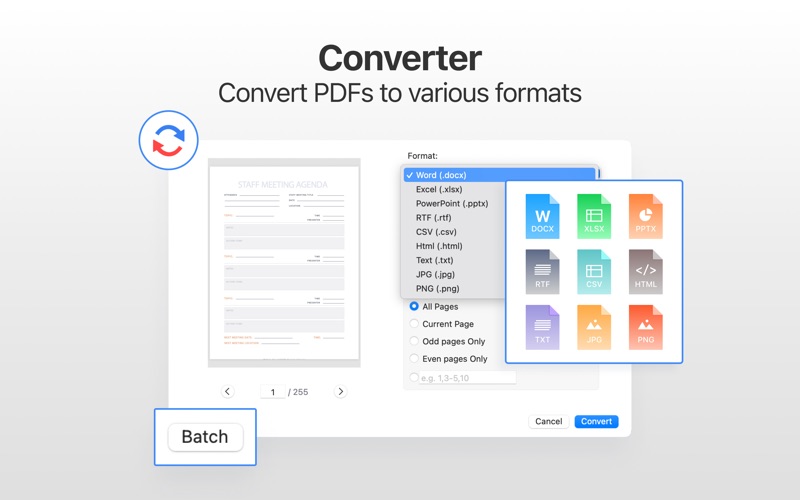

About PDF Professional Suite
The description on the store listing
PDF Professional is a feature-rich PDF Ultimate Solution for reading, annotating, form filling, editing, signing, and converting PDFs on your Mac, iPhone and iPad.
PDF Professional Suite is a full-featured PDF document expert and one-stop shop for your Adobe Acrobat PDF document needs. This app provides a complete array of functions to help annotate, view, fill form, sign, edit, bookmark, outline, merge, split, compress and convert your PDFs into Word/HTML/TXT/PNG/JPG files. Carry just your PDFs and make your presentations with them under the Presentation Mode, work becomes effortless and more productive with lighter PDFs!
Packed with all the essential PDF tools, PDF Professional for …
Read the full description
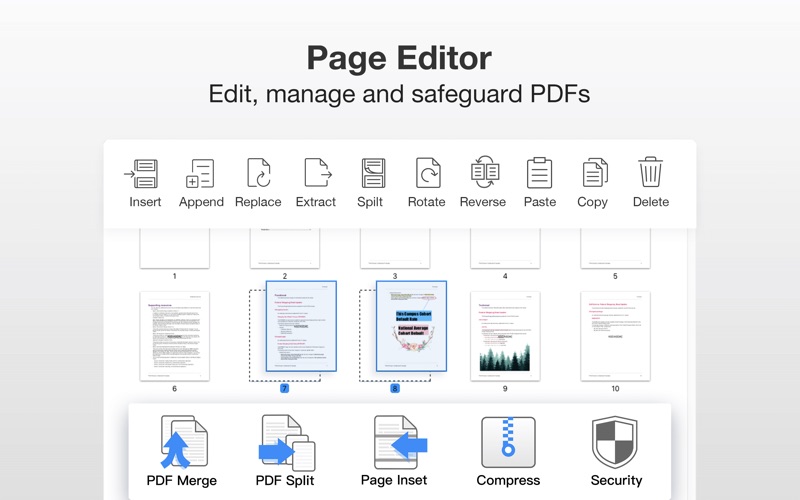
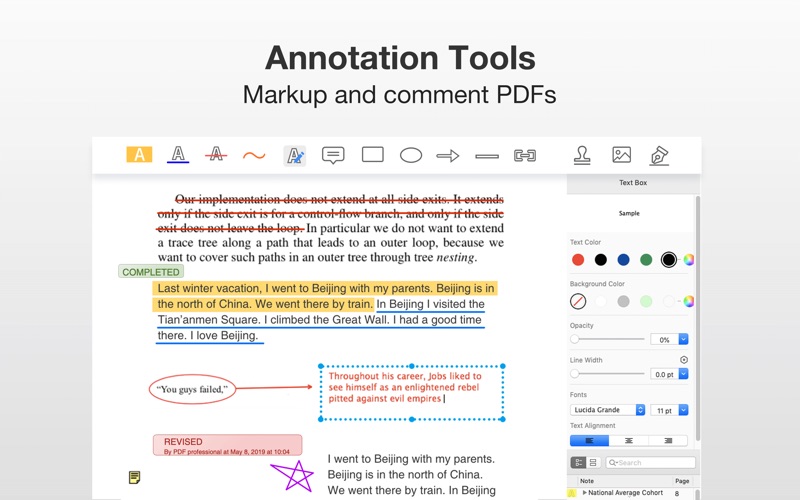
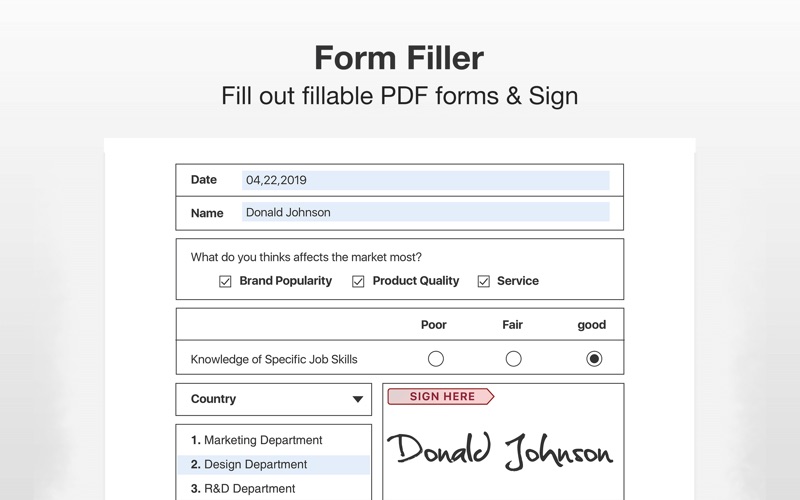
PDF Professional is a feature-rich PDF Ultimate Solution for reading, annotating, form filling, editing, signing, and converting PDFs on your Mac, iPhone and iPad. PDF Professional Suite is a full-featured PDF document expert and one-stop shop for your Adobe Acrobat PDF document needs. This app provides a complete array of functions to help annotate, view, fill form, sign, edit, bookmark, outline, merge, split, compress and convert your PDFs into Word/HTML/TXT/PNG/JPG files. Carry just your PDFs and make your presentations with them under the Presentation Mode, work becomes effortless and more productive with lighter PDFs! Packed with all the essential PDF tools, PDF Professional for Expert is your last PDF application you would ever need. Reading * Reading modes - view PDF files instantly and easily through Multi-tab viewing, full-screen, page-fit, horizontal or vertical orientation, auto-flow * Presentation - Present your PDFs as PPTs in Slideshow Mode. * Night mode - Enter Night Mode for long time reading to comfort eyes. * Outlines - Create and Edit outlines to easily navigate through the whole file * Bookmarks - Bookmark specific pages or sections in PDFs. Annotation * Classic tools - Annotate PDFs with highlight, underline, strikethrough, text box, note, lines, circles, rectangle, freehand writing, images, etc. * Easy sign - Create multiple signatures for any situations with trackpad, keyboard or images, and sign with just a click. * Customize stamps - Able to customize stamps comprised of text and image * Comment instantly - View and respond to annotations in the comments list. * Link: Add and edit hyperlinks to PDFs - Page Number/URL/Email. * Enhanced Expert - Support to batch remove and export annotations as PDF, TXT, RTF and etc PDF Page Editor * Merge - combine multiple files into one document * Split - Split files based on desired number of pages or files, or specific page ranges * Extract - Extract the desired pages to create a new PDF * Insert - Insert another file (entire files or specific page ranges) into the existing file * Rotate, delete, replace, and crop pages Form-Filling * Fill out and save - Work with static PDF forms created in Adobe Acrobat. * Multi-functional Fill - Fill out any PDF forms with interactive fields such as text fields, checkboxes, radio buttons, combo boxes, list boxes and etc. Page Sizing & Handing * Booklet - Booklet puts your pages side by side re-sorted for booklet printing, no matter what printer you have. * Poster - Poster divides large PDF page(s) into multiple smaller Pages. * Multiple - You can print more than one page of a PDF on a single sheet of paper. * Print Form Only - Support to Print interactive form fields but doesn't print document contents. PDF Convertor * Convert PDFs to iWork, MS Word, Excel, CSV, PPT, RTF, Text, JPG, PNG and HTML * Support to convert Word, Pages, Docs into PDF in a snap with the original layout after conversion. * Image to PDF - Directly transform images imported from scanner or iOS device to PDF, or right click on selected images to import them for PDF conversion. PDF Compressor * Reduce PDF size to make your documents much lighter Presentation * Directly present your PDFs with annotations * Make presentations out of your PDFs with various animated styles TTS (Text-to-Speech) * Let your ears do the reading * Select the passage or document to be read Security * You can also password protect sensitive documents and authorization to edit, copy, modify or print PDFs Snapshots * Record and take screenshots of important pages * Graphic bookmarks are presented using thumbnails File Sharing * Upload to Dropbox with one click * Email PDFs as attachments with one click * Print PDFs If you want to thank our never-resting developers, please write a review or recommend PDF Professional for Mac to your friends and teammates. Should you have any further questions, please feel free to contact us at [email protected]
Installs
Apple does not publish download counts. Estimates are in testing.
We publish iOS estimates only after they pass a back-test against real numbers. Chart history below is measured.
Estimated store revenue Estimated Beta
App Store, worldwide, monthly rate from the last 15 chart days to 22 Nov 2026
Below the top 100 grossing apps in the markets we calibrate. In the United States that usually means under about $6.4M a month. App Store purchases and subscriptions only, before Apple's 15 to 30% fee. Ads and web payments are not included.
Ratings
No rating breakdown published for this app.
Recent reviews
Latest public reviews from the store
No reviews in our sample for this app yet.
Top chart positions
Latest App Store chart ranks by country, last 10 days
Not in any tracked top chart in the last 10 days.
PDF Professional Suite history
Release, install milestones, listing and store changes
- First released on the store 23 Oct 2013
Recent versions
Current version 2.10.0
- Version 2.10.04 Mar 2024
Major update released! You can easily enjoy converting PDF to PPT, Excel, CSV and RTF Offline ・New conversion formats: Support converting PDF to PPT, Excel, CSV, and RTF. ・Optional PDF to Word output layout: Choose to flow text or maintain page layout when converting PDF to Word. ・Support extracting tables. ・Minor bug fixes and performance improvements. PDF Professional is powered by ComPDFKit. If you want to thank our never-resting developers, please write a review or recommend PDF Professional for Mac to your friends and teammates. Thank you to all who took the time to write into [email protected]
Listing keywords
Words and phrases PDF Professional Suite repeats most in its store listing
Top phrases: pdf professional (5), files or specific (2), pdf professional suite (2), present your pdfs (2), specific page ranges (2).
Highlighted words also appear in the title. Counts cover the title, short description and description.
Compliance
What the listing and the app package show
- Store status
- Live
- Upkeep
- No update since 4 Mar 2024
- Age rating
- 4+
Apps like PDF Professional Suite
 GoTime RepairAudatex North America Inc.★ 3.94
 Super VPN: Fast Private ProxyGeek Incorporated★ 4.4
 Hubtel RetailerHubtel Limited★ 4.32
 Monthly Calendar 2022 - CalistOmoboto LLC★ 4.38
 CBUS 311City of Columbus, Ohio★ 1.8
 Themes for Powerpoint - DesiGNGraphic Node★ 4.22
 iSiloDC & Co.★ 3.82
 Flashlight Pro [Multipurpose LED light]KAVAPOINT★ 3.88
 WiPryOscium LLC★ 2.68
PDF Professional Suite: questions and answers
Who makes PDF Professional Suite?
PDF Professional Suite is published by Build to Connect, Inc..
When was PDF Professional Suite last updated?
The latest version (2.10.0) was released on 4 Mar 2024.
Is PDF Professional Suite free?
No. PDF Professional Suite is a paid app priced at $29.99.
Is PDF Professional Suite still available?
Yes. PDF Professional Suite is live on App Store as of 10 May 2026.
Track PDF Professional Suite and its competitors
Watch any app for new versions, rating drops, chart moves and removals. Free plan, no card.