
- Installs
- —
- Apple does not publish download counts
- Rating
- 4.35
- Ratings
- 1.7K
- 1.7K reviews
- Version
- 10.0.0
- Updated 29 Oct 2026
- Released
- 30 Jan 2014
- Tracked since 11 May 2026
- Size
- 93 MB
- Needs 16.0
Also on Google Play: PDF Reader & Editor: Xodo (477K ratings)
Screenshots


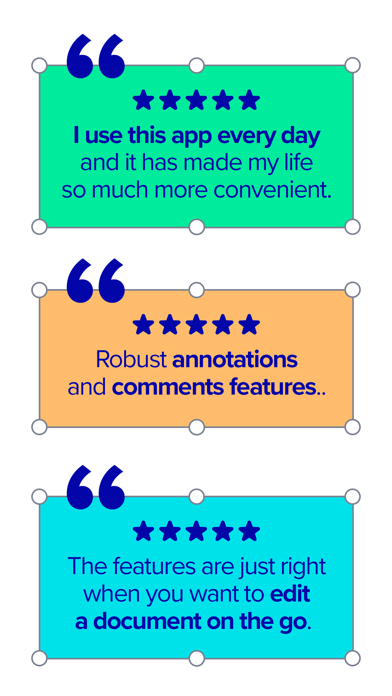


About PDF Reader & Editor | Xodo
The description on the store listing
Transform your PDFs. Get your work done quickly with Xodo's all-in-one PDF editor and reader with 30+ features - all available on your iPhone or iPad. Safely store and sync your files on your iCloud, OneDrive, Google Drive and Dropbox so you can easily view, edit, convert, e-sign and compress your files anytime, anywhere on your device.
Edit PDFs:
Intuitive, easy-to-use PDF editor for any user in mind.
• Compress PDF: Quickly reduce PDF file size for ease of sharing
• Flatten PDF: All annotations in PDF like fillable forms will be locked and merged into a single layer for protection
• Rotate & crop PDF: Add, remove, rearrange, rotate, crop PDF pages with ease
• Split & extract …
Read the full description
Transform your PDFs. Get your work done quickly with Xodo's all-in-one PDF editor and reader with 30+ features - all available on your iPhone or iPad. Safely store and sync your files on your iCloud, OneDrive, Google Drive and Dropbox so you can easily view, edit, convert, e-sign and compress your files anytime, anywhere on your device. Edit PDFs: Intuitive, easy-to-use PDF editor for any user in mind. • Compress PDF: Quickly reduce PDF file size for ease of sharing • Flatten PDF: All annotations in PDF like fillable forms will be locked and merged into a single layer for protection • Rotate & crop PDF: Add, remove, rearrange, rotate, crop PDF pages with ease • Split & extract PDF: Instantly split PDF or extract pages to a new PDF file • Create new PDF: Create PDFs from scratch or use one of our ready-made templates and edit file Scan PDFs: Seamlessly scan images and save as PDFs. • PDF scanner: Scan image with your camera or open an existing image or file and save as a new PDF • Edit scanned PDF: Edit, annotate, send your documents to iCloud, share via AirDrop, or any available app on your device Fill & Sign PDF Forms: Fill out, sign, and share your PDF forms. • Create your e-signature: E-sign your documents by hand or type in your signature, and save to reuse for later • Stylus-friendly: Supports Apple Pencil Convert PDFs: Convert files to PDF in seconds. • PDF converter: Convert any MS Office (Word, Excel, PowerPoint) to PDF, iWork (Pages, Numbers, Keynote) to PDF • Additional file formats: Convert JPG to PDF, PNG to PDF, PDF to JPG, PDF to PNG View & print PDFs: Quick and convenient PDF reader for e-books, reports, digital planner. • Viewing mode: View in light, dark, and sepia color modes for comfort reading • Bookmark feature: Tag your favorite PDF pages • Multiple tabs: Use tabs to work across multiple PDF documents • Print PDFs directly from your device • Fully searchable text: Search text within PDF to save time Annotate & Draw PDFs: Utilize Xodo's annotation tools configured to you. • Fully-featured mark-up tools: Add images, links, stamp or highlight text directly on PDF documents • Arrange pages: Thumbnail browser for deleting pages, extracting, and inserting pages • Scrolling mode: See all annotations at a glance with the touch of your finger Store & Manage Files Securely: Integrate with popular cloud apps and safely store your important files so you can pick up where you left off. • Built-in file manager: Rename, copy, move, or delete docs and folders locally • Cloud integration: Sync your files directly on iCloud, OneDrive, Google Drive and Dropbox to view in multiple devices • Protected features: Protect your PDF files with password encryption and unlock your protected PDF with PDF password remover tool Upgrade to Xodo Mobile Subscription: Get unlimited access to all 30+ tools with custom toolbar for quick access. • Free trial available in supported regions • Convert PDF to MS Office (Word, Excel, PowerPoint) • Remove sensitive content with PDF Redaction tool • High compression file size • Easily merge multiple documents to a single PDF • Create fillable PDF forms to fill out and sign while you're on the go • Support Smart pen to streamline and enhance note taking experience • Annotate in Reader mode - When viewing a PDF in reader mode, you can highlight, underline and strikeout text. • View and manage files with nesting layers - PDFs that include multi-level layers can be viewed individually • Scanned images can save as PDFs with searchable text (OCR) option • Flexible monthly and annual subscription options • Cancel anytime For Support and Feedback: [email protected] Visit Homepage: xodo.com Xodo is powered by Apryse | https://apryse.com
Installs, last 30 days
Apple does not publish download counts. Estimates are in testing.
Estimated store revenue Estimated Beta
App Store, worldwide, monthly rate from the last 13 chart days to 20 Nov 2026
Below the top 100 grossing apps in the markets we calibrate. In the United States that usually means under about $6.4M a month. App Store purchases and subscriptions only, before Apple's 15 to 30% fee. Ads and web payments are not included.
Ratings
1,712 ratings, 1,712 reviews
- 5 ★74%
- 4 ★9.6%
- 3 ★4.6%
- 2 ★2.8%
- 1 ★9.4%
Recent reviews
Latest public reviews from the store
- 6 Mar 2024
Almost Perfect for Projector Sewing
I utilize Xodo to view pdf patterns on my projector to cut the pattern pieces I need. I love that I have the ability to choose which layers (sizes) are visible, making the cutting easier. The only thing I would ask is for Xodo to plllleeeeeeeease allow users to zoom with a percentage. It would be so much easier knowing I can calibrate my sewing patterns once, make a note of what the percentage is to get the 1”x1” square perfect, and simply input the percentage when I need to use the pattern in the future, versus having to pinch and pull each and every time. I don’t think that’s a big ask for an app I’m paying a subscription for.
- 1 Feb 2024
Does almost everything I want it to
I haven't found a better PDF app than Xodo for reading or reflow on a phone's smaller screen, and for the amount of reading I want do it was well worth the high cost. The highlights and facility for note-taking is a bit broken in that I have to fall out of the reflow to put one in, but I can understand the challenges in dealing with that use-case. ... It's a bit irritating, however, to not use the native iCloud Drive for syncing between other devices in favor of funding their own, less useful solution. It means I can't build a workflow between it and my other notebook apps.
- 28 Dec 2023
Best PDF reader so far
By far my favorite PDF reader on iOS after years of extensive usage. Faster rendering, ability to juggle multiple PDFs at once, etc. There are only two improvements I really wish for - I wish that you could zoom out of a PDF further for better readability of PDFs from smaller book sizes. At present, it won’t zoom out smaller than page height or width unlike PDF readers on PC/Mac where you can shrink the PDF down arbitrarily. The other issue is that occasionally, pen annotations don’t seem to save in universal way. For example: signing on the signature line and saving without flattening. When opening in a different software or printing, the signature sometimes takes up a large portion of the page. I’m not sure what exactly triggers that, since it doesn’t happen 100% of the time.
- 17 Dec 2023
Love!!!
I use good notes and note shelf a lot. That is until a discovered Xodo! I can use it for reading books and highlighting as well as making notes in them and text books. I use my digital planner on it and the links work great! A journal, and do creative writing. I love that they use apples pens and fountain pen! I would give this 5 stars if there were a way to organize my files, a page curl feature and on the drop down on the top, make it where I don't have to flip- flop between view, annotate, and draw when using my planner and lap on the tabs and links. Other than the above mentions this is one of the best apps ever. I also love the options of being alle to convert documents. A PDF to EPUB and EPUB to PDF would be stellar! I highly recommend this app for a must have goto!
What reviewers bring up
Topics mentioned in the latest 8 reviews, by how many reviews mention them
Liked in good reviews (7 reviews)
- pdf 7
- other 5
- multiple 3
- files 3
- think 3
- xodo 3
- far 3
- etc 3
Raised in bad reviews (0 reviews)
No topic comes up twice.
Top chart positions
Latest App Store chart ranks by country, last 10 days
- Countries ranked
- 21 of 50
- Best rank
- #33
- Top 10 placements
- 0
- of 21 chart placements
- Average rank
- #75
Best countries on App Store
- 🇨🇴 Colombia · Top grossing, Business#33
- 🇩🇰 Denmark · Top grossing, Business#45
- 🇨🇿 Czechia · Top grossing, Business#52
- 🇹🇭 Thailand · Top grossing, Business#56
- 🇨🇭 Switzerland · Top grossing, Business#64
- 🇦🇹 Austria · Top grossing, Business#68
| Country | Chart | Category | Rank | Best (10 days) | Date |
|---|---|---|---|---|---|
| 🇨🇴 Colombia | Top grossing | Business | #33 | #33 | 20 Nov 2026 |
| 🇩🇰 Denmark | Top grossing | Business | #45 | #45 | 20 Nov 2026 |
| 🇨🇿 Czechia | Top grossing | Business | #52 | #52 | 17 Nov 2026 |
| 🇹🇭 Thailand | Top grossing | Business | #56 | #56 | 20 Nov 2026 |
| 🇨🇭 Switzerland | Top grossing | Business | #64 | #33 | 15 Nov 2026 |
| 🇦🇹 Austria | Top grossing | Business | #68 | #68 | 15 Nov 2026 |
| 🇸🇬 Singapore | Top grossing | Business | #68 | #68 | 12 Nov 2026 |
| 🇪🇬 Egypt | Top grossing | Business | #69 | #69 | 15 Nov 2026 |
| 🇪🇸 Spain | Top grossing | Business | #70 | #70 | 17 Nov 2026 |
| 🇭🇰 Hong Kong SAR China | Top grossing | Business | #70 | #20 | 14 Nov 2026 |
PDF Reader & Editor | Xodo history
Release, install milestones, listing and store changes
- First released on the store 30 Jan 2014
Update frequency
How often PDF Reader & Editor | Xodo ships a new version, month by month
9 updates in the last 12 months. More often than most similar apps: they shipped a median of 6 updates in the same year.
Recent versions
Current version 10.0.0
- Version 10.0.029 Oct 2026
- A Brand-New Document Viewer Menu: Enjoy a cleaner, more intuitive menu with quicker access to the tools you use most - Bug Fixes and Improvements
- Version 9.17.028 Aug 2026
- Bug Fixes and Improvements
- Version 9.16.07 Aug 2026
- Bug Fixes and Improvements
- Version 9.15.129 Jul 2026
- Bug Fixes and Improvements
Listing keywords
Words and phrases PDF Reader & Editor | Xodo repeats most in its store listing
Top phrases: pdf forms (3), drive and dropbox (2), icloud onedrive google (2), ms office word (2), office word excel (2).
Highlighted words also appear in the title. Counts cover the title, short description and description.
Compliance
What the listing and the app package show
- Store status
- Live
- Upkeep
- Updated 29 Oct 2026
- Age rating
- 4+
Apps like PDF Reader & Editor | Xodo
 Xero Accounting for businessXero Ltd★ 4.66
 Stynt Dental Jobs MarketplaceStynt Inc★ 4.34
 WealthboxStarburst Labs, Inc.★ 4.79
 Timeero GPS Time TrackingTimeero LLC★ 4.69
 Jump Desktop (RDP, VNC, Fluid)Phase Five Systems★ 4.49
 Bria EnterpriseCounterPath Corporation★ 4.49
 Zoho Meeting - Meet VirtuallyZoho Corporation★ 4.52
 Your Flex BenefitsAptia UK Limited★ 4.46
 PDF Reader Pro Edition®iTECH DEVELOPMENT SYSTEMS INC.★ 4.37
PDF Reader & Editor | Xodo: questions and answers
Who makes PDF Reader & Editor | Xodo?
PDF Reader & Editor | Xodo is published by Xodo Technologies Inc..
When was PDF Reader & Editor | Xodo last updated?
The latest version (10.0.0) was released on 29 Oct 2026.
Is PDF Reader & Editor | Xodo free?
Yes. PDF Reader & Editor | Xodo is free to download.
Is PDF Reader & Editor | Xodo still available?
Yes. PDF Reader & Editor | Xodo is live on App Store as of 20 Nov 2026.
Track PDF Reader & Editor | Xodo and its competitors
Watch any app for new versions, rating drops, chart moves and removals. Free plan, no card.