
- Installs
- —
- Apple does not publish download counts
- Rating
- —
- Ratings
- —
- Version
- 5.3.0
- Updated 30 Mar 2026
- Released
- 25 Feb 2014
- Tracked since 10 May 2026
- Size
- 488 MB
- Needs 11.0
Screenshots





About PDF Reader Pro - Edit&Convert
The description on the store listing
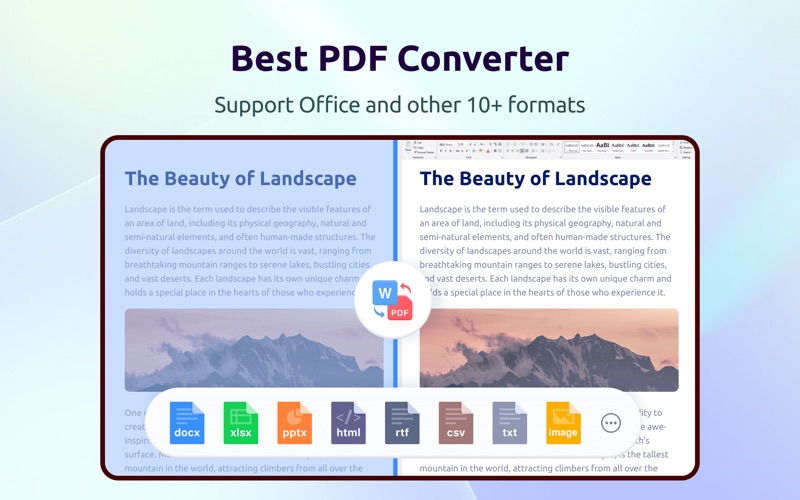
PDF Reader Pro, available on Mac, iPad, and iPhone, fulfills all your document needs across platforms. Building on features like AI tools, comment, text and image edit, merge, compress, OCR, convert, redact, sign, and protect PDFs, PDF Reader Pro is a full-featured PDF processor.
AI-powered PDF
・Summarize, translate, proofread, rewrite, and extract insights from PDFs.
ANNOTATE PDF
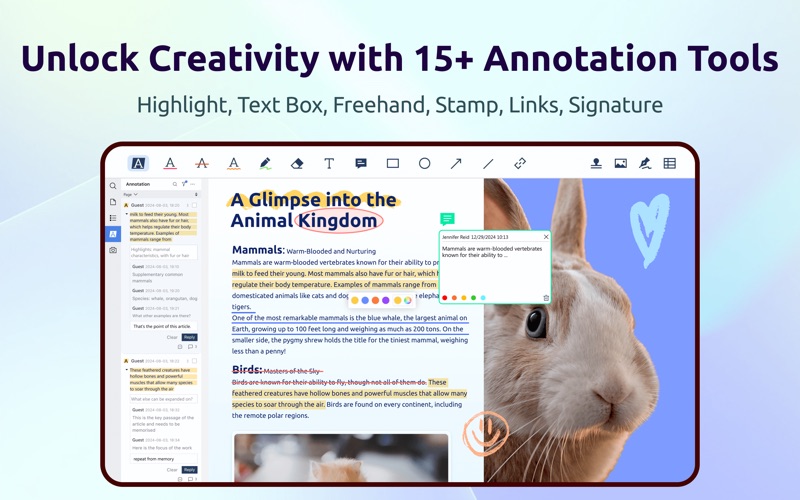
・Classic tools - Highlight, underline, strikethrough, freehand, text box, anchored note, shape, etc.
・Sign - Create multiple signatures with trackpad, keyboard, or images.
・Stamps - Customize PDFs with custom, image, and dynamic stamps.
・Link - Add and edit hyperlinks to websites, other pages, or email.
・Measure …
Read the full description
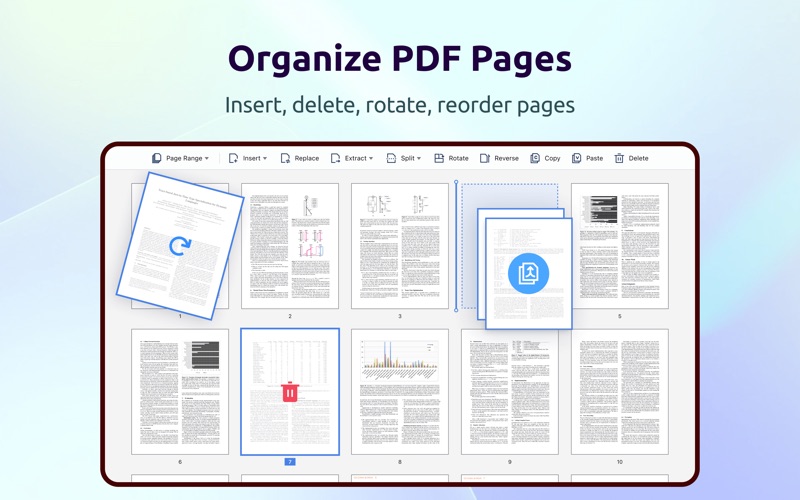
PDF Reader Pro, available on Mac, iPad, and iPhone, fulfills all your document needs across platforms. Building on features like AI tools, comment, text and image edit, merge, compress, OCR, convert, redact, sign, and protect PDFs, PDF Reader Pro is a full-featured PDF processor. AI-powered PDF ・Summarize, translate, proofread, rewrite, and extract insights from PDFs. ANNOTATE PDF ・Classic tools - Highlight, underline, strikethrough, freehand, text box, anchored note, shape, etc. ・Sign - Create multiple signatures with trackpad, keyboard, or images. ・Stamps - Customize PDFs with custom, image, and dynamic stamps. ・Link - Add and edit hyperlinks to websites, other pages, or email. ・Measure - Annotate dimensions within a PDF like distance, perimeters, and areas. EDIT PDF ・Edit text and change font size, style, color. Align multiple text boxes with one click. ・Edit images: Crop, rotate, flip, and replace images. ・Watermark - Add, edit, or remove watermarks. Support text and image watermarks. ・Header & Footer - Add, edit, or remove headers & footers. ・Bates number - Identify and retrieve information from legal documents. ・Background - Change the background (color or image) of PDFs. ・Compare PDFs - Compare two versions of a PDF and highlight changes. SIGN PDF ・eSign: Create, distribute, and track signing status in real time. ・Quick Signatures: Add typed, handwritten, or image-based signatures in seconds—perfect for approvals. ・Secure Digital Signatures: Protect integrity and verify signer identity with trusted digital signatures. OCR & Scanner ・Convert scanned documents to an editable PDF for fast editing. ・Image enhancement and image correction. ・Use area OCR to extract specific content from any page. ・Scan documents, receipts, forms, and notes into PDFs. ORGANIZE PAGE ・Split & Combine - Split files or combine multiple pages into a new PDF. ・Insert - Insert pages from other PDFs, images, blank pages, or scanners. ・Extract - Extract desired pages to create a new PDF. ・Combine PDFs - Merge multiple PDFs into one. ・Rotate, copy, delete, replace, and crop pages. CREATE & FILL FORMS ・Create fillable forms with interactive fields like buttons, checkboxes, and list boxes. Easily align objects. ・Fill out any PDF forms. Work with static and interactive forms created in Adobe Acrobat. VIEW PDF ・View PDF in single page, two page, full screen, horizontal or vertical orientation, auto scroll mode. ・Support switching to dark mode. ・Split view mode to read and compare two different PDFs simultaneously. ・Slideshow Mode to present your PDF as PPT. ・Create, Edit, and Search outlines to navigate through the file. ・Bookmark specific pages of PDFs. PRINT & SHARE PDF ・Booklet printing - Put pages side by side re-sorted for booklet printing. ・Poster printing - Divide large PDF pages into multiple smaller pages. ・Multiple printing - Print more than one page on a single sheet. ・Share a flattened PDF to make contents static. ・Support uploading files to Dropbox, iCloud Drive, etc. COMPRESS PDF ・Reduce PDF size for a lighter document. ・Customize compression parameters by setting image resolution or discarding redundant items. SECURE FILES ・Password protect sensitive documents and authorization to edit, copy, modify, or print. ・Redact PDF - Black out sensitive information permanently. LISTEN (Text-to-Speech) ・Tired of reading large files? Try Text-to-Speech (TTS). 50+ languages supported! Terms of Service https://www.pdfreaderpro.com/terms_of_service Privacy Policy https://www.pdfreaderpro.com/privacy-policy Powered by ComPDF: https://www.compdf.com/ Contact ComPDF: [email protected] Have feedback? Please contact us directly at [email protected]
Installs
Apple does not publish download counts. Estimates are in testing.
We publish iOS estimates only after they pass a back-test against real numbers. Chart history below is measured.
Estimated store revenue Estimated Beta
App Store, worldwide, monthly rate from the last 12 chart days to 19 Nov 2026
Below the top 100 grossing apps in the markets we calibrate. In the United States that usually means under about $6.4M a month. App Store purchases and subscriptions only, before Apple's 15 to 30% fee. Ads and web payments are not included.
Ratings
No rating breakdown published for this app.
Recent reviews
Latest public reviews from the store
No reviews in our sample for this app yet.
Top chart positions
Latest App Store chart ranks by country, last 10 days
Not in any tracked top chart in the last 10 days.
PDF Reader Pro - Edit&Convert history
Release, install milestones, listing and store changes
- First released on the store 25 Feb 2014
Update frequency
How often PDF Reader Pro - Edit&Convert ships a new version, month by month
1 updates in the last 12 months. More often than most similar apps: they shipped a median of 0 updates in the same year.
Recent versions
Current version 5.3.0
- Version 5.3.030 Mar 2026
Welcome you to the all-in-one PDF Reader Pro, fully compatible with macOS Tahoe 26 to fulfill all your document needs! It's just like a great Mac app. - eSign: Create, assign, and sign — all in one go. Streamline your team’s document signing workflow. - Edit Scanned Documents: The all-new OCR engine allows you to convert a scanned document to an editable PDF, so that you can fast modify text and images. - Image Enhancement: Enhances the clarity of scanned images, making text easier to recognize and extract. - Image Correction: Fixes skewed, distorted, or warped scanned documents and images to ensure precise OCR results. PDF Reader Pro powered by ComPDF. Have any feedback, comments or issues? Please drop a line at [email protected]
Listing keywords
Words and phrases PDF Reader Pro - Edit&Convert repeats most in its store listing
Top phrases: pdf reader pro (3), pdf reader (3), reader pro (3), edit or remove (2), text and image (2).
Highlighted words also appear in the title. Counts cover the title, short description and description.
Compliance
What the listing and the app package show
- Store status
- Live
- Upkeep
- Updated 30 Mar 2026
- Age rating
- 9+
Apps like PDF Reader Pro - Edit&Convert
 Super VPN: Fast Private ProxyGeek Incorporated★ 4.4
 Hubtel RetailerHubtel Limited★ 4.32
 Monthly Calendar 2022 - CalistOmoboto LLC★ 4.38
 Firstly: To-Do List & PlannerfocusCove LLC★ 4.7
 CBUS 311City of Columbus, Ohio★ 1.8
 Themes for Powerpoint - DesiGNGraphic Node★ 4.22
 iSiloDC & Co.★ 3.82
 Flashlight Pro [Multipurpose LED light]KAVAPOINT★ 3.88
 WiPryOscium LLC★ 2.68
PDF Reader Pro - Edit&Convert: questions and answers
Who makes PDF Reader Pro - Edit&Convert?
PDF Reader Pro - Edit&Convert is published by PDF Technologies, Inc..
When was PDF Reader Pro - Edit&Convert last updated?
The latest version (5.3.0) was released on 30 Mar 2026.
Is PDF Reader Pro - Edit&Convert free?
No. PDF Reader Pro - Edit&Convert is a paid app priced at $79.99.
Is PDF Reader Pro - Edit&Convert still available?
Yes. PDF Reader Pro - Edit&Convert is live on App Store as of 10 May 2026.
Track PDF Reader Pro - Edit&Convert and its competitors
Watch any app for new versions, rating drops, chart moves and removals. Free plan, no card.