
- Installs
- —
- Apple does not publish download counts
- Rating
- —
- Ratings
- —
- Version
- 6.0
- Updated 24 Jan 2026
- Released
- 4 Apr 2013
- Tracked since 10 May 2026
- Size
- 5 MB
- Needs 12.0
Screenshots
About PDFOptim - The PDF Compressor
The description on the store listing
PDFOptim is an intuitive and powerful way to reduce PDF file size that you will ever need on your Mac. Batch compress PDF files using extensive set of options and presets.
FEATURES:
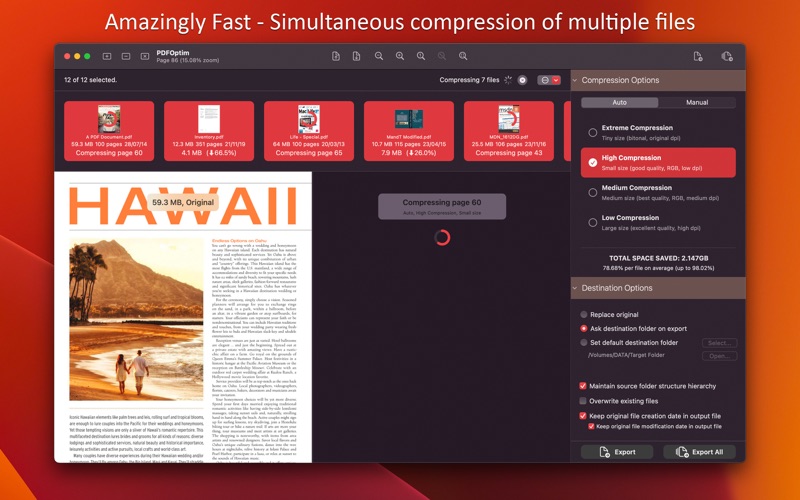
- Simultaneous compression of multiple PDF files.
AUTO COMPRESSION MODE
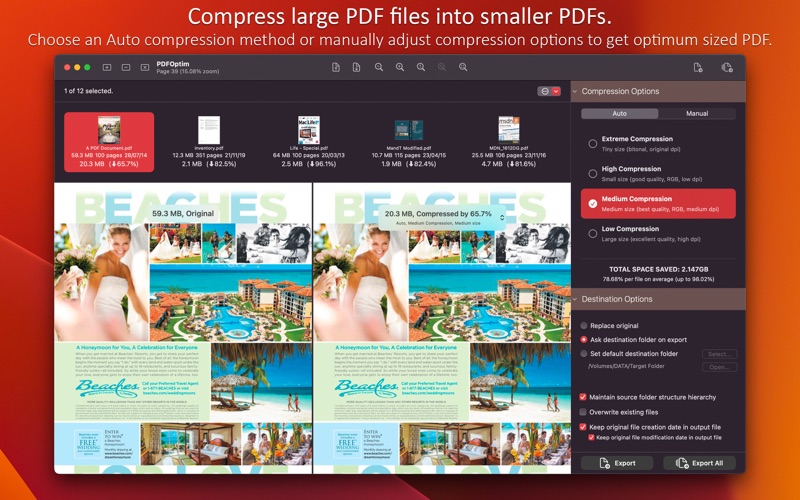
- PDFOptim analyze document’s contents and apply algorithm to generate a smallest possible PDF by maintaining the document’s visual quality. Choose one of the four predefined Auto compression methods and let the app do the hard work for you. No further user interaction required to provide technical compression options.
MANUAL COMPRESSION MODE
- Change compression options manually to generate optimum sized PDF of your need. You can …
Read the full description
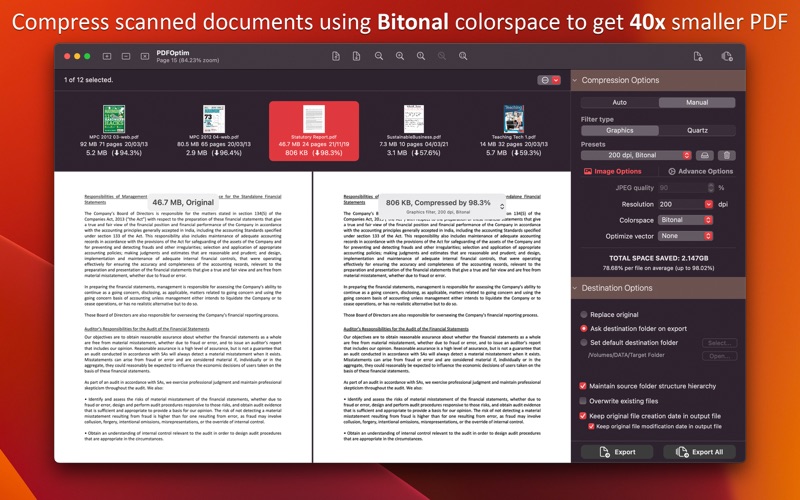
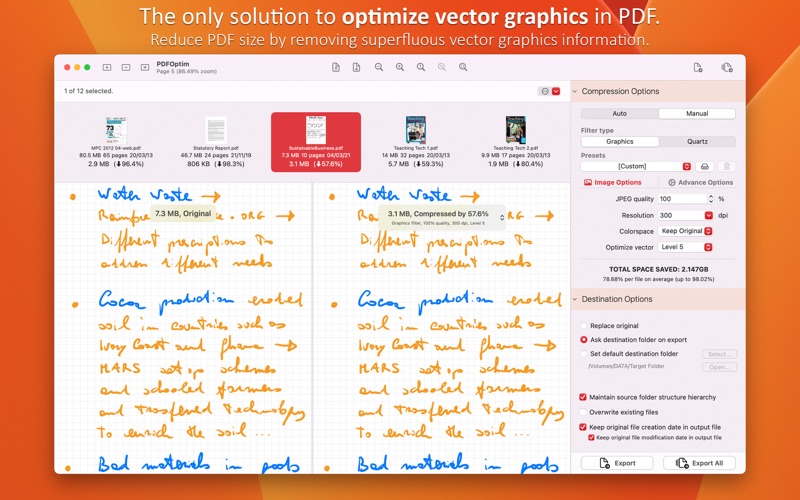
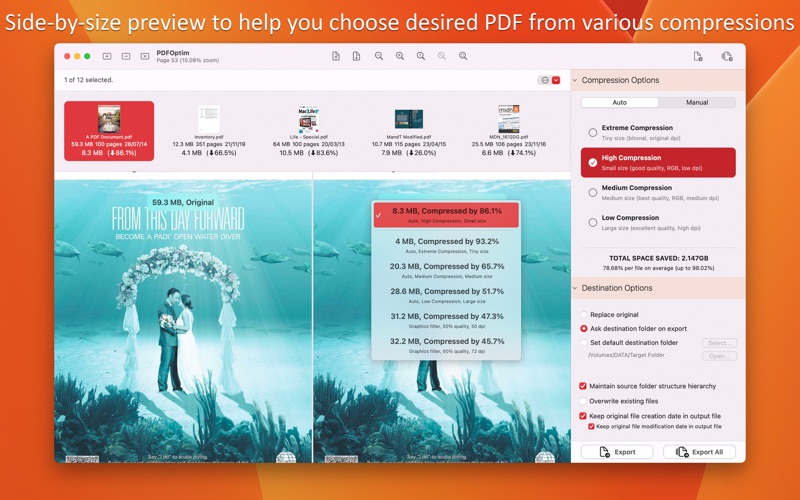
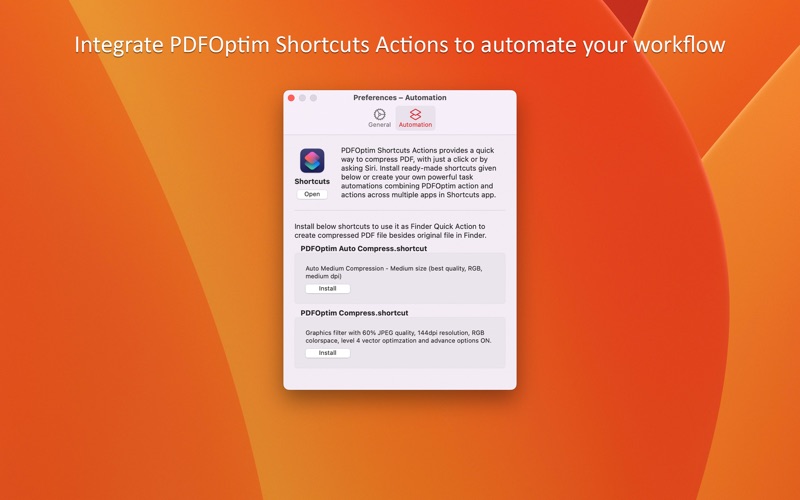
PDFOptim is an intuitive and powerful way to reduce PDF file size that you will ever need on your Mac. Batch compress PDF files using extensive set of options and presets. FEATURES: - Simultaneous compression of multiple PDF files. AUTO COMPRESSION MODE - PDFOptim analyze document’s contents and apply algorithm to generate a smallest possible PDF by maintaining the document’s visual quality. Choose one of the four predefined Auto compression methods and let the app do the hard work for you. No further user interaction required to provide technical compression options. MANUAL COMPRESSION MODE - Change compression options manually to generate optimum sized PDF of your need. You can choose a preset from predefined presets or customize as new preset. Provides two compression filter methods - Graphics and Quartz filters. Powerful and robust Graphics filter can compress PDF document without losing document’s integrity and preserves PDF document properties. COMPRESSION FILTER OPTIONS - JPEG compression with quality control. - Image sampling resolution, downsampling at lower resolution decrease the file size dramatically. - Image colorspace to choose from RGB, CMYK, Gray and Bitonal. Selecting Bitonal colorspace compression option converts raster PDF contents into black and white which reduces PDF file size to greater extent. It is very helpful when compressing scanned documents. Optimizing scanned documents using Bitonal colorspace can create 40x smaller PDF. - Optimize graphics option removes superfluous information to reduce vector graphics heavy PDF. Increase in optimize graphics from 'Level 1' to 'Level 5' reduces output PDF file size less to more respectively. This option is very useful when PDF content mainly consist of high precision vector graphics. Usually PDF drawing, note-taking and PDF markup apps creates large vector graphics heavy PDF files which can be compressed by this option efficiently. - Predefined compression option presets. You can customize and save your favourite compression options as new preset. SIDE-BY-SIDE PDF COMPARATOR - Real time preview of original-PDF and compressed-PDF to evaluate compressed-PDF integrity and quality side-by-side. Synchronized PDF page preview navigation and magnification control support. Preserves compressed PDF files for different compression options help you choose desire PDF. DESTINATION OPTIONS - "Replace Original" to replace original PDF file with new compressed PDF file. - "Ask destination folder on export" to save compressed PDF at selected folder. - "Set default destination folder" for every subsequent compressed PDF. - Option to maintain source folder structure hierarchy at destination with compressed files in respective folders. - Just Drag and drop or add PDF files to start compression. AUTOMATION INTEGRATION - Automate your workflow using PDFOptim Shortcuts Actions. It's a quick way to compress PDF. Install given ready-made shortcuts or create your own powerful task automations combining PDFOptim action and actions across multiple apps in Shortcuts app. - Two ready-made shortcuts “PDFOptim Auto Compress.shortcut” and “PDFOptim Compress.shortcut” to use it as Finder Quick Action to create compressed PDF file besides original file in Finder. Note: PDFOptim is standalone application running natively to compress PDF files securely on your computer. *If you already purchased PDFOptim for Mac earlier than version 5.0, you keep all the features you had previously. If you’d like to use new features like Parallel Compression and Shortcut Actions, you can upgrade to Premium at a discount. *The free version has limitation to export one compressed PDF per week and use of Shortcuts Actions is restricted. Get Premium to remove all restrictions and start exporting an unlimited number of compressed PDFs. Privacy Policy: http://rootrisetech.com/pdfoptim-privacy-policy Terms of Use(EULA): https://www.apple.com/legal/internet-services/itunes/dev/stdeula/
Installs
Apple does not publish download counts. Estimates are in testing.
We publish iOS estimates only after they pass a back-test against real numbers. Chart history below is measured.
Estimated store revenue Estimated Beta
App Store, worldwide, monthly rate from the last 12 chart days to 19 Nov 2026
Below the top 100 grossing apps in the markets we calibrate. In the United States that usually means under about $6.4M a month. App Store purchases and subscriptions only, before Apple's 15 to 30% fee. Ads and web payments are not included.
Ratings
No rating breakdown published for this app.
Recent reviews
Latest public reviews from the store
No reviews in our sample for this app yet.
Top chart positions
Latest App Store chart ranks by country, last 10 days
Not in any tracked top chart in the last 10 days.
PDFOptim - The PDF Compressor history
Release, install milestones, listing and store changes
- First released on the store 4 Apr 2013
Update frequency
How often PDFOptim - The PDF Compressor ships a new version, month by month
1 updates in the last 12 months. More often than most similar apps: they shipped a median of 0 updates in the same year.
Recent versions
Current version 6.0
- Version 6.024 Jan 2026
- Bug fixes and UI improvements to streamline with latest macOS. We are thankful to all users for their valuable feedback :)
Listing keywords
Words and phrases PDFOptim - The PDF Compressor repeats most in its store listing
Top phrases: compressed pdf (8), pdf file (6), pdf files (6), compress pdf (4), compression options (4).
Highlighted words also appear in the title. Counts cover the title, short description and description.
Compliance
What the listing and the app package show
- Store status
- Live
- Upkeep
- Updated 24 Jan 2026
- Age rating
- 4+
Apps like PDFOptim - The PDF Compressor
 Super VPN: Fast Private ProxyGeek Incorporated★ 4.4
 Hubtel RetailerHubtel Limited★ 4.32
 Monthly Calendar 2022 - CalistOmoboto LLC★ 4.38
 Firstly: To-Do List & PlannerfocusCove LLC★ 4.7
 CBUS 311City of Columbus, Ohio★ 1.8
 Themes for Powerpoint - DesiGNGraphic Node★ 4.22
 iSiloDC & Co.★ 3.82
 Flashlight Pro [Multipurpose LED light]KAVAPOINT★ 3.88
 WiPryOscium LLC★ 2.68
PDFOptim - The PDF Compressor: questions and answers
Who makes PDFOptim - The PDF Compressor?
PDFOptim - The PDF Compressor is published by RootRise Technologies Pvt. Ltd..
When was PDFOptim - The PDF Compressor last updated?
The latest version (6.0) was released on 24 Jan 2026.
Is PDFOptim - The PDF Compressor free?
No. PDFOptim - The PDF Compressor is a paid app.
Is PDFOptim - The PDF Compressor still available?
Yes. PDFOptim - The PDF Compressor is live on App Store as of 10 May 2026.
Track PDFOptim - The PDF Compressor and its competitors
Watch any app for new versions, rating drops, chart moves and removals. Free plan, no card.