- Installs
- —
- Apple does not publish download counts
- Rating
- —
- Ratings
- —
- Version
- 4.0
- Updated 13 Jan 2026
- Released
- 3 Nov 2014
- Tracked since 10 May 2026
- Size
- 124 MB
- Needs 11.5
Screenshots
About PDFtor
The description on the store listing
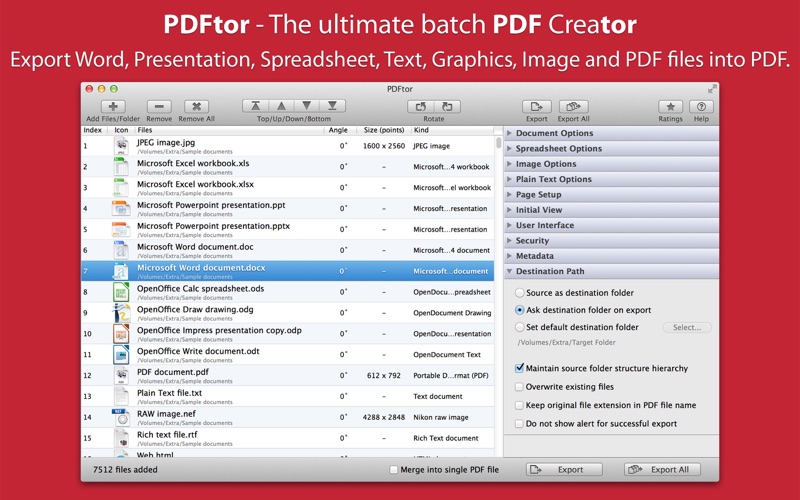
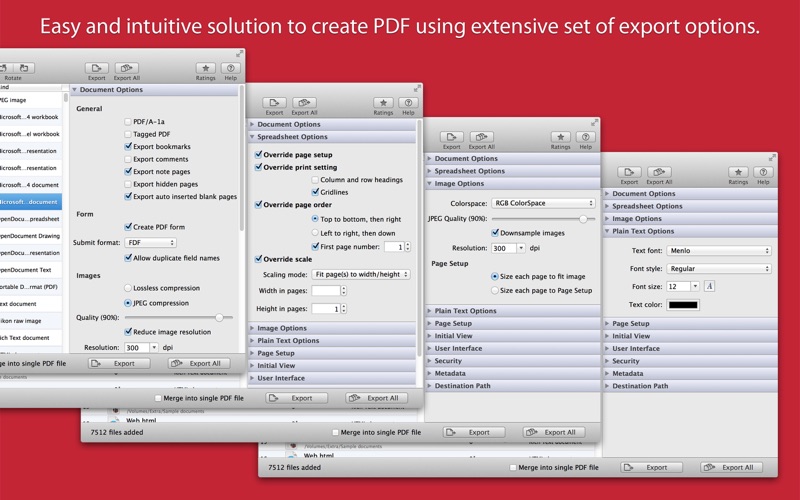
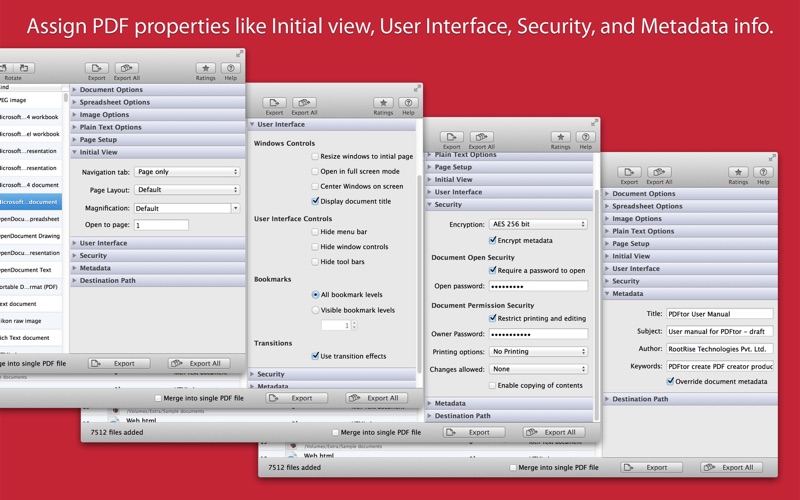
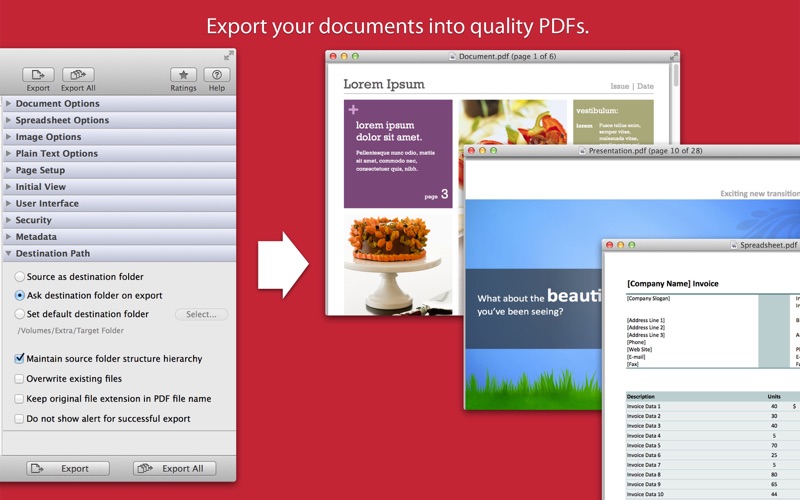
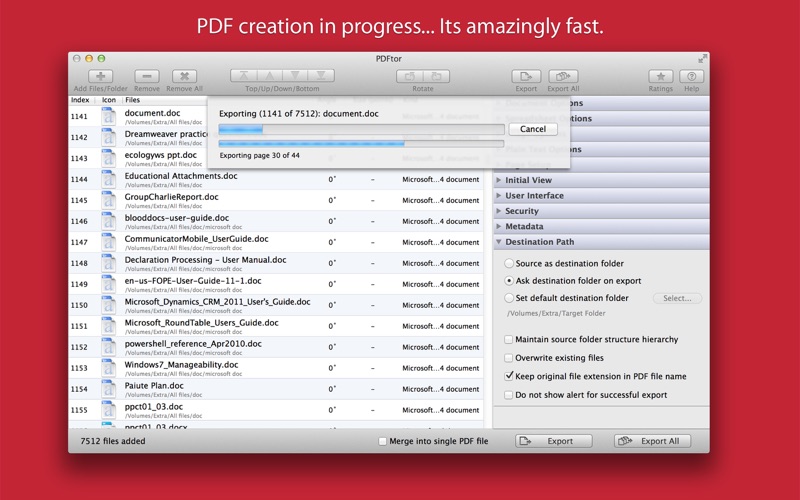
PDFtor (The Ultimate PDF Creator) is a robust and fast way to batch export text files, word documents, presentations, spreadsheets, drawing files, web contents and images into PDF. PDFtor provides easy and intuitive solution to create PDF using extensive set of export options. You can also merge multiple files into single PDF. In addition, it supports PDF as import source format and options to alter PDF properties like security, initial view, user interface and metadata descriptions.
◆ SUPPORTED FILE TYPES
• Microsoft documents like Word (.doc, .docx), Excel (.xls, .xlsx), PowerPoint (.ppt, .pptx), Visio (.vsd, .vsdx), Works Word (.wps), Works Spreadsheet (.wks), Publisher document …
Read the full description
PDFtor (The Ultimate PDF Creator) is a robust and fast way to batch export text files, word documents, presentations, spreadsheets, drawing files, web contents and images into PDF. PDFtor provides easy and intuitive solution to create PDF using extensive set of export options. You can also merge multiple files into single PDF. In addition, it supports PDF as import source format and options to alter PDF properties like security, initial view, user interface and metadata descriptions. ◆ SUPPORTED FILE TYPES • Microsoft documents like Word (.doc, .docx), Excel (.xls, .xlsx), PowerPoint (.ppt, .pptx), Visio (.vsd, .vsdx), Works Word (.wps), Works Spreadsheet (.wks), Publisher document (.pub). • OpenOffice formats like Write document (.odt, .ott, .fodt, .sxw, .stw, .sxg), Calc spreadsheet (.ods, .ots, .sxc, .stc, .uos), Impress presentation (.odp, .otp, . fodp, .sdd, .sti, .sxi), Draw drawing (.odg, .otg), Chart file (.sxd, .sda), Formula file (.odf). • Text documents like - Plain text files (.txt, .text, .log, .xml and more) - Source code files (.m, .mm, .c, .cpp, .h, .java and more) - Script code text files (.sh, csh, .py, .php and more) • Image files - Digital image types JPEG, JPEG 2000, PSD, PNG, TIFF, BMP, GIF and all other Mac OS supported image formats. - RAW image formats (.crw, .cr2, .nef, .nrw, .srf, .sr2, .dcr, .kdc, .raw, .rw2, .srw, to name a few) • Graphics formats like SVG, PICT, WMF, EMF, .pbm, to name a few • Other documents like PDF, RTF, RTFD, WordPerfect 1-11 (.wpd, .wpg), Lotus Word and Worksheet file, AbiWord document and many more… FEATURES: ◆ Batch export at once. Create separate PDF files or merge them into single PDF. ◆ Document options to use for exporting word documents, presentation files, spreadsheet files, drawing files and other rich text formats into PDF. - Option to export as PDF/A-1a and tagged PDF. - Specify to export document bookmarks, comments, note pages, hidden pages, auto inserted pages into PDF. - Specify to create PDF form with submit format FDF, PDF, HTML and XML. - Specify image quality and down-sample resolution. - Apply text watermark to export as personalise PDF. ◆ Spreadsheet options are allows you to override page style for workbook sheets. These include the page setup, page order, page scale for exported sheet and elements to be included in the exported PDF. ◆ Image export options are used while creating PDF from digital images. Allows you to provide image color space model, quality, down sampling resolution and output PDF page size for each exported images. ◆ Export plain text documents by applying font, size and color text attributes. ◆ Define output PDF page layout by specifying page size, margins, page orientation and content alignment. Specified page setup can be only used while exporting plain text files, images and spreadsheet files. ◆ Define an initial view options to set magnification level, page, and page layout. ◆ Define an user interface controls which parts of PDF reader own user interface should be hidden when this document is displayed. It includes Window Controls, User Interface Options, Bookmarks and Transitions. ◆ Set security options to encrypt output PDF by setting open document password and permission password with file restriction controls. Define encryption level and key size for document encryption. ◆ Assign Title, Author, Subject and Keywords metadata info to PDF. ◆ Sort and shuffle files in list. Very useful while merging multiple files into single PDF. ◆ Rotate document pages. ◆ Option to export PDF beside source file location. Maintain exact source folder's storage hierarchy at destination and other flexible option for easy conversion. Note: PDFtor is a standalone application running natively to export documents into PDF securely right on your computer, you don’t have to install any third party application or plugin to convert a file to PDF.
Installs
Apple does not publish download counts. Estimates are in testing.
We publish iOS estimates only after they pass a back-test against real numbers. Chart history below is measured.
Estimated store revenue Estimated Beta
App Store, worldwide, monthly rate from the last 12 chart days to 19 Nov 2026
Below the top 100 grossing apps in the markets we calibrate. In the United States that usually means under about $6.4M a month. App Store purchases and subscriptions only, before Apple's 15 to 30% fee. Ads and web payments are not included.
Ratings
No rating breakdown published for this app.
Recent reviews
Latest public reviews from the store
No reviews in our sample for this app yet.
Top chart positions
Latest App Store chart ranks by country, last 10 days
Not in any tracked top chart in the last 10 days.
PDFtor history
Release, install milestones, listing and store changes
- First released on the store 3 Nov 2014
Update frequency
How often PDFtor ships a new version, month by month
1 updates in the last 12 months. More often than most similar apps: they shipped a median of 0 updates in the same year.
Recent versions
Current version 4.0
- Version 4.013 Jan 2026
- Bug fixes and UI improvements to streamline with latest macOS. We are thankful to all users for their valuable feedback :)
Listing keywords
Words and phrases PDFtor repeats most in its store listing
Top phrases: text files (4), user interface (4), output pdf (3), plain text (3), single pdf (3).
Highlighted words also appear in the title. Counts cover the title, short description and description.
Compliance
What the listing and the app package show
- Store status
- Live
- Upkeep
- Updated 13 Jan 2026
- Age rating
- 4+
Apps like PDFtor
 Super VPN: Fast Private ProxyGeek Incorporated★ 4.4
 Hubtel RetailerHubtel Limited★ 4.32
 Monthly Calendar 2022 - CalistOmoboto LLC★ 4.38
 Firstly: To-Do List & PlannerfocusCove LLC★ 4.7
 CBUS 311City of Columbus, Ohio★ 1.8
 Themes for Powerpoint - DesiGNGraphic Node★ 4.22
 iSiloDC & Co.★ 3.82
 Flashlight Pro [Multipurpose LED light]KAVAPOINT★ 3.88
 WiPryOscium LLC★ 2.68
PDFtor: questions and answers
Who makes PDFtor?
PDFtor is published by RootRise Technologies Pvt. Ltd..
When was PDFtor last updated?
The latest version (4.0) was released on 13 Jan 2026.
Is PDFtor free?
No. PDFtor is a paid app priced at $14.99.
Is PDFtor still available?
Yes. PDFtor is live on App Store as of 10 May 2026.
Track PDFtor and its competitors
Watch any app for new versions, rating drops, chart moves and removals. Free plan, no card.