
- Installs
- —
- Apple does not publish download counts
- Rating
- —
- Ratings
- —
- Version
- 5.4
- Updated 21 Jan 2026
- Released
- 4 Sep 2016
- Tracked since 10 May 2026
- Size
- 6 MB
- Needs 11.5
Screenshots
About PhotoConvert 5
The description on the store listing
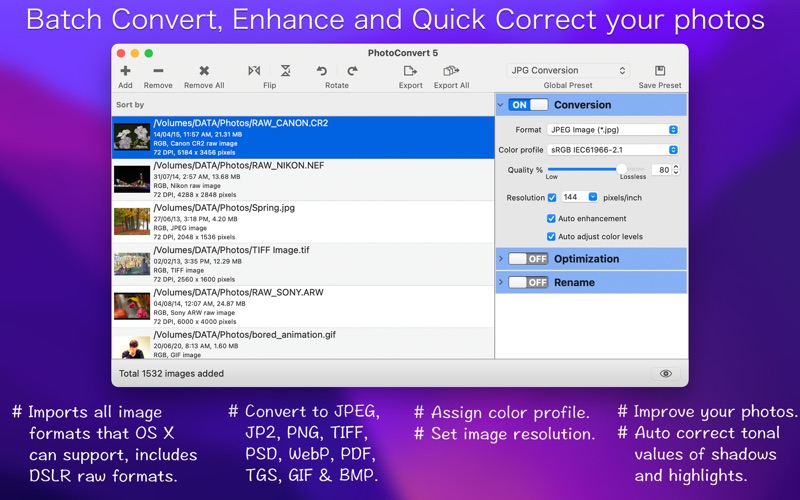
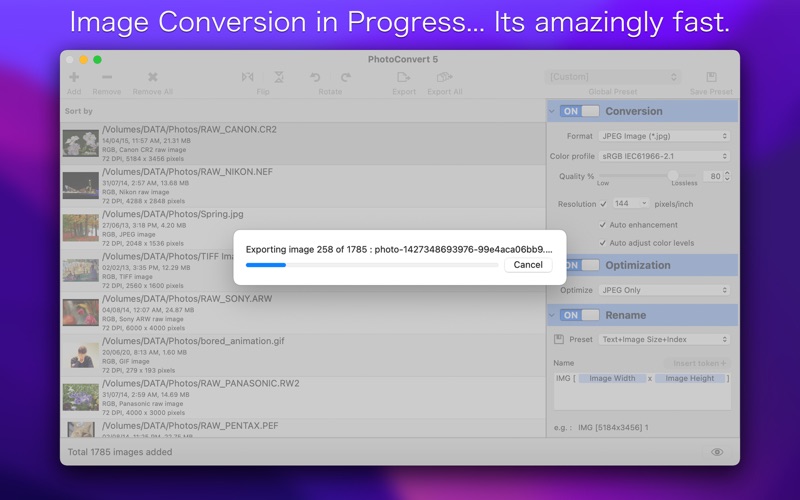
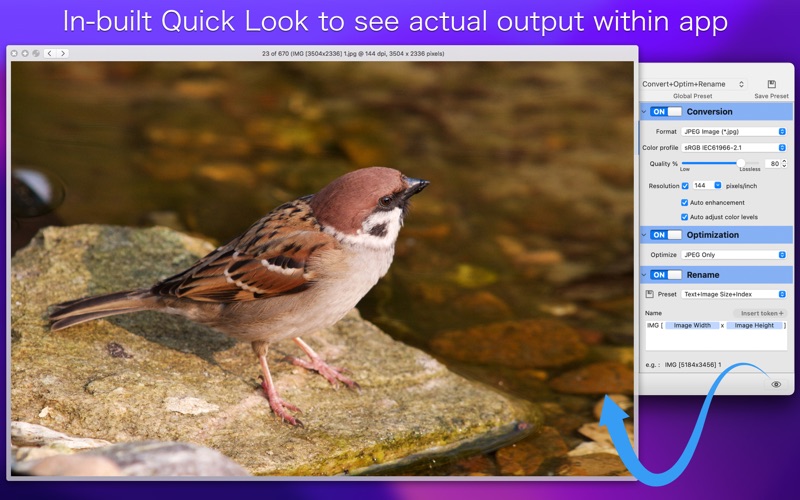
PhotoConvert 5 is a powerful and intuitive utility to convert and rename your photos in batch. PhotoConvert 5 offers features like image format conversion between JPEG, HEIC, JPEG2000, TIFF, PNG, GIF, WebP, BMP and more formats. It can import most of all RAW image types of various DSLR cameras. In addition, PhotoConvert 5 has options to preserve metadata properties (EXIF, RAW, TIFF, etc.), time stamp and also maintains source folder photo storage hierarchy. Rename feature to give meaningful name to your photos. Also included Automator Action bundle to enable PhotoConvert image conversion functionality to do repetitive tasks in macOS workflow automation.
KEY FEATURES:
• BATCH PROCESSING: …
Read the full description
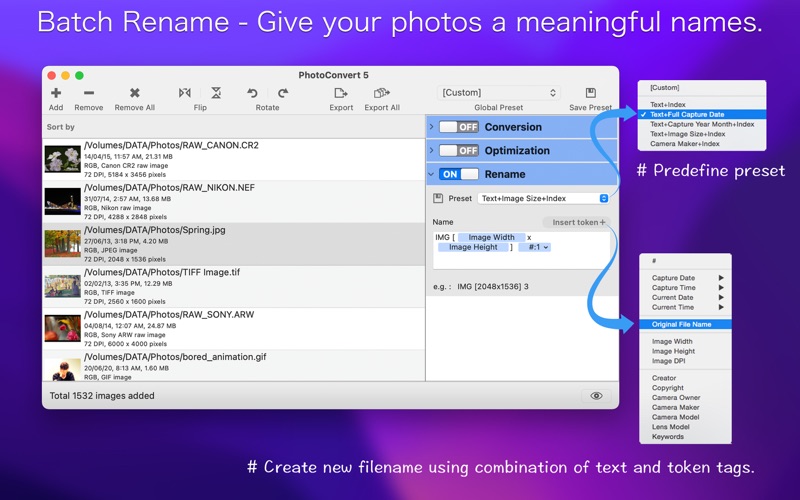
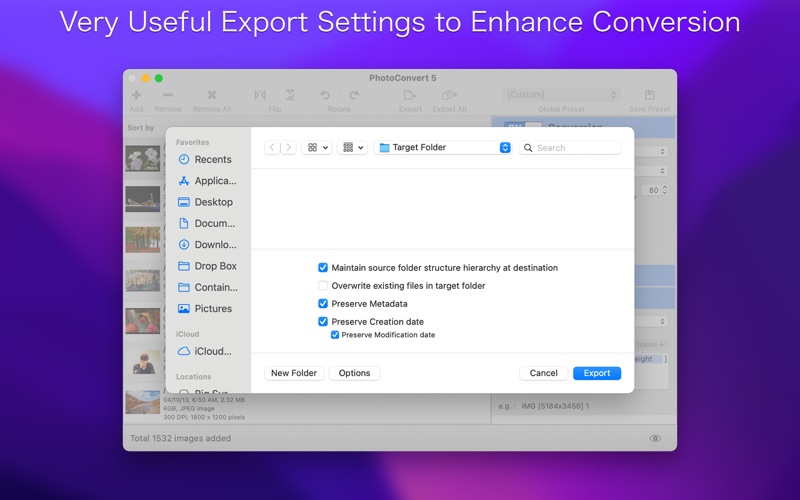
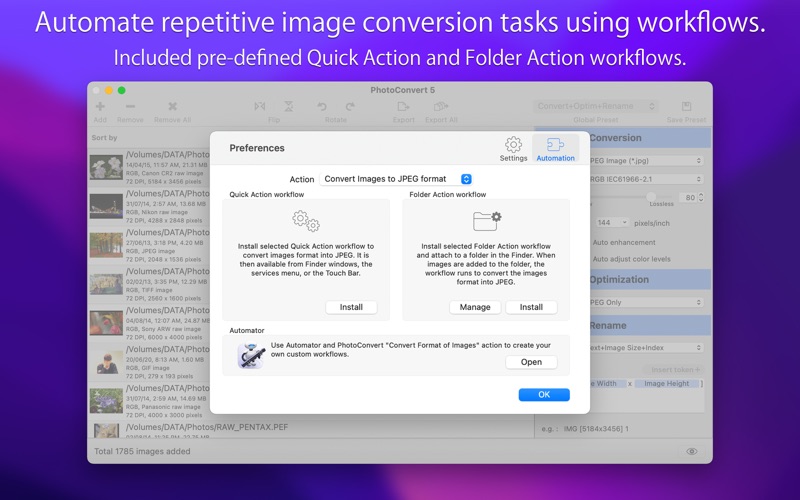
PhotoConvert 5 is a powerful and intuitive utility to convert and rename your photos in batch. PhotoConvert 5 offers features like image format conversion between JPEG, HEIC, JPEG2000, TIFF, PNG, GIF, WebP, BMP and more formats. It can import most of all RAW image types of various DSLR cameras. In addition, PhotoConvert 5 has options to preserve metadata properties (EXIF, RAW, TIFF, etc.), time stamp and also maintains source folder photo storage hierarchy. Rename feature to give meaningful name to your photos. Also included Automator Action bundle to enable PhotoConvert image conversion functionality to do repetitive tasks in macOS workflow automation. KEY FEATURES: • BATCH PROCESSING: Easy steps to resize hundreds & thousands of images/photos at amazingly fast speed 1) Add or Drop images/folders. 2) Select desire export options. 3) Choose target folder and Export/Export All. • CONVERSION: Image format conversion from most of all supported source image types into JPEG, HEIC, JPEG2000, PNG, TIFF, PDF, PSD, GIF, WebP, TGA and BMP. You can adjust quality for JPEG, HEIC, JPEG2000 and WebP images. Lower the quality for higher image compression to get smaller file size. It also support to assign color conversion profile. - Converts animated WebP to animated GIF and vice versa. - Converts multi-frame image formats like WebP, GIF and multi-page TIFF into single PDF and animated GIF. - Converts each frame of multi-frame image format into separate images for other formats. • AUTOMATION: PhotoConvert 5 Automator action "Convert Format of Images" lets you automate time consuming and repetitive image conversion tasks by constructing workflows. PhotoConvert included default workflows for you to convert images to JPEG, PNG, TIFF, WebP and PDF format each for Quick Action and Folder Action. Just install from the app preferences and start using it. • AUTO ENHANCEMENT: Improve your photos. Evaluates the image and then applies the White Balance, Enhance, Curves, and Highlights & Shadows adjustment values in a manner that suits the photo. • AUTO ADJUST COLOR LEVEL: Auto correct tonal values of shadows and highlights in an image based on image analysis. Auto detecting white and black clip point values and constrain to evenly redistribute the tonal range of the pixels between black and white. This is a fast and good way to make a quick correction to bunch of photos. • RENAME: Give your photos meaningful names. Use predefine preset or create new file name using combination of text and tokens. Token tags like index, date, time, metadata properties, image size and EXIF properties helps you generate dynamic name for photo. You can save your customized name as new preset. • Optimize JPEG and PNG images without much losing its quality and format. • Global presets for efficient reusability for faster batch processing in future. • Export option to maintain source folder structure hierarchy at destination. • Preserves source image metadata properties like, EXIF, TIFF, GPS, RAW etc. • Export option preserve source image Creation and Modification date. • Export option to set destination folder. It set forever.. even after relaunch. • Preset backup system to keep a copy of the app presets. • Source image formats supported are JPEG, HEIC, WebP, PNG, TIFF, BMP, JP2, GIF, PSD, ICNS, TGA, EXR, ICO, XBM, SGI, PNTG, and RAW image types (like .raw, .nef, .cr2 etc.) from most of all DSLR cameras are also supported. You can refer User Manual from menu "Help -> Help PhotoConvert 5" for any assistance, Contact Support. *The free version has limitation to convert only one photo at a time. Get Premium to remove all restrictions and start batch converting an unlimited number of photos. Privacy Policy: http://rootrisetech.com/photoconvert-privacy-policy Terms of Use(EULA): https://www.apple.com/legal/internet-services/itunes/dev/stdeula/
Installs
Apple does not publish download counts. Estimates are in testing.
We publish iOS estimates only after they pass a back-test against real numbers. Chart history below is measured.
Estimated store revenue Estimated Beta
App Store, worldwide, monthly rate from the last 13 chart days to 20 Nov 2026
Below the top 100 grossing apps in the markets we calibrate. In the United States that usually means under about $6.4M a month. App Store purchases and subscriptions only, before Apple's 15 to 30% fee. Ads and web payments are not included.
Ratings
No rating breakdown published for this app.
Recent reviews
Latest public reviews from the store
No reviews in our sample for this app yet.
Top chart positions
Latest App Store chart ranks by country, last 10 days
Not in any tracked top chart in the last 10 days.
PhotoConvert 5 history
Release, install milestones, listing and store changes
- First released on the store 4 Sep 2016
Update frequency
How often PhotoConvert 5 ships a new version, month by month
1 updates in the last 12 months. More often than most similar apps: they shipped a median of 0 updates in the same year.
Recent versions
Current version 5.4
- Version 5.421 Jan 2026
- Updated user interface to streamline with latest macOS. - Other minor bug fixes and improvements. If PhotoConvert 5 useful to you, we would appreciate an App Store review. It will help other people find the app and make them delighted. Thank you all users for your feedback :)
Listing keywords
Words and phrases PhotoConvert 5 repeats most in its store listing
Top phrases: jpeg heic (4), source image (4), jpeg heic jpeg2000 (3), export option (3), heic jpeg2000 (3).
Highlighted words also appear in the title. Counts cover the title, short description and description.
Compliance
What the listing and the app package show
- Store status
- Live
- Upkeep
- Updated 21 Jan 2026
- Age rating
- 4+
Apps like PhotoConvert 5
 Video CollageaZeR DiLLs★ 4.08
 Vee for VideoMedious★ 2.98
 Beauty Camera -Selfie, StickerBhuvan Gupta★ 4.5
 FinalCamXShenzhen Xiaozhen Technology Co.,Ltd.★ 4.44
 Magic Studio - AI Photo EditorMagicStudio.com★ 4.62
 Foto Impresiones: 1 Hr PhotoSoftwareX★ 4.98
 SnapGeo - AI Location FinderRECEP ASLAN★ 4.24
 Family Photo Maker - AIRick-y Media★ 4.12
 BeautifAI: AI Try OnJAI UYGULAMA VE YAPAY ZEKA TEKNOLOJILERI ANONIM SIRKETI★ 4.36
PhotoConvert 5: questions and answers
Who makes PhotoConvert 5?
PhotoConvert 5 is published by RootRise Technologies Pvt. Ltd..
When was PhotoConvert 5 last updated?
The latest version (5.4) was released on 21 Jan 2026.
Is PhotoConvert 5 free?
No. PhotoConvert 5 is a paid app.
Is PhotoConvert 5 still available?
Yes. PhotoConvert 5 is live on App Store as of 10 May 2026.
Track PhotoConvert 5 and its competitors
Watch any app for new versions, rating drops, chart moves and removals. Free plan, no card.