- Installs
- —
- Apple does not publish download counts
- Rating
- 4.74
- Ratings
- 3.4K
- 3.4K reviews
- Version
- 2.10.4
- Updated 21 Jan 2024
- Released
- 21 Dec 2016
- Tracked since 10 May 2026
- Size
- 7 MB
- Needs 14.0
Screenshots
About Pixelable - Pixel Art Editor
The description on the store listing
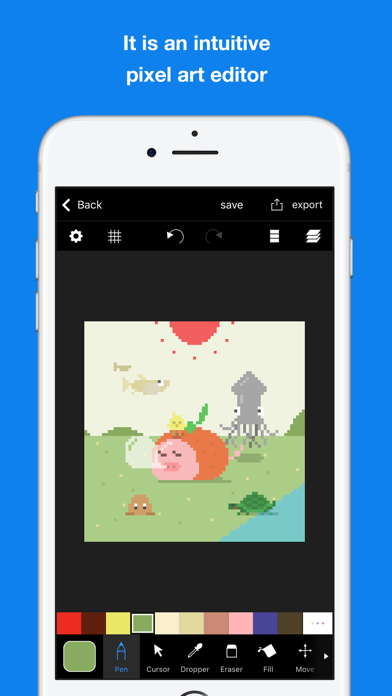
Here is a pleasant pixel art editor!
This is an app which pursue the stress-free and intuitively drawing of pixel art.
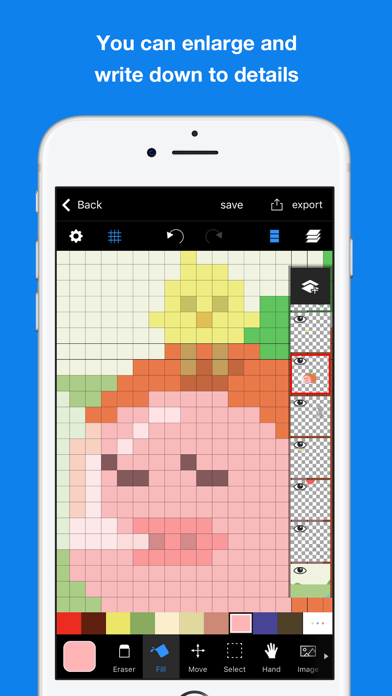
The app has genuine functions, like layer editing, color making, and various tools. Also, you can operate intuitively. For example you can enlarge and reduce the canvas by pinch in or pinch out.
Main functions are below.
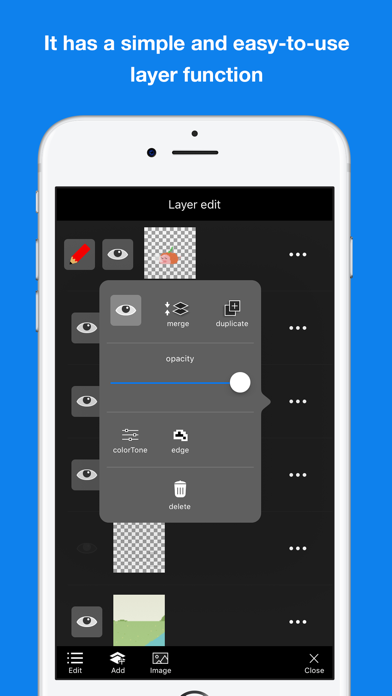
- Layer editing
You can add and erase, and copy layers. Also, you can select display or non-display mode, change the order of layers, and make a layer transparent.
- Tools
The app has basic tools to draw pixel arts. (For example, pen, spuit, filling and transfer)
・Undo and redo
You can cancel drawing.
- Animated GIF export
Each layer is going to be …
Read the full description
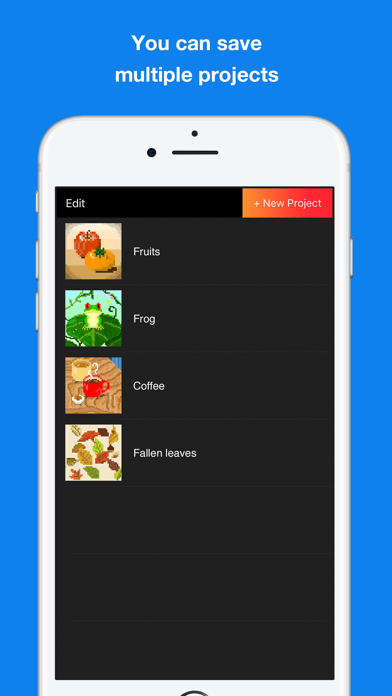
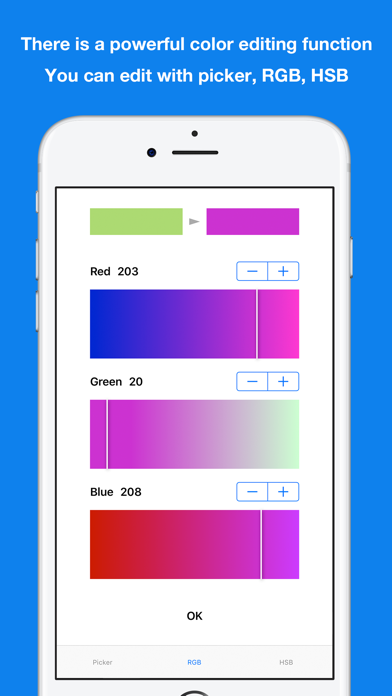
Here is a pleasant pixel art editor! This is an app which pursue the stress-free and intuitively drawing of pixel art. The app has genuine functions, like layer editing, color making, and various tools. Also, you can operate intuitively. For example you can enlarge and reduce the canvas by pinch in or pinch out. Main functions are below. - Layer editing You can add and erase, and copy layers. Also, you can select display or non-display mode, change the order of layers, and make a layer transparent. - Tools The app has basic tools to draw pixel arts. (For example, pen, spuit, filling and transfer) ・Undo and redo You can cancel drawing. - Animated GIF export Each layer is going to be one frame. - Color making You can make your favorite color easily. You can save 150 colors in maximum by a work. - Pinch in and pinch out You can enlarge and reduce the canvas by pinch in and out. It enables you to draw more details. - Saving multiple pictures You can save several projects, so that you can edit other projects later. - Setting canvas size You can select the size of canvas from 5*5 to 256*256. - Setting a exporting pixel size You can select exporting size. Pictures will be saved to camera roll as a png file. - Reflection function You can reflect the selected layer vertical and horizontal. ※There is another flunked app, ‘Dottable’. ※To prevent a crash, you need more than 150MB of free space to make a new project. Sorry for the inconvenience.
Installs, last 30 days
Apple does not publish download counts. Estimates are in testing.
Estimated store revenue Estimated Beta
App Store, worldwide, monthly rate from the last 12 chart days to 19 Nov 2026
Below the top 100 grossing apps in the markets we calibrate. In the United States that usually means under about $6.4M a month. App Store purchases and subscriptions only, before Apple's 15 to 30% fee. Ads and web payments are not included.
Ratings
3,395 ratings, 3,395 reviews
- 5 ★83%
- 4 ★11%
- 3 ★3.6%
- 2 ★0.8%
- 1 ★1.3%
Recent reviews
Latest public reviews from the store
- 16 Mar 2026
Very peak app
I mainly downloaded this app for making sonic sprites, but now that I’m used to it after the first day of using it, it reminds me of my main drawing app, Ibis paint! I’d recommend this app to anyone interested in pixel media.
- 25 Jan 2026
easy
very fun and easy to use
- 23 Dec 2025
I LOVE IT
It’s soo good I just so
- 25 Sep 2025
Hey, I’m kinda not happy with some of the drawing features
The drawing brush and erasing brush need custom sizes I usually draw on a big canvas size and honestly the smaller lead tool and draw tool and cutting it for me.
What reviewers bring up
Topics mentioned in the latest 50 reviews, by how many reviews mention them
Liked in good reviews (37 reviews)
- pixel 15
- art 14
- other 6
- ads 6
- add 6
- drawing 5
- project 4
- colors 4
Raised in bad reviews (6 reviews)
- duplicate 2
- crashing 2
- buttons 2
- finish 2
- saving 2
- entire 2
- click 2
- until 2
Top chart positions
Latest App Store chart ranks by country, last 10 days
Not in any tracked top chart in the last 10 days.
Pixelable - Pixel Art Editor history
Release, install milestones, listing and store changes
- First released on the store 21 Dec 2016
Recent versions
Current version 2.10.4
- Version 2.10.421 Jan 2024
- Minor fixes
Listing keywords
Words and phrases Pixelable - Pixel Art Editor repeats most in its store listing
Top phrases: pixel art (3), canvas by pinch (2), enlarge and reduce (2), pixel art editor (2), reduce the canvas (2).
Highlighted words also appear in the title. Counts cover the title, short description and description.
Compliance
What the listing and the app package show
- Store status
- Live
- Upkeep
- No update since 21 Jan 2024
- Registered in
- Japan
- Age rating
- 4+
Apps like Pixelable - Pixel Art Editor
 HappyShort - Dramas & MoviesZhengzhou Tianqiao E-commerce Co., Ltd★ 4.79
 UHF - Love your IPTVShort Wavelength Applications Ltd★ 4.69
 Magic Fluids LiteMad Scientist★ 4.73
 My Town : DaycareMy Town Games LTD★ 4.44
 Sex Dice - Sex Game for CoupleGS3 Web★ 4.49
 AI Friend: Virtual AssistPranas Semionova★ 4.54
 Emoji King - match emojiwenkui wang★ 3.87
 Diamond Painting by NumberEYEWIND LIMITED★ 4.81
 For The Girls: Night Out GamesBoltQ Media★ 4.71
Pixelable - Pixel Art Editor: questions and answers
Who makes Pixelable - Pixel Art Editor?
Pixelable - Pixel Art Editor is published by Yosuke Seki, a developer based in JP.
When was Pixelable - Pixel Art Editor last updated?
The latest version (2.10.4) was released on 21 Jan 2024.
Is Pixelable - Pixel Art Editor free?
Yes. Pixelable - Pixel Art Editor is free to download.
Is Pixelable - Pixel Art Editor still available?
Yes. Pixelable - Pixel Art Editor is live on App Store as of 19 Nov 2026.
Track Pixelable - Pixel Art Editor and its competitors
Watch any app for new versions, rating drops, chart moves and removals. Free plan, no card.