
- Installs
- —
- Apple does not publish download counts
- Rating
- 4.8
- Ratings
- 304
- 304 reviews
- Version
- 11.01
- Updated 7 Nov 2025
- Released
- 12 Mar 2013
- Tracked since 10 May 2026
- Size
- 56 MB
- Needs 16.6
Screenshots

About Power PDF Pro
The description on the store listing
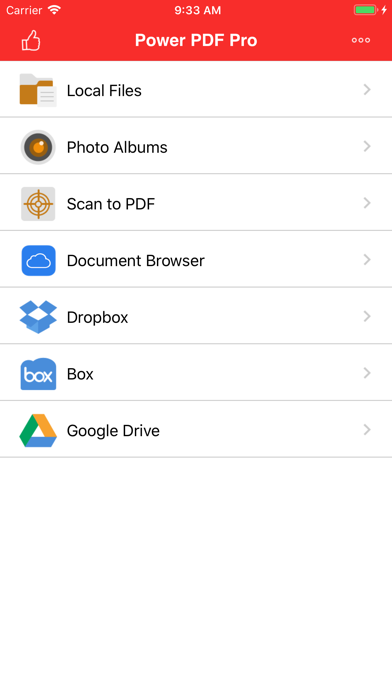
Power PDF Pro is the Pro Version of Power PDF, a powerful tool to create, modify and view PDF documents on iPad/iPhone. Besides all the features available on Power PDF, the Pro Version has more features, which are essential to business and professional users, including Dropbox, Box and Google Drive access.
Power PDF Pro lets you create PDF documents on your iPhone/iPad with ease. It supports:
- Create PDF documents from many file types, including: DOC, XLS, PPT, TXT, RTF, XML, HTML and all text files.
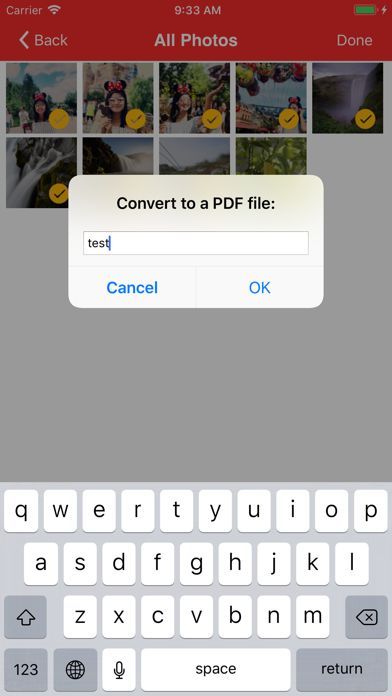
- Convert photos to a PDF document.
- Scan to a PDF document using your Camera.
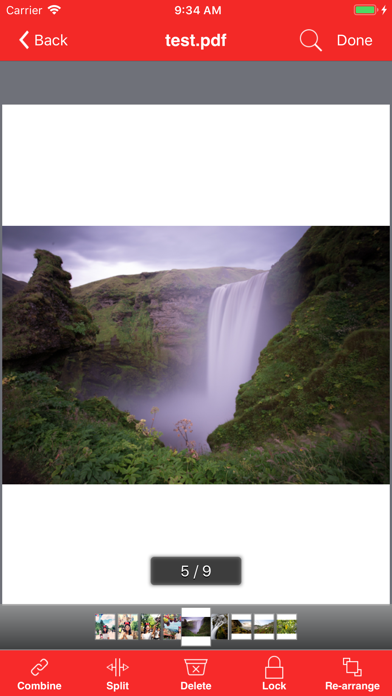
Power PDF Pro lets you modify PDF documents on your iPhone/iPad with ease. It supports:
- Combine PDF …
Read the full description
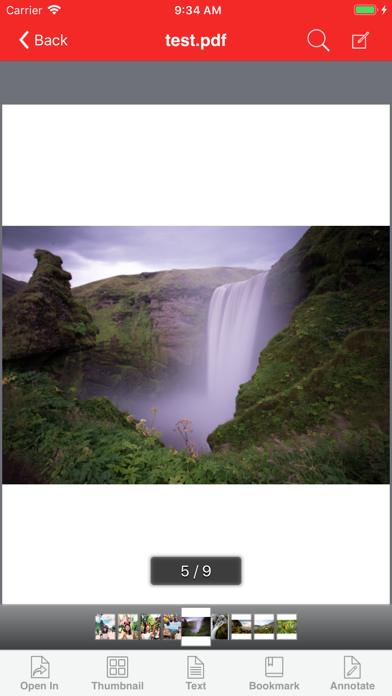
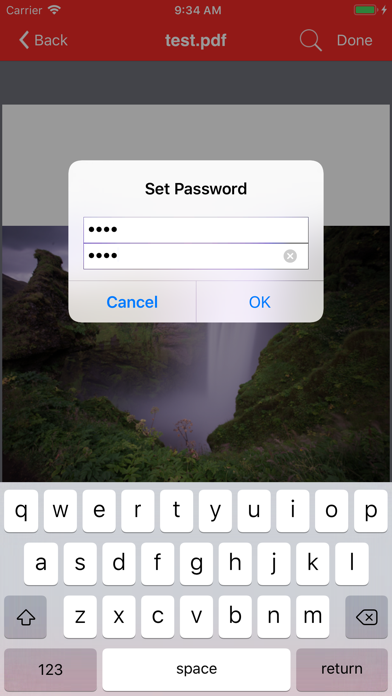
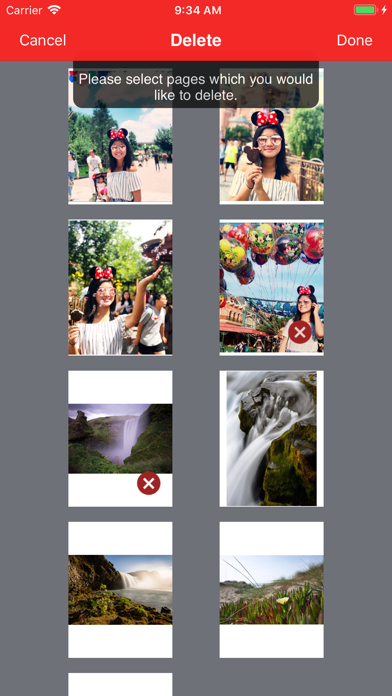
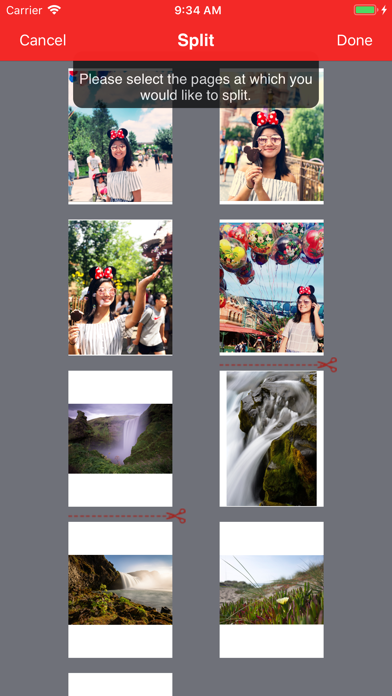
Power PDF Pro is the Pro Version of Power PDF, a powerful tool to create, modify and view PDF documents on iPad/iPhone. Besides all the features available on Power PDF, the Pro Version has more features, which are essential to business and professional users, including Dropbox, Box and Google Drive access. Power PDF Pro lets you create PDF documents on your iPhone/iPad with ease. It supports: - Create PDF documents from many file types, including: DOC, XLS, PPT, TXT, RTF, XML, HTML and all text files. - Convert photos to a PDF document. - Scan to a PDF document using your Camera. Power PDF Pro lets you modify PDF documents on your iPhone/iPad with ease. It supports: - Combine PDF documents. - Split a PDF document into two or more documents. - Delete pages in a PDF document. - Re-arrange pages in a PDF document. - Add password protection to a PDF document. Power PDF Pro lets you view PDF documents with ease. It supports: - View PDF documents in thumbnail or full screen modes. - Extract text from a PDF document. - Add bookmarks on a PDF document. - Search within a PDF document. - Fast Navigate within a PDF document. - Zooms in/Zooms out on a PDF document. - Annotate in a PDF document. Power PDF Pro also has a File Manager, which supports the following features: - Import files from your Camera Roll, Email or another App. - Manage Files including: rename, delete, move, create folder and sort. - Search file name in Local Files and Camera Roll. - Open many document types, including: DOC, EXCEL, PPT, TXT, image files, and audio files. - Download from/upload to Dropbox, Box and GoogleDrive. With its simple interfaces, Power PDF Pro provides the easiest way to manage PDF documents on iPhone and iPad.
Installs since 29 Aug 2026
Apple does not publish download counts. Estimates are in testing.
Estimated store revenue Estimated Beta
App Store, worldwide, monthly rate from the last 12 chart days to 19 Nov 2026
Below the top 100 grossing apps in the markets we calibrate. In the United States that usually means under about $6.4M a month. App Store purchases and subscriptions only, before Apple's 15 to 30% fee. Ads and web payments are not included.
Ratings
304 ratings, 304 reviews
No rating breakdown published for this app.
Recent reviews
Latest public reviews from the store
- 5 May 2023
My Main PDF App
I use it daily to print to pdf and store the documents on my phone. It has connection to some cloud storage but not icloud. Hope the developers will include connection to iCloud storage soon.
- 9 Oct 2022
Robust but needs improvement
Pictures of documents are coming blurry no matter how much light I direct or even use a flash. Unacceptable. especially when working with fine font documents.
- 11 Nov 2021
Great product
Love the app but would love to have the option scanning document and saving them to the app
- 26 Dec 2020
engineer
thanks for this efforts
What reviewers bring up
Topics mentioned in the latest 35 reviews, by how many reviews mention them
Liked in good reviews (20 reviews)
- pages 4
- documents 3
- remove 3
- store 3
- password protect 2
- protect pdf 2
- combining 2
- rearrange 2
Raised in bad reviews (13 reviews)
- file 6
- problem 3
- convert 3
- bother 3
- money 3
- says 3
- description 2
- completely 2
Top chart positions
Latest App Store chart ranks by country, last 10 days
Not in any tracked top chart in the last 10 days.
Power PDF Pro history
Release, install milestones, listing and store changes
- First released on the store 12 Mar 2013
Update frequency
How often Power PDF Pro ships a new version, month by month
0 updates in the last 12 months. Less often than most similar apps: they shipped a median of 2 updates in the same year.
Recent versions
Current version 11.01
- Version 11.017 Nov 2025
Bug fixes and performance improvements.
Listing keywords
Words and phrases Power PDF Pro repeats most in its store listing
Top phrases: pdf document (12), power pdf (9), pdf documents (8), power pdf pro (7), pdf pro (7).
Highlighted words also appear in the title. Counts cover the title, short description and description.
Compliance
What the listing and the app package show
- Store status
- Live
- Upkeep
- Updated 7 Nov 2025
- Age rating
- 4+
Apps like Power PDF Pro
 SikaCashhttps://appstoreconnect.apple.com/★ 3.72
 Immediate Contact TransferCyberValue LLC★ 3.88
 Islamiyat BahraineGovernment Authority Bahrain★ 4.75
 WoW Classic Talent CalculatorHalasz Gergo★ 4.58
 Thunder VPN - Proxy UnlimitedINITIO TECH MEDIA PRIVATE LIMITED★ 4.45
 Nagarik AppNITC, Government of Nepal★ 2.97
 Whale - Naver Whale BrowserNAVER Corp.★ 4.53
 新浪邮箱Beijing New Media Information Technology Co.ltd.★ 3.72
 Morse TransmitterShuyang Sun★ 4.28
Power PDF Pro: questions and answers
Who makes Power PDF Pro?
Power PDF Pro is published by ComcSoft Corporation.
When was Power PDF Pro last updated?
The latest version (11.01) was released on 7 Nov 2025.
Is Power PDF Pro free?
No. Power PDF Pro is a paid app priced at $5.99.
Is Power PDF Pro still available?
Yes. Power PDF Pro is live on App Store as of 14 Nov 2026.
Track Power PDF Pro and its competitors
Watch any app for new versions, rating drops, chart moves and removals. Free plan, no card.