
- Installs
- —
- Apple does not publish download counts
- Rating
- 4.67
- Ratings
- 3
- 3 reviews
- Version
- 1.9.2
- Updated 16 Jan 2024
- Released
- 11 Jun 2015
- Tracked since 10 May 2026
- Size
- 66 MB
- Needs 16.1
Screenshots
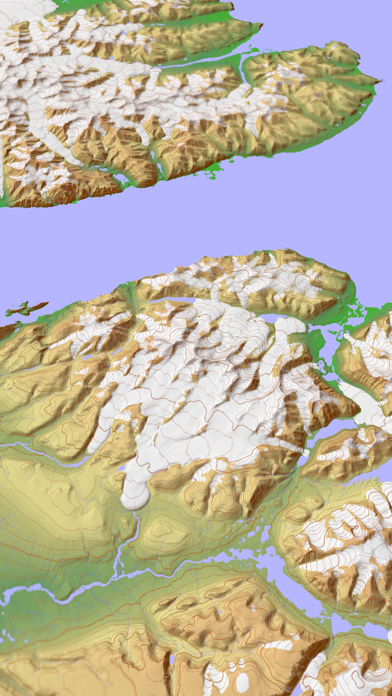
About Scenic Map
The description on the store listing
A 3D topo map with coverage of the entire world. The map is streamed directly from Apple's servers and cached on your device for use when there is no cell coverage. Use Scenic Map in a car, a boat, a plane or while hiking. It is like having the entire Earth in your pocket. Satellite image overlays add breathtaking detail and realism to the maps (tap preset 2 or 4). You can use them as you travel to see what is hidden from view at ground level. This takes moving maps to a whole new level.
To get started, tap the arrow button in the toolbar to begin GPS tracking and center the map at your current location. The spinner in the status bar shows that the map is being loaded. The spinner stops …
Read the full description
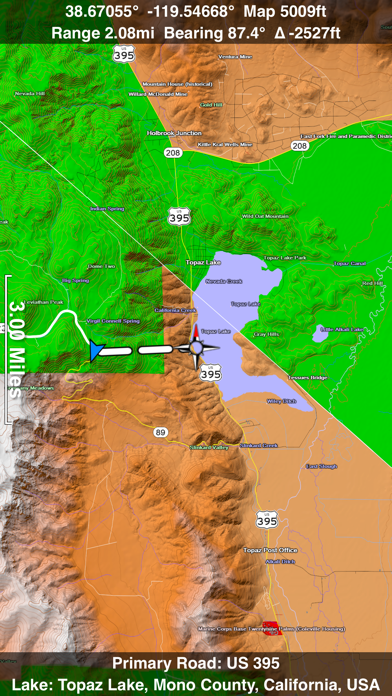
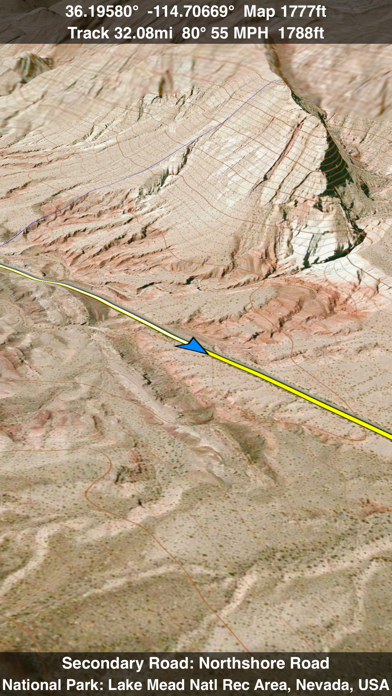
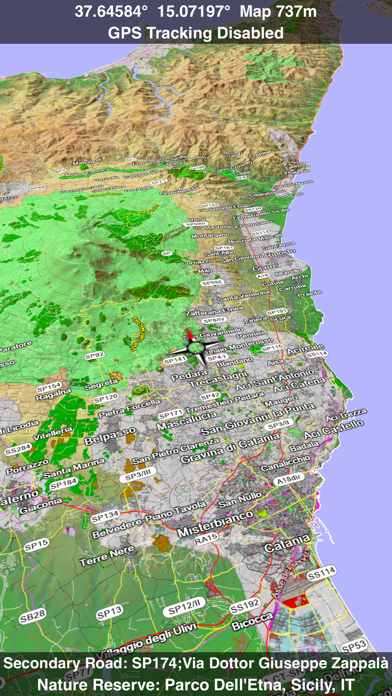
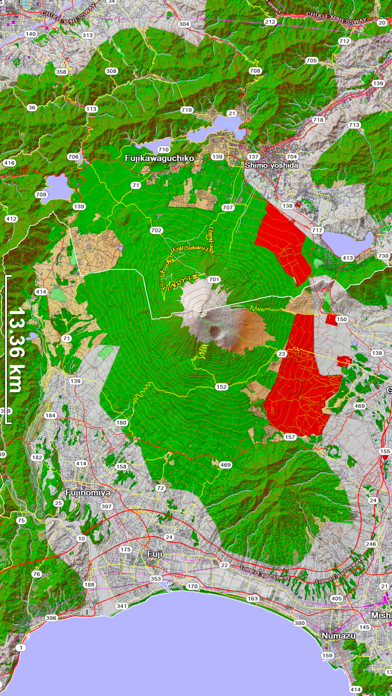
A 3D topo map with coverage of the entire world. The map is streamed directly from Apple's servers and cached on your device for use when there is no cell coverage. Use Scenic Map in a car, a boat, a plane or while hiking. It is like having the entire Earth in your pocket. Satellite image overlays add breathtaking detail and realism to the maps (tap preset 2 or 4). You can use them as you travel to see what is hidden from view at ground level. This takes moving maps to a whole new level. To get started, tap the arrow button in the toolbar to begin GPS tracking and center the map at your current location. The spinner in the status bar shows that the map is being loaded. The spinner stops when the map is fully cached at that location. You can scroll around the map or tilt the map with a two finger vertical swipe to see it in 3D. Use the two finger vertical swipe gesture to tilt the map for a 3D view. Scroll like a map or fly like a flight simulator. Enable Joystick Gestures in the Settings menu and then fly around the terrain using a virtual joystick. Prefer only 2D maps? Enable the 2D Map option in the Settings menu. Scenic Map is simply the best 3D topo map available for a mobile device. You will see incredible detail while scrolling, rotating and zooming perfectly smoothly. You will see every road even if you zoom out to the altitude of a satellite. As you zoom in, you will see every small bump and hollow of the Earth and terrain features as small as ten meters. Unlike old fashioned topo maps, Scenic Map’s roads and trails are up to date thanks to OpenStreetMap.org. It contains polygons for urban areas, shopping malls, an ever growing number of buildings and many other features, The best lake, pond, stream and rivers from the USGS and Canadian public databases are also included. Your tracks can be replayed with video like controls to speed up, slow down, pause, restart or skip to the end. You can display existing tracks while recording another if you want to retrace your route. When online, you can automatically create a route from your current GPS location to any other point on the map. Tracks can be received from or sent to other apps in GPX format. GPS recording stops automatically after you have remained stationary for some time or you can choose to manually stop tracking by tapping on the top track in the Tracks view. Never before have maps been this customizable. For example, you can turn on or off the roads. You can change the lighting direction or remove terrain shading entirely. You can display contour lines even over satellite images. There are five presets which let you quickly switch between map styles. Use Metric, English or Nautical units and choose one of four different coordinate displays including UTM. Want to learn more about a map feature? Tap the target icon and center the feature under the compass rose to display its name, type, urban area, county, state, elevation and coordinates. You will also see a bearing line back to your current GPS location or from your location to a selected waypoint. The status bar shows the bearing direction and distance along with the map and GPS elevation, the track length, and your current speed and direction of travel. In-app documentation is provided in the Help section at the top of the Settings menu. Links are provided in the documentation to detailed coverage maps, tutorial videos, installation guide and blog at ScenicMap.com Map data © OpenStreetMap and contributors under the Open Database License Scenic Map supports GPS tracking while the app is in the background. Caution: Continued use of GPS running in the background can dramatically decrease battery life.
Installs
Apple does not publish download counts. Estimates are in testing.
We publish iOS estimates only after they pass a back-test against real numbers. Chart history below is measured.
Estimated store revenue Estimated Beta
App Store, worldwide, monthly rate from the last 12 chart days to 19 Nov 2026
Below the top 100 grossing apps in the markets we calibrate. In the United States that usually means under about $6.4M a month. App Store purchases and subscriptions only, before Apple's 15 to 30% fee. Ads and web payments are not included.
Ratings
3 ratings, 3 reviews
No rating breakdown published for this app.
Recent reviews
Latest public reviews from the store
No reviews in our sample for this app yet.
Top chart positions
Latest App Store chart ranks by country, last 10 days
Not in any tracked top chart in the last 10 days.
Scenic Map history
Release, install milestones, listing and store changes
- First released on the store 11 Jun 2015
Update frequency
How often Scenic Map ships a new version, month by month
0 updates in the last 12 months. Less often than most similar apps: they shipped a median of 1 updates in the same year.
Recent versions
Current version 1.9.2
- Version 1.9.216 Jan 2024
All features are now unlocked for free. Fixed track recording in iOS 17. Fixed the settings menu in landscape mode on iPhone. Fixed low frame rate when the information bar is enabled. The map's highest detail is now displayed while scrolling.
Listing keywords
Words and phrases Scenic Map repeats most in its store listing
Top phrases: scenic map (4), settings menu (3), 3d topo map (2), current gps location (2), finger vertical swipe (2).
Highlighted words also appear in the title. Counts cover the title, short description and description.
Compliance
What the listing and the app package show
- Store status
- Live
- Upkeep
- No update since 16 Jan 2024
- Age rating
- 4+
Apps like Scenic Map
 Canals.UKMARK MANSER★ 4.74
 Chevron Car WashDigital Mosaic Corporation★ 1.62
 hitta.sehittapunktse AB★ 4.6
 NextStop - NYC SubwayPliable Matter LLC★ 3.74
 E-Charge HKHong Kong EV Power Limited★ 4.34
 Simply NorthBusyBytes GmbH★ 4.08
 Doyle GuidesChris Doyle Publishing Limited★ 4.32
 Speedometer Speed MPH TrackerRihab Mehboob★ 4.62
 Property Line Finder - ParcelHealth & Wellness Apps Limited★ 4.28
Scenic Map: questions and answers
Who makes Scenic Map?
Scenic Map is published by GrangerFX.
When was Scenic Map last updated?
The latest version (1.9.2) was released on 16 Jan 2024.
Is Scenic Map free?
Yes. Scenic Map is free to download.
Is Scenic Map still available?
Yes. Scenic Map is live on App Store as of 1 Jul 2026.
Track Scenic Map and its competitors
Watch any app for new versions, rating drops, chart moves and removals. Free plan, no card.