
- Installs
- —
- Apple does not publish download counts
- Rating
- 3.81
- Ratings
- 36
- 36 reviews
- Version
- 4.6
- Updated 9 Jan 2026
- Released
- 5 Dec 2009
- Tracked since 10 May 2026
- Size
- 16 MB
- Needs 17.6
Screenshots
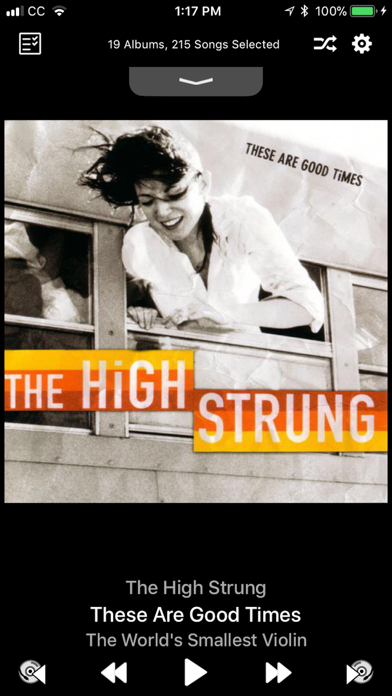
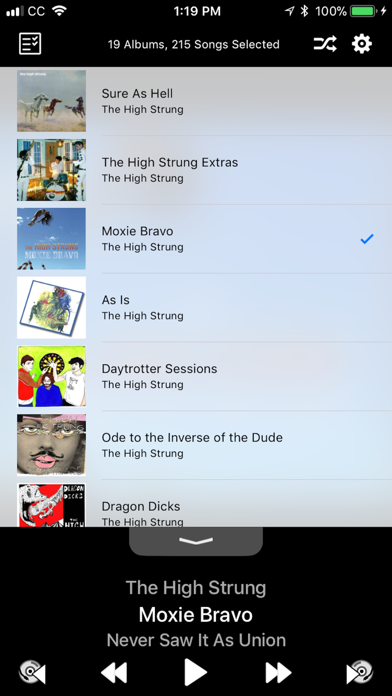
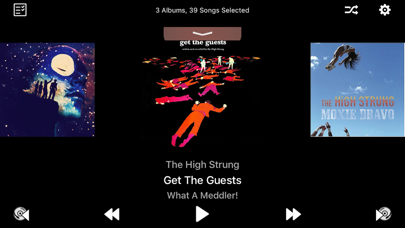
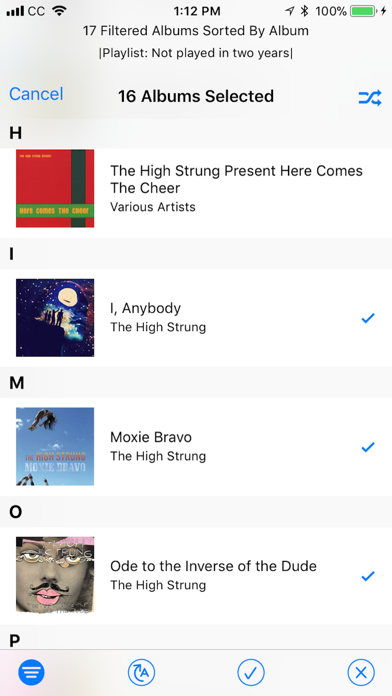
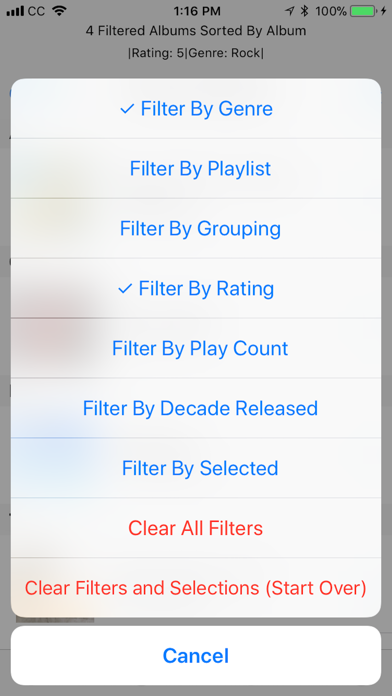
About Smart Shuffle
The description on the store listing
Do you miss the old "Album Shuffle" on your Apple device? Here at Spudfish Software, we did, so we did something about it!
Smart Shuffle: The Album-Centric Music Player
Smart Shuffle brings album shuffle back to you, randomly shuffling your music and playing it back one album at a time with songs selected in the order that the artist intended. If you love albums, Smart Shuffle is the only music player you need!
Version 4.0 also includes a host of new features to help you further take charge of your album collection!
CARPLAY COMPATIBLE!!!
- Tell Smart Shuffle to re-shuffle, play next album, play previous album, or view the next albums in your queue from our new CarPlay interface!
SIRI …
Read the full description
Do you miss the old "Album Shuffle" on your Apple device? Here at Spudfish Software, we did, so we did something about it! Smart Shuffle: The Album-Centric Music Player Smart Shuffle brings album shuffle back to you, randomly shuffling your music and playing it back one album at a time with songs selected in the order that the artist intended. If you love albums, Smart Shuffle is the only music player you need! Version 4.0 also includes a host of new features to help you further take charge of your album collection! CARPLAY COMPATIBLE!!! - Tell Smart Shuffle to re-shuffle, play next album, play previous album, or view the next albums in your queue from our new CarPlay interface! SIRI SHORTCUTS - train Siri to tell Smart Shuffle to Shuffle Albums, Play Next Album or Play Previous Album PLAY ALBUMS FROM THE CLOUD - Smart Shuffle can now access your albums in the cloud, seamlessly adding them to your selection list. Have a bad data plan or spotty internet connectivity? Just turn off this feature from the Settings app for Smart Shuffle. ENHANCED ALBUM SELECTION - Sort your albums by Title, Artist, Genre, Composer, or Release Date - Filter the selection list to refine your selections. You can create an album playlist to match your mood by filtering on any combination of: - Artist - Genre - Grouping - Composer - Rating - Play Count - Date Added - Decade Released - Minimum Song Count - Inclusion in one of your Playlists - Cloud Availability - Filter by Selected to see only the albums you have currently selected for shuffling, or those that you haven't selected yet. - Start Album: Select the first album to play, then pick random albums thereafter. - Split Multi-Disc Albums: treat each volume of a multi-disc set individually APPLE WATCH INTERFACE - Control the playback of your album selections on your Apple Watch. Play or pause the current album, skip to the next album, or re-play the previous album. SLEEP MODE - Touch and hold the play/pause button for a second to request Sleep Mode - Smart Shuffle will automatically pause after 30 minutes, an hour, or after the current album. You'll get lulled to sleep listening to your favorite albums without missing a bunch of them while asleep! ANNOUNCEMENT AND DELAY - Smart Shuffle now comes with settings to announce each new album before it is played, and to delay for up to 30 seconds between albums to let you cleanse your musical palate. RESPONSIVE TO TOUCH EVENTS - Double tap the screen to play/pause music - Swipe left/right on the album art to skip to the next/previous album - Swipe left/right on the now playing information to skip to the next/previous song - Swipe down in the pull-tab to show your entire shuffled album queue. Swipe up to view the currently playing album art. - Touch the progress bar to change songs - Touch the time remaining to show the time of day that the currently playing album will end. Touch again to return to time remaining. - Touch and hold the progress bar to get a list of songs to choose from - From the Selection Screen, touch and hold an album to play it first in your shuffled list REMOTE CONTROL EVENTS - In addition to the usual remote control events (play/pause, next song, previous song), Smart Shuffle can now skip to the next/previous album using the "skimming" remote control events. Double-click and hold the remote control on headphones, or touch and hold the forward arrow on the remote control panel on your lock screen. If you quit the application, your music keeps playing. Open the Music app, and your Smart Shuffle mix is retained. Pop right back into Smart Shuffle to skip albums or select new albums to mix. Happy Shuffling! See our website for additional information, FAQ's and contact us to report bugs or request new features. http://spudfish.com/smartshuffle
Installs
Apple does not publish download counts. Estimates are in testing.
We publish iOS estimates only after they pass a back-test against real numbers. Chart history below is measured.
Estimated store revenue Estimated Beta
App Store, worldwide, monthly rate from the last 13 chart days to 20 Nov 2026
Below the top 100 grossing apps in the markets we calibrate. In the United States that usually means under about $6.4M a month. App Store purchases and subscriptions only, before Apple's 15 to 30% fee. Ads and web payments are not included.
Ratings
36 ratings, 36 reviews
No rating breakdown published for this app.
Recent reviews
Latest public reviews from the store
No reviews in our sample for this app yet.
Top chart positions
Latest App Store chart ranks by country, last 10 days
Not in any tracked top chart in the last 10 days.
Smart Shuffle history
Release, install milestones, listing and store changes
- First released on the store 5 Dec 2009
Update frequency
How often Smart Shuffle ships a new version, month by month
1 updates in the last 12 months. About as often as similar apps, which shipped a median of 1 updates in the same year.
Recent versions
Current version 4.6
- Version 4.69 Jan 2026
Happy New Year! Fixed a bug that caused all of your playlists to get displayed in one huge flattened list instead of within the nice hierarchy of folders that you meticulously curated! Sorry about that, playlist mavens!
Listing keywords
Words and phrases Smart Shuffle repeats most in its store listing
Top phrases: smart shuffle (13), previous album (5), remote control (5), touch and hold (4), remote control events (3).
Highlighted words also appear in the title. Counts cover the title, short description and description.
Compliance
What the listing and the app package show
- Store status
- Live
- Upkeep
- Updated 9 Jan 2026
- Age rating
- 4+
Apps like Smart Shuffle
 Pyware 3D ViewerPygraphics, Inc.★ 2.86
 WNGC Your Georgia CountryCox Media Group★ 4.54
 Rhythm Necklace - Geometric SequencerSam Tarakajian★ 4.64
 DigiStix 2 AUv3 Plugin4Pockets.com★ 4.54
 JPLAYMarcin Ostapowicz★ 4.3
 MS Vinyl - Music WidgetDinh Dong Nguyen★ 4.26
 Radio TEDDYIR MediaAd GmbH★ 4.56
 Arpeggionome Pro | matrix arpeggiatorAlexandernaut★ 4.56
 Guitar & Ukulele Tuner 2025Aleksandr Kulaga★ 4.44
Smart Shuffle: questions and answers
Who makes Smart Shuffle?
Smart Shuffle is published by Spudfish Software.
When was Smart Shuffle last updated?
The latest version (4.6) was released on 9 Jan 2026.
Is Smart Shuffle free?
No. Smart Shuffle is a paid app priced at $1.99.
Is Smart Shuffle still available?
Yes. Smart Shuffle is live on App Store as of 1 Jul 2026.
Track Smart Shuffle and its competitors
Watch any app for new versions, rating drops, chart moves and removals. Free plan, no card.