
- Installs
- —
- Apple does not publish download counts
- Rating
- 4.25
- Ratings
- 4
- 4 reviews
- Version
- 2023.1
- Updated 3 Oct 2023
- Released
- 15 Aug 2014
- Tracked since 10 May 2026
- Size
- 2 MB
- Needs 12.4
Screenshots
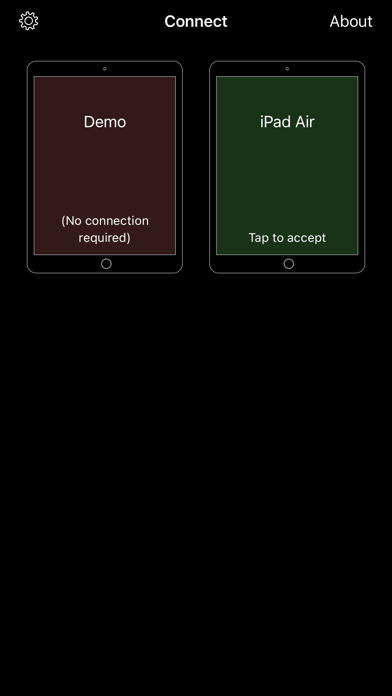
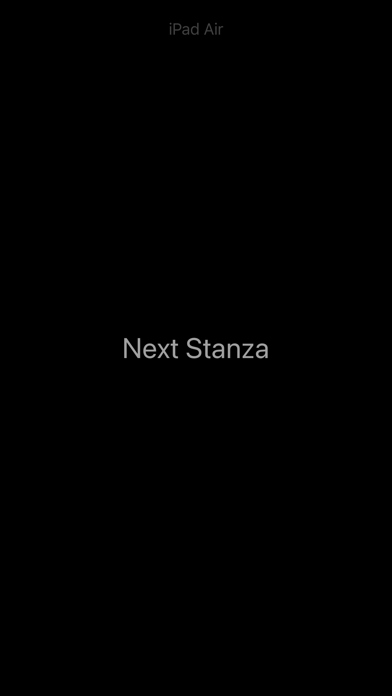
About SongSheet Remote
The description on the store listing
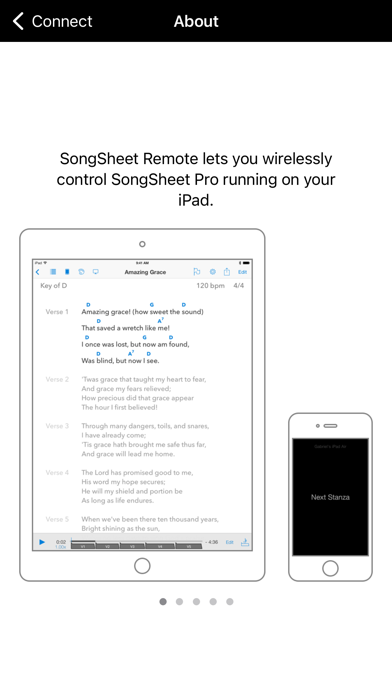
SongSheet Remote lets you wirelessly control SongSheet Pro running on your iPad. Mount your iPhone or iPod Touch running Remote directly on your guitar and forget about awkward reaches to touch your iPad’s screen!
Operation is straightforward. In order to make a connection between the Remote and SongSheet Pro, all you need to do is:
1. Make sure WiFi or Bluetooth is enabled on your iPad and iPhone/iPod Touch. There is no need to be connected to a WiFi network in order for the apps to connect to each other.
2. Launch SongSheet Pro on your iPad and the Remote app on your iPhone or iPod Touch.
3. In SongSheet Pro, select the first song in the set list you wish to control and tap the phone …
Read the full description
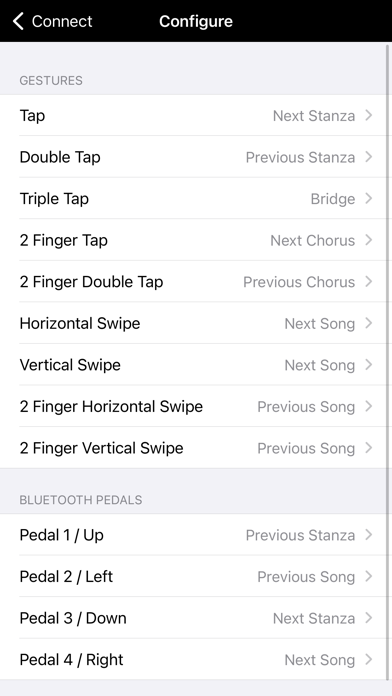
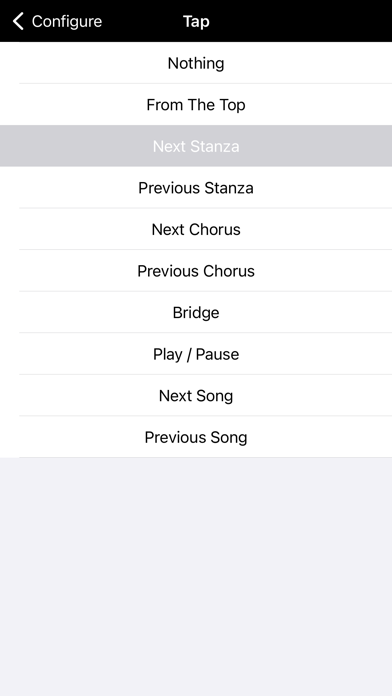
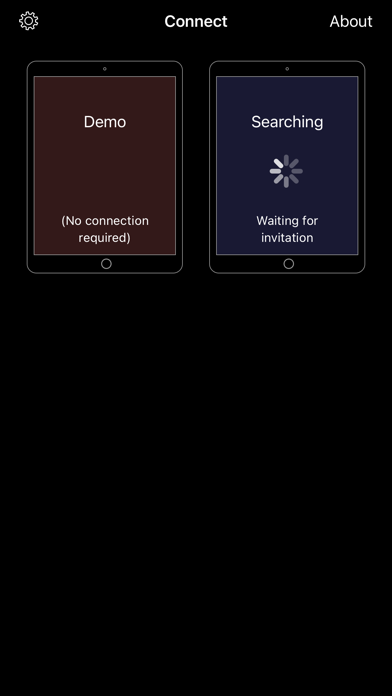
SongSheet Remote lets you wirelessly control SongSheet Pro running on your iPad. Mount your iPhone or iPod Touch running Remote directly on your guitar and forget about awkward reaches to touch your iPad’s screen! Operation is straightforward. In order to make a connection between the Remote and SongSheet Pro, all you need to do is: 1. Make sure WiFi or Bluetooth is enabled on your iPad and iPhone/iPod Touch. There is no need to be connected to a WiFi network in order for the apps to connect to each other. 2. Launch SongSheet Pro on your iPad and the Remote app on your iPhone or iPod Touch. 3. In SongSheet Pro, select the first song in the set list you wish to control and tap the phone icon in the top left to display the Remote browser. 4. When your remote appears in the browser, tap it to send an invitation to connect. 5. In the Remote app, when the invitation appears, tap it to accept, and the connection will be made. If you have previously connected SongSheet Pro and the Remote, they will attempt to auto-connect when you first go to the song display view. Once connected, you can use various gestures to send messages to SongSheet Pro. For example, you can step through the stanzas by tapping on your iPhone’s screen, swipe to get to the next song, and so on. If you have a Bluetooth-based controller connected to your phone (e.g. an AirTurn pedal) you can also use this to send commands via the Remote to SongSheet. To return to the connection screen, just tap and hold for several seconds. You can customise what commands are sent for the various supported gestures and foot pedal switches in the configuration screen. The Remote can send the following commands to SongSheet: • Go to the top of the song • Go to the next/previous stanza, next/previous chorus, or the bridge. • Play/pause • Go to the next/previous song
Installs
Apple does not publish download counts. Estimates are in testing.
We publish iOS estimates only after they pass a back-test against real numbers. Chart history below is measured.
Estimated store revenue Estimated Beta
App Store, worldwide, monthly rate from the last 12 chart days to 19 Nov 2026
Below the top 100 grossing apps in the markets we calibrate. In the United States that usually means under about $6.4M a month. App Store purchases and subscriptions only, before Apple's 15 to 30% fee. Ads and web payments are not included.
Ratings
4 ratings, 4 reviews
No rating breakdown published for this app.
Recent reviews
Latest public reviews from the store
- 18 Mar 2025
Used to work
I have used SongSheet for years and have loved it. One major bug is that, in order to fully use Bluetooth pedals with the app, one must go through the Songsheet remote app on a phone instead of directly to the app on the iPad. I was willing to put up with this since it works so well. However, starting several months ago, whenever I step on the Bluetooth pedal the songsheet remote app disconnects. I downloaded the latest version but to no avail. I have not been able to get any response from the developer about the problem. I can still use songsheet on the ipad directly from the pedal, but now I have to manually swipe from song to song on the iPad before starting and stopping scrolling with the Bluetooth pedal.
- 14 Jul 2018
Super Handy
This app tends to crash and go to the home screen here and there but still rating 5 stars because this app and the SongSheet Pro App for iPad have been the greatest apps for a musician! I write 5 stars but It would be great to fix the stability of this app.
- 24 Oct 2017
Missing a feature
The app is great, it’s awesome, and very useful. But there one more thing that needs that I think would be really useful. “Scroll down to next bottom screen” this feature would be great instead of only per stanza scroll. In this way you don’t need to tap constantly to scroll down.
- 5 Mar 2016
Not OK, need an iPhone version of SongSheet
Sorry, but this is not an adequate substitution for being able to carry your SongSheet library with you. I want something I can pull out when someone says, "hey, play something." Why would I need a remote for my iPad that is sitting RIGHT HERE? Get a clue and create an iPhone version that actually can be useful. This isn't.
What reviewers bring up
Topics mentioned in the latest 5 reviews, by how many reviews mention them
Liked in good reviews (4 reviews)
- songsheet 2
- screen 2
- useful 2
- right 2
- ipad 2
- down 2
- next 2
Raised in bad reviews (0 reviews)
No topic comes up twice.
Top chart positions
Latest App Store chart ranks by country, last 10 days
Not in any tracked top chart in the last 10 days.
SongSheet Remote history
Release, install milestones, listing and store changes
- First released on the store 15 Aug 2014
Update frequency
How often SongSheet Remote ships a new version, month by month
0 updates in the last 12 months. Less often than most similar apps: they shipped a median of 1 updates in the same year.
Recent versions
Current version 2023.1
- Version 2023.13 Oct 2023
- Improved reliability of connection and auto-connection. - Added support for dark mode. - Fixed a bug that would cause a crash when trying to enter the configuration screen. - Fixed a bug that could cause the wrong action to be highlighted in the assign action to gesture configuration screen.
Listing keywords
Words and phrases SongSheet Remote repeats most in its store listing
Top phrases: songsheet pro (6), ipod touch (3), iphone or ipod (2), songsheet remote (2).
Highlighted words also appear in the title. Counts cover the title, short description and description.
Compliance
What the listing and the app package show
- Store status
- Live
- Upkeep
- No update since 3 Oct 2023
- Age rating
- 4+
Apps like SongSheet Remote
 Pyware 3D ViewerPygraphics, Inc.★ 2.86
 WNGC Your Georgia CountryCox Media Group★ 4.54
 Rhythm Necklace - Geometric SequencerSam Tarakajian★ 4.64
 DigiStix 2 AUv3 Plugin4Pockets.com★ 4.54
 JPLAYMarcin Ostapowicz★ 4.3
 MS Vinyl - Music WidgetDinh Dong Nguyen★ 4.26
 Radio TEDDYIR MediaAd GmbH★ 4.56
 Arpeggionome Pro | matrix arpeggiatorAlexandernaut★ 4.56
 Guitar & Ukulele Tuner 2025Aleksandr Kulaga★ 4.44
SongSheet Remote: questions and answers
Who makes SongSheet Remote?
SongSheet Remote is published by Ghostdust.
When was SongSheet Remote last updated?
The latest version (2023.1) was released on 3 Oct 2023.
Is SongSheet Remote free?
Yes. SongSheet Remote is free to download.
Is SongSheet Remote still available?
Yes. SongSheet Remote is live on App Store as of 1 Jul 2026.
Track SongSheet Remote and its competitors
Watch any app for new versions, rating drops, chart moves and removals. Free plan, no card.