
- Installs
- —
- Apple does not publish download counts
- Rating
- —
- Ratings
- —
- Version
- 26
- Updated 15 Oct 2025
- Released
- 26 Jan 2017
- Tracked since 11 May 2026
- Size
- 8 MB
- Needs 14.0
Screenshots


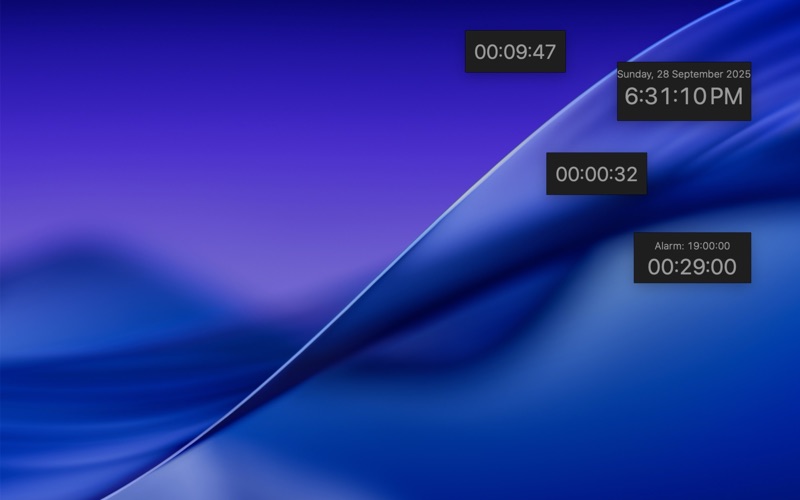
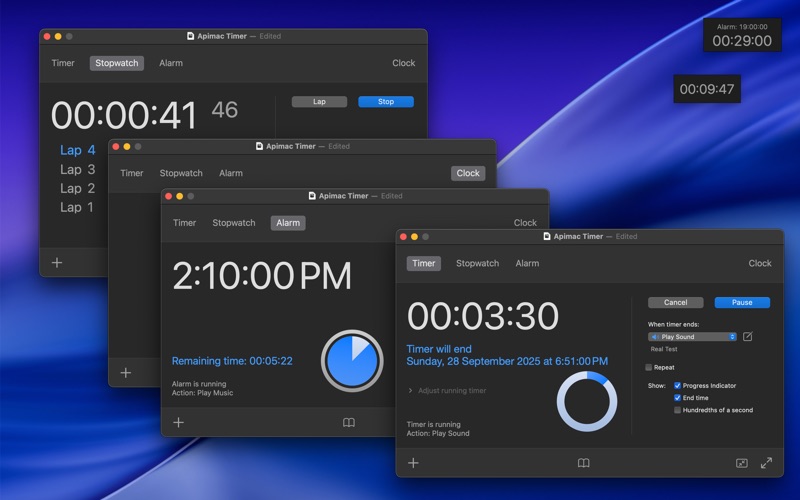
About Timer
The description on the store listing
Stopwatch, countdown timer and alarm clock in one professional app for Mac.
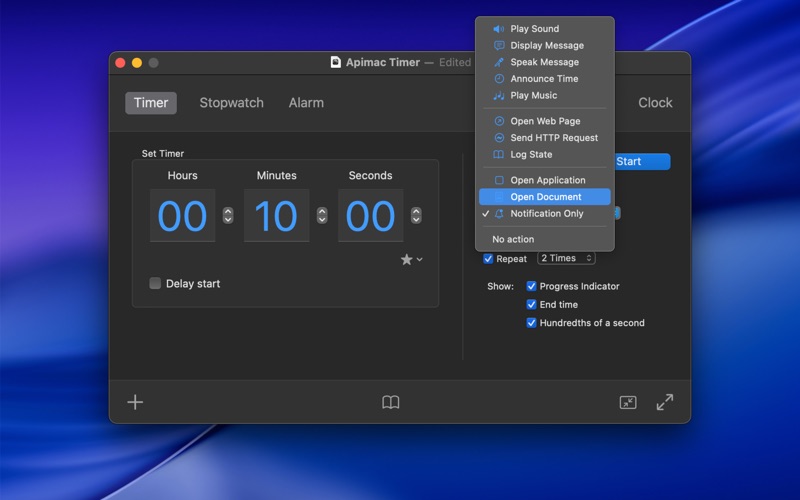
Timer makes time management on your Mac simple and reliable. Whether you’re studying, working, training, or running experiments, it gives you the right tools to measure, organize, and be reminded at just the right moment. Its clean and intuitive interface makes every feature easy to access, while behind the scenes it offers the accuracy and flexibility professionals need.
Accurate measurement
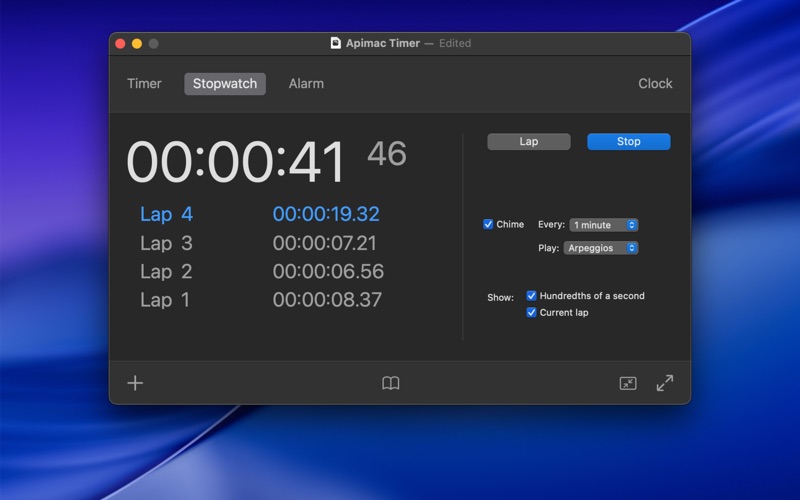
When precision really matters, you can rely on Timer. The stopwatch tracks time down to hundredths of a second and supports lap times, so you never lose track of even the smallest details. Timers can repeat automatically, …
Read the full description
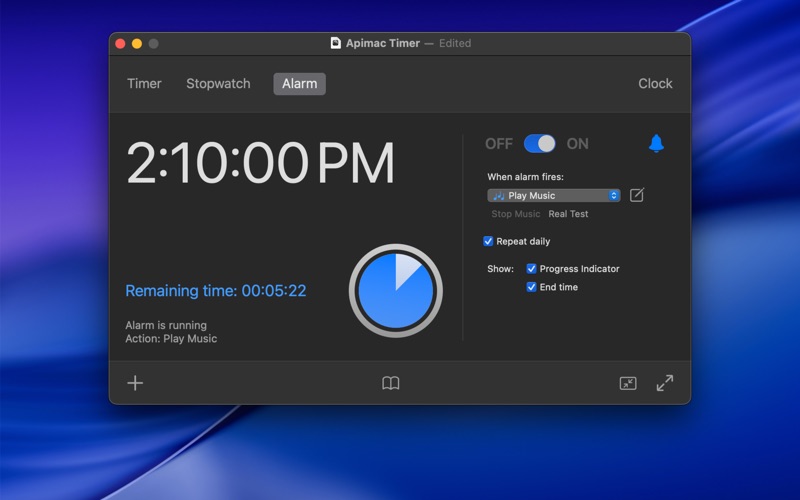
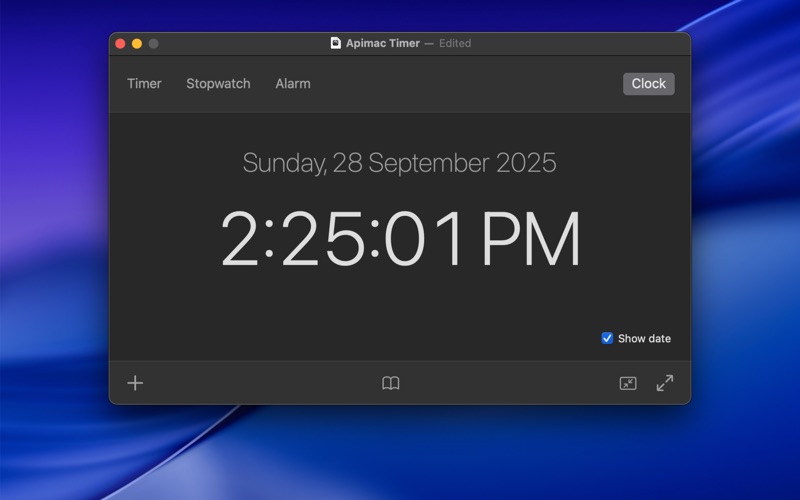
Stopwatch, countdown timer and alarm clock in one professional app for Mac. Timer makes time management on your Mac simple and reliable. Whether you’re studying, working, training, or running experiments, it gives you the right tools to measure, organize, and be reminded at just the right moment. Its clean and intuitive interface makes every feature easy to access, while behind the scenes it offers the accuracy and flexibility professionals need. Accurate measurement When precision really matters, you can rely on Timer. The stopwatch tracks time down to hundredths of a second and supports lap times, so you never lose track of even the smallest details. Timers can repeat automatically, helping you structure study sessions, workouts, or recurring tasks, and both stopwatch and timers remain accurate even if the system clock changes — due to time zones, daylight saving, or manual adjustments. Flexible notifications and actions At the end of a timer or alarm, you choose what happens. Play music, display or speak a message, announce the current time, open apps or documents, launch web pages, send an HTTP request, or simply receive a discreet notification. You can adjust the volume of sounds, repeat them multiple times, or let Timer surprise you with a different sound each time. And thanks to its built-in safety fallback, if an action cannot be executed, you’ll still hear a clear alert — so you’ll never miss an important signal. Quick and convenient Starting a timer takes just one click thanks to the favorites, suggested, and recent menu. Pick from ready-made presets like 1, 5, or 10 minutes, quickly reuse recent intervals, or save your own favorites to launch them instantly. For those who want to keep a history, the improved logging system records the current state whenever you need it, with professional localization and clear formatting. Feature highlights • Professional stopwatch, alarm clock, and countdown timer for Mac • Clean and intuitive interface • Hundredth-of-a-second accuracy with lap times • Repeating timers for recurring actions • Fully customizable notifications and sounds • Safety fallback to ensure you never miss an alert • Favorites, suggested, and recent menu for quick timers • Logging system to keep a reliable history of your sessions • Flexible end-of-time actions: play music, show or speak a message, announce the time, open apps or documents, launch web pages, send HTTP requests, or trigger a simple notification • Advanced conveniences: full-screen mode, iconized windows, multiple timers in parallel • Multilingual support, automatically following your Mac’s language (English, German, Spanish, French, Italian, Japanese, Korean, Portuguese, Russian, Simplified Chinese) Subscriptions and Purchases With the purchase you unlock all the app’s core features: • Create and run timers (with scheduling, repeating options, live adjustments, and detailed logging) • Use the Stopwatch with Lap and Recent Lap functions • Set and activate fully customizable alarms with advanced end-of-time actions In addition, subscribers benefit from continuous improvements, new features, and regular updates delivered to the app over time. Plans available: • Monthly subscription: 1-week free trial, then automatically renews at the monthly price • Annual subscription: 2-week free trial, then automatically renews at the annual price • Lifetime purchase: one-time payment with unlimited access to all features Subscriptions renew automatically unless cancelled at least 24 hours before the end of the period. You can manage or cancel your subscription anytime in your App Store account settings. Privacy Policy: https://www.apimac.com/about/privacy/ Terms of Use (EULA): https://www.apple.com/legal/internet-services/itunes/dev/stdeula/
Installs
Apple does not publish download counts. Estimates are in testing.
We publish iOS estimates only after they pass a back-test against real numbers. Chart history below is measured.
Estimated store revenue Estimated Beta
App Store, worldwide, monthly rate from the last 13 chart days to 20 Nov 2026
Below the top 100 grossing apps in the markets we calibrate. In the United States that usually means under about $6.4M a month. App Store purchases and subscriptions only, before Apple's 15 to 30% fee. Ads and web payments are not included.
Ratings
No rating breakdown published for this app.
Recent reviews
Latest public reviews from the store
No reviews in our sample for this app yet.
Top chart positions
Latest App Store chart ranks by country, last 10 days
Not in any tracked top chart in the last 10 days.
Timer history
Release, install milestones, listing and store changes
- First released on the store 26 Jan 2017
Update frequency
How often Timer ships a new version, month by month
0 updates in the last 12 months. Less often than most similar apps: they shipped a median of 1 updates in the same year.
Recent versions
Current version 26
- Version 2615 Oct 2025
Completely redesigned Timer has been fully rewritten to take advantage of the latest macOS technologies, bringing stronger security, improved performance, and support for many more languages. Smarter alarms and sounds Set the exact volume of each alert with a clear, dedicated control, decide how many times it should repeat, or let Timer keep things fresh with a different sound every time. New timer options Timers are now more flexible than ever. You can schedule them to start at a precise time, adjust them while they’re running by adding or removing seconds or minutes, and even repeat them automatically to suit recurring activities. More flexible actions At the end of a timer or alarm, Timer gives you complete freedom. You can play music, show or speak a message, announce the time, open apps or documents, launch a web page, send an HTTP request, log the current state, or simply send a notification — all with the reassurance of a safety fallback that guarantees you’ll never miss an alert. Real Test With the new “Real Test” option you can simulate exactly what will happen at the end of a timer or alarm, so there are no surprises when it really matters. Improved Full Screen mode Full Screen mode has been enhanced with new themes, color choices, transparency, and custom messages, making it perfect for classrooms, labs, and presentations. Enhanced logging The Log Now feature keeps a clear and complete record of your sessions, with data saved in a professionally localized format. Discreet notifications If you prefer a quieter approach, the new “Notification only” option delivers alerts directly to the macOS Notification Center without sounds or pop-ups. Security and stability Every feature follows the latest macOS guidelines, ensuring safer, more predictable, and more reliable behavior.
Listing keywords
Words and phrases Timer repeats most in its store listing
Top phrases: clean and intuitive (2), documents launch web (2), launch web pages (2), speak message announce (2), suggested and recent (2).
Highlighted words also appear in the title. Counts cover the title, short description and description.
Compliance
What the listing and the app package show
- Store status
- Live
- Upkeep
- Updated 15 Oct 2025
- Age rating
- 4+
Apps like Timer
 Library of AviationNazmi Yavuz★ 4.82
 MyNOVECNorthern Virginia Electric Cooperative★ 2.28
 打工人小组件光翔 卓★ 4.96
 TruckbaysTruckbays LLC★ 4.3
 Tornado PRO PlayerMohammed Altam★ 4.44
 VDX - Video ManagerARISEPEAK LP★ 1.74
 TV CastingZeasn Info Technology Co., Ltd.★ 1.86
 Mil-Dot BallisticsTom Holsten★ 3.82
 MySontiqSontiq, Inc.★ 2.4
Timer: questions and answers
Who makes Timer?
Timer is published by Apimac.
When was Timer last updated?
The latest version (26) was released on 15 Oct 2025.
Is Timer free?
No. Timer is a paid app.
Is Timer still available?
Yes. Timer is live on App Store as of 11 May 2026.
Track Timer and its competitors
Watch any app for new versions, rating drops, chart moves and removals. Free plan, no card.