
Analog Clock Constructor-7
White and black, solid and transparent analog clock
- Installs
- 4.05M
- Measured
- Rating
- 4.46
- Ratings
- 12.1K
- 71 reviews
- Version
- 8.5
- Updated 18 Aug 2026
- Released
- 30 Nov 2017
- Tracked since 14 May 2026
- Size
- 2 MB
- Needs 4.0
Screenshots


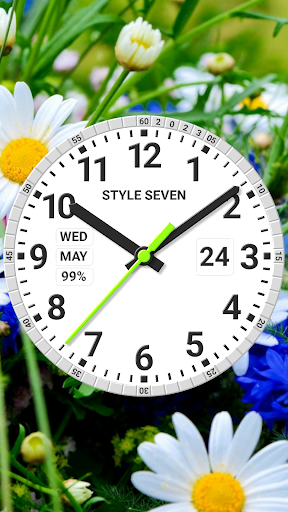
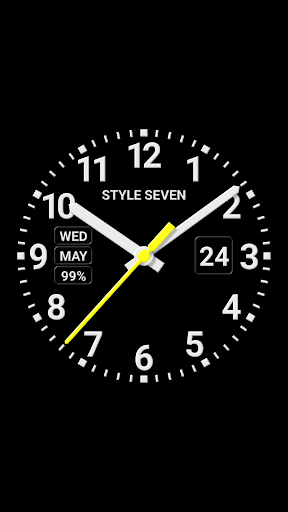


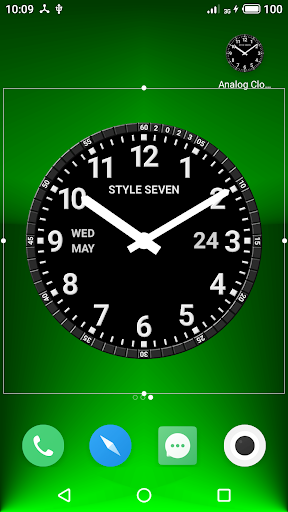
About Analog Clock Constructor-7
The description on the store listing
Use the analog clock as app widget. The clock shows second hand for Android 12 or high.
Use the analog clock as Live Wallpaper. Set clock size and position on the Home screen.
Use the analog clock as topmost or overlay clock or floating clock or overlay clock. The clock will be set above all windows. You can change position of the clock by drag and drop method and size of the clock.
Use the analog clock as app with full screen mode and keeping screen on.
Use the analog clock as screensaver while a device is charging.
🕒 Use analog clocks as “Night Clock” — a calm mode with economy style (black background and dark‑gray hands) that saves battery.
Random position change …
Read the full description
Use the analog clock as app widget. The clock shows second hand for Android 12 or high. Use the analog clock as Live Wallpaper. Set clock size and position on the Home screen. Use the analog clock as topmost or overlay clock or floating clock or overlay clock. The clock will be set above all windows. You can change position of the clock by drag and drop method and size of the clock. Use the analog clock as app with full screen mode and keeping screen on. Use the analog clock as screensaver while a device is charging. 🕒 Use analog clocks as “Night Clock” — a calm mode with economy style (black background and dark‑gray hands) that saves battery. Random position change every minute protects the screen from burn‑in. All options work in Fullscreen mode, Live Wallpaper, and Screensaver. 🌙 Use analog clocks as “Always on Screen” — the clock remains visible even when the screen is turned off. ⚠ Important: the function does not start automatically, you need to launch it manually in Fullscreen mode. “Always on Screen” emulation works through additional options: 🔆 brightness control and Auto‑lock on exit. Analog clock also shows on the dial: the current date, month, day of the week and battery charge (except the app widget). App can hint the current time by voice by double tap on window (except the app widget). Use special list of reminders and app will hint by voice the current time and any text by scheduler. Set appearance of the analog clock: set light or dark theme, transparent or solid dial, serif font, full date format, circle markers, show or hide any additional information on the dial. Set text for the ring of the dial, for example for show the current year or your name. Select any image from Gallery as background for the app and Live Wallpaper. All languages are supported for show the current month and day of the week. 12/24 time format supported as well for digital clock (for paid version) and talk the current time. All screen sizes, portrait and landscape orientations, 4K and HD displays are supported too.
Installs, last 30 days Measured
Exact Google Play install counts, collected daily
Ratings
12,110 ratings, 71 reviews
- 5 ★78%
- 4 ★9.7%
- 3 ★2.8%
- 2 ★1.7%
- 1 ★8.0%
Recent reviews
Latest public reviews from the store
- 2 Jul 2025
works perfectly! doesn't need any premium access or payment and is fully customizable, my desk now looks better with this. 5 stars
Top chart positions
Latest Google Play chart ranks by country, last 10 days
Not in any tracked top chart in the last 10 days.
Analog Clock Constructor-7 history
Release, install milestones, listing and store changes
- First released on the store 30 Nov 2017
Update frequency
How often Analog Clock Constructor-7 ships a new version, month by month
7 updates in the last 12 months. More often than most similar apps: they shipped a median of 2 updates in the same year.
Recent versions
Current version 8.5
- Version 8.518 Aug 2026
* Many improvements in the user interface * Removed window title in multi‑window mode — also convenient for the new Android 17 bubble mode * Added additional information for devices from Chinese manufacturers
- Version 8.4215 May 2026
Minor changes.
- Version 8.418 Mar 2026
* Added "Mini Clock" mode for Android 8+. When enabled, the clock collapses into a standard floating window that can be moved around the screen and snapped to the edge. You can return to the normal mode at any time. Enable it from the main menu. * For the "transparent dial" style, an opacity setting for the circular background has been added. This may help improve time readability. * Other improvements and fixes.
- Version 8.31 Mar 2026
Listing keywords
Words and phrases Analog Clock Constructor-7 repeats most in its store listing
Top phrases: analog clock (9), live wallpaper (3), always on screen (2), show the current (2), analog clocks (2).
Highlighted words also appear in the title. Counts cover the title, short description and description.
Business model and tech
From the store listing and declared permissions
- Business model
- Free to downloadShows ads
- Sensitive access
- No sensitive permission declared
Compliance
What the listing and the app package show
- Store status
- Live
- Upkeep
- Updated 18 Aug 2026
- Registered in
- Russia
- Privacy policy
- Linked on the listing
- Advertising
- Shows ads
- In-app purchases
- None declared
- Age rating
- Everyone
Apps like Analog Clock Constructor-7
Dish Install, Pointer & AlignInfoSofty251.5M installs★ 4.16
Tree Capitator ModMaps Mods Addons1M installs★ 3.46
5G 4G FORCE LTE MODERK AppZia4.1M installs★ 3.84
USB OTG CHECKERbubble shooter game2.2M installs★ 4.38
ALFAISAL vpnALFAISALVPN2.1M installs★ 3.45
Carrier Air ConditionerCentury Carrier Residential Air-conditioning1.9M installs★ 4.52
Simple Auto ClickerXIAOYANG3.7M installs★ 4.04
zFont Tool - Android Font ToolKhun Htetz Naing9.3M installs★ 3.04
analiti - Speed & WiFianaliti Networking Experts4.3M installs★ 4.27
Analog Clock Constructor-7: questions and answers
How many downloads does Analog Clock Constructor-7 have?
Analog Clock Constructor-7 has 4,050,478 installs on Google Play, measured from the store's own count on 21 Nov 2026.
Who makes Analog Clock Constructor-7?
Analog Clock Constructor-7 is published by StyleSeven.com, a developer based in RU.
When was Analog Clock Constructor-7 last updated?
The latest version (8.5) was released on 18 Aug 2026.
Is Analog Clock Constructor-7 free?
Yes. Analog Clock Constructor-7 is free to download, and it shows ads.
Is Analog Clock Constructor-7 still available?
Yes. Analog Clock Constructor-7 is live on Google Play as of 21 Nov 2026.
Track Analog Clock Constructor-7 and its competitors
Watch any app for new versions, rating drops, chart moves and removals. Free plan, no card.